当前位置:网站首页>01 node express system framework construction (express generator)
01 node express system framework construction (express generator)
2022-07-28 04:33:00 【@Wei dada】

List of articles
One 、 Use express-generator Create project
structure Express The quickest way of the project , There is nothing better than using express-generator Modules are generated automatically , This is also the way recommended in this article .
1.1 install express-generator modular
npm i express-generator -g
1.2 Generate express Project structure
Use express Instruction in express-server Create a folder using pug Template engine project .
> express --view=pug express-server

   create : express-server\
   create : express-server\public\
   create : express-server\public\javascripts\
   create : express-server\public\images\
   create : express-server\public\stylesheets\
   create : express-server\public\stylesheets\style.css
   create : express-server\routes\
   create : express-server\routes\index.js
   create : express-server\routes\users.js
   create : express-server\views\
   create : express-server\views\error.pug
   create : express-server\views\index.pug
   create : express-server\views\layout.pug
   create : express-server\app.js
   create : express-server\package.json
   create : express-server\bin\
   create : express-server\bin\www

   change directory:
     > cd express-server

   install dependencies:
     > npm install

   run the app:
     > SET DEBUG=express-server:* & npm start
After the project is created , The directory structure is shown below :
express-server
    |- bin/
    |		|- www
    |- public/
    |		|- images/
    |		|- javascripts/
    |		|- stylesheets/
    |- routes/
    |		|- index.js
    |		|- users.js
    |- views/
    |		|- error.pug
    |		|- index.pug
    |		|- layout.pug
    |- app.js
    |- package-lock.json
    |- package.json
among :
app.jsIs the project master file ;viewsDirectory is used to store page files ;routesDirectory is used to store routing files ;publicFor storing static files ;binMediumwwwIt's the startup file for the project ;
1.3 Start project
Under normal circumstances , Just enter the project folder , Install the package that the project depends on , Then execute the start command .
> cd .\express-server\          #  Go to the project folder
> npm i													#  Install dependency packages

added 124 packages in 3s
> npm start                     #  Start project

> [email protected] start
> node ./bin/www
here , visit localhost:3000 You can access the system :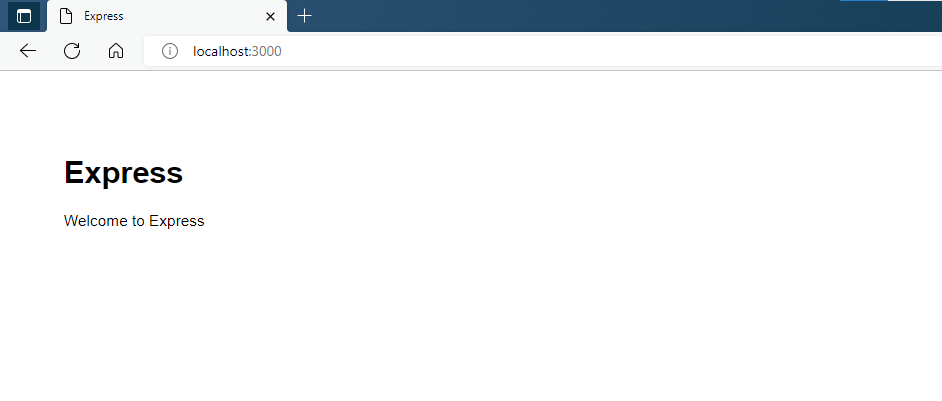
1.4 Set up nodemon Self starting project
We started the project using npm start The order is in package.json Configured in , alike , We can configure our own instructions .
In the development process , Once the project code is modified, you need to restart the project to see the execution results , To improve development efficiency , We usually use them nodemon The module automatically restarts the project after the project is modified .
- install
nodemonmodular
npm i nodemon -g
- Create a
nodemonInstructions to start the project ( Section of the following code 7 That's ok )
{

  "name": "express-server",
  "version": "0.0.0",
  "private": true,
  "scripts": {

    "start": "node ./bin/www",
    "serve": "nodemon ./bin/www"
  },
  "dependencies": {

    "cookie-parser": "~1.4.4",
    "debug": "~2.6.9",
    "express": "~4.16.1",
    "http-errors": "~1.6.3",
    "morgan": "~1.9.1",
    "pug": "2.0.0-beta11"
  }
}
- Start project
Use npm run serve The command starts at the terminal express project .
> npm run serve

> [email protected] serve
> nodemon ./bin/www

[nodemon] 2.0.16
[nodemon] to restart at any time, enter `rs`
[nodemon] watching path(s): *.*
[nodemon] watching extensions: js,mjs,json
[nodemon] starting `node ./bin/www`
here , If the project code changes , The project automatically restarts .
Two 、 Manually create a Express project
2.1 Create a project folder and initialize
Create a file called express-server Project folder for , And use npm init -y Initialize project folder .
> mkdir express-server
> cd express-server
> npm init -y
Wrote to .\express-server\package.json:

{

  "name": "express-server",
  "version": "1.0.0",
  "description": "",
  "main": "index.js",
  "scripts": {

    "test": "echo \"Error: no test specified\" && exit 1"
  },
  "keywords": [],
  "author": "",
  "license": "ISC"
}
At this point, a project folder named package.json The file of .
2.2 install express modular
> npm i express
2.3 Create the project master file
> touch app.js
2.4 edit app.js file
Create a hello world Program , edit app.js The contents of the document are as follows :
const express = require('express')
const app = express()
const port = 3000

app.get('/', (req, res) => {

  res.send('Hello World!')
})

app.listen(port, () => {

  console.log(`Example app listening on port ${
      port}`)
})
2.5 Start project
Use node Command start project , The implementation effect is as follows :
> node .\app.js
Example app listening on port 3000
here , visit localhost:3000 See the interface shown in the following figure :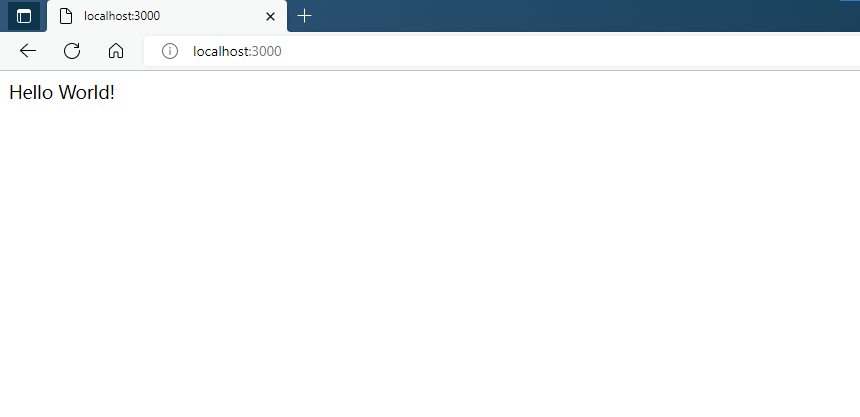
2.6 Use nodemon Start project
Use nodemon Make the project start automatically after modification .
- install nodemon modular
npm i nodemon -g
- Start project
> nodemon .\app.js
[nodemon] 2.0.16
[nodemon] to restart at any time, enter `rs`
[nodemon] watching path(s): *.*
[nodemon] watching extensions: js,mjs,json
[nodemon] starting `node .\app.js`
Example app listening on port 3000
3、 ... and 、 Project code
边栏推荐
- Phpstorm2022 connect to the database
- 20-Openwrt crond crontab
- [coding and decoding] Huffman coding and decoding based on Matlab GUI [including Matlab source code 1976]
- 【sylar】框架篇-Chapter8-定时器模块
- Information system project manager (2022) - key content: Project Portfolio Management (19)
- Important SQL server functions - numeric functions
- C # cross thread refresh foreground UI
- [Sylar] framework -chapter11 socket module
- Transformer landing | next vit realizes the real-time landing of industrial tensorrt, surpassing RESNET and cswin
- Power consumption: leakage power
猜你喜欢
《KG-BERT: BERT for Knowledge Graph Completion》

Ma Yi, Shen Xiangyang, Cao Ying's latest AI overview is hot! It took 3 months to build, netizens: required papers

将数据库拿到的数据渲染到elementUI 中的table中去

物联网工业串口转WiFi模块 无线路由WiFi模块的选型

Information system project manager (2022) - key content: intellectual property rights and standards and specifications (22)

Information system project manager (2022) - key content: Project Risk Management (11)

C语言初阶——循环语句(while,for,do while)

pytorch_ Lightning in lightning_ The output of hparams.yaml in logs is null

【YOLOv5实战5】基于YOLOv5的交通标志识别系统-YOLOv5整合PyQt5

Efficient practice intelligent analysis of massive log data in aviation industry
随机推荐
重要的 SQL Server 函数 - 数字函数
[Sylar] framework Chapter 6 collaborative scheduling module
Esp8266 WiFi module and mobile communication
20-Openwrt crond crontab
Study of the Intel aria 10 Avalon mm DMA interface for PCI Express solutions User Guide
Solana「迷惑行为」:造手机、开门店
How to upgrade a pair of 12.2 RAC(primary) and a pair of 12.2 RAC(dataguard) to 19c
【sylar】框架篇-Chapter12-ByteArray 模块
C # cross thread refresh foreground UI
[coding and decoding] Huffman coding and decoding based on Matlab GUI [including Matlab source code 1976]
Warning: file already exists but should not: c:\users\workmai\appdata\local\temp appears when Python packages exe\_ MEI13
ESP8266 WIFI 模块和手机通信
Study notes of Gu Yujia on July 27, 2022
25 openwrt guest network add
Slice slice
Object locking in relational database transactions
Harmony's Application on the shelves reported an error. The solution of "please use the API of the released version to develop the application and apply for listing"
【sylar】框架篇-Chapter7-IO 协程调度模块
Important SQL server functions - string utilities
【sylar】框架篇-Chapter23-模块篇总结