当前位置:网站首页>ICer技能02makefile脚本自跑vcs仿真
ICer技能02makefile脚本自跑vcs仿真
2022-06-23 04:56:00 【捌肆么么】
0.前言
在win上跑過modelesim仿真的都知道,我們需要准備好兩個.v文件,然後一頓界面的操作點來點去,最後才生成波形,這對於開發者來說是相當低效的,所以今天記錄一下linux下使用makefile脚本自跑vcs仿真。
1.常用選項
| 對象 | 指令 | 錶示作用 |
|---|---|---|
| vcs | -full64 | 支持64比特 |
| vcs | -l 空格 文件名 | 創建日志文件,一般為.log文件 |
| vcs | -f 空格 文件名 | 在某文件中索引要編譯的文件路徑,可以是file.list文件 |
| vcs | -debug_all | 支持調試 |
| vcs | -timescale=1ns/1ns | 時間精度 |
| vcs | +v2k | Verilog2001架構 |
| vcs | -sverilog | sv架構 |
| simv | -l | 仿真日志 |
| simv | -gui | 開啟界面 |
| dve | -vpd 空格 文件名 | 打開波形文件,一般在最後加個&錶示後臺運行 |
2.准備工作
下面直接開始從零寫一個簡單的makefile脚本來自動化操作vcs仿真,當然要有一定的linux基礎操作的知識,這個看個半小時基本命令的使用都能直接上手了,小case
①首先我們進入終端,用ls命令看看有什麼文件
ls
②我們看到只有一個add_vcs的文件夾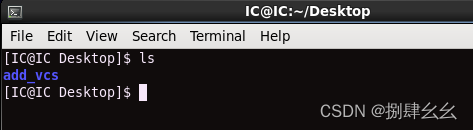
③忽略這個文件夾,重新建立一個add_test的文件夾
mkdir add_test
④可以看到桌面上多了一個文件夾(當然我是在桌面這個路徑下敲的代碼)
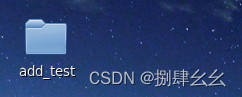
⑤進入add_test文件夾下的路徑
cd ./add_test/

⑥創建兩個文件:add.v add_tb.v
touch add.v
touch add_tb.v


⑦使用gvim編輯器編寫兩個.v文件,代碼如下
add.v
 module add
 (
 	input		a,b,c_in,
 	output		sum,c_out
 );

 assign sum = a ^ b ^ c_in;

 assign c_out = (c_in & b)|(a & b)|(a & c_in);

 endmodule
add_tb.v 注意一定要保證仿真能結束,不然跑vcs會一直卡進程,還有就是$vcdpluson生成波形文件
 `timescale 1 ns/1 ns
 module add_tb();
 //輸入用reg
 reg          a;
 reg          b;
 reg	     c_in;
 reg	     clk;

 //輸出用wire
 wire	     sum;
 wire	     c_out;

 //時鐘周期,單比特為ns
 parameter CYCLE    = 20;

 //生成本地時鐘
 initial begin
     clk = 0;
     forever
     #(CYCLE/2)
     clk=~clk;
 end

 //信號初始化
 initial begin
 	#1
 	a    = 0;
 	b    = 0;
 	c_in = 0;
 end

 //待測試的模塊例化
 add u1
 (
 	.a	(a),
 	.b	(b),
 	.c_in   (c_in),
 	.c_out  (c_out),
 	.sum	(sum)
 );

 //其他輸入信號賦值
 always @(posedge clk)begin
 	a    = {$random}%2;
 	b    = {$random}%2;
 	c_in = {$random}%2;
 end

 initial begin
   $vcdpluson;
 end

 initial begin
   # 200 $finish;
 end

 endmodule
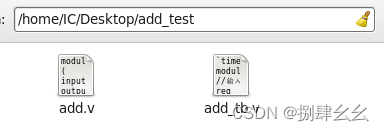
⑧生成file.list文件,再用ls查看是否真正生成了相應文件
find -name "*.v"> file.list

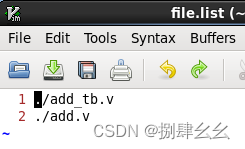
⑨使用gvim查看flie.list文件(按下gf可以跳轉,ctrl+o返回),發現是一個相對路徑集合
gvim file.list
3.makefile編寫
- vcs的仿真首先要進行編譯(com),然後是仿真(sim),再接著就是看波形(用dve看)
- 首先定義all: com sim run_dve
- 接著編寫com sim run_dve 的各個指令
- 最後加上一個clean來清除仿真生成的文件
先在add_test路徑下創建一個makefile文件進而編寫
代碼如下:
all: com sim run_dve

com:
	vcs -sverilog -debug_all -timescale=1ns/1ns -f file.list -l com.log

sim:
	./simv -l sim.log

run_dve:
	dve -vpd vcdplus.vpd &

clean:
	rm -rf *.vpd csrc *.log *.key *.vdb simv* DVE*
根據開頭的錶格可以了解各個指令的功能
4.一鍵仿真及文件清理
①回到終端,在add_test路徑下運行
make all
即可
②仿真如下圖:
③自動運行dve ,我們添加查看波形即可


④最後關閉dve界面,在終端上運行
make clean
將生成的文件全部删除,ls查看一下只剩下原本的4個文件
边栏推荐
- PCB----理论与现实的桥梁
- How can mushrooms survive a five-year loss of 4.2 billion yuan?
- The paddepaddle model is deployed in a service-oriented manner. After restarting the pipeline, an error is reported, and the TRT error is reported
- Cocos learning diary 1 - node
- win10查看my.ini路径
- Abnova blood total nucleic acid purification kit protocol
- OGNL Object-Graph Navigation Language
- PTA: price of 7-65 beverage
- The solution to prompt "this list creation could be rewritten as a list literal" when adding elements to the list using the append() method in pychart
- Cocos learning diary 2 - scripts and attributes
猜你喜欢







随机推荐
Magnetoresistive saturation
Pta:7-58 Book audio-visual rental management
智能语音时代到来,谁在定义新时代AI?
Pta:7-64 what day of the year is this day
E45: ‘readonly‘ option is set (add ! to override)
【图论】—— 二分图
Dsp7 environment
Usage of API interface test ------ post
Freemodbus parsing 1
notepad++ 查找替换之分组替换保留
PCB----理论与现实的桥梁
在PCB板边走高频高速信号线的注意事项–高频高速信号设计基本原则
云函数实现模糊搜索功能
Cloud function realizes fuzzy search function
Notes on writing questions in C language -- free falling ball
Pta:7-67 friend is very simple 2016final
1183. 电力
DPR-34V/V双位置继电器
Abnova ACTN4纯化兔多克隆抗体说明书
Common concepts and terms in offline warehouse modeling