当前位置:网站首页>Jenkins continues integration 2
Jenkins continues integration 2
2022-06-28 05:45:00 【Lotus root powder ginger】
Node management
Delete the previous node
Default state 

The said master In addition to continuous integration and continuous delivery , It also needs to be built , If more and more projects are created on it , If you build on only one machine , Will not be able to load , In general , Will change the construction task from master separate from
Rebuild create vm5
 host
cd /var/lib/libvirt/images/
rm -f vm5
qemu-img create -f qcow2 -b small-new.qcow2 vm5
server5
yum install -y java-1.8.0-openjdk.x86_64
stay jenkins The new node , Specialized in building 


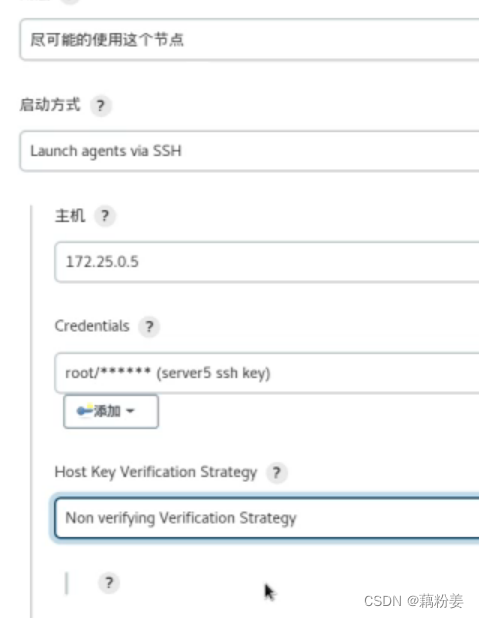
If you don't let master If you don't work , Just change the quantity to 0 That's all right. 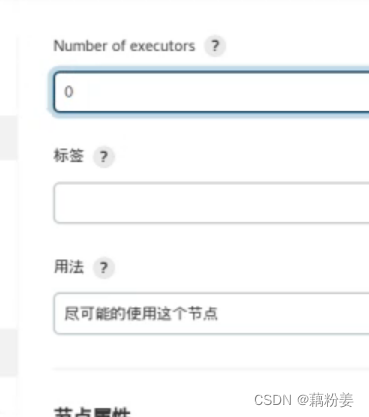
problem : If gitlab I don't know your password
cd /etc/gitlab
gitlab-ctl uninstall
gitlab-ctl cleanse
//rm -f initial_root_password
//gitlab-ctl reconfigure

find / -name *gitlab*
And redeploy gitlab
server4
cd /etc/yum.repos.d/
ls
scp docker.repo server5:/etc/yum.repos.d/
cd /etc/sysctl.d/
ls
scp docker.conf server5:/etc/sysctl.d/
cd /etc/docker/
scp -r certs.d/ daemon.json server5:/etc/docker/
server5
yum install -y docker-ce
sysctl --system
systemctl enable --now docker
vim /etc/hosts
172.25.0.1 server1 reg.westos.org
systemctl restart docker
docker info
docker pull nginx
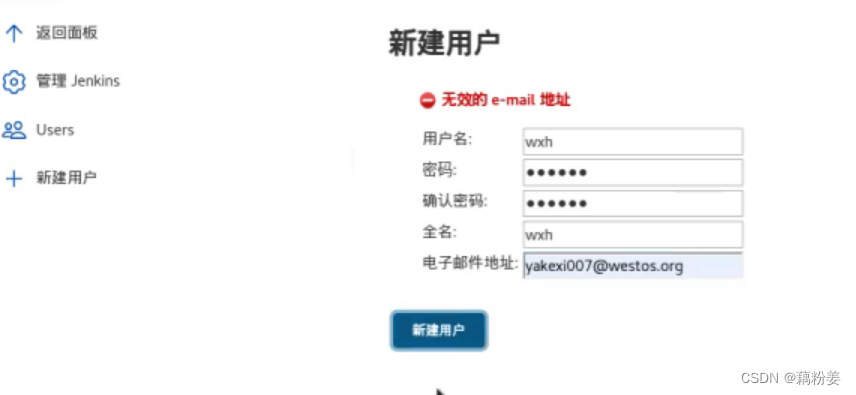
A new user
Control user rights 

The newly created user has no permission .


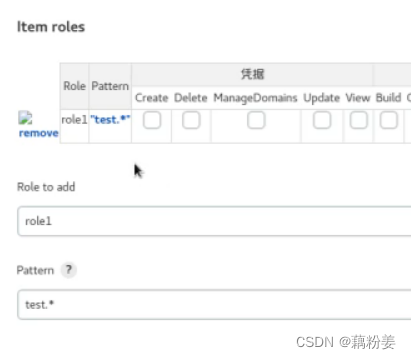


gitlab After the password is retrieved , New projects 
server2
git push -u origin main
Then refresh
problem : If jenkins There are the following 
Because server3 The public key of is not copied
server3
cd .ssh/
cat id_rsa.pub  # Copy the contents to gitlab  SSH in
The first docker_project_test Disable first
If test The console output of is also wrong
Probably because server5 Not installed on git.
yum install -y git

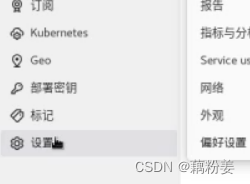

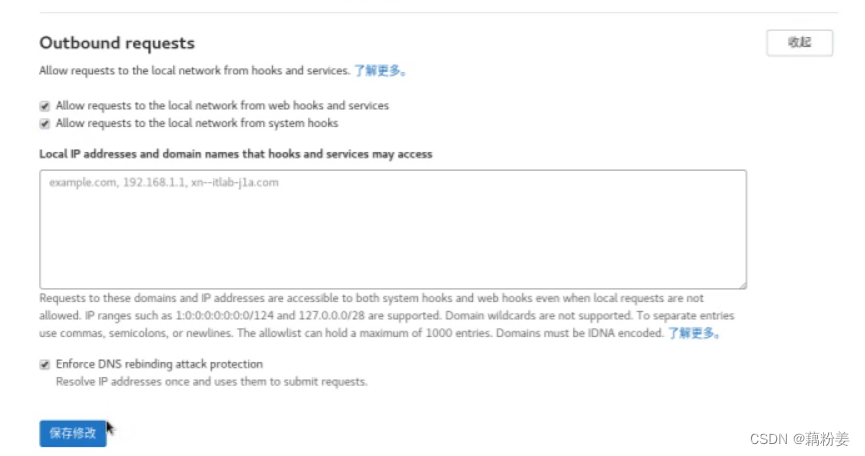
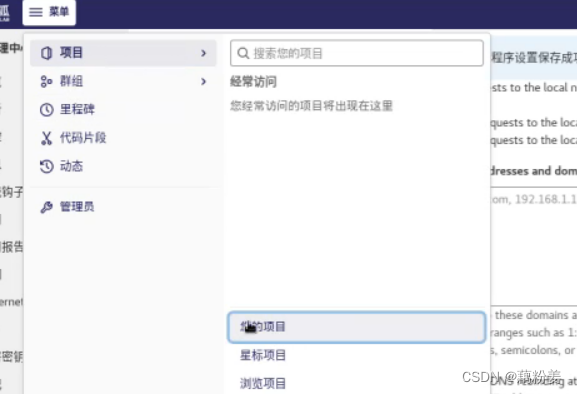

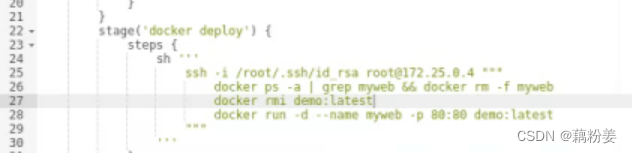
String a lot of free style projects into an assembly line 

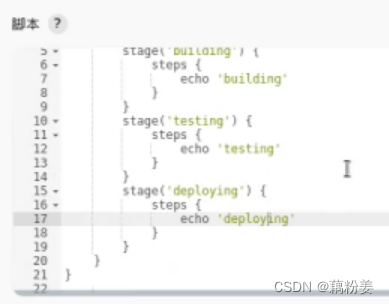


Fixed when building the host , You can do the following
server5
cd /tmp/workspace/
cd devops
ls
ssh-keygen
ssh-copy-id server4
If the build host is not fixed ,
ssh-agent Help you cache your credentials directly in this .
Build credentials 
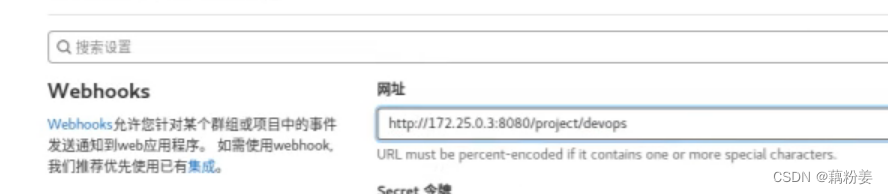
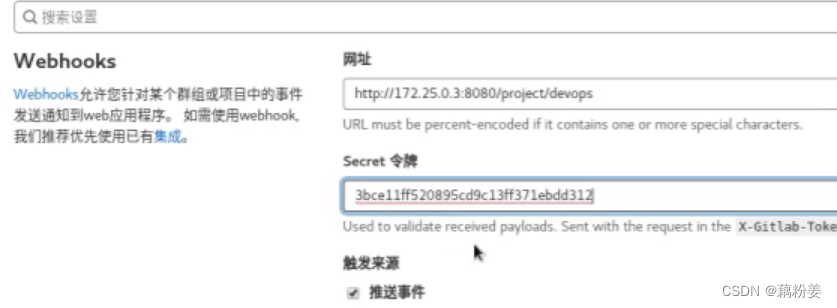
Automatic triggering 
senior 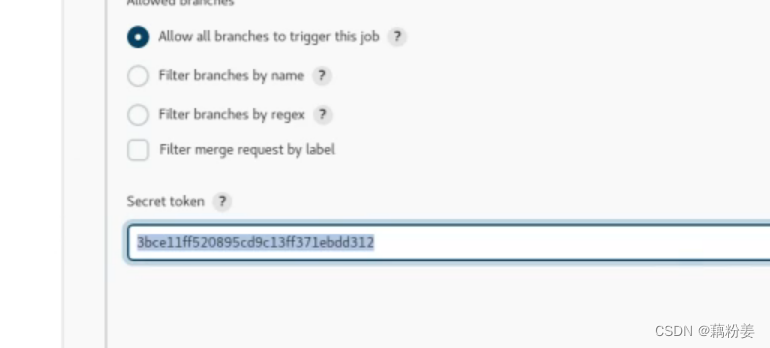
preservation
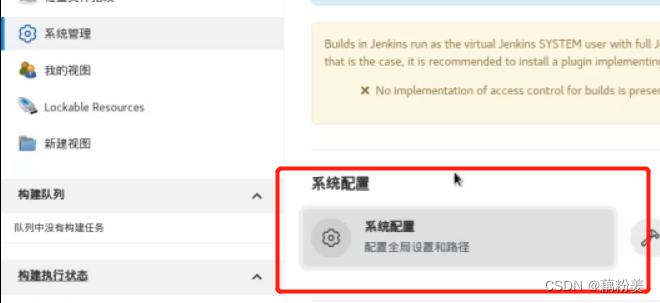
jenkins Combined with nail alarm
Installing a plug-in 
Create an alarm group 
Create a robot in the hands of an intelligent group , keyword jenkins, Copy webhook Address ,
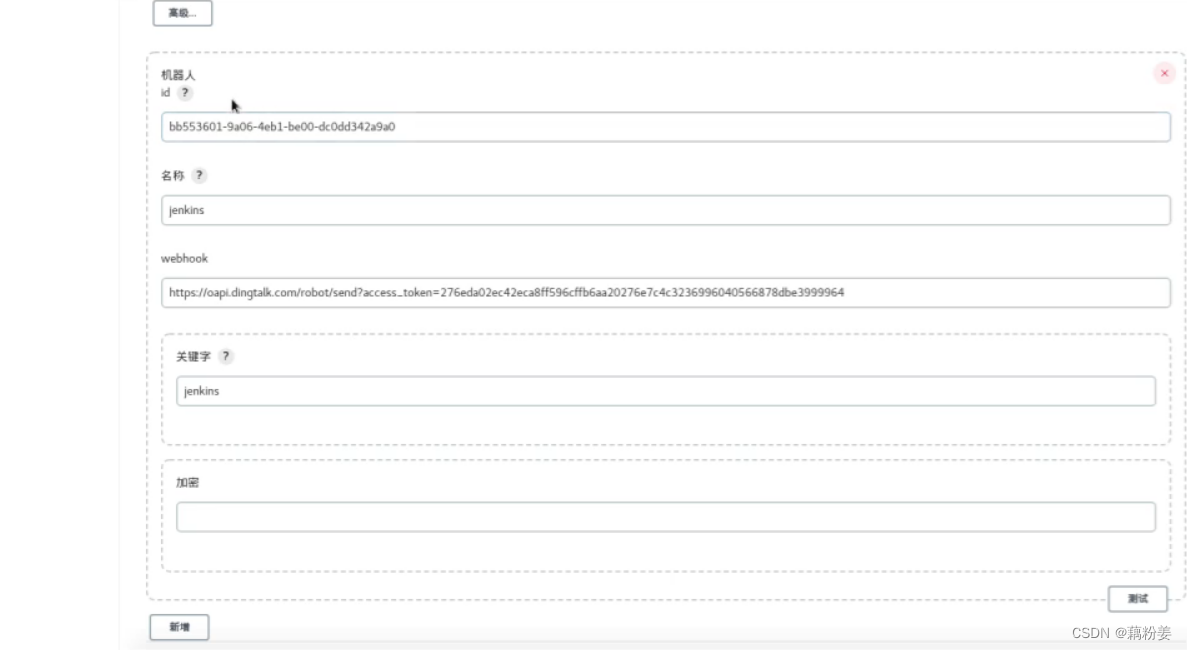


Test upload failed 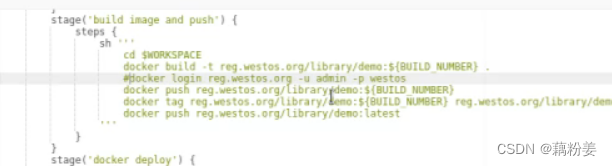

adopt gitlab Do version control
Create a project 

server2
vim Jenkinsfile # Write the previous code into it
git addJenkinsfile
git commit -m "add Jenkinsfile"
git push -u origin main
Making a change 


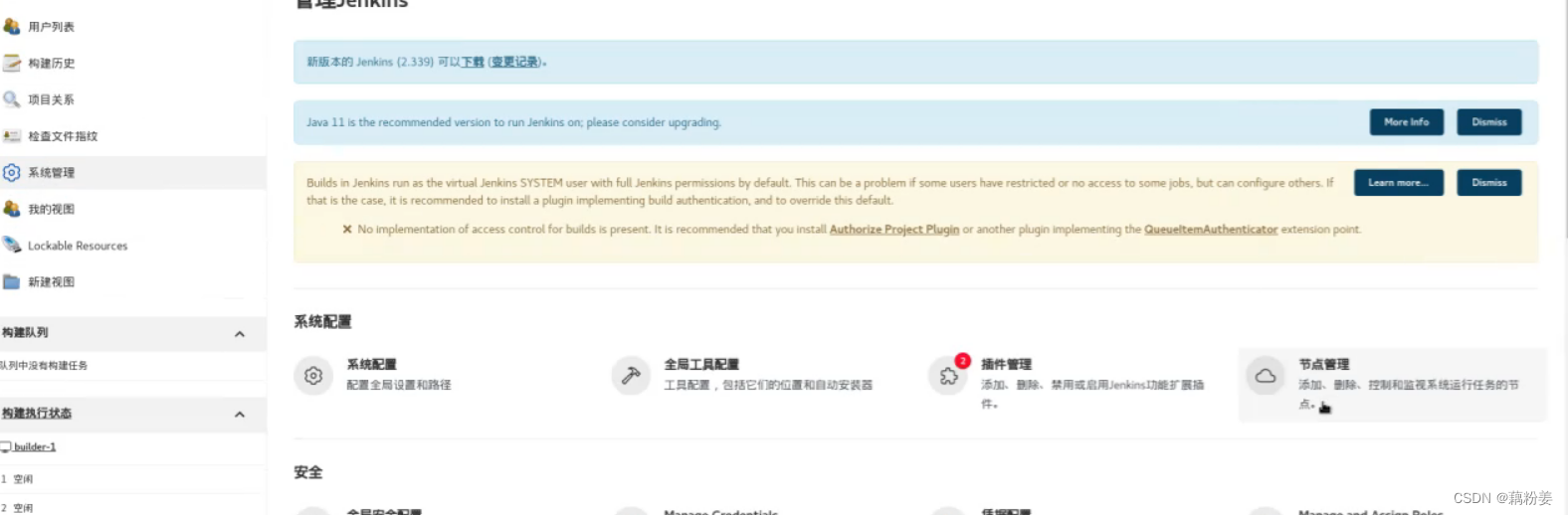
stay master In the setting of 
aggregate ansible
stay jenkins Install on this host ansible
rpm -ivh ansible-2.8.5-1.el7.noarch.rpm
yum install -y ansible-2.8.5-1.el7.noarch.rpm


 If there is a local source, create one ansible Source
cd /etc/yum.repos.d/
vim ansible.repo
yum install ansible

Access four packages to a directory ,yum install *
ansible -v
cd /etc/ansible/
ls
cat ansible.cfg # Master profile
cat hosts # object
gitee
server2
git clone [email protected]:root/ansible.git
cd ansible/
ls
server4,5
systemctl stop docker
systemctl stop docker.socket
netstat -antlp
PUSH ansible Of play-book stay server4,5
server4 As a test environment ,5 As a production environment
jenkins Will pass git Way to pull down from the warehouse , All the information is stored in the warehouse , There is version control for any changes .
server2
vim ansible.cfg


mkdir inventory
cd inventory/
ls
vim test
[test]
172.25.0.4
vim prod
[prod]
172.25.0.5
cd ..
vim playbook.yml
---
- hosts:all
  tasks:
  - name: install httpd
    yum:
        name: httpd
        state:present
  - name: create index.html # Create a template
    template:
      src: index.html.j2
      dest: /var/www/html/index.html
  - name: start httpd
    service:
      name:httpd
      state:started
      enabled:yes
vim index.html.j2
{
   { ansible_hostname }}
ls
git add .
git status -s
git commit -m "add playbook.yaml"
git push -u origin main

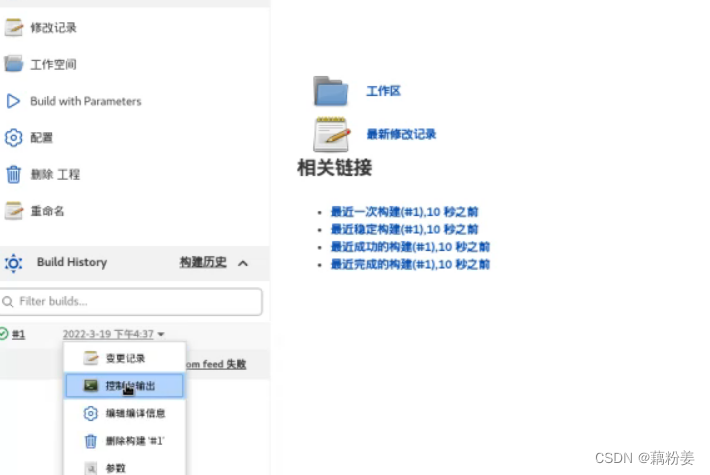
stay jenkins Pull , New projects 


server3
cd /var/lib/jenkins/
cd workspace/
ls
If it is a build host , For example server5, Built on /tmp/, Then in /tmp/ below
stay ansible In the main configuration file of , The remote connection is through ssh
ssh [email protected] This user was created on a remote host , And then through sudo To run the , If you don't do this , Will pass jenkins Users go to visit , But this is wrong
server4,5
useradd devops
visudo

server4
passwd devops
 Set user password
server5
echo westos | passwd --stdin devops
server3
su - jenkins
cat /etc/passwd
usermod -s /bin/bash jenkins
su - jenkins
ssh-keygen
ssh-copy-id [email protected]
ssh-copy-id [email protected]
ssh [email protected] # test
ssh [email protected]
ssh [email protected]
ssh [email protected]
 Then just step back
ansible- playbook -i inventory/test playbook.yml

边栏推荐
猜你喜欢

【JVM】——JVM中內存劃分

Line animation

RL 实践(0)—— 及第平台辛丑年冬赛季【Rule-based policy】
![[Linux] - using xshell to install MySQL on Linux and realize the deployment of webapp](/img/07/e044a6ef14a6576dbee1c6a009ab4f.png)
[Linux] - using xshell to install MySQL on Linux and realize the deployment of webapp

Interpretation of cloud native microservice technology trend

Data middle office: six questions data middle office

Docker installs mysql5.7 and starts binlog

Qtcanpool knowledge 07:ribbon

开发者的时代红利在哪里?

Create NFS based storageclass on kubernetes
随机推荐
5GgNB和ng-eNB的主要功能
Why don't big manufacturers use undefined
Comparison between relational database and document database
FB、WhatsApp群发消息在2022年到底有多热门?
MR-WordCount
If a programmer goes to prison, will he be assigned to write code?
To batch add background pictures and color changing effects to videos
如何在您的Shopify商店中添加实时聊天功能?
Video tutorial on website operation to achieve SEO operation [21 lectures]
Oracle基础知识总结
MySQL export database dictionary to excel file
Oracle 常用基础函数
线条动画
上海域格ASR CAT1 4g模块2路保活低功耗4G应用
MySQL 45 talk | 05 explain the index in simple terms (Part 2)
Mysql-16-subquery
小球弹弹乐
[CAD drawing Video] AutoCAD 2014 master's way
[Linux] - using xshell to install MySQL on Linux and realize the deployment of webapp
数据仓库:金融/银行业主题层划分方案