当前位置:网站首页>Express框架
Express框架
2022-07-27 05:23:00 【THER1881】
一、Node框架
1、框架:一个半成品,开发人员按照框架的规范(要求)进行不同配置就可以实现不同的需求
2、Node的常用框架:Express、Koa、egg
二、Express框架
1、简介:基于Node运行环境的轻量级Web框架,封装了Node的http模块并对该模块的功能进行了扩展使开发者可以轻松完成页面路由、请求处理、响应处理。
2、在VSCode中安装Express
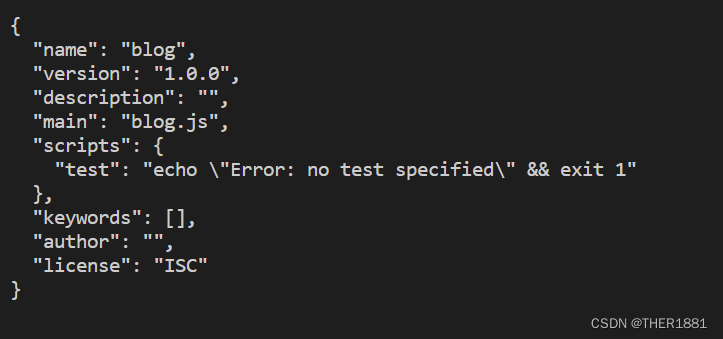
(1)npm init -y --生成package.json文件
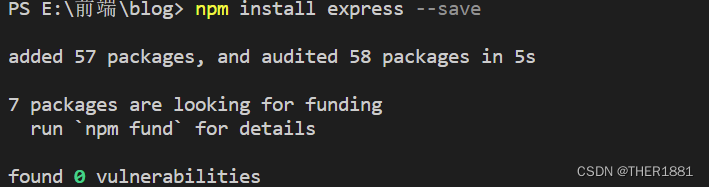
(2)npm install express --save

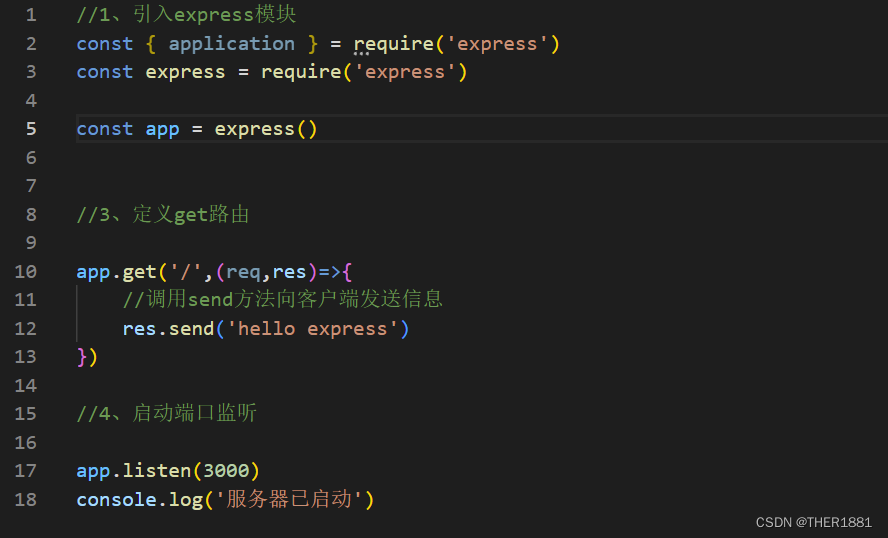
3.3、使用Express搭建Web服务器
(1)引入express模块;
(2)调用express()方法创建服务器对象app;
(3)调用get()方法定义GET路由;
(4)调用listen()方法监听端口
演示:

三、Express框架的功能
1、设立中间件响应http请求
2、执行基于HTTP方法和URL不同动作的路由
3、允许动态渲染基于参数传递给模板HTML页面
四、在VScode中创建Express项目
1、安装Express
在cmd中输入npm install -g express-generator

2、查看Express版本号
express --version

3、创建项目
3.1、创建一个目录
3.2、进入该目录执行指令:express 项目名
例如:express hello
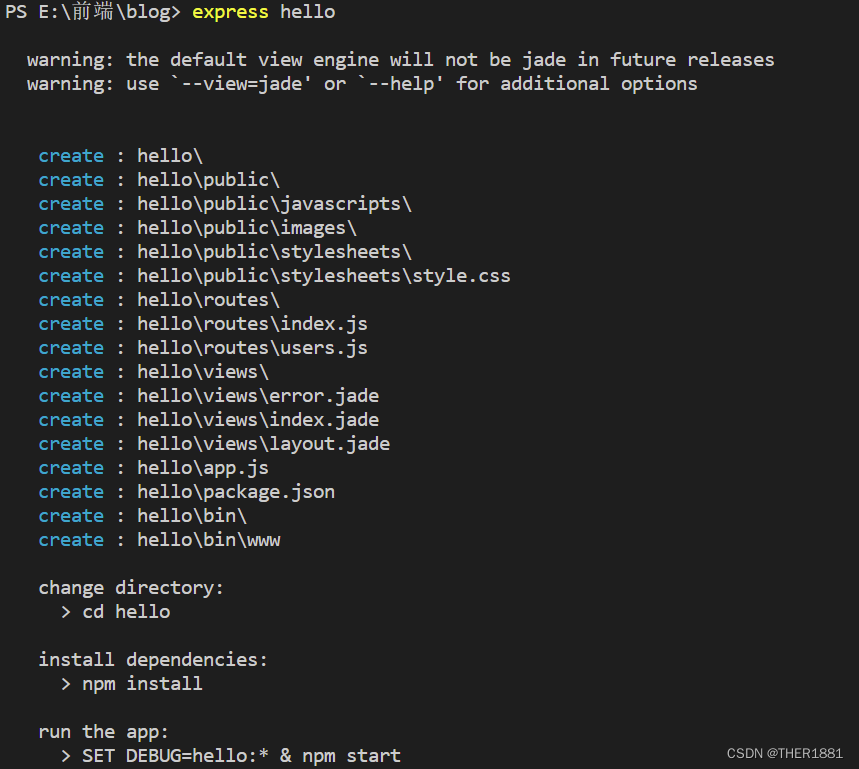
3.3、进入项目所在目录,执行指令:npm install 安装相关依赖模块
例如: cd hello
hello> npm install

3.4、启动项目:npm start – 项目默认的端口号是3000
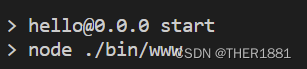
3.5、启动浏览器访问:http://localhost:3000
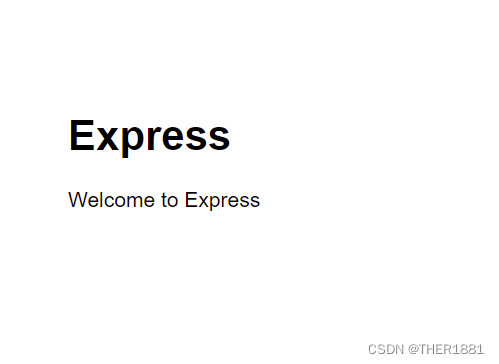
当使用浏览器进入访问时出现此界面说明以上操作全部成功
4、修改项目监听的端口号:/bin/www
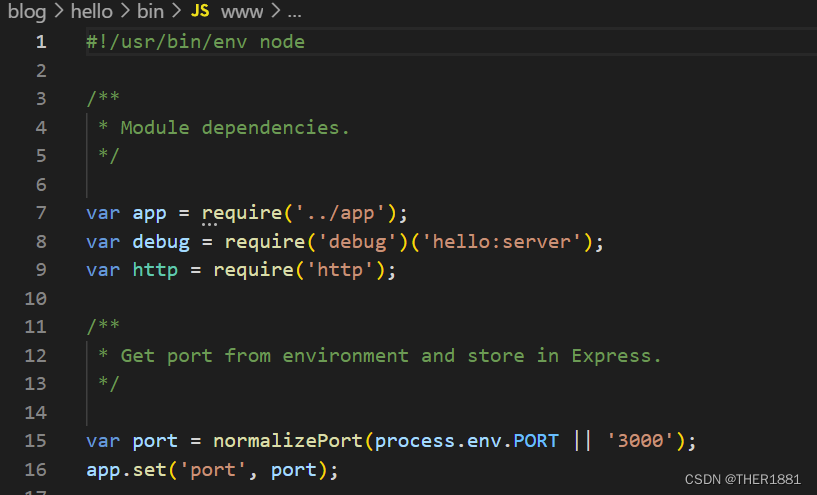
5、安装nodemon模块,实时跟踪源程序的变化。安装完成后打开package.json文件,做如下修改
  "scripts": {

		"start": "nodemon ./bin/www"
	  }

6、Express项目的目录结构
| 目录名 | 说明 |
|---|---|
| bin | 启动配置文件,在www里修改运行端口号 |
| node_modules | 存放所有的项目依赖库 |
| public | 用于存放静态资源文件 图片,CSS,JAVASCRIPT文件 |
| routers | 路由文件夹。存放的是路由文件 |
| views | 存放页面的地方 |
| package.json | 项目的配置信息文件(项目依赖配置及开发者信息) |
| app.js | 应用核心配置文件,项目入口 |

四、Express中间件
1、中间件(Middleware)简介:
中间件特指业务流程的中间处理环节。本质上就是一个function处理函数Express中间件的调用流程:
当一个请求到达Express的服务器之后,可以连续调用多个中间件,从而对这次请求进行预处理。
注意:中间件函数的形参列表中,必须包含next参数,路由处理函数中只包含req和res.
next函数的作用:是实现多个中间件连续调用的关键,他表示把流转关系转交给下一个中间件或路由。
2、中间件的功能
(1)、路由
(2)、发布网站维护公告
(3)、自定义404
3、中间件的组成
3.1、中间件方法
| 中间件方法 | 说明 |
|---|---|
| get() | 响应用户的get请求 |
| post() | 响应用户的post请求 |
| put() | 响应用户的put请求.通常用于修改数据 |
| delete() | 响应用户的delete请求.通常用于删除数据 |
| use() | 处理所有的请求 |
| static() | 响应用户对静态资源的访问 |
3.2、请求处理函数
get(‘请求路径’,请求处理函数)
例如:

   get('/',(req,res,next)=>{


       处理代码
	   next()

   })
五、Express的路由:通过express.Router()实现模块化路由管理
1、使用方法:
(1)、创建路由文件:扩展名为.js的文件(index.js)
(2)、在路由文件中引入express模块
var express = require('express');
(3)、使用express模块创建路由器对象
var router = express.Router();
(4)、定义中间件响应用户的请求
router.get()或router.post()
(5)、导出路由器对象
module.exports = router;
(6)、在项目的核心文件app.js中引入路由文件
var indexRouter = require('./routes/index');
(7)、指定路由文件的请求路径
app.use('/', indexRouter);
强调:自定义路由文件的请求路径的拼接过程:http://localhost:3000/students/info
演示:
//1、引入express模块
var express = require('express')

//2、创建路由器对象

var router = express.Router()

//3、定义中间件,用来响应用户请求
router.get('/info',((req, res, next) =>{

    res.send('我是路由器')
} ))


router.get('/',((req, res, next) => {

    res.send('我是Student的根')
}))
router.post('/postdemo',(req, res) => {

    res.send('你好,这是post的请求')
})
//4、导出

module.exports = router
app.js:
//5、导入自定义的路由文件
var studentRouter = require('./routes/student')
//6、配置自定义路由文件的请求路径
app.use('/students',studentRouter)


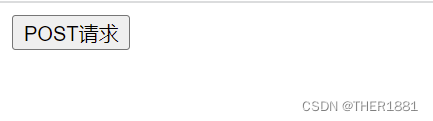
做项目时需要前后端分离,所以在测试post请求时,需要在VSCode中重新建立一个HTML页面:
<!DOCTYPE html>
<html lang="en">
<head>
    <meta charset="UTF-8">
    <meta http-equiv="X-UA-Compatible" content="IE=edge">
    <meta name="viewport" content="width=device-width, initial-scale=1.0">
    <title>Document</title>
</head>
<body>
    <form action="http://localhost:3000/students/post" method="post">
        <button type="submit">POST请求</button>
    </form>
</body>
</html>

边栏推荐
- 1. CentOS 7 安装 redis
- How to avoid loopholes? Sunflower remote explains the safe use methods in different scenarios
- Geonode GeoServer win10 installation tutorial (personal test)
- shell--变量的运算
- System security and Application
- Tips - completely delete the files on the USB flash drive
- shell--条件语句(if语句、case语句)
- What if the website server is attacked? Sunflower tips that preventing loopholes is the key
- Shell语句判断练习题
- Shell脚本一键配置LAMP
猜你喜欢

shell--变量的运算

FTX US launched FTX stocks, striding forward to the mainstream financial industry

阿里云短信验证第三方接口(快速使用)

ES6新特性(入门)

FTP service introduction and configuration
Shell -- operation of variables

LAMP--源码编译安装
一键修复漏洞可行吗?向日葵来告诉你一键修复漏洞可行吗?向日葵来告诉你一键修复漏洞可行吗?向日葵来告诉你一键修复漏洞可行吗?向日葵来告诉你一键修复漏洞可行吗?向日葵来告诉你一键修复漏洞可行吗?向日葵来告

2022上半年英特尔有哪些“硬核创新”?看这张图就知道了!

Packaging of logging logs
随机推荐
LVM and disk quota
FTX US launched FTX stocks, striding forward to the mainstream financial industry
Sunflower: don't worry when you encounter computer vulnerabilities, understand clearly and then judge sunflower: don't worry when you encounter computer vulnerabilities, understand clearly and then ju
创建一个不依赖于任何基础镜像的容器
According to SQL, you must know and learn SQL (MySQL)
Shell语句判断练习题
Soul continues to make efforts to list its social channels in Hong Kong. Why is "soul style social" popular?
To improve the baby's allergy, take yiminshu. Azg and aibeca love la Beijia work together to protect the growth of Chinese babies
logging日志的封装
Soul持续发力社交渠道赴港上市,“Soul式社交”凭什么火出圈?
备忘录 @RestControllerAdvice与异常拦截类示例
Shell -- custom variables and assignments
面试常问的问题总结【呕心沥血熬了一个晚上总结的】
账号管理与权限
Source code compilation and installation LNMP and discuz Forum
关于在Gazebo中给无人机添加相机(摄像头)之后,无人机无法起飞
System security and Application
Ftx.us launched stock and ETF trading services to make trading more transparent
Markdown文档常用字体及颜色设置
When a subclass calls the constructor of its parent class