当前位置:网站首页>NFS shared storage service installation
NFS shared storage service installation
2022-06-26 12:01:00 【huryer】
NFS Shared storage service installation
One .NFS summary
1. summary
NFS It's based on TCP/IP Transport network file system protocol . By using NFS agreement , The client can access the shared resources in the remote server just like accessing the local directory
NAS Storage : NFS The implementation of a service depends on RPC (Remote Process Call, Remote procedure call ) Mechanism , Mapping to the local process .
stay Centos 7 In the system , Need to install nfs-utils、 rpcbind Software package to provide NFS Shared services , Former used NFS Share publishing and access , The latter is used RPC Support .
Manual loading NFS When sharing services , It should be started first rpcbind, Restart nfs.
nfs port :2049
RPC port :111
2. characteristic
use TCP/IP Transfer network files
Low security
Easy to operate
Suitable for LAN environment
Two .NFS working principle
NFS The server can make PC The NFS The directory shared by the server is mounted to the local file system , And in the local system , The directory of the remote host is like a partition of its own , It's quite convenient to use ;
2.1NFS Workflow
1. First, the server starts RPC service , And open 111 port
2. Server side start NFS service , And to RPC Register port information
3. The client starts RPC(portmap service ), To the server RPC(portmap) Service request server side NFS port
4. Server side RPC(portmap) Service feedback NFS Port information to client .
5. The client obtains the NFS Port to create and service side of NFS Connect and transfer data .
2.2 Mounting principle
When we're in NFS After the server has set up a shared directory , Others have access to NFS Server's NFS The client can mount this directory to a mount point of its own file system , This mount point can be defined by itself .
After the installation, we can see all the data of the server locally .
3、 ... and .NFS Service deployment
3.1 Server side configuration
# 1. Check and install the software
rpm -q rpcbind nfs-utils
yum install -y rpcbind nfs-utils

# 2. Create shared directory
# NFS Configuration file for , The default file content is empty ( No sharing )
vi /etc/exports
#  Set up /share/data For shared directory , allow 192.168.10.0 The network segment IP Address host access
/share/data 192.168.10.0/24(rw,sync,no_root_squash)

#  Configuration parameters
 Common options   describe
rw  Allow read and write
ro  read-only
sync  Synchronous write
async  Write buffer first , Write to disk if necessary , Fast , But you lose data
subtree_check  If you output a subdirectory , be nfs The service will check its parent directory permissions
no_subtree_check  If you output a word Directory , Do not check the parent directory , Increase of efficiency
no_root_squash  The client to root Login time , Give it local root jurisdiction
oot_squash  The client to root Login time , Map it to an anonymous user
all_squash  Map all users to anonymous users


# 3. Start the service
#  Be sure to turn it on first rpcbind service
systemctl start rpcbind
#  If the service has been started , After changing the configuration information, you need to restart the service
systemctl start nfs

#  Check out the detailed nfs Information
exportfs -v
#  Reread profile
exportfs -r

#  Check out the NFS share directory
showmount -e

#  Check port monitoring
# netstat -ntlp|grep -E '^Proto|111|2049'
Proto Recv-Q Send-Q Local Address           Foreign Address         State       PID/Program name
tcp        0      0 0.0.0.0:2049            0.0.0.0:*               LISTEN      -
tcp        0      0 0.0.0.0:111             0.0.0.0:*               LISTEN      4600/rpcbind
tcp6       0      0 :::2049                 :::*                    LISTEN      -
tcp6       0      0 :::111                  :::*                    LISTEN      4600/rpcbind

#  Add firewall
firewall-cmd --add-service rpc-bind --permanent
firewall-cmd --add-service mountd --permanent
firewall-cmd --add-service nfs --permanent
firewall-cmd --add-service nfs3 --permanent

#  If you need to cancel the open service , Carry out orders :
firewall-cmd --remove-service=rpc-bind --permanent
firewall-cmd --remove-service=mountd --permanent
firewall-cmd --remove-service=nfs --permanent
firewall-cmd --remove-service=nfs3 --permanent

#  service iptables restart
firewall-cmd --reload
#  View the list of open services
firewall-cmd --zone=public --list-service
3.2 Client configuration
1. Check and install the software
#  Client installation nfs, Used to verify that the shared directory is available , But there is no need to start the service
rpm -q rpcbind nfs-utils
yum install -y rpcbind nfs-utils
2. Mount the shared directory locally
#  see IP Address published NFS share directory
showmount -e +IP
showmount -e 192.168.10.6

#  see rpc Registered port information
rpcinfo -p ip
showmount -e 192.168.10.6

#  take NFS Server side 192.168.10.6 Under the /share/data Mount to /data Next
mkdir /data
mount -t nfs 192.168.10.6:/share/data /data

#  View the mount
df -Th

#  Remove mount
umount /data

#  Automatically mount on startup
vi /etc/fstab
192.168.10.6:/share/data /data nfs defaults 0 2
3.3 Service Testing
#  File test , Files created on the client , On the server side, you can see , Deployment success .
vi 1.txt

#  Performance testing
dd if=/dev/zero of=test bs=1M count=1000
边栏推荐
- Is it safe to open a securities account
- 我想知道同花顺是炒股的么?手机开户安全么?
- 【Redis 系列】redis 学习十六,redis 字典(map) 及其核心编码结构
- Jmeter响应时间和tps监听器使用教程
- 这两天搭建环境遇到的几个问题
- [redis series] redis learning 16. Redis Dictionary (map) and its core coding structure
- How to prevent weight loss under Gao Bingfa?
- [probability theory] conditional probability, Bayesian formula, correlation coefficient, central limit theorem, parameter estimation, hypothesis test
- Re recognized! Know that Chuangyu has been selected as one of the first member units of the "business security promotion plan"
- Hello! Forward proxy!
猜你喜欢

Pratique de l'attaque et de la défense du réseau HUST | 6 Expérience de sécurité du microprogramme de l'équipement IOT | expérience 2 technologie d'atténuation des attaques de l'équipement IOT basée s

Using the methods in the repository to solve practical problems
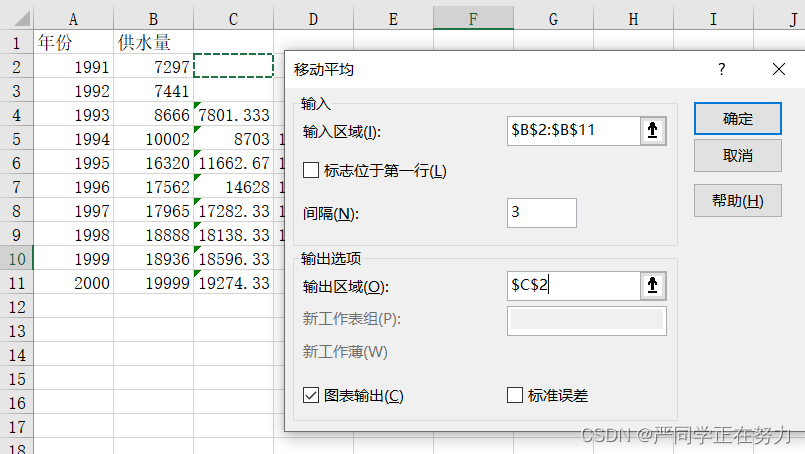
This paper introduces the simple operation of realizing linear quadratic moving average of time series prediction that may be used in modeling and excel
HUST网络攻防实践|6_物联网设备固件安全实验|实验二 基于 MPU 的物联网设备攻击缓解技术

Pre knowledge of hash table -- binary search tree

FastRCNN

Ad - update the modified PCB package to the current PCB

深度学习中的FLOPs和Params如何计算
利用 Repository 中的方法解决实际问题

11、 Box styles and user interface
随机推荐
修改calico网络模式为host-gw
How can we reach members more effectively?
MOS管基本原理,单片机重要知识点
再获认可!知道创宇入选“业务安全推进计划”首批成员单位
19: Chapter 3: develop pass service: 2: get through Alibaba cloud SMS service in the program; (it only connects with Alibaba cloud SMS server, and does not involve specific business development)
redis通过6379端口无法连接服务器
请指教同花顺是什么软件?在线开户安全么?
Basic use of express in nodejs
Lintcode 130 · stacking
Hello! Forward proxy!
[probability theory] conditional probability, Bayesian formula, correlation coefficient, central limit theorem, parameter estimation, hypothesis test
How to calculate flops and params in deep learning
Redis的最佳实践?看完不心动,算我输!!
动态规划解决股票问题(下)
Re recognized! Know that Chuangyu has been selected as one of the first member units of the "business security promotion plan"
HUST network attack and defense practice | 6_ IOT device firmware security experiment | Experiment 3 freertos-mpu protection bypass
Five strategies and suggestions of member marketing in consumer goods industry
One click deployment CEPH script
Several problems encountered in setting up the environment in the past two days
Question B of 2016 Sichuan Ti Cup Electronic Design Competition