当前位置:网站首页>Error EPERM operation not permitted, mkdir ‘Dsoftwarenodejsnode_cache_cacach两种解决办法
Error EPERM operation not permitted, mkdir ‘Dsoftwarenodejsnode_cache_cacach两种解决办法
2022-07-30 16:57:00 【程序员超时空】
目录
报错情况:operation not permitted, mkdir ‘D:software odejs ode_cache_cacach
报错情况:operation not permitted, mkdir ‘D:software odejs ode_cache_cacach
window安装node后,node-v,npm-v都能正常显示,但运行npminstall安装时报错
例如如果在运行如下命令
npm install -g @vue/cli
来安装Vue.cli包时出现这样的报错:
npm ERR! code EPERM
npm ERR! syscall mkdir
npm ERR! path D:software odejs ode_cache_cacache
npm ERR! errno -4048
npm ERR! Error: EPERM: operation not permitted, mkdir ‘D:software odejs ode_cache_cacache’
npm ERR! [OperationalError: EPERM: operation not permitted, mkdir ‘D:software odejs ode_cache_cacache’] {
npm ERR! cause: [Error: EPERM: operation not permitted, mkdir ‘D:software odejs ode_cache_cacache’] {
npm ERR! errno: -4048,
npm ERR! code: ‘EPERM’,
npm ERR! syscall: ‘mkdir’,
npm ERR! path: ‘D:software odejs ode_cache_cacache’
npm ERR! },
npm ERR! isOperational: true,
npm ERR! errno: -4048,
npm ERR! code: ‘EPERM’,
npm ERR! syscall: ‘mkdir’,
npm ERR! path: ‘D:software odejs ode_cache_cacache’
npm ERR! }
npm ERR!
npm ERR! The operation was rejected by your operating system.
npm ERR! It’s possible that the file was already in use (by a text editor or antivirus),
npm ERR! or that you lack permissions to access it.
npm ERR!
npm ERR! If you believe this might be a permissions issue, please double-check the
npm ERR! permissions of the file and its containing directories, or try running
npm ERR! the command again as root/Administrator.
解决办法:
第一种:选择管理员身份运行命令行
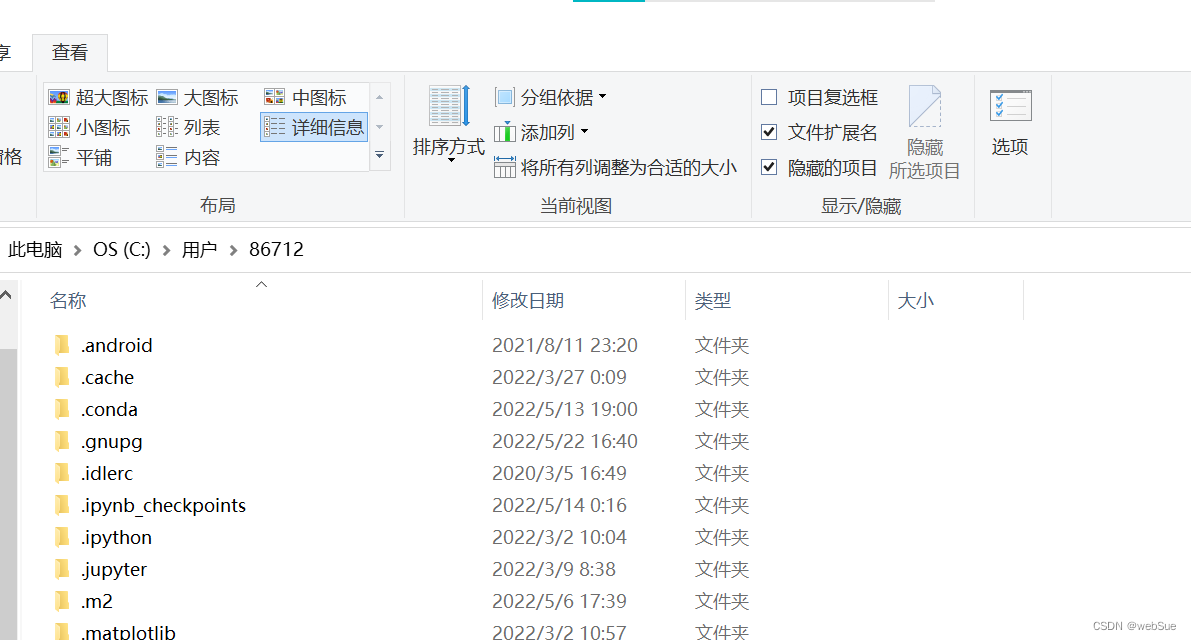
1.删除C:Users{你的用户文件夹}/目录中的.npmrc文件,一般为隐藏,记得在查看栏中找到“隐藏的项目”勾上。
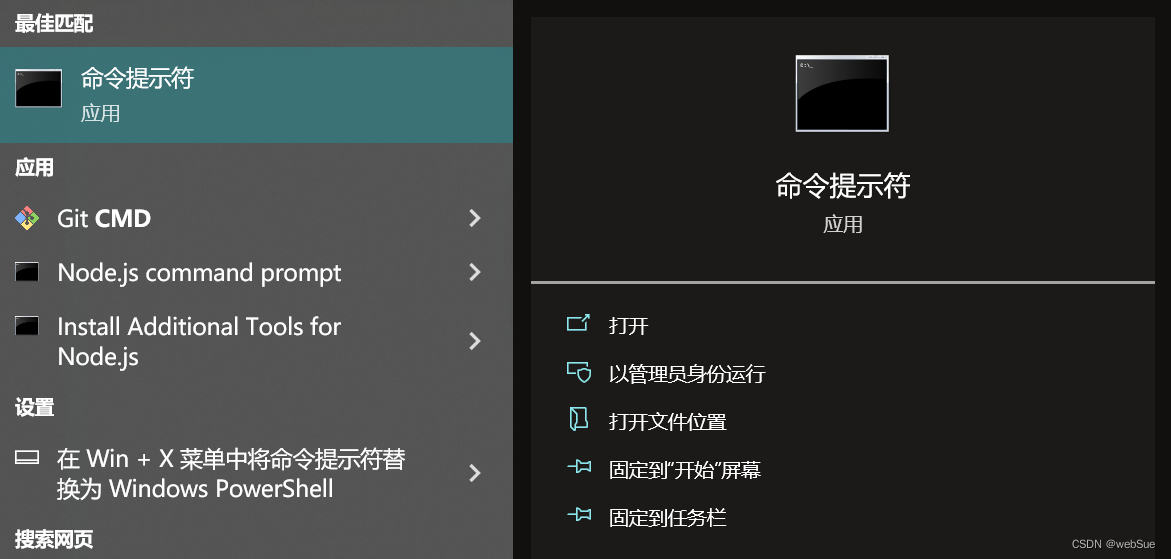
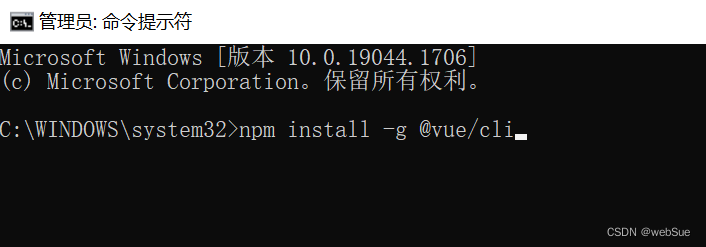
2.电脑中搜到命令提示符应用,选择”以管理员身份运行“打开cmd,重新输入npm install -g @vue/cli命令即可安装成功
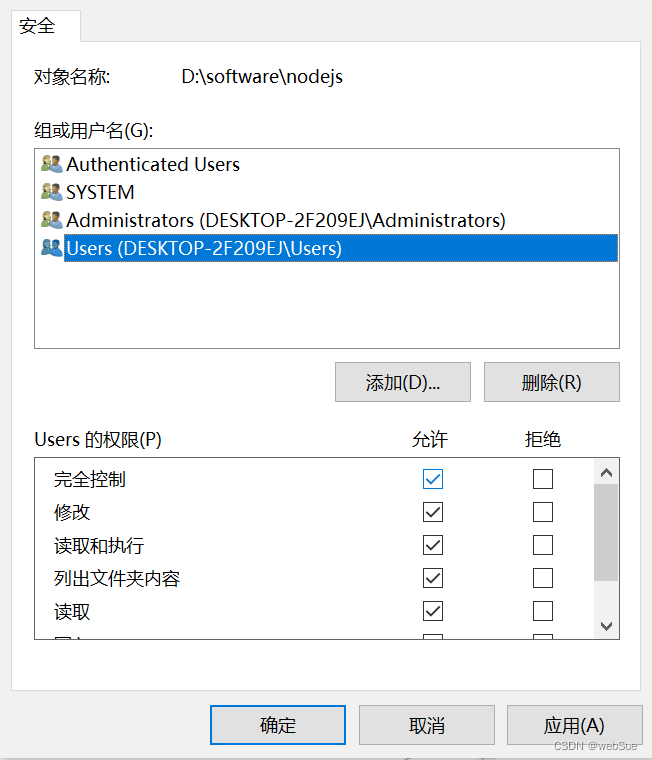
第二种:node安装目录下设置users用户完全控制权限
1.找到电脑中node.js的安装文件夹,右键选择属性,点击安全,选择Users用户,点击编辑
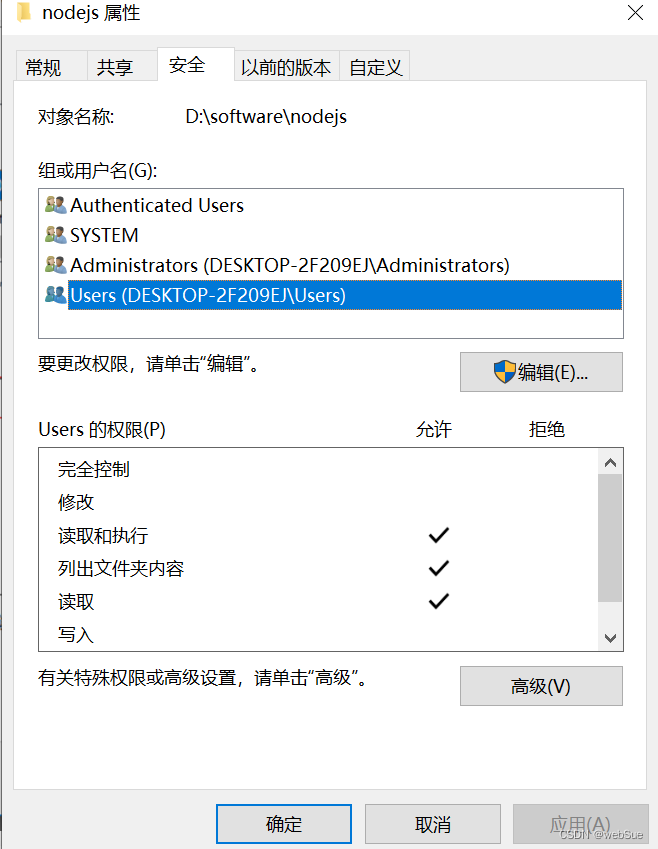
2.勾选User的权限下”完全控制“权限的允许对勾,点击确定,退出。
先自我介绍一下,小编13年上师交大毕业,曾经在小公司待过,去过华为OPPO等大厂,18年进入阿里,直到现在。深知大多数初中级java工程师,想要升技能,往往是需要自己摸索成长或是报班学习,但对于培训机构动则近万元的学费,着实压力不小。自己不成体系的自学效率很低又漫长,而且容易碰到天花板技术停止不前。因此我收集了一份《java开发全套学习资料》送给大家,初衷也很简单,就是希望帮助到想自学又不知道该从何学起的朋友,同时减轻大家的负担。添加下方名片,即可获取全套学习资料哦
边栏推荐
猜你喜欢

HUAWEI CLOUD data governance production line DataArts, let "data 'wisdom' speak"

论文阅读 (63):Get To The Point: Summarization with Pointer-Generator Networks

支付系统架构设计详解,精彩!
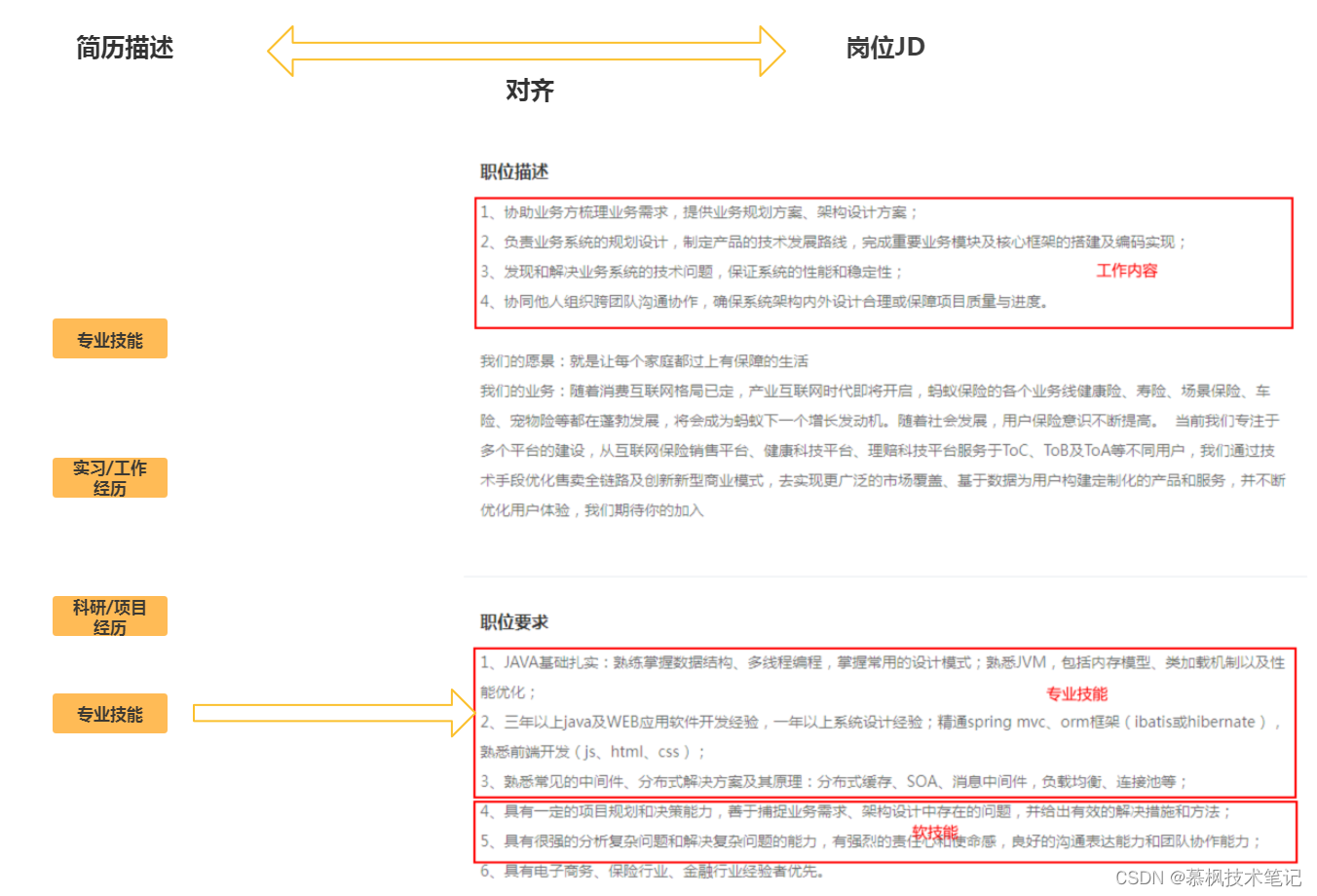
大厂面试官眼中的好简历到底长啥样

DTSE Tech Talk丨第2期:1小时深度解读SaaS应用系统设计

【AAAI2020】阿里DMR:融合Matching思想的深度排序模型

归一化与标准化

PHP留言反馈管理系统源码

基于STM32F407使用ADC采集电压实验

Tensorflow中实现正则化
随机推荐
olap——入门ClickHouse
疫情之下的裁员浪潮,7点建议帮你斩获心仪offer
数据的存储
torch.optim.Adam() 函数用法
WeChat applet picker scroll selector use detailed explanation
新零售saas小程序如何探索数字化门店的破局之路?
lotus 爆块失败
报错500,“message“: “nested exception is org.apache.ibatis.binding.BindingException: 解决记录
data storage
华为云数据治理生产线DataArts,让“数据‘慧’说话”
KDD 2020 | 深入浅出优势特征蒸馏在淘宝推荐中的应用
leetcode:1488. 避免洪水泛滥【二分 + 贪心】
【综合类型第 34 篇】喜讯!喜讯!!喜讯!!!,我在 CSDN 的第一个实体铭牌
.NET 6.0中使用Identity框架实现JWT身份认证与授权
[NCTF2019]Fake XML cookbook-1|XXE漏洞|XXE信息介绍
DTSE Tech Talk丨第2期:1小时深度解读SaaS应用系统设计
华为云数据治理生产线DataArts,让“数据‘慧’说话”
Weka 3.8.6安装与Weka 3.8.6功能介绍
MySQL超详细安装教程 手把手教你安装MySQL到使用MySQL 最简单的MySQL安装方式,这种方式装,卸载也简单
CMake库搜索函数居然不搜索LD_LIBRARY_PATH