当前位置:网站首页>JS面试题----防抖函数
JS面试题----防抖函数
2022-06-23 04:18:00 【张 邵】
第1题:防抖函数
原理:当持续触发一个事件时,在n秒内,事件没有再次触发,此时才会执行回调;如果n秒内,又触发了事件,就重新计时
适用场景:
- search远程搜索框:防止用户不断输入过程中,不断请求资源,n秒内只发送1次,用防抖来节约资源
- 按钮提交场景,比如点赞,表单提交等,防止多次提交
- 监听浏览器的缩放事件
- 监听浏览器的滚动事件
辅助理解:在你坐电梯时,当一直有人进电梯(连续触发),电梯门不会关闭,在一定时间间隔内没有人进入(停止连续触发)才会关闭。
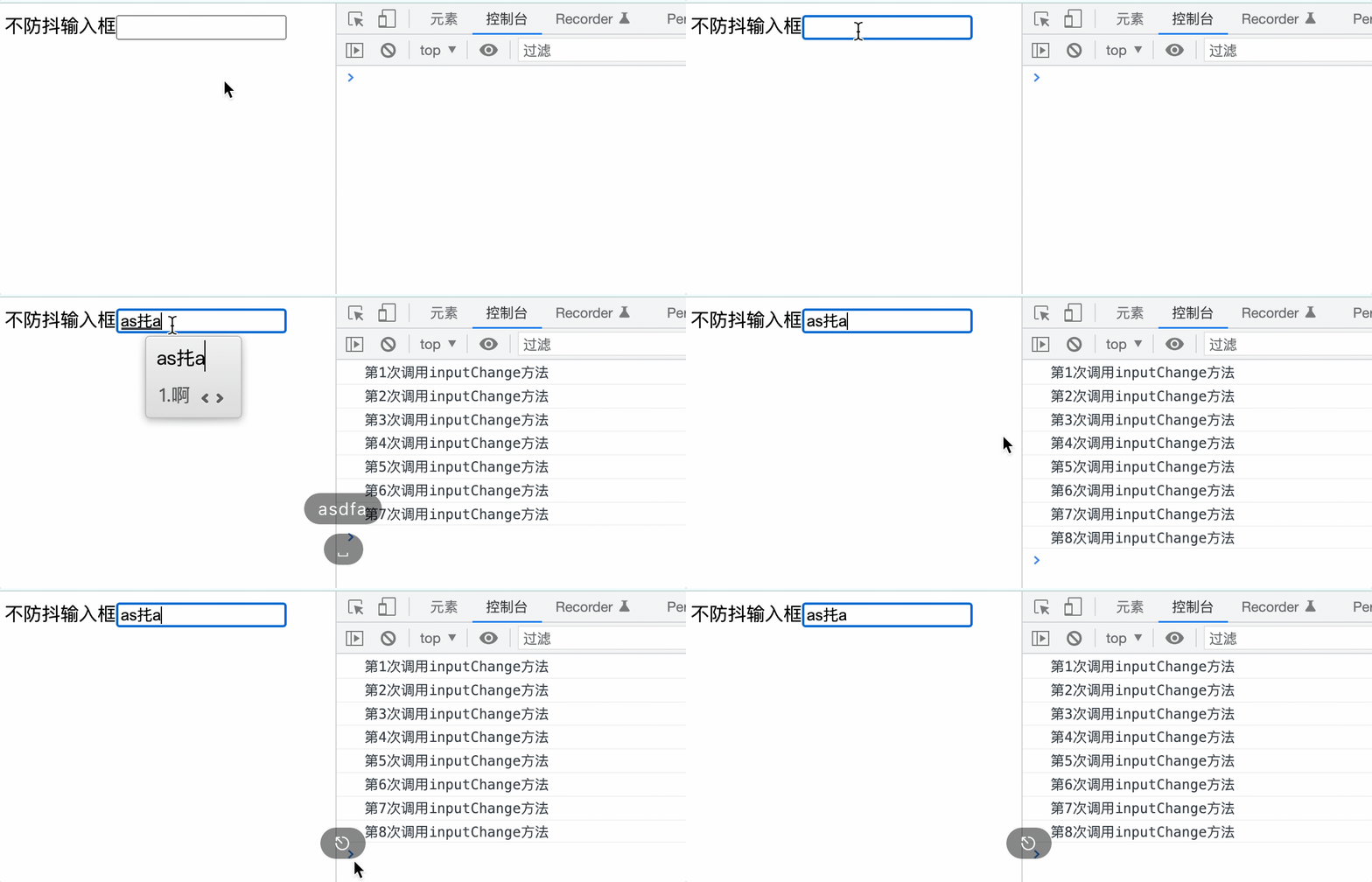
<body>
    <!-- 输入框 -->
    不防抖输入框<input>
    <script> //获取输入框 const inputEl = document.querySelector('input') //触发的函数 let count = 0 const inputChange = function(){
       console.log(`第${
        ++count}次调用inputChange方法`) } //输入触发 inputEl.oninput = inputChange </script>
</body>
自定防抖函数
防抖函数实现的原理是,传入要执行的函数,以及需要等待推迟的时间,在经过一系列的处理之后,再去执行传入的函数。
第一步:基础防抖
定义setTimeout推迟函数的执行时间,clearTimeout用于在输入下一个字符还没有超过1秒钟时清除计时器,创建新的计时器,如果没有清除的话,那么相当于每个字符都会隔1s调用方法。
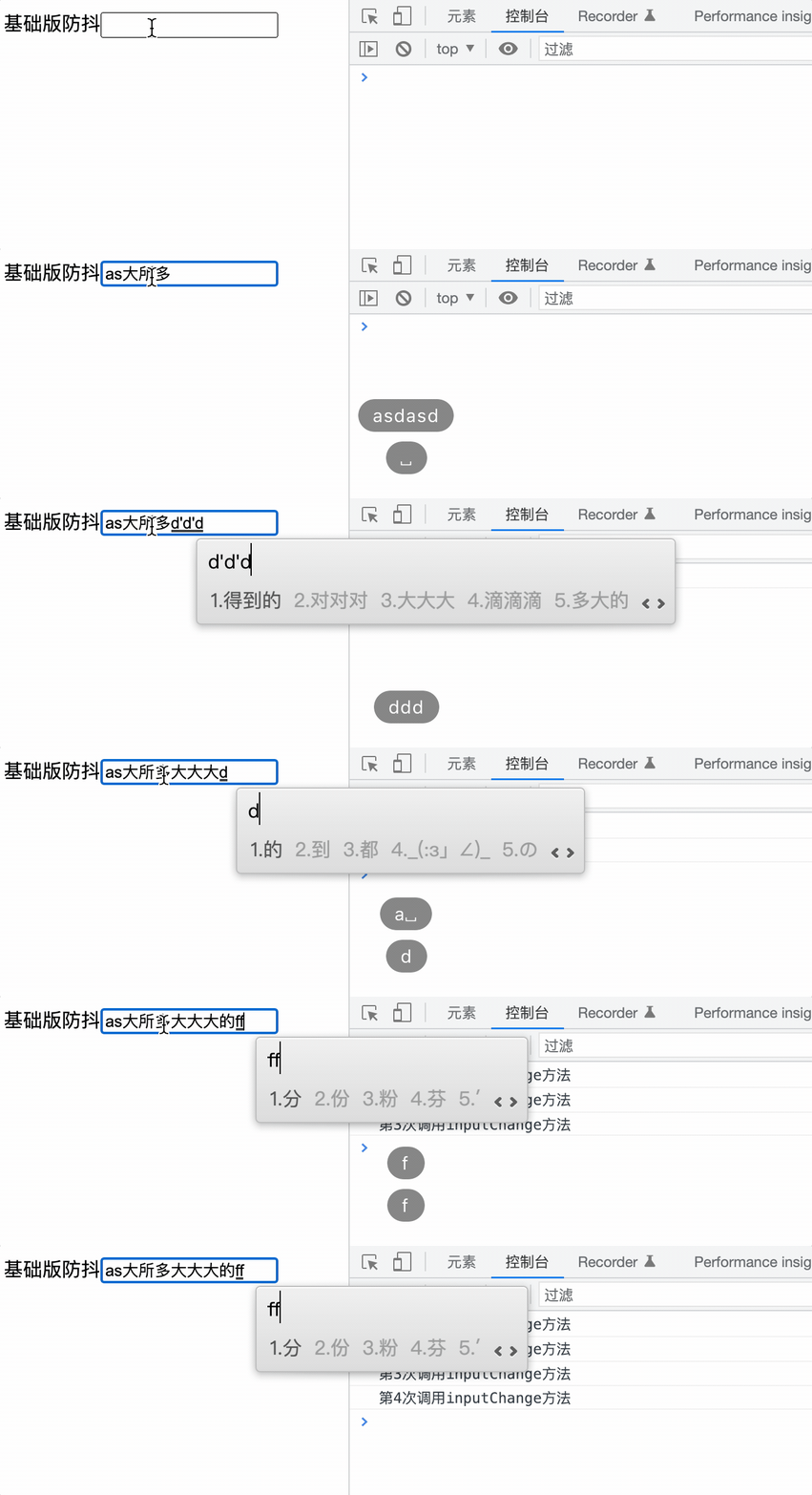
<body>

    <!-- 定义setTimeout推迟函数的执行时间,clearTimeout用于在输入下一个字符还没有超过1秒钟时清除计时器,创建新的计时器, 如果没有清除的话,那么相当于每个字符都会隔1s调用方法。 -->
    基础版防抖<input>
    <script> const inputEl = document.querySelector('input') let count = 0 const inputChange = function(){
       console.log(`第${
        ++count}次调用inputChange方法`) } //基础防抖函数 const debounce = function (fn, delay) {
       //定时器变量 let timer = null; const _debounce = function () {
       //定时器不为null清除定时器 if (timer) clearTimeout(timer); //定时器为空重新创建定时器 timer = setTimeout(()=>{
       //执行回调函数 fn() }, delay); }; return _debounce; }; inputEl.oninput = debounce(inputChange, 1000); </script>
</body>
第二不:拓展this 和参数
在上一步定义函数时,this对象和event参数都被丢失了,在这里要把他们找回来,只需要在执行fn函数时,通过call/apply/bind来改变this的执行,以及传入参数即可。
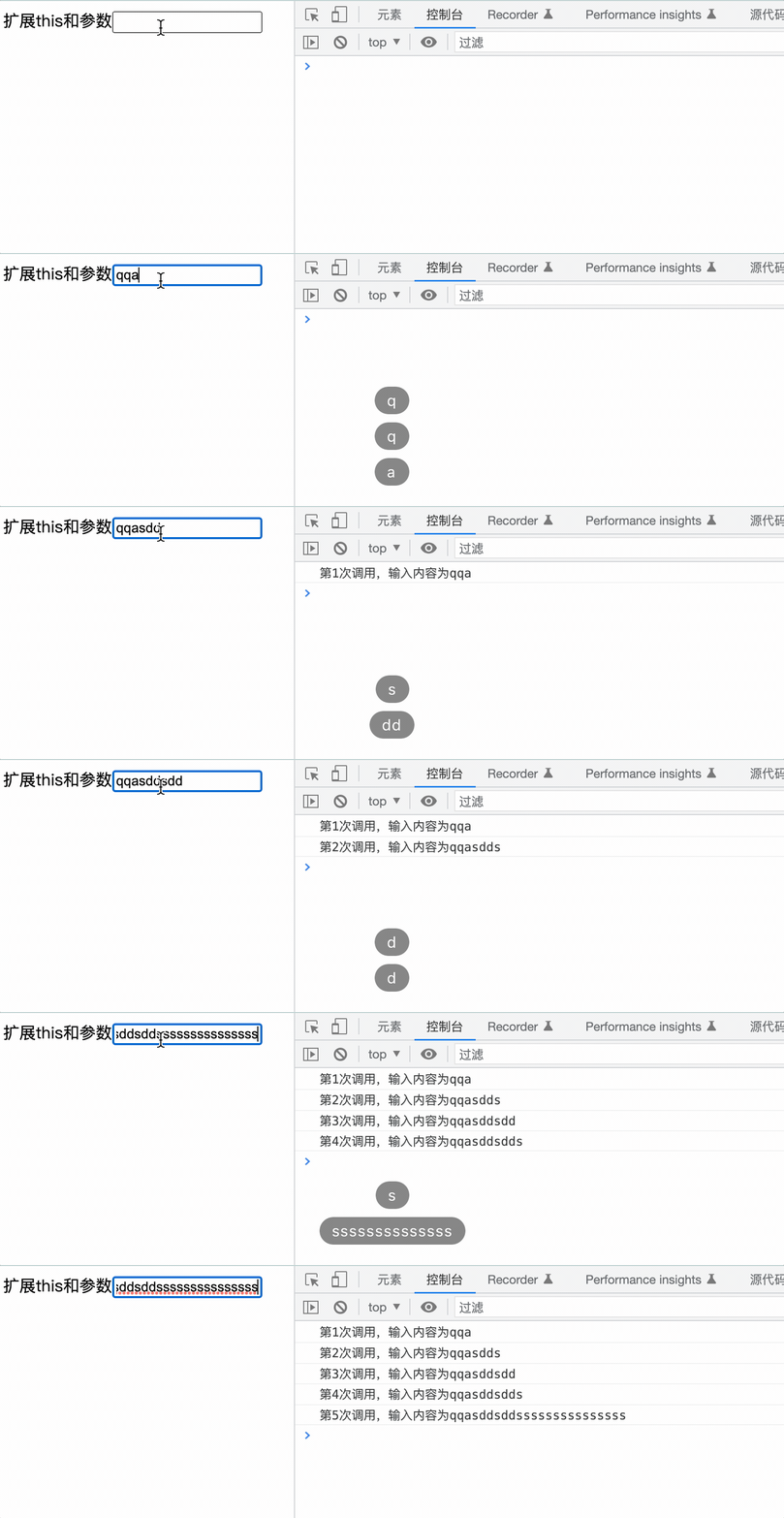
<!DOCTYPE html>
<html lang="en">
<head>
    <meta charset="UTF-8">
    <meta http-equiv="X-UA-Compatible" content="IE=edge">
    <meta name="viewport" content="width=device-width, initial-scale=1.0">
    <title>扩展this和参数</title>
</head>
<body>
    扩展this和参数<input>
    <script> const inputEl = document.querySelector('input') let count = 0 //添加 const inputChange = function(e){
       console.log(`第${
        ++count}次调用,输入内容为${
        e.target.value}`) } const debounce = function (fn, delay) {
       let timer = null; const _debounce = function (...args) {
       if (timer) clearTimeout(timer); timer = setTimeout(()=>{
       //通过call/apply/bind 指定this,以及传入的事件对象 fn.apply(this,args) }, delay); }; return _debounce; }; inputEl.oninput = debounce(inputChange, 1000); </script>
</body>
</html>
第三步:函数立即执行
在我们上面定义的防抖函数中,是没有立即执行的,也就是在输入第一个字符"j"的时候,是不会调用函数,可能存在一些场景,等到用户输入完成再调用显得响应比较缓慢,需要在第一个字符输入时就进行一次调用。
这里可以对于传入的函数增加一个参数,表示是否需要立即执行,默认不需要,为false,函数里在使用一个变量来保存是否需要首次执行,当首次执行完成后,再将这个变量置为false
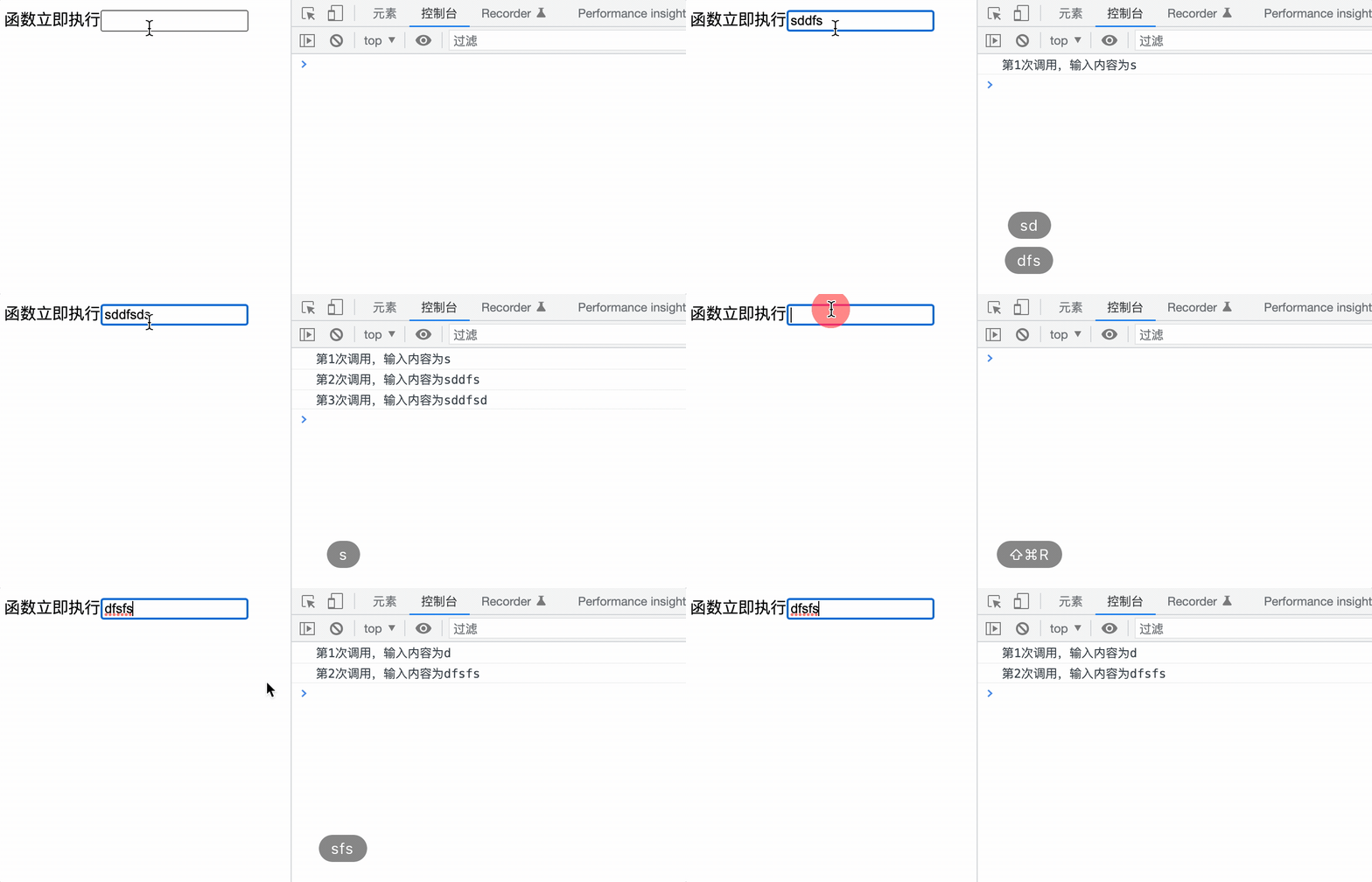
<!DOCTYPE html>
<html lang="en">
<head>
    <meta charset="UTF-8">
    <meta http-equiv="X-UA-Compatible" content="IE=edge">
    <meta name="viewport" content="width=device-width, initial-scale=1.0">
    <title>函数立即执行</title>
</head>
<body>
    函数立即执行<input>
    <script> const inputEl = document.querySelector('input') let count = 0 const inputChange = function(e){
       console.log(`第${
        ++count}次调用,输入内容为${
        e.target.value}`) } const debounce = function (fn, delay, isImmediate = false) {
       let timer = null; //立即执行配置变量,默认为false:不立即执行 let isExcute = isImmediate; const _debounce = function (...args) {
       //判断立即执行 if (isExcute) {
       //执行完一次后立即关闭 fn.apply(this, args); isExcute = false; } if (timer) clearTimeout(timer); timer = setTimeout(()=>{
       //通过call/apply/bind 指定this,以及传入的事件对象 fn.apply(this,args) isExcute = isImmediate; }, delay); }; return _debounce; }; //配置立即执行 inputEl.oninput = debounce(inputChange, 1000, true); </script>
</body>
</html>
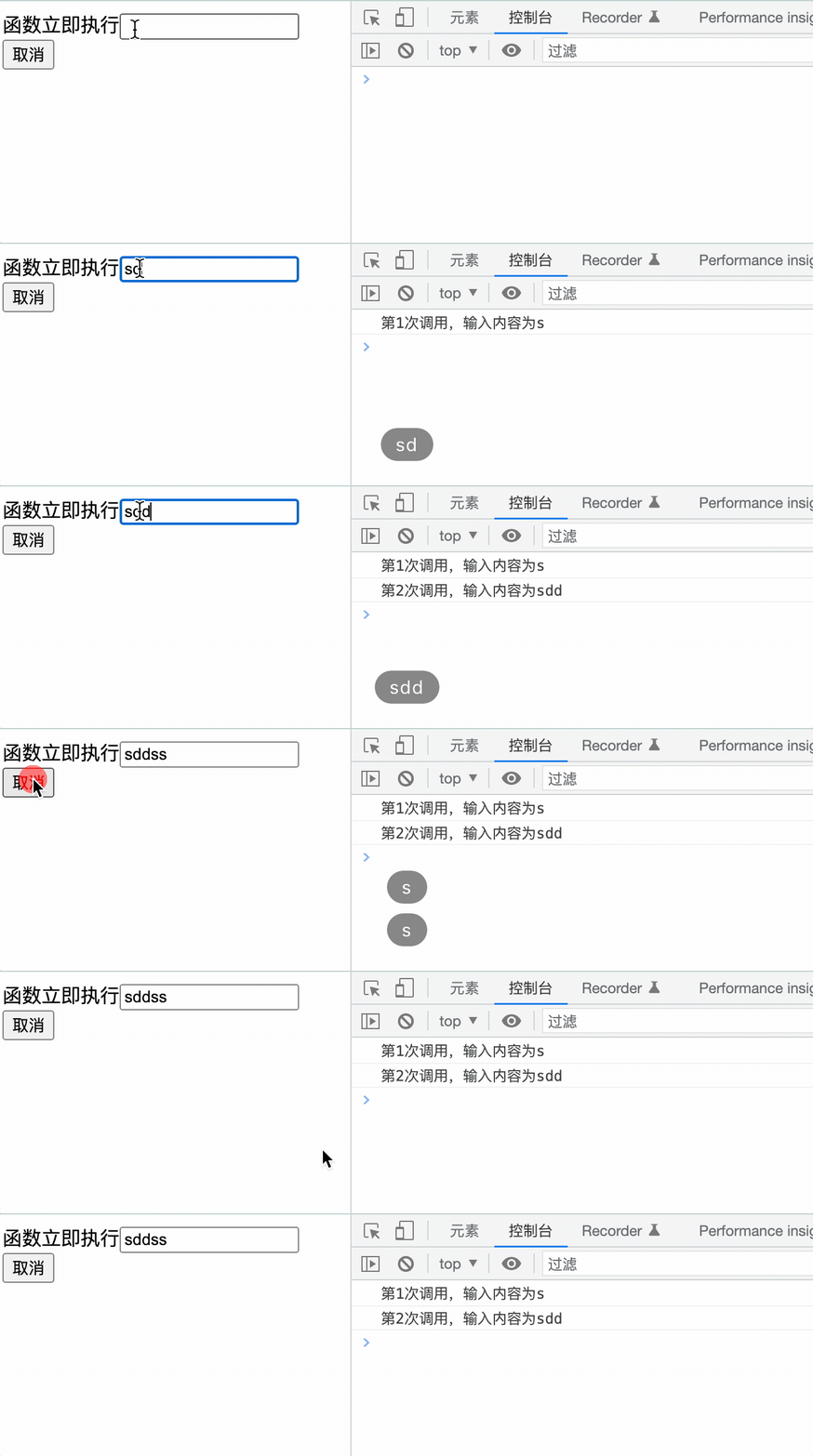
第四步:取消
仔细一看,我们的防抖函数不能够取消呀,只要到了时间就一定会执行,万一当用户输完内容之后,还没有到1秒钟,但是他已经关掉窗口了呢,考虑到这种情况,我们得把取消功能安排上!
函数也是一个对象,我们可以给函数对象上再绑定一个函数,在return的_debounce上绑定一个cancel方法,当需要取消的时候执行cancel方法
<!DOCTYPE html>
<html lang="en">
<head>
    <meta charset="UTF-8">
    <meta http-equiv="X-UA-Compatible" content="IE=edge">
    <meta name="viewport" content="width=device-width, initial-scale=1.0">
    <title>函数立即执行</title>
</head>
<body>
    函数立即执行<input> <br>
    <button>取消</button>

    <script> const inputEl = document.querySelector('input') const cancelBtn = document.querySelector("button"); let count = 0 const inputChange = function(e){
       console.log(`第${
        ++count}次调用,输入内容为${
        e.target.value}`) } const debounce = function (fn, delay, isImmediate = false) {
       let timer = null; let isExcute = isImmediate; const _debounce = function (...args) {
       if (isExcute) {
       fn.apply(this, args); isExcute = false; } if (timer) clearTimeout(timer); timer = setTimeout(()=>{
       fn.apply(this,args) isExcute = isImmediate; }, delay); }; //这里使用到了闭包的性质 _debounce.cancel = function () {
       if (timer) clearTimeout(timer); }; return _debounce; }; debounceFn = debounce(inputChange, 1000, true); //取消调用 inputEl.oninput = debounceFn; cancelBtn.onclick = debounceFn.cancel; </script>
</body>
</html>
第五步:函数返回值
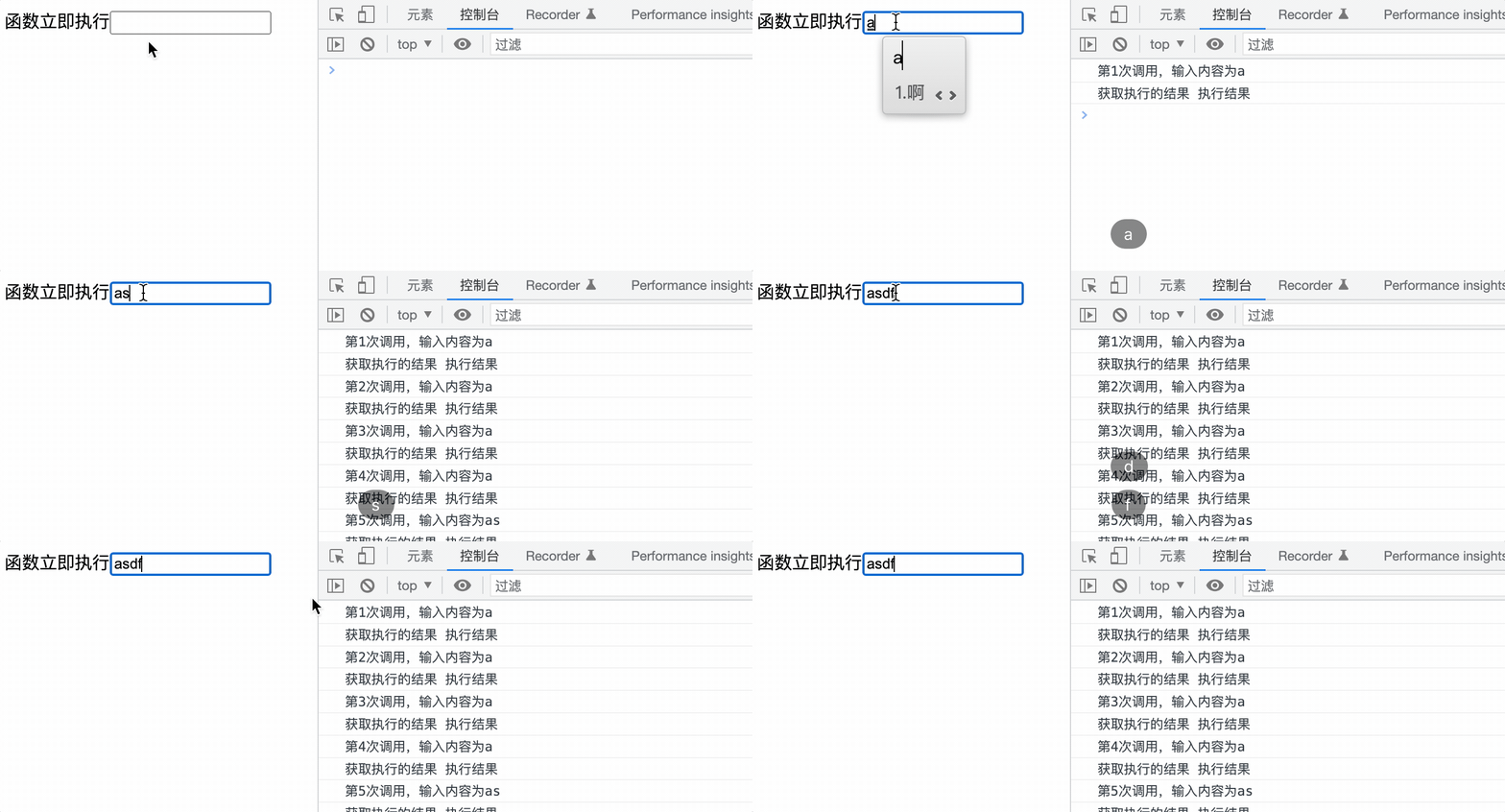
上面定义的"防抖"函数是没有返回值的,如果说在执行完成之后,希望得到执行的结果,那么也有两种方式可以获取到
回调函数
在防抖函数的入参中增加第四个参数,是一个函数,用来获取防抖函数执行完成的结果
<!DOCTYPE html>
<html lang="en">

<head>
    <meta charset="UTF-8">
    <meta http-equiv="X-UA-Compatible" content="IE=edge">
    <meta name="viewport" content="width=device-width, initial-scale=1.0">
    <title>函数返回值</title>
</head>

<body>
    函数返回值<input>
    <script> const inputEl = document.querySelector('input') let count = 0 const inputChange = function (e) {
       console.log(`第${
        ++count}次调用,输入内容为${
        e.target.value}`); return '执行结果'; } const debounce = function (fn, delay, isImmediate = false, callbackFn) {
       let timer = null; let isExcute = isImmediate; const _debounce = function (...args) {
       if (isExcute) {
       const result = fn.apply(this, args); callbackFn(result) isExcute = false; } if (timer) clearTimeout(timer); timer = setTimeout(() => {
       //调用回调传入结果 const result = fn.apply(this, args) callbackFn(result) isExcute = isImmediate; }, delay); }; return _debounce; }; //回调接收result const debounceFn = debounce(inputChange, 1000, true, function (result) {
       console.log('获取执行的结果', result) }); inputEl.oninput = debounceFn; </script>
</body>

</html>
promise
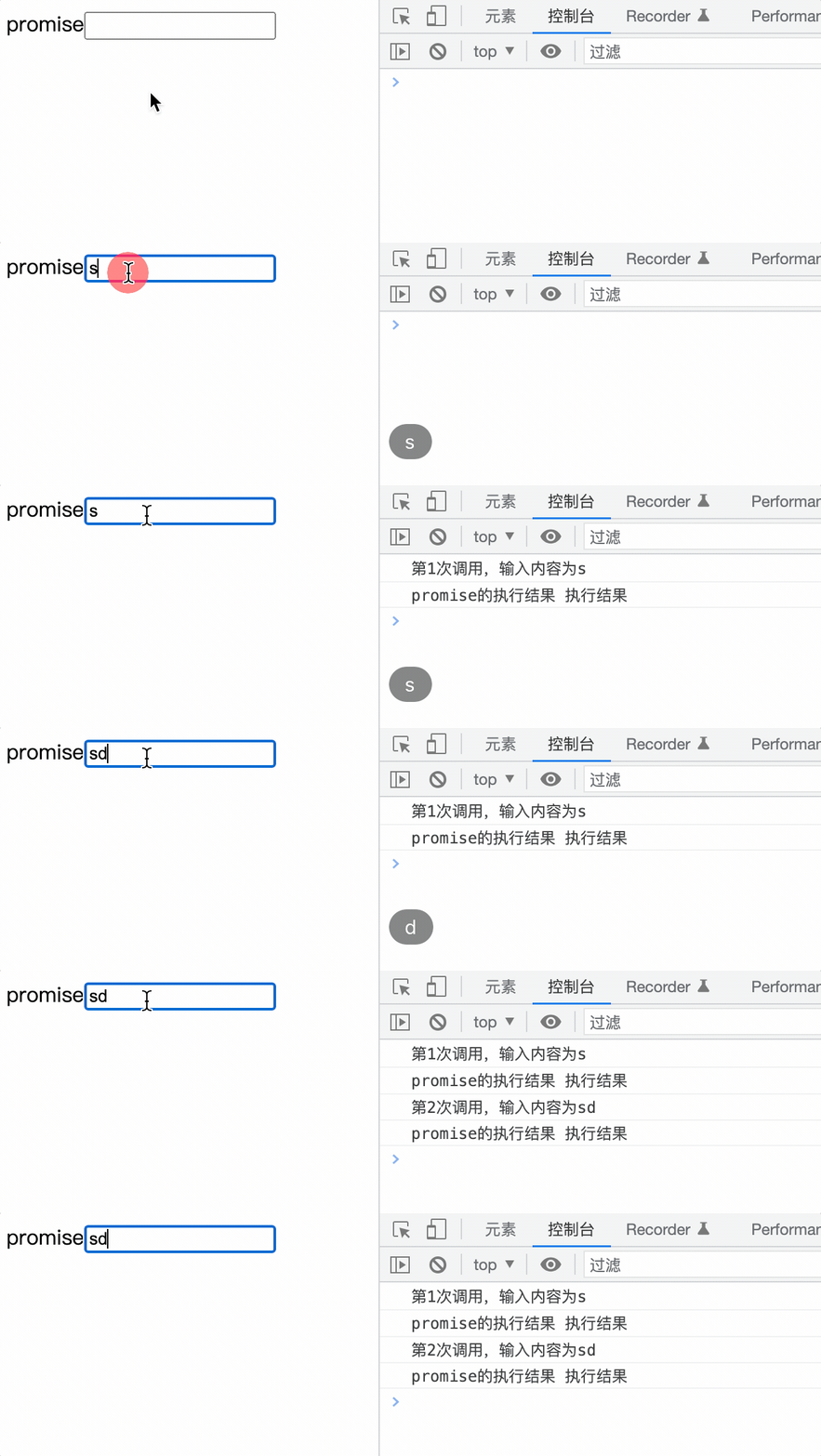
防抖函数的返回函数中,通过promise来返回成功或失败的结果,以下代码只判断了成功的执行条件,还可以加上失败的处理。
通过promise包裹的异步函数要经过调用才能获取响应结果,所以将防抖函数放在新函数中,将新函数作为oninput事件响应的函数。
在开发中使用防抖函数优化项目的性能,可以按如上方式自定义,也可以使用第三方库。
lodash
https://www.lodashjs.com/docs/lodash.debounce#_debouncefunc-wait0-options
边栏推荐
猜你喜欢

Wechat applet: elderly blessing short video

The construction of digital factory can be divided into three aspects

Wechat applet: Star Trek spaceship ticket production and generation
Redis cache penetration solution - bloom filter

ssm项目搭建

TCP/IP 详解(第 2 版) 笔记 / 3 链路层 / 3.4 网桥与交换机

How to move the software downloaded from win11 app store to the desktop

Analysis on the problems and causes of digital transformation of manufacturing industry

Lihongyi, machine learning 5 Tips for neural network design

Heimdall Database Proxy横向扩展提高20倍
随机推荐
Arctime makes Chinese and English subtitle video
What does the English letter PC mean? What does the Internet PC mean
APP SHA1获取程序 百度地图 高德地图获取SHA1值的简单程序
fastjson中的@JSONField注解
The construction of digital factory can be divided into three aspects
node中操作mongoDB
Low cost 5W wireless charger scheme fs68001b simple charging chip
Meteorological mapping software panoply tutorial (updated from time to time)
Genetic engineering of AI art? Use # artbreeder to change any shape of the image
Advanced Mathematics (Seventh Edition) Tongji University exercises 1-7 personal solutions
104. simple chat room 7: use socket to transfer objects
Wechat applet: elderly blessing short video
PAT 乙等 1009 C语言
MySQL面试真题(二十一)——金融-贷款逾期
AI艺术的基因工程?使用 #Artbreeder 改变图像的任意形态
PAT 乙等 1014 C语言
The digital collection market has just begun
数字藏品火热背后需要强大的技术团队支持 北方技术团队
runc 符号链接挂载与容器逃逸漏洞预警(CVE-2021-30465)
线性表 链表结构的实现