当前位置:网站首页>Have you got the programmer's drawing tools and skills?
Have you got the programmer's drawing tools and skills?
2022-06-24 05:08:00 【Programmer fish skin】
Share the drawing software and tips commonly used by programmers
Hello everyone , I'm fish skin .
Tell the truth , I think it's good to be a programmer . There are a lot of daily work , Write code 、 On demand 、 Write a plan, etc , But I love drawing : flow chart 、 Architecture diagram 、 Interaction diagram 、 Functional module diagram 、UML Class diagram 、 Deployment diagram 、 Various visual charts and so on .
In the form of a graph , Can better demonstrate the system 、 Express your ideas more clearly , Easy to understand ; Can also exercise their painting skills , It's a matter of killing many birds with one stone .
Today, let's share my common drawing software and some tips .
Common drawings
I usually draw more flow charts 、 Interaction diagram and architecture diagram , In general use Draw.io This free online web drawing tool can do it .
I chose this drawing tool , Mainly for the following reasons :
1. Easy to use
No need to log in , Go directly to the web page , You can directly create a new project using a large number of templates :
Then enter the edit page , Select the desired graphic on the left , Drag onto the drawing area to edit , Then modify the style on the right :
You can directly search the required graphics , Like servers , Of course, you can also paste local or network pictures directly :
2. Beautiful design
Draw.io Several default themes and preset graphic styles are available , For example, my favorite hand-painted style :
Of course, you can also customize graphics with high flexibility , If you are familiar with interface development , You can even edit the attribute values of the graph directly :
3. Rich export
You can export the drawn graphics as pictures with one click 、 Vectorgraph 、PDF、HTML Documents, etc. :
It's nothing , One of my favorite things is , It can directly generate online web pages , Share it with others and you can browse it quickly , It also provides a small toolbar , You can zoom 、 Screenshot 、 Printing and quick editing :
Besides , You can also export drawings as embedded web pages ! In this way, all kinds of drawings can be directly and seamlessly integrated into our own web pages :
4. Easy to store and import
You can save the drawing as a local file at any time , Or store it in GitHub Wait in online space ; When you need to edit again , Just import from the same place .
For habit GitHub For students who store and share code , This is too practical , It means you can work with other students to draw .
except Draw.io Outside , I also prefer EdrawMax( A hundred million diagrams ), A local mapping software , It's also powerful .
ER chart
Background development students may be exposed to ER chart , Commonly used in database design , Represents the attributes and relationships of data .
I don't usually draw this thing manually , Use database management software directly when necessary ( such as Navicat、JetBrains DataGrip etc. ) Just generate according to the existing library table .
UML Class diagram
UML Class diagrams are used to represent the relationship between classes , Help quickly understand the design structure of the whole system .
and ER Same picture , I won't draw this shit myself , I'm tired to death . Generally, the integrated development environment is used directly ( such as JetBrains IDEA) Automatically generate... According to the code UML Just class diagram , Pictured :
It's no better than my own painting ?
Visual chart
Charts can show data and trends more intuitively , stay PPT Plays an important role in the report .
Common charts are bar charts 、 Histogram 、 The pie chart 、 Line chart and so on .
although Excel、PPT Can draw charts , But relatively ugly , I recommend Flourish , A website for generating visual charts online .
Built in rich chart type templates :
After selecting the chart type , Configure the data and chart style to be displayed :
I like what this website offers best Dynamic charts and URL Share function , It can quickly make a real-time ranking list with dynamically changing values .
After that, you can share the web address with one click , Let others browse , You can also embed it in your own web page :
Mind mapping
My most commonly used mind mapping software is XMind , Easy to use 、 Rich themes :
But usually I don't go directly to XMind Write a mind map , But write it first Markdown file , And then directly XMind The document can be automatically imported according to the title 、 Lists and other elements automatically generate mind maps :
My previous front end 、Java、 The mind map of the whole stack learning route is generated in this way , One editor by one is really tired to death .
inspiration
Why in this article , I didn't spend too much time talking about the function of each chart 、 How to draw respectively ?
Because drawing this thing , Can imitate , See more and draw more , Practice makes perfect .
When I need to draw , If you can't draw 、 No idea , Just go online and search for similar pictures drawn by others , Just follow the cat and draw the tiger ~
Process On A large number of drawing templates are provided in , You can refer to :
That's what we're sharing , I'm fish skin , If it helps, please give the thumbs-up Under the support ️
Finally, I'll send you some more Help me get to the big factory offer Learning materials :
The way :https://t.1yb.co/qOJG
Welcome to I entered Tencent's programming study and job search experience by myself , No more confusion !
The way :https://t.1yb.co/w66s
边栏推荐
- The easyplayer player displays compileerror:webassembly Reason for instance() and its solution
- 解析后人类时代类人机器人的优越性
- Eigen eigenMatrix
- Open source and SaaS, how to choose software?
- Introduction à la méthode de descente par Gradient - document d'apprentissage automatique pour les programmeurs de chevaux noirs
- Popularization of children's programming education in specific scenarios
- Redis pipeline technology speed and efficiency increased by 5 times
- Detailed explanation of tcpip protocol
- The trunk warehouse can also be tob, and Tencent cloud microenterprises do not leave quality behind
- Spirit breath development log (15)
猜你喜欢

014_ TimePicker time selector

Zhang Xiaodan, chief architect of Alibaba cloud hybrid cloud: evolution and development of government enterprise hybrid cloud technology architecture
Hard core observation 553 AI needs to identify almost everyone in the world with hundreds of billions of photos

少儿编程课程改革后的培养方式
What is the new generation cloud computing architecture cipu of Alibaba cloud?

Are you ready for the exam preparation strategy of level II cost engineer in 2022?

Introduction à la méthode de descente par Gradient - document d'apprentissage automatique pour les programmeurs de chevaux noirs

『渗透基础』Cobalt Strike基础使用入门_Cobalt Strike联动msfconsole

Leetcode (question 2) - adding two numbers
Introduction to the "penetration foundation" cobalt strike Foundation_ Cobalt strike linkage msfconsole
随机推荐
Where can I buy a domain name? Does the domain name have promotion space?
How to select a suitable optical fiber tester
What is the experience of developing an ice 3D music player in 3 minutes?
Use of golang testing framework goshub
Where to buy domain name space? Can the domain name be repeated?
Open source and SaaS, how to choose software?
Precautions for online education and training industry filing
SAP mts/ato/mto/eto topic 10: ETO mode q+ empty mode unvalued inventory policy customization
The function of nearby people in the applet is realized, and the cloud development database is used to realize nearby people and friends within a distance of the neighborhood
Bi-sql insert into
Functional advantages of industrial wireless router
Data acquisition gateway intelligent industrial Internet of things
Where is the cheaper domain name? What should I pay attention to when buying a domain name?
What is required for domain name filing and how to select an enterprise domain name
Find the current index of gbase 8C database?
3 minutes to understand JSON schema
Black horse programmer machine learning handout: preliminary use of linear regression API
What is stored in the domain name server? How does the domain name server provide services?
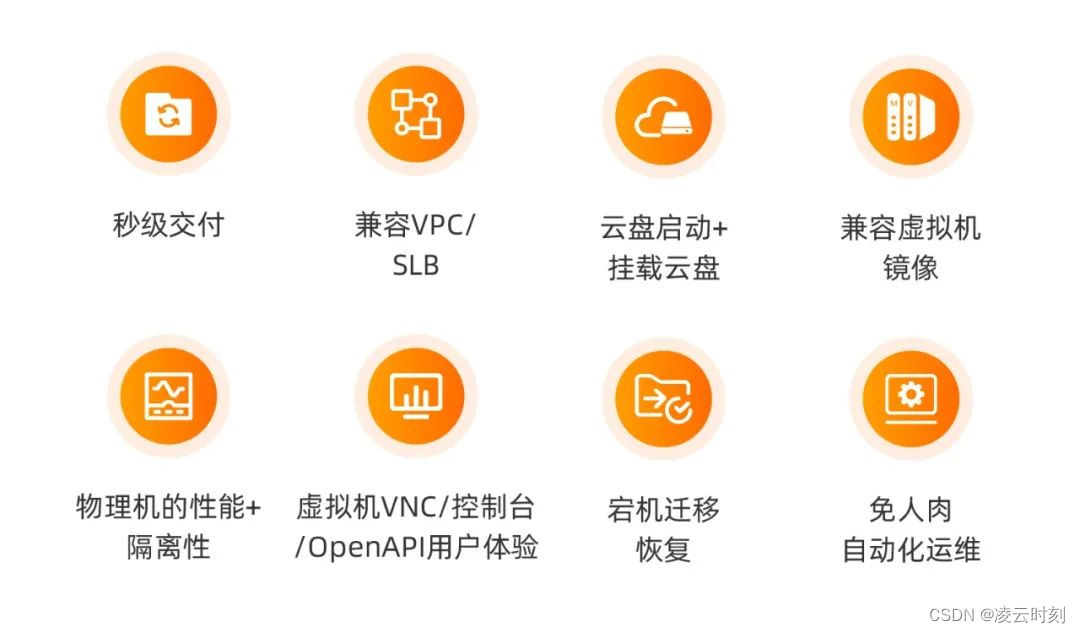
What is the new generation cloud computing architecture cipu of Alibaba cloud?
011_ Cascader cascade selector