当前位置:网站首页>Pytest testing framework
Pytest testing framework
2022-07-02 02:03:00 【Lao Xiao of Buddhism】

List of articles
brief introduction
pytest be based on unittest Encapsulated third-party testing framework , Easy to learn and easy to use , Very good compatibility , Support UI Automated script development , Support interface automation script development , Support continuous integration jenkins, Support distributed execution , Support error debugging , Support error rerun mechanism , Support allure Reporting framework
Environment configuration ( install )
pip install pytest— Script development and executionpip install pytest-html— The script runs to generate the test reportpip install pytest-xdist— Script runs distributed execution
Rule of grammar
- pytest Script name naming : With test Beginning or test ending
- pytest Class name in script : With Test start
- pytest Functions in scripts / Method name : With test start
- pytest The package of the script must have __init__.py
- pytest Constructors are not allowed in classes in scripts __init__
- pytest Scripts act on functions , It can also act on classes and methods
- pytest When script running is not set , Install functions or classes and methods ASCII Sequential execution
Example :
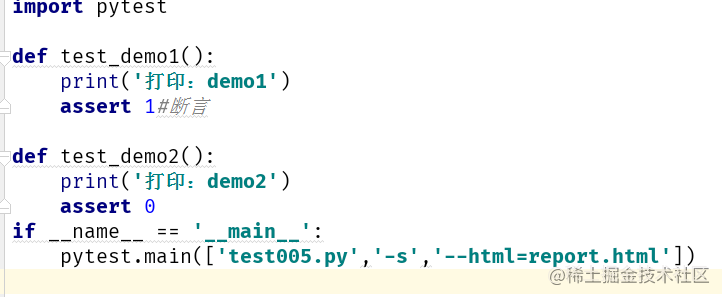
- Guide pack import pytest
- Defining classes / function test
- Assertion :assert
- perform :pytest.main([‘test005.py’]), The execution parameter must be list Tabular form
Way of execution
pytest.main(['[ Script name ]','-s'])Execute the use case under the current script , Print printpytest.main(['[ Script name ]:: The name of the class under the script :: Method name under class ','-v'])Specify the method execution use case under the classpytest.main(['[ Script name ]:: The name of the class under the script ', '-v','--html=report.html'])Specify the test class to execute the use casepytest.main([__file__])# Specify the current module to perform the test
Execution parameter
-s: perform print()pytest.main(['[ Package name ]:: Class name ','-s'])-v: Detailed output logpytest.main(['[ Package name ]:: Class name :: Method name ','-v'])-n: Specify the number of distributed executions ‘-n’ ‘2’pytest.main(['[ Package name ]','-n','2'])-q: Quiet mode , Minimalist mode , Do not load environment configuration information and log information , Try to be with -v Don't use... At the same timepytest.main(['[ Package name ]','-q'])-m: Mark execution , Support for logical operators-k: Mark execution , Fuzzy matching Support for logical operators-x: If the execution fails once, the test will be terminated--maxfail=1: Set the maximum number of failures--rerun=2: The specified number is twice Need to install pytest-rerunfailures
A parameterized
Single parameter
@pytest.mark.parametrize(' Parameters ',[' The corresponding value of the parameter '])Example :
@pytest.mark.parametrize('username',['admin'])--- Single parameter
A set of parameters
@pytest.mark.parametrize(' Parameters 1, Parameters 2',[[' Parameters 1 Corresponding value ',' Parameters 2 Corresponding value ']])Example :
@pytest.mark.parametrize('username,password',[['admin','milor123']]) A set of parametersMultiple sets of parameters
@pytest.mark.parametrize(' Parameters 1, Parameters 2',[[' Parameters 1 Corresponding value ',' Parameters 2 Corresponding value '],[' Parameters 1 Corresponding value ',' Parameters 2 Corresponding value ']])Example :
@pytest.mark.parametrize('username,password',[['admin','milor123'],['lm','LiuM123']])
Skip execution
- Jump unconditionally :@pytest.mark.skip(reason=‘ There is no reason to ’)
- Conditional skip :@pytest.mark.skipif(1<2,reason=‘ When 1<2 when , skip ’)
- Unconditionally skip inside a method or function :pytest.skip(msg=‘skip’)
Mark execution
-kFuzzy match mark Mark the test case containing a string to perform the operation ( Support for logical operators and or )example
pytest.main([__file__,'-s','-k','login']) # The name of the execution case contains login Test cases for pytest.main([__file__, '-s', '-k', 'login and index ']) # The name of the execution case contains login and index Test cases for pytest.main([__file__, '-s', '-k', 'login or index ']) # The name of the execution case contains login or index Test cases for-mMark Set up markers , In profile pytest.ini Set up markers, Support setting multiple tags , Application scenarios : Smoke testing 、 Regression tests, etc , Support for logical operators and or1、
pytest.iniPut in pytest In the working directory , Create this file , Edit content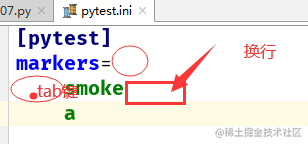
2、 Use decorators on test cases that need to be marked
@pytest.mark.smoke3、 During test execution , Input
-mParameters are marked for executionTips : If the following warnings appear during operation, it is not pytest Set the marker in
ytestUnknownMarkWarning: Unknown pytest.mark.smokeCode instance :
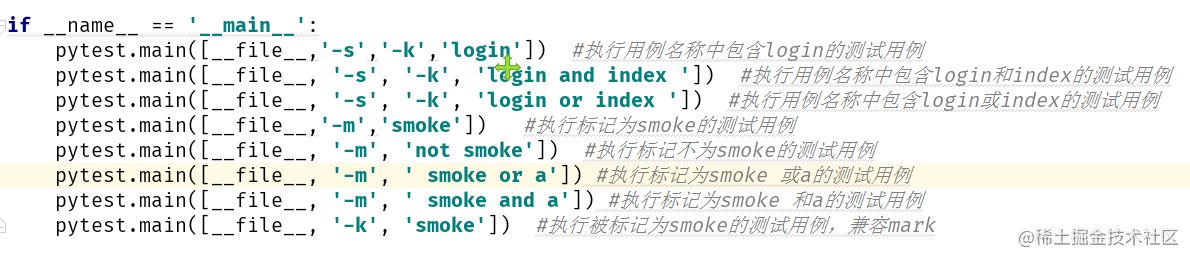
Parameters can also be written like this :

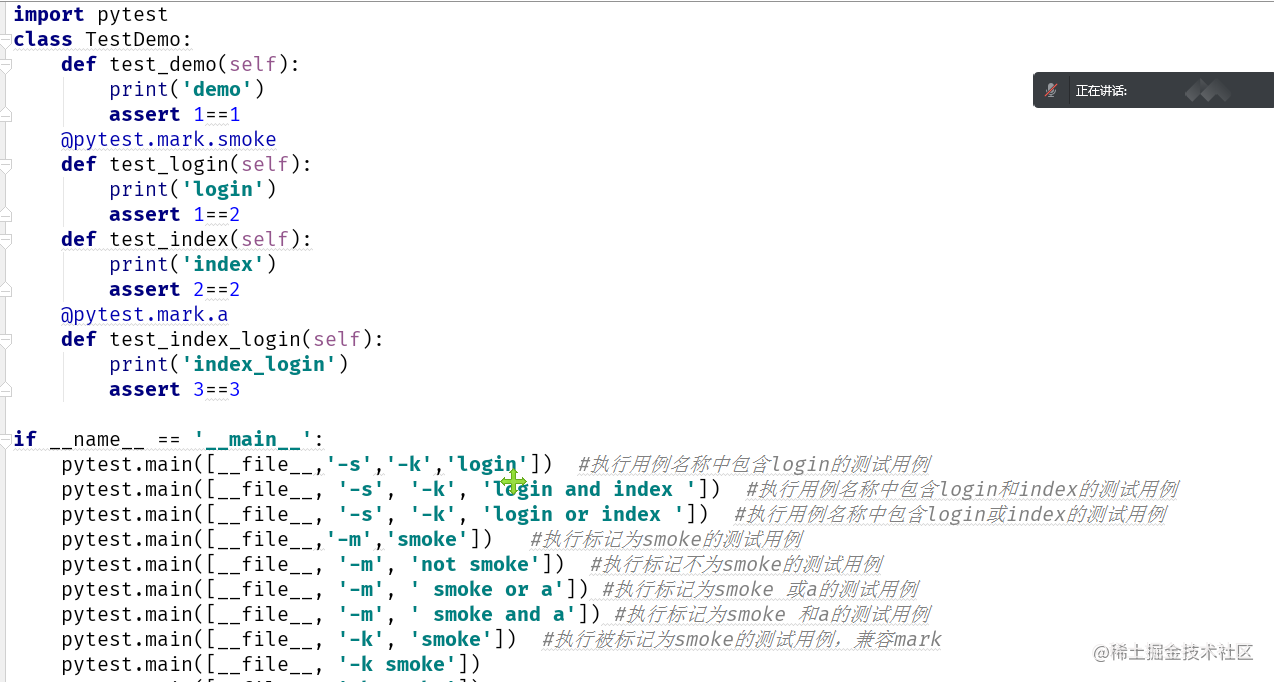
Front and back
setup / teardownunittest Test the front and rear in the framework , stay pytest compatible ,function and method The function is similar to the structure __init__ And Deconstruction __del__
Each test case should be executed once before execution setup
Each test case should be executed once after execution teardown
Applicable to methods under functions or classes — The test case
setup_function /teardown_functionApply to functions , Before each test function is executed setup initialization , After execution teardown Recycle resources , Restore the scene
setup_module / teardown_moduleApply to functions , For the current module , Before all test functions are executed setup initialization , After execution teardown Recycle resources , Restore the scene
setup_class / teardown_classApply to classes , Before all test functions are executed setup initialization , After execution teardown Recycle resources , Restore the scene
setup_method / teardown_methonApply to classes , Before the execution of each test method setup initialization , After execution teardown Recycle resources , Restore the scene
summary :
- Test scenarios : The repeated actions to be done before the execution of each test case , Repeated actions to be performed after execution , such as : When the same preconditions are required for testing a single module , This method can be applied . Test login , Login use cases cover 10 Use cases , You need to open the browser before each execution , You need to close the browser after execution setup setup_function setup_method

Test scenarios : An object is required for the execution of all test cases dr Or some kind of state session, Need continuous use , This method can be applied , such as : Test the module after login , Need to log in driver Or conversation session setup_module setup_class

The firmware
grammar :
@pytest.fixture(scope='function',name='myfix',autouse=True)- scope: Scope of application , Default function, Support class,method,module
- autouse: The default value is False, Set to True, Will automatically execute the firmware decorator
- name: Alias firmware decorator -
Code :

- Application scenarios : Similar to the pre post usage , such as :UI In automated testing driver And resource recycling , Initialization and resource recovery in interface automation testing
Code demonstration :

Script execution mode
In the tools run Script , go main entrance
Run in command line mode pytest Script name
pytest [ Script name .py]::test_login -s -m smoke The test case under the specified module is marked for execution , And print print Content
Execution order
From top to bottom , have access to order Parameters to sort
@pytest.mark.run(order=2)
@pytest.mark.run(order=1)
边栏推荐
- 2022 Q2 - 提昇技能的技巧總結
- Laravel artisan common commands
- Learn basic K-line diagram knowledge in three minutes
- Exception handling of class C in yyds dry goods inventory
- CSDN insertion directory in 1 second
- Makefile simple induction
- Openssl3.0 learning XXI provider encoder
- Electronic Society C language level 1 32, calculate the power of 2
- leetcode2312. 卖木头块(困难,周赛)
- leetcode373. Find and minimum k-pair numbers (medium)
猜你喜欢

Implementation principle of city selector component
Word search applet design report based on cloud development +ppt+ project source code + demonstration video
Opengauss database backup and recovery guide
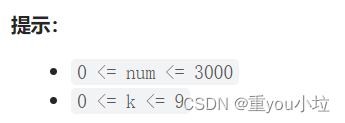
leetcode2310. The one digit number is the sum of integers of K (medium, weekly)

Selection of field types for creating tables in MySQL database
PR second training
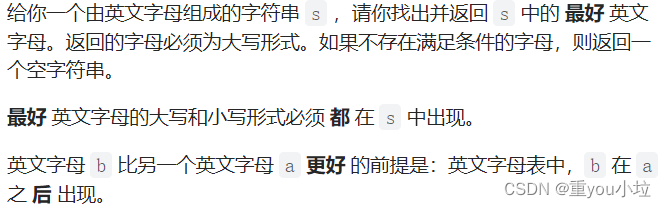
leetcode2309. The best English letters with both upper and lower case (simple, weekly)
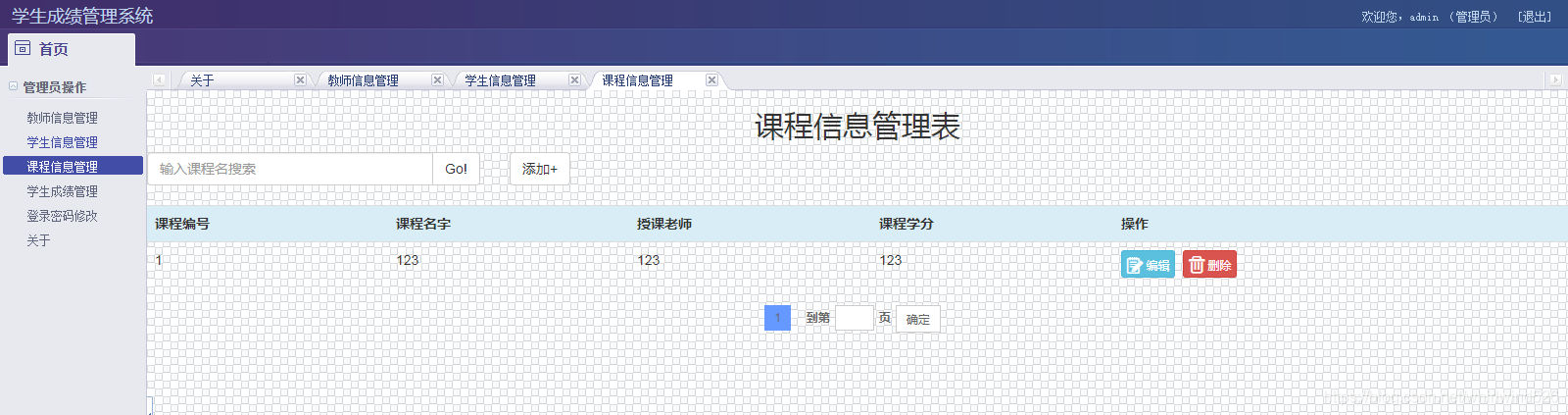
Ks006 student achievement management system based on SSM

leetcode2311. Longest binary subsequence less than or equal to K (medium, weekly)

How does MySQL solve the problem of not releasing space after deleting a large amount of data
随机推荐
Ar Augmented Reality applicable scenarios
D discard the virtual recovery method
Electronic Society C language level 1 32, calculate the power of 2
Construction and maintenance of business websites [15]
Based on configured schedule, the given trigger will never fire
剑指 Offer 47. 礼物的最大价值
This is the form of the K-line diagram (pithy formula)
2022 Q2 - 提升技能的技巧总结
Construction and maintenance of business websites [13]
电子协会 C语言 1级 33 、奇偶数判断
OpenCASCADE7.6编译
What style of Bluetooth headset is easy to use? High quality Bluetooth headset ranking
matlab 使用 audioread 、 sound 读取和播放 wav 文件
734. Energy stone (greed, backpack)
leetcode2311. Longest binary subsequence less than or equal to K (medium, weekly)
开发那些事儿:如何利用Go单例模式保障流媒体高并发的安全性?
new和malloc的区别
Construction and maintenance of business websites [12]
Sword finger offer 31 Stack push in and pop-up sequence
2022 Q2 - résumé des compétences pour améliorer les compétences