当前位置:网站首页>Cesium loads offline maps and offline terrain
Cesium loads offline maps and offline terrain
2022-07-30 19:37:00 【prosperous】
文章目录
前言
Slice the map data directly,然后通过nginx以静态服务方式发布.
使用工具:
- 图新地球 提取码:oznv————————————Used to download maps
- red bean earth 提取码:2thg————————————Used to download maps
- Nginx 提取码:wnjl——————————————代理服务器,用于瓦片数据发布
- Cesiumlab 提取码:iey3————————————用于数据切片
- MapBox影像 提取码:48dt———————————Used to load images
- Test源码 提取码:1cpt——————————————Test目录下所有文件
- Topographic data of Qixing District, Guilin City 提取码:ee1k————————The original topographic data and processed data of Qixing District, Guilin City
一、Cesium加载离线地图
1.1 下载数据
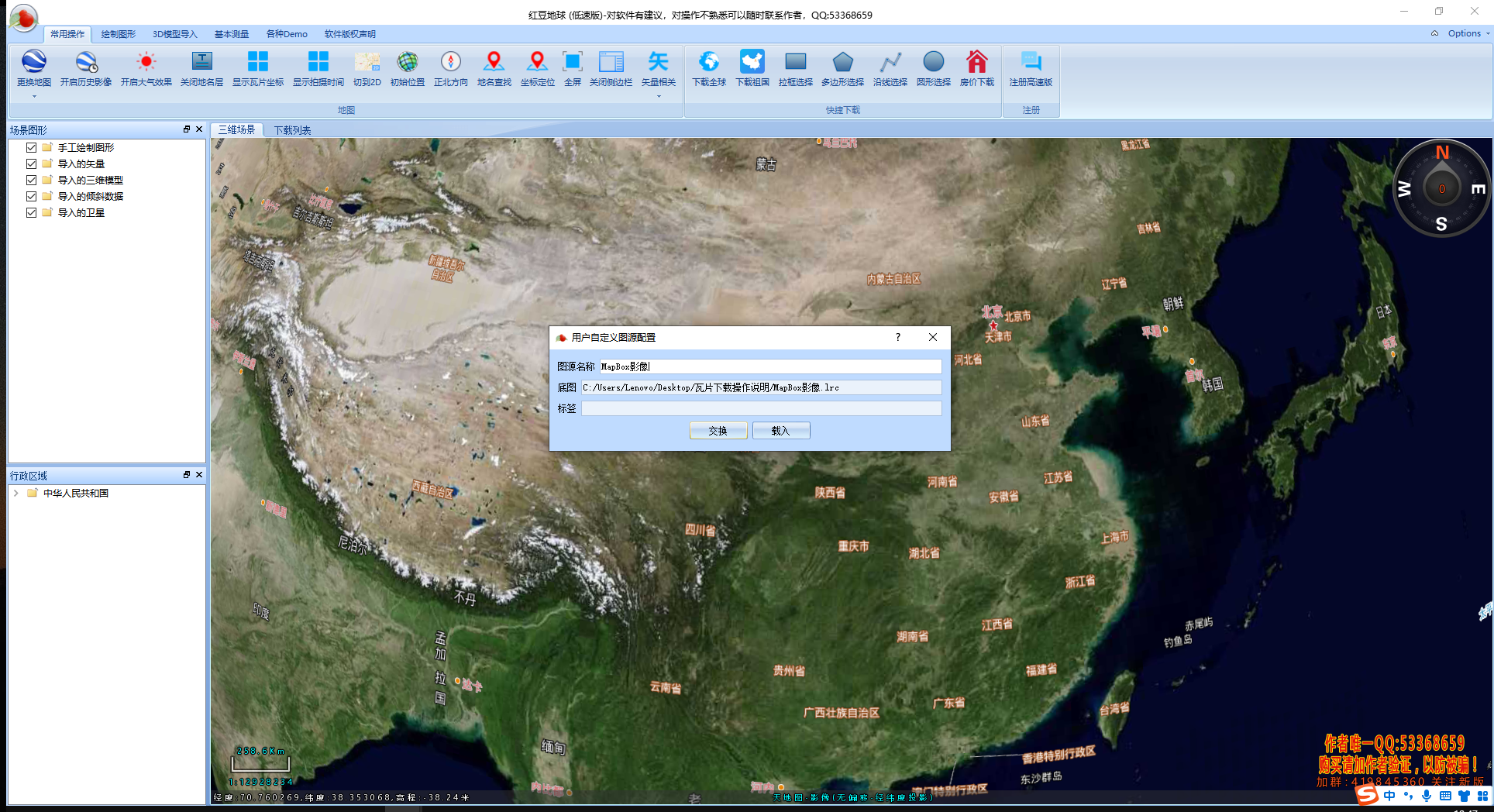
Open the red bean globe and drag it directly to loadMapBox影像
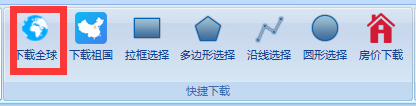
点击下载全球
新建下载
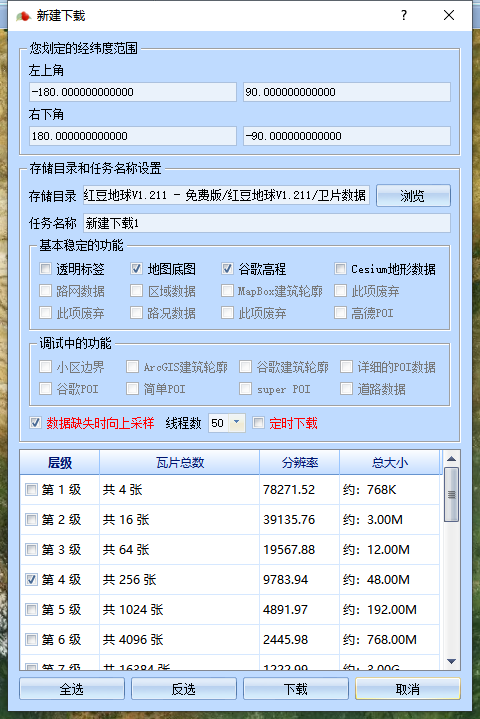
Since there is no paid download speed is very slow,So you need to find a software with a faster download speed,在2.4Improvements are proposed.

2.2 数据处理
输出数据
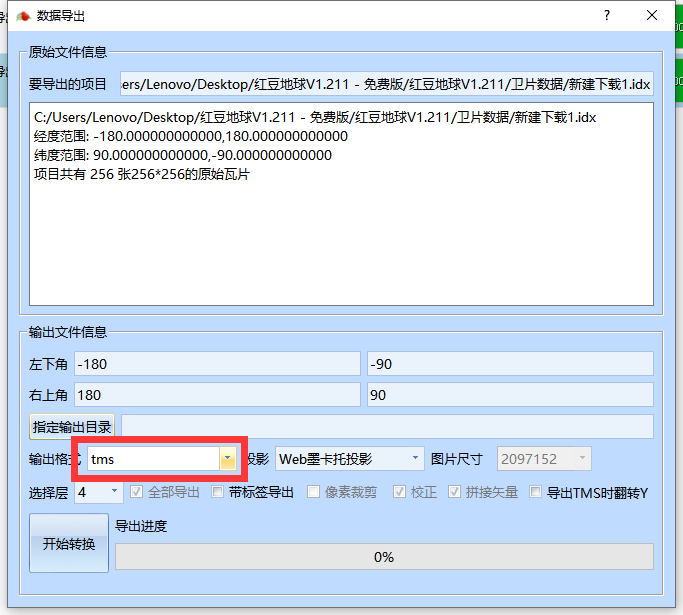
2.3 地图发布
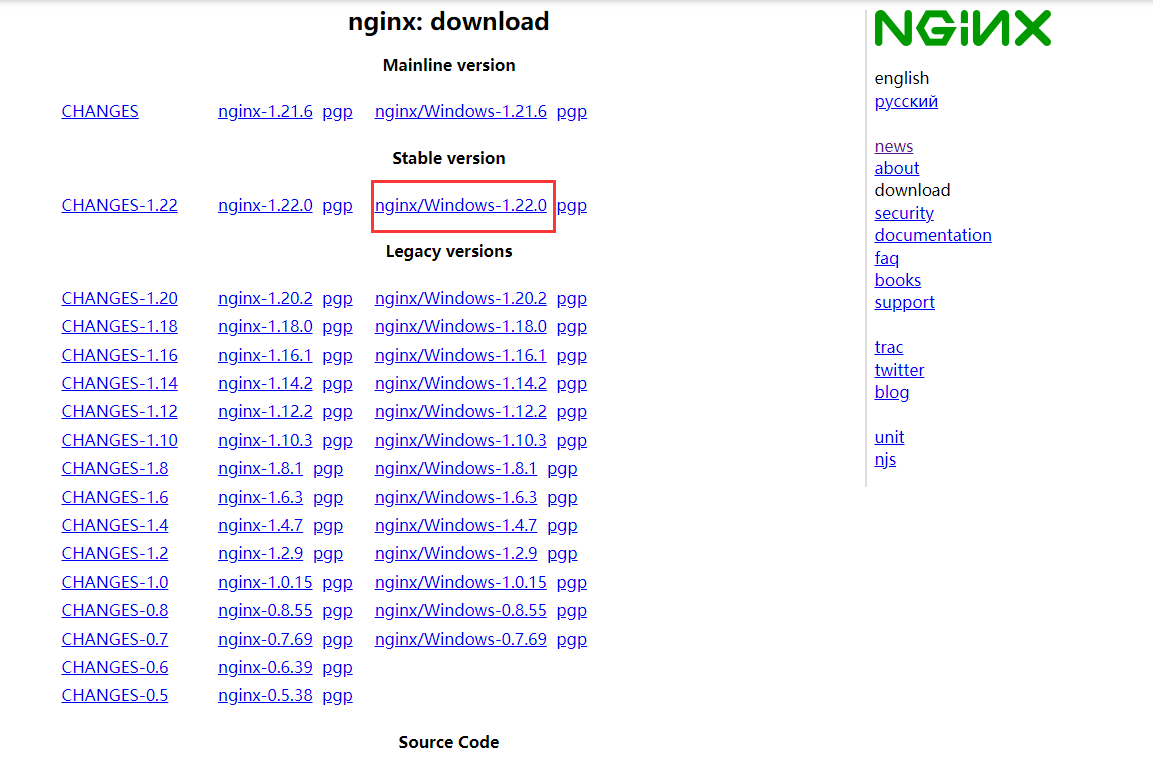
首先在官网下载nginx(There is a Baidu cloud link in the preface),下载windows稳定版.
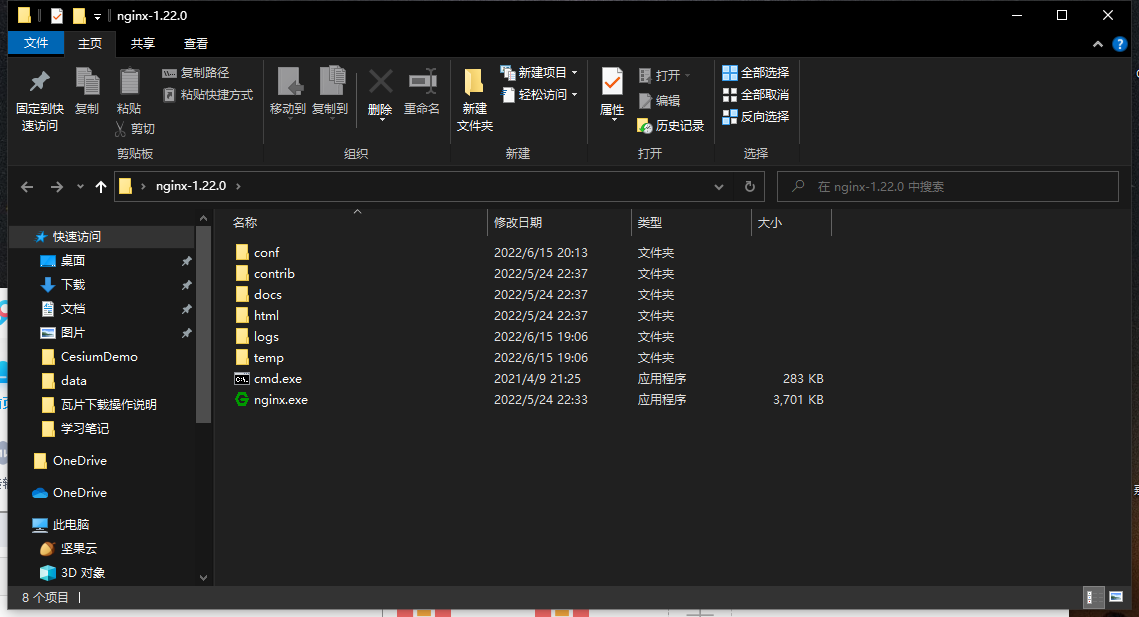
下载好后解压出来,不要直接运行nginx.exe,To be run from the command line.
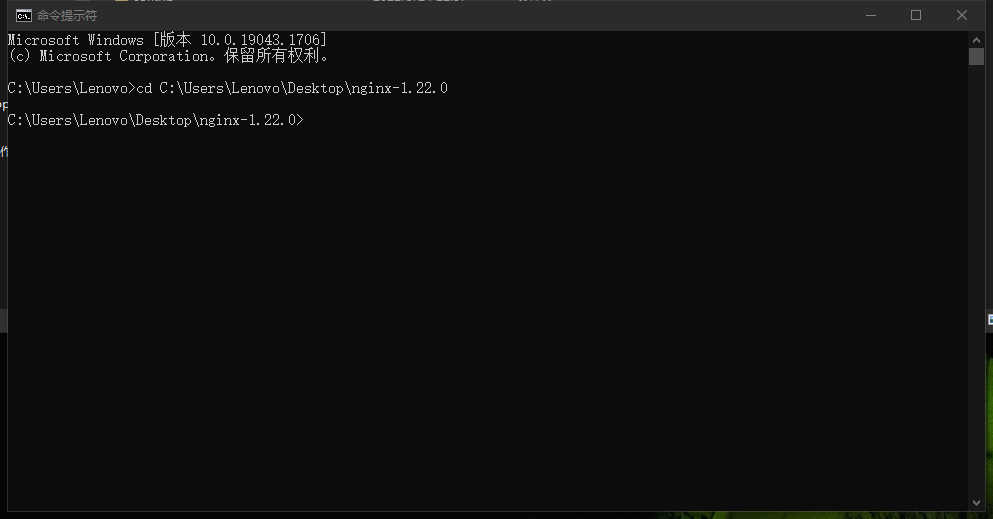
使用cd命令到达nginxthe unzipped directory
cd C:UsersLenovoDesktop ginx-1.22.0
Start with the start commandnginx服务,会有一个窗口一闪而过.
start nginx
查看任务进程是否存在,dos输入:
tasklist /fi “imagename eq nginx.exe”
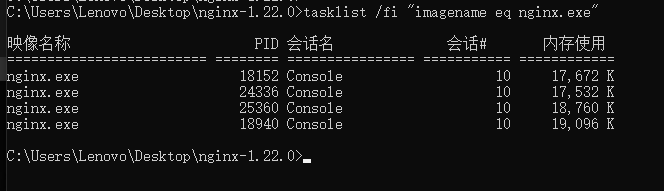
Finally use the browser to accesshttp://localhost/You can see the successful deployment page.

Then modify the configuration file,The functions of each folder in the configuration directory are shown in the following figure,这里只修改conf目录里面的文件.

在conf目录下找到nginx.conf使用vscode打开即可,找到serverThis node is modified to save as follows(原来serverAll functions are removed).
    server {
        listen 80;
        location / {
            alias C:/Users/Lenovo/Desktop/Test/CesiumDemo/;
            index  index.html index.htm;
        }

        location /map {
            alias C:/Users/Lenovo/Desktop/Test/data;
            autoindex on;
            autoindex_localtime on;
        }
    }
修改完成后保存,使用以下命令检查一下配置文件是否正确,后面是nginx.conf文件的路径,successful就说明正确了.
nginx -t -c /Users/Lenovo/Desktop/nginx-1.22.0/conf/nginx.conf

使用以下命令重新加载nginx,注意:Every time you modify the configuration file, you need to reload it using the command
nginx -s reload
Here on the desktopTestCreate two new folders in the Cesium和数据
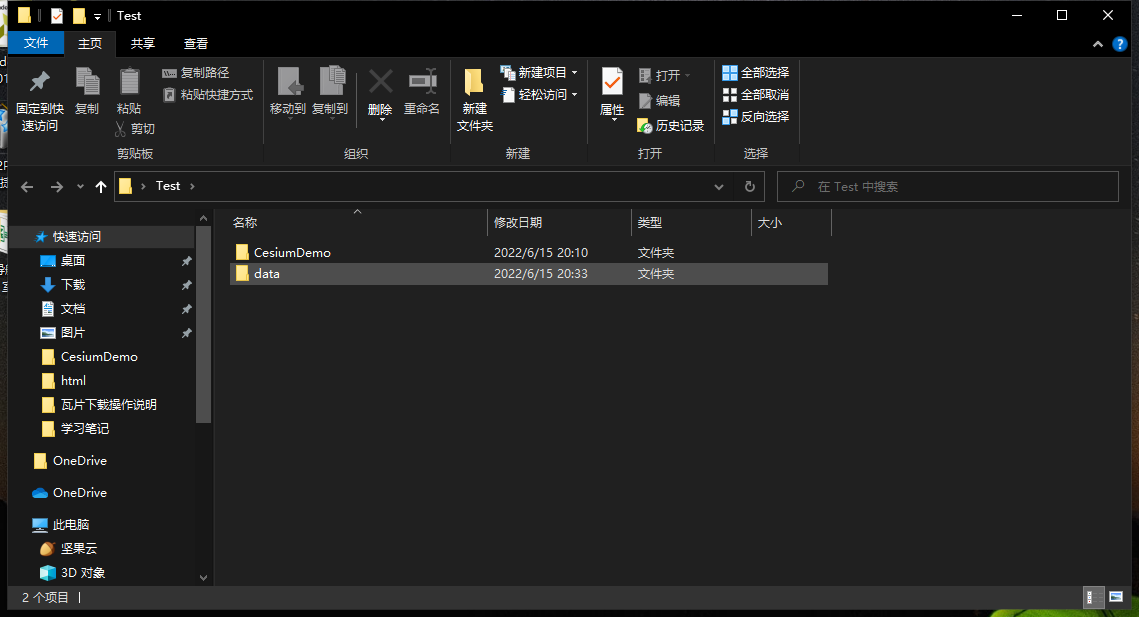
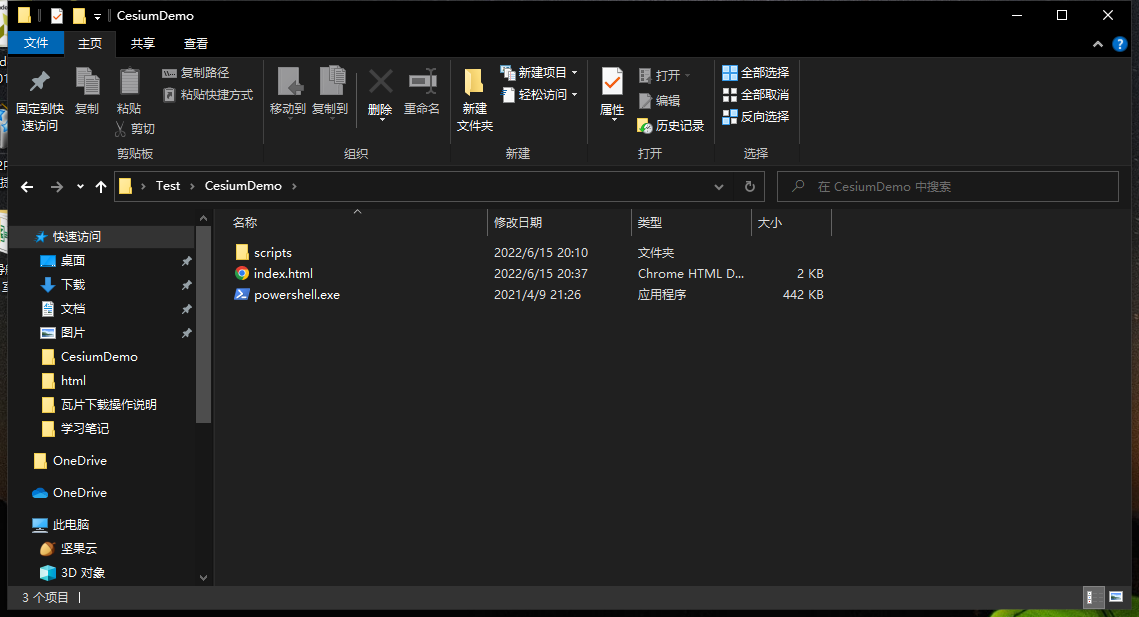
在CesiumDemo放入第一个Cesium APP(hello world)的文件
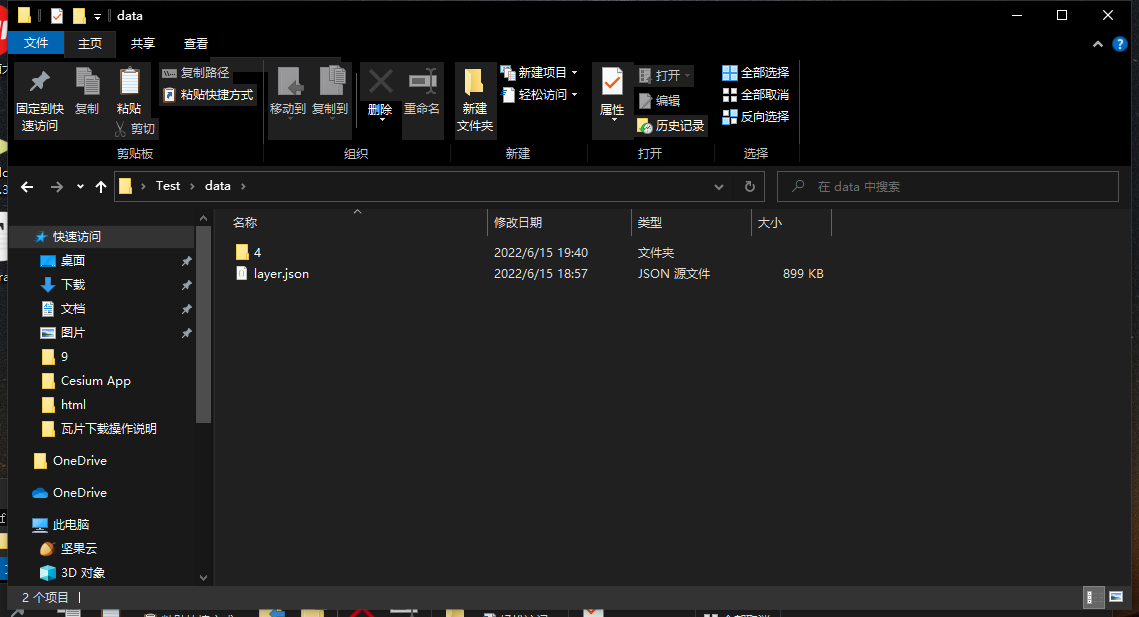
在datafolder to put the exported data
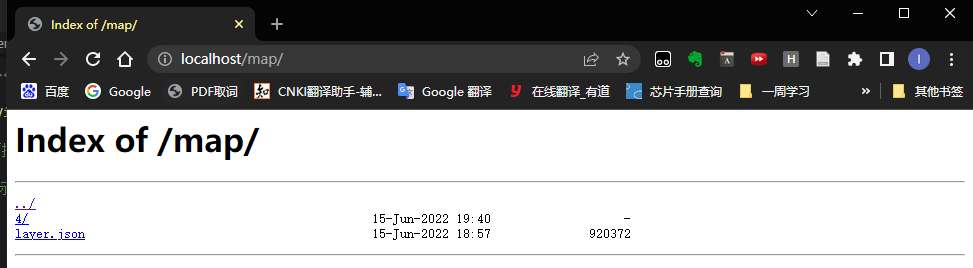
通过浏览器尝试访问http://localhost/map/You can see the files under the data path
最后在CesiumDemo文件夹中的index.htmlThe tile map service code is introduced in
var viewer = new Cesium.Viewer('cesiumContainer', {
            animation: false,//是否显示动画控件
            baseLayerPicker: true,//是否显示图层选择控件
            geocoder: true,
            timeline: false,
            sceneModePicker: true,
            navigationHelpButton: false,
            infoBox: true,
            imageryProvider: new Cesium.UrlTemplateImageryProvider({
                url: '/map/{z}/{x}/{y}.png',
                fileExtension: 'png'
            })
});
index.html完整代码
<!DOCTYPE html>
<html lang="en">
<head>
    <meta charset="UTF-8">
    <meta http-equiv="X-UA-Compatible" content="IE=edge">
    <meta name="viewport" content="width=device-width, initial-scale=1.0">
    <title>Cesium App</title>
    <script src="./scripts/Cesium/Cesium.js"></script>
    <link rel="stylesheet" href="./scripts/Cesium/Widgets/widgets.css">
    <style>
        html, body, .container{
            height: 100%;
            width: 100%;
            margin: 0;
            padding: 0;
        }
    </style>
</head>
<body>
    <div id="cesiumContainer" ></div>
    <script>
      var viewer = new Cesium.Viewer('cesiumContainer', {
            animation: false,//是否显示动画控件
            baseLayerPicker: true,//是否显示图层选择控件
            geocoder: true,
            timeline: false,
            sceneModePicker: true,
            navigationHelpButton: false,
            infoBox: true,
            imageryProvider: new Cesium.UrlTemplateImageryProvider({
                url: '/map/{z}/{x}/{y}.png',
                fileExtension: 'png'
            })
});
    </script>
</body>
</html>
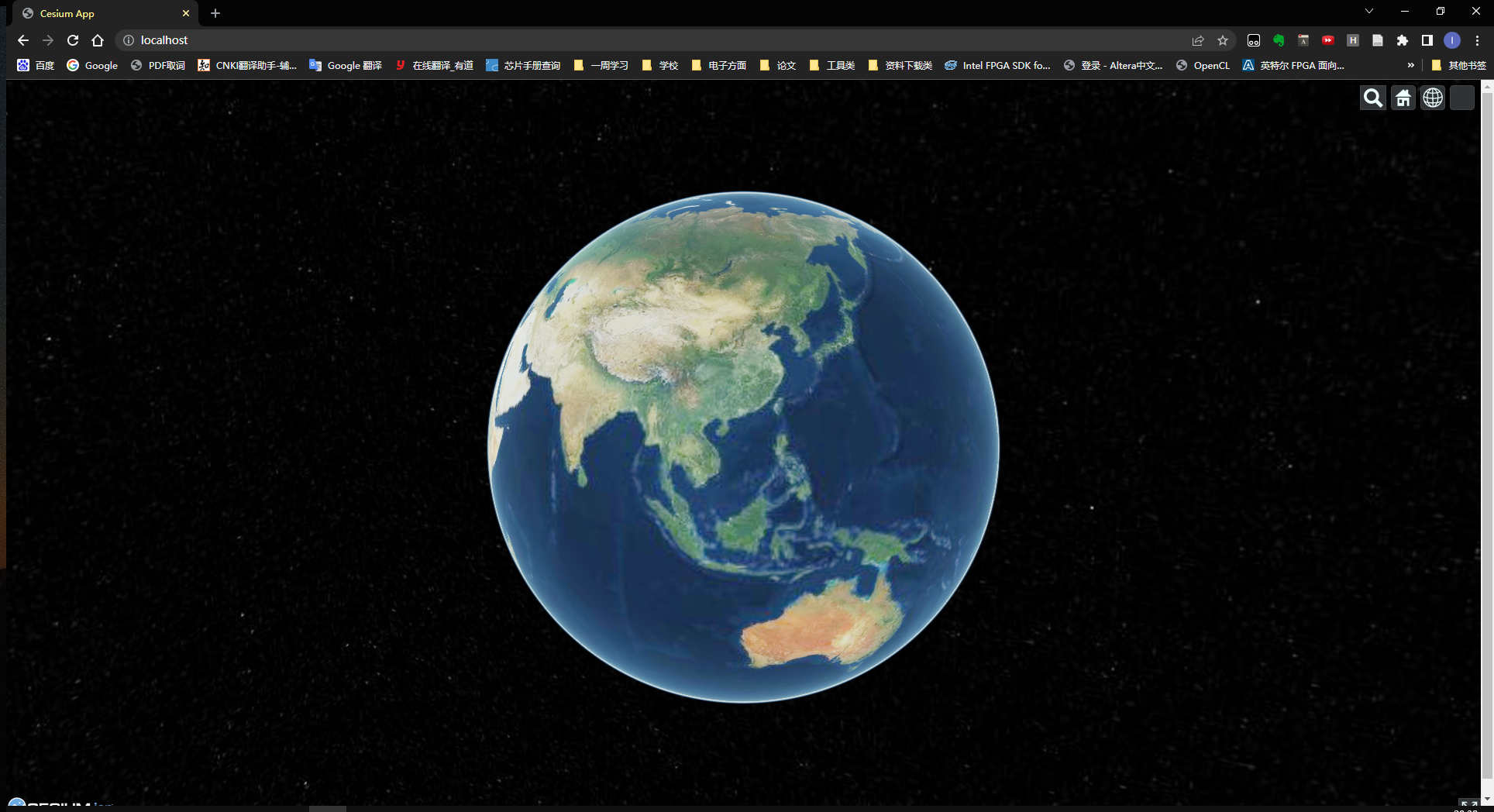
通过访问http://localhost/打开Cesium得到图像
2.4Download speed improvements
The improvement method is to use the map new earth to download the data faster,Download the map data of Hunan Province for demonstration here
First unzip and double-click to open the map New Earth
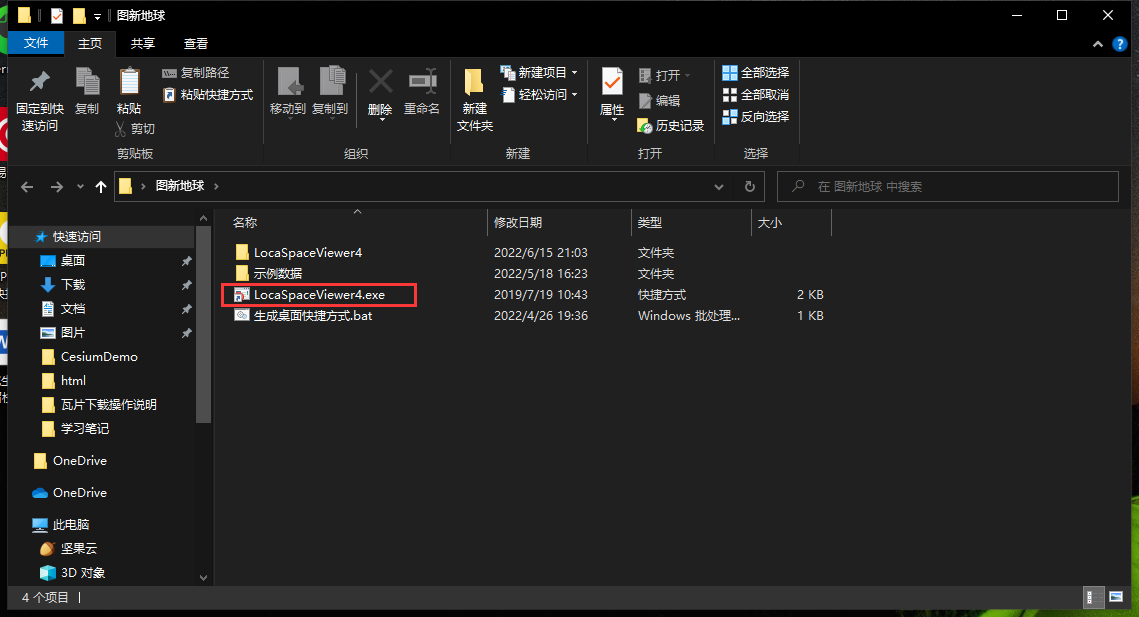
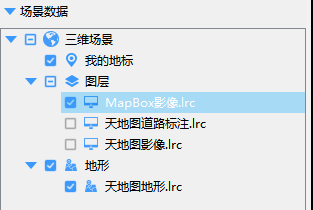
直接拖入MapBox.lrcLayer to map the new globe
Search for Hunan Province in the search bar
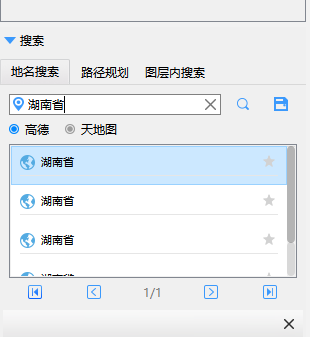
点击下载

Select the plane on the map surrounded by Hunan Province,Then configure the download,这里下载11个级别391.5MB(Download in two minutes).
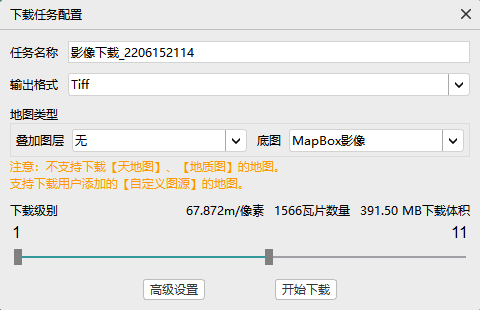
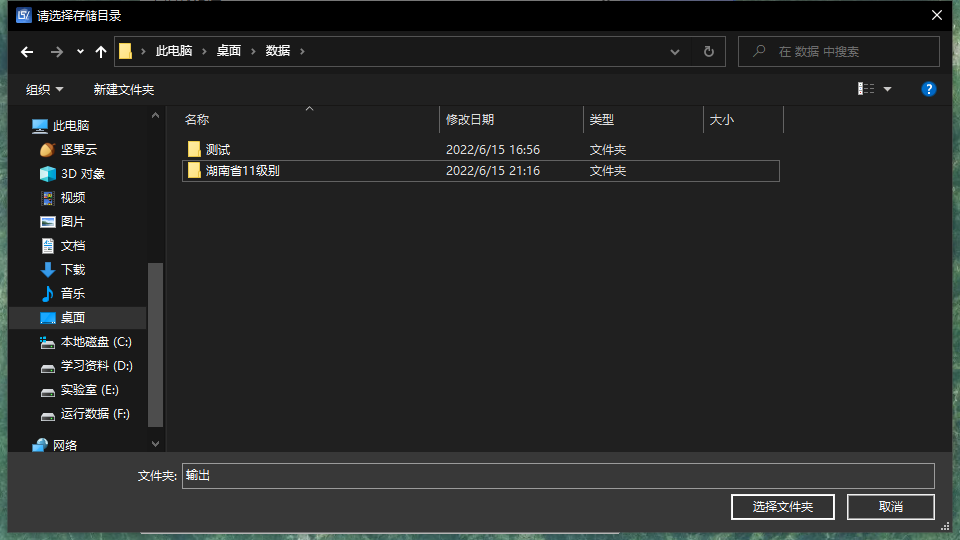
Set the path to download
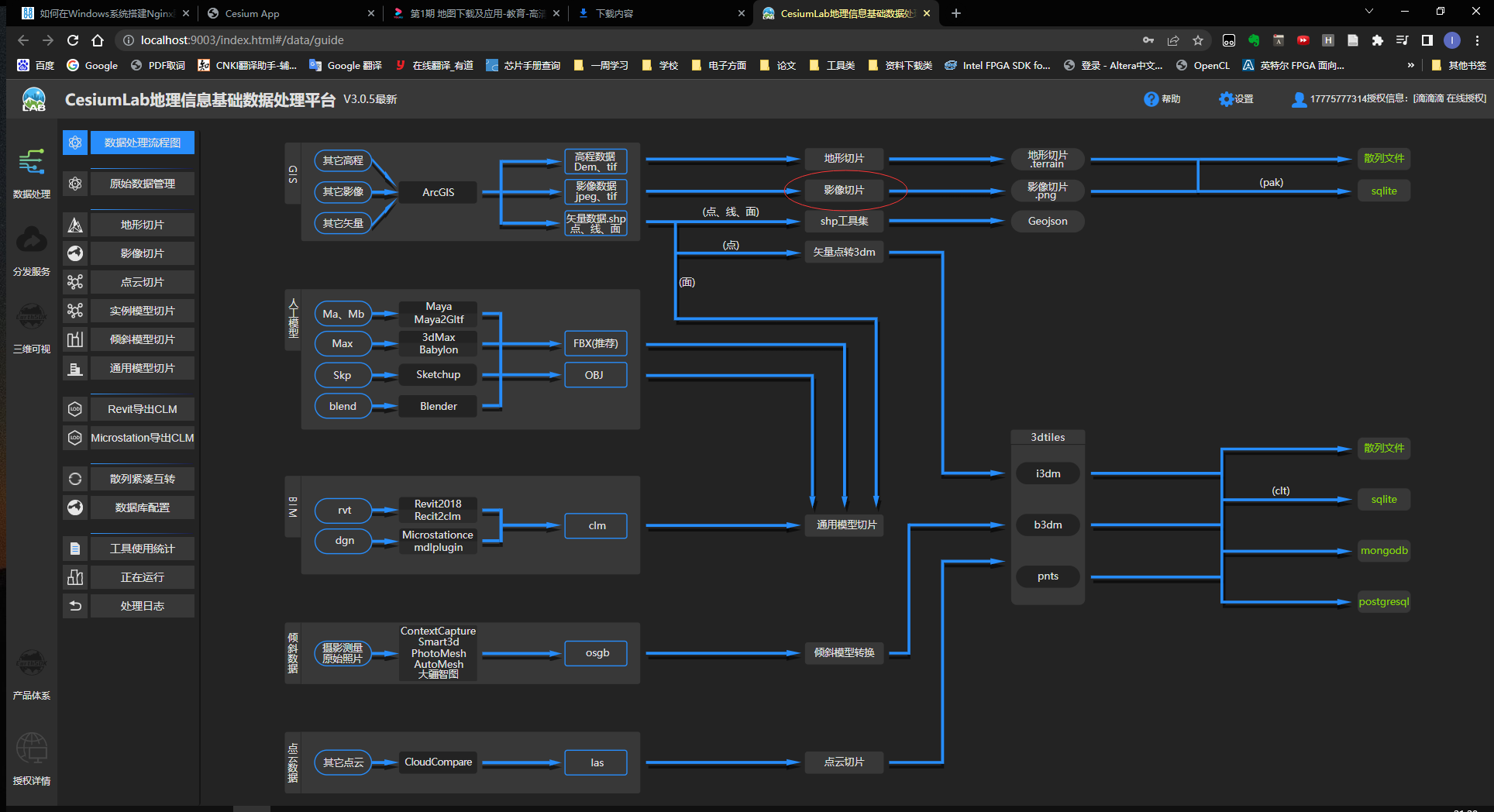
After downloading, use the official website toolCesiumlabPerform image slicing
选择11select after a level散列
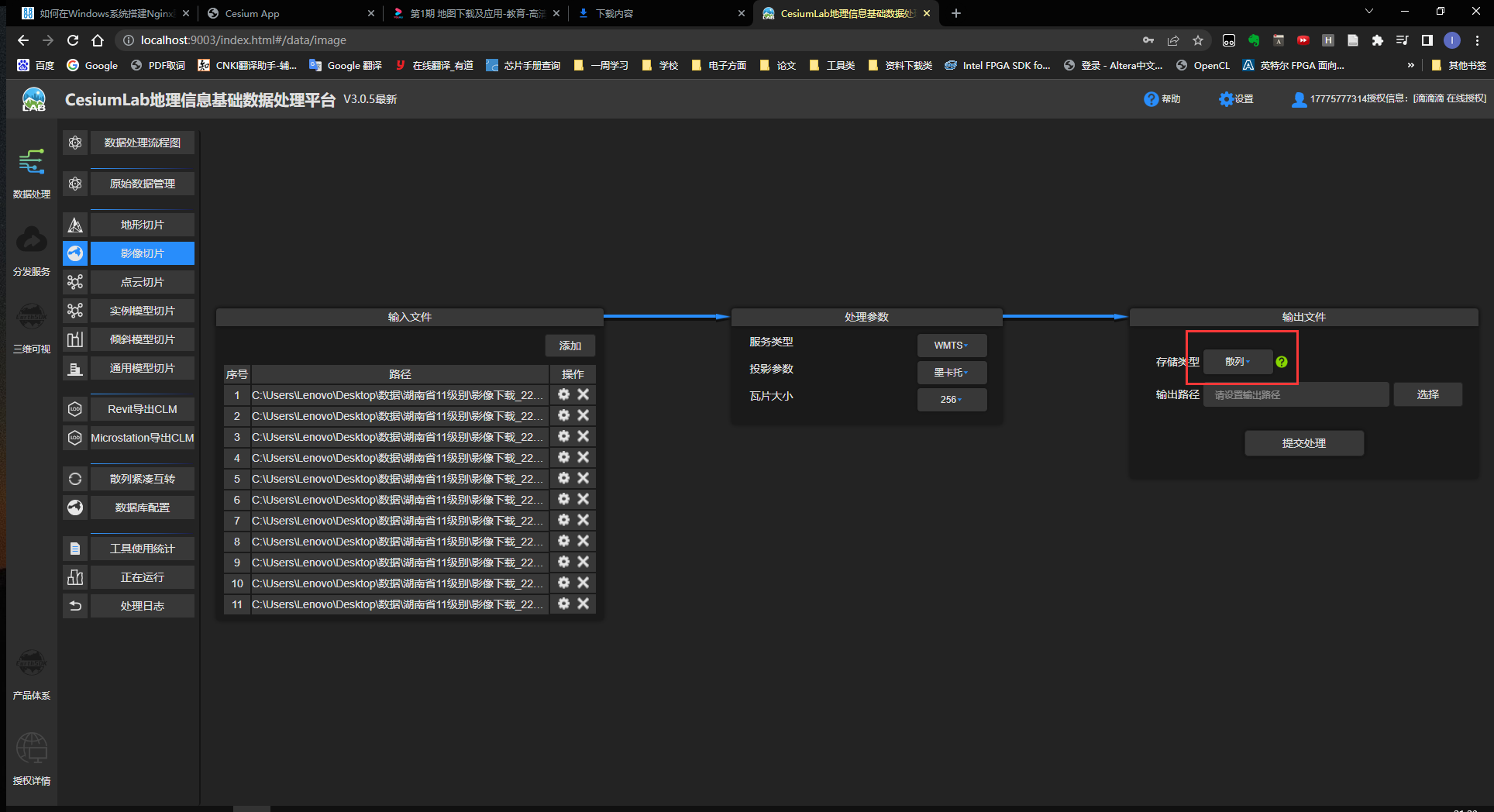
Wait for the data to be processed

处理好后将dataAll the original data in the folder will be deleted,Then replace all with the processed data,最后重新访问http://localhost/Get a map with only Hunan Province imagery.
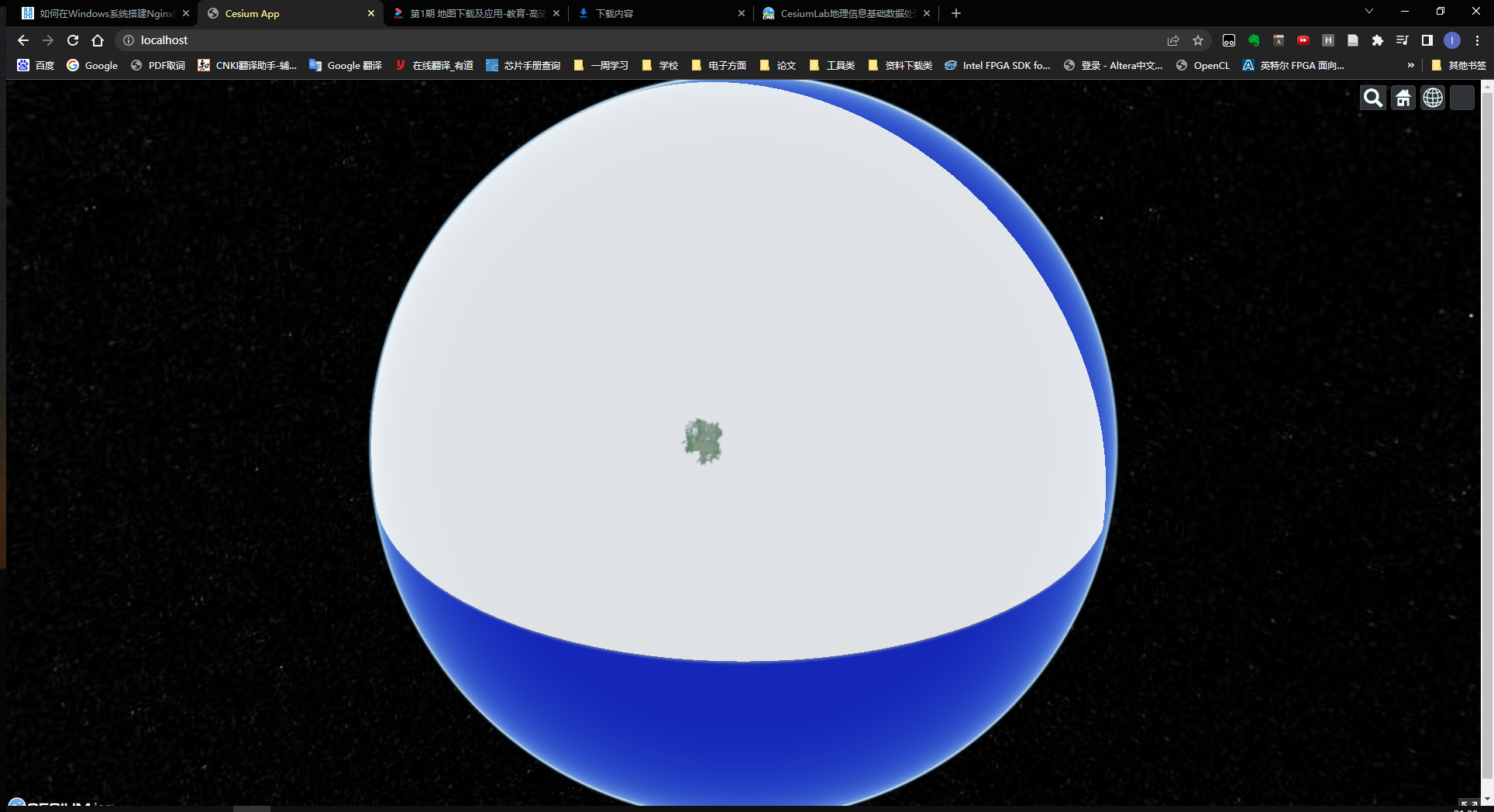
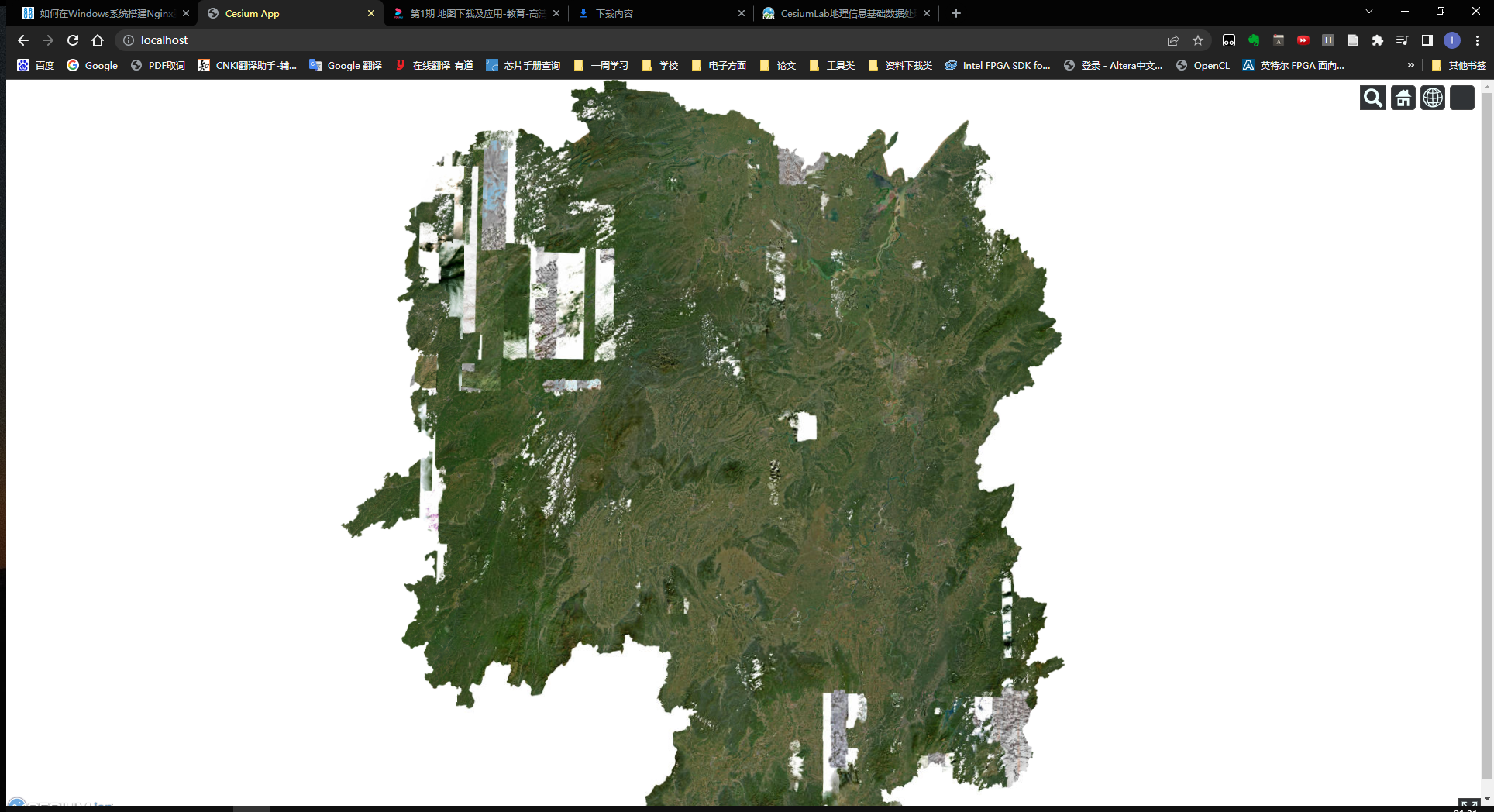
Tuxin Earth currently does not find a way to download global imagery,But he can download multiple layers,Supplements are being made thereafter.
参考资料:
二、Cesium加载离线地形
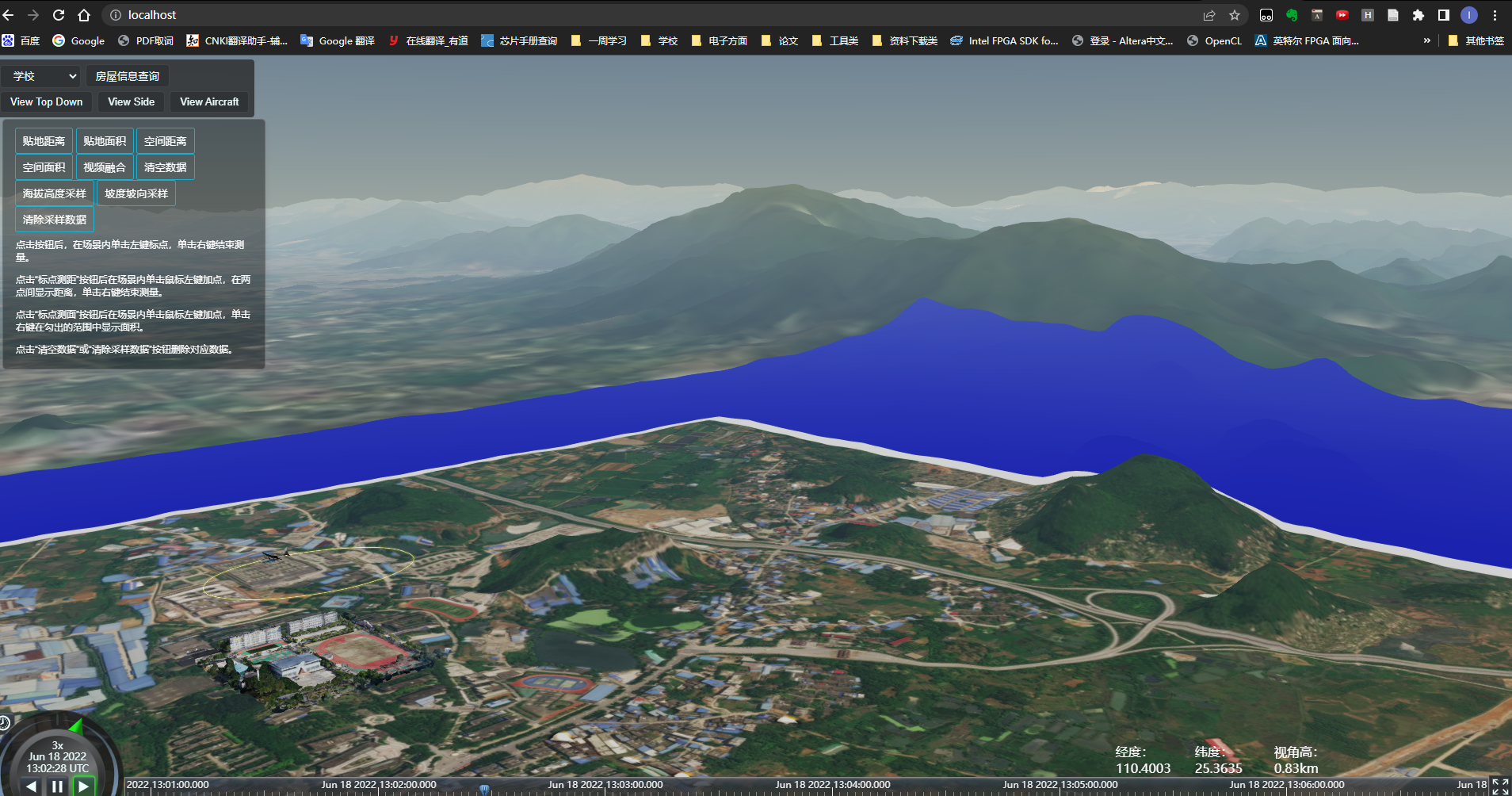
这是Official website topography效果,Load the local offline terrain below,The method is the same as loading an offline map,Download the data slice first and then pass itnginx发布.
2.1 下载数据
首先在地理空间数据云上下载数据.http://www.gscloud.cn/search(Topographic data of Qixing District, Guilin City 提取码:ee1k )
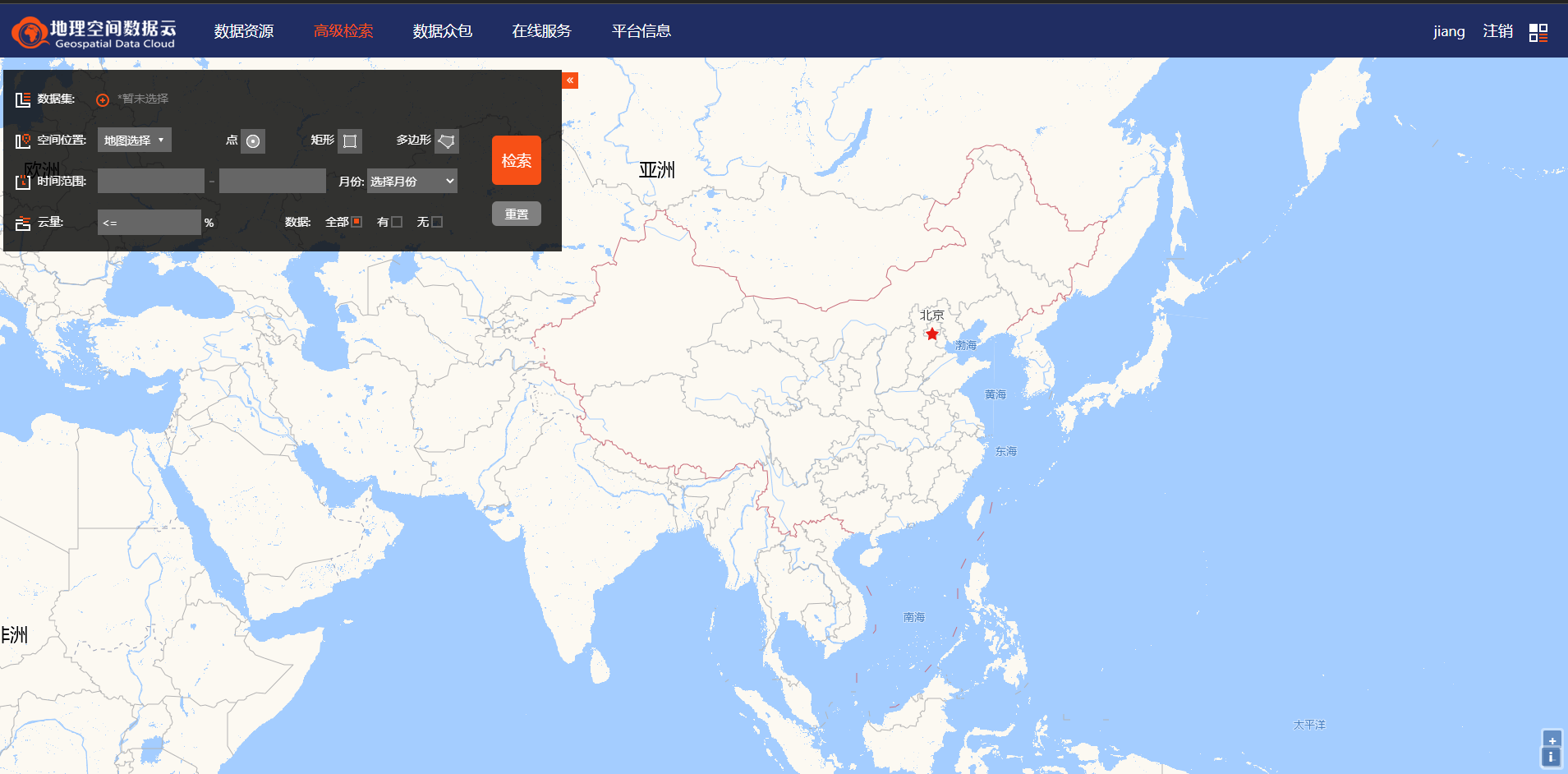
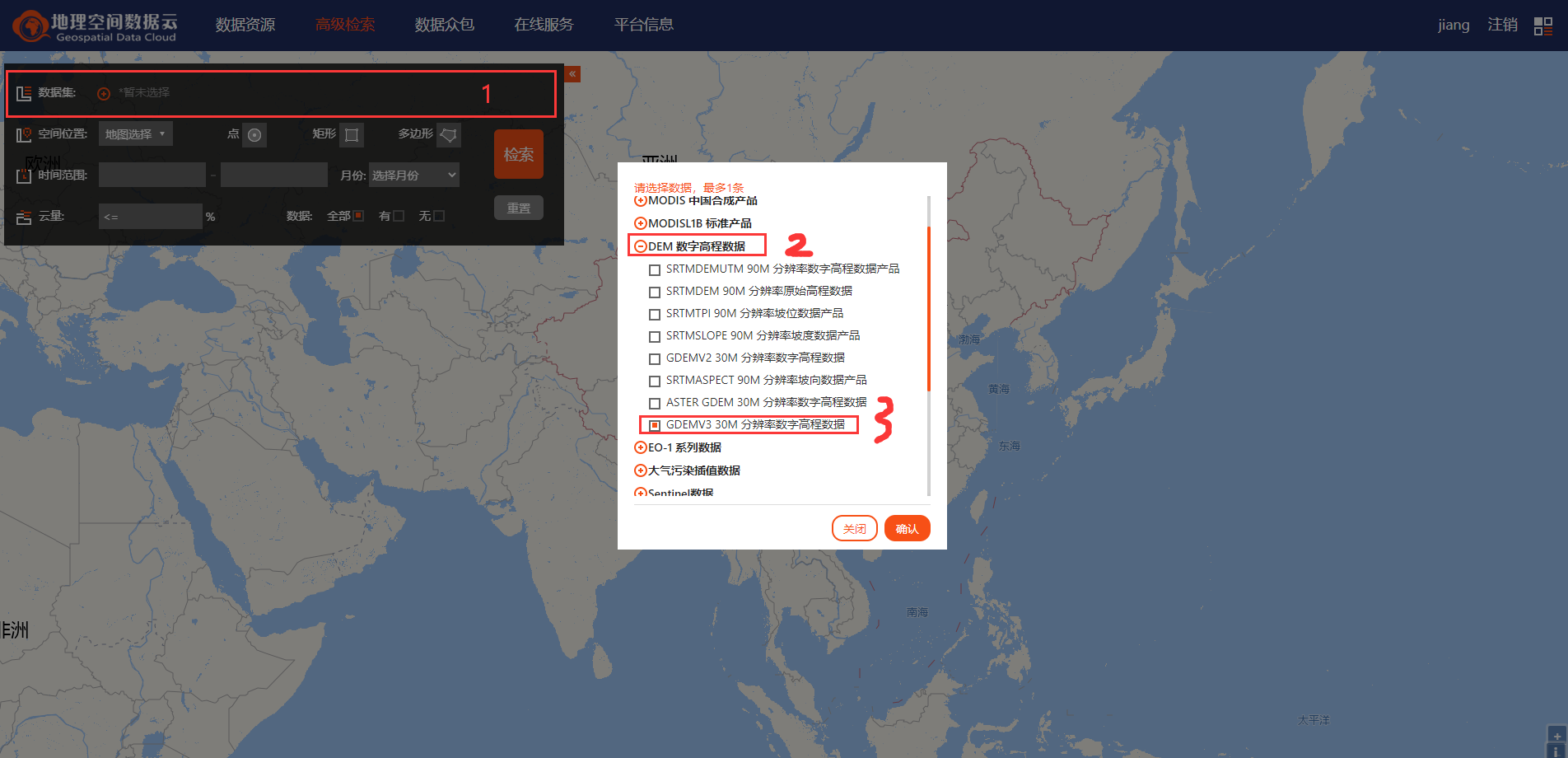
Select the data level to be downloaded,这里选择DEMin digital elevation dataGDEMV3 30M分辨率数字高程数据.
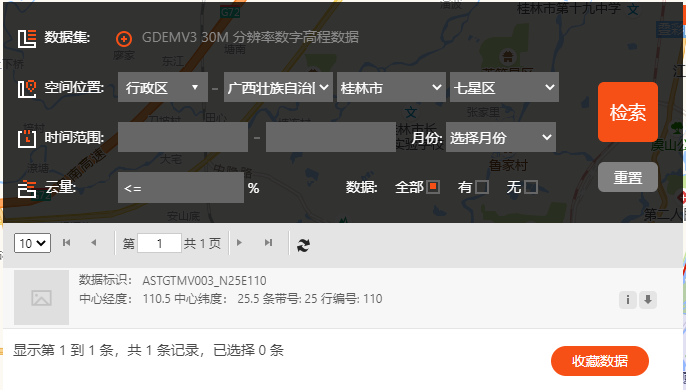
Then retrieve the data of Qixing District in Guilin, Guangxi.
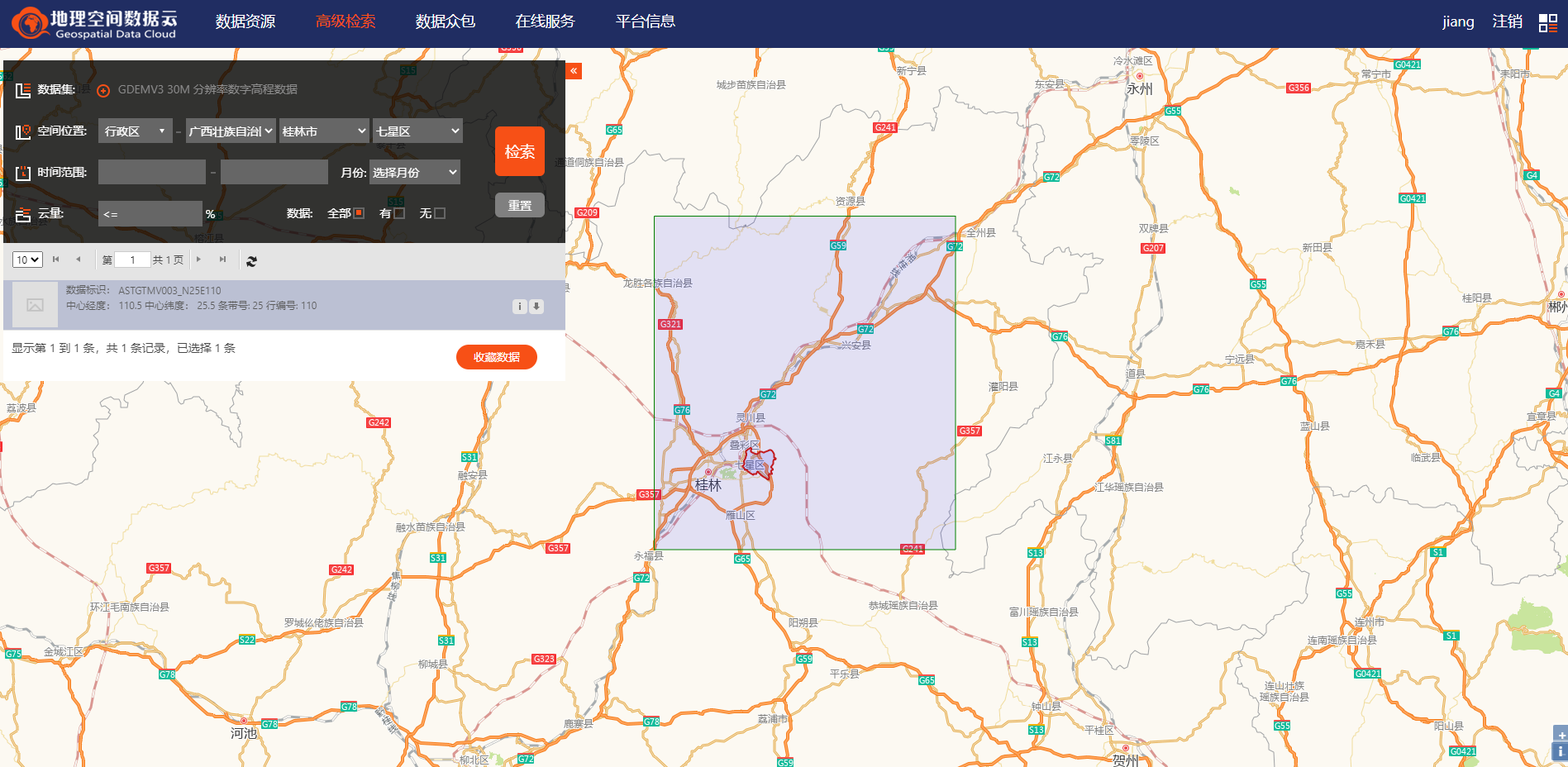
The actual downloaded data is the data inside the larger box in the figure,It is far larger than the Seven Stars District.
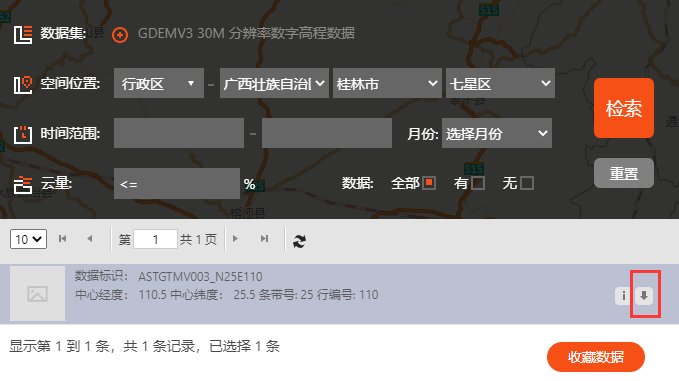
Click the Downloads tab to download
2.2 数据处理
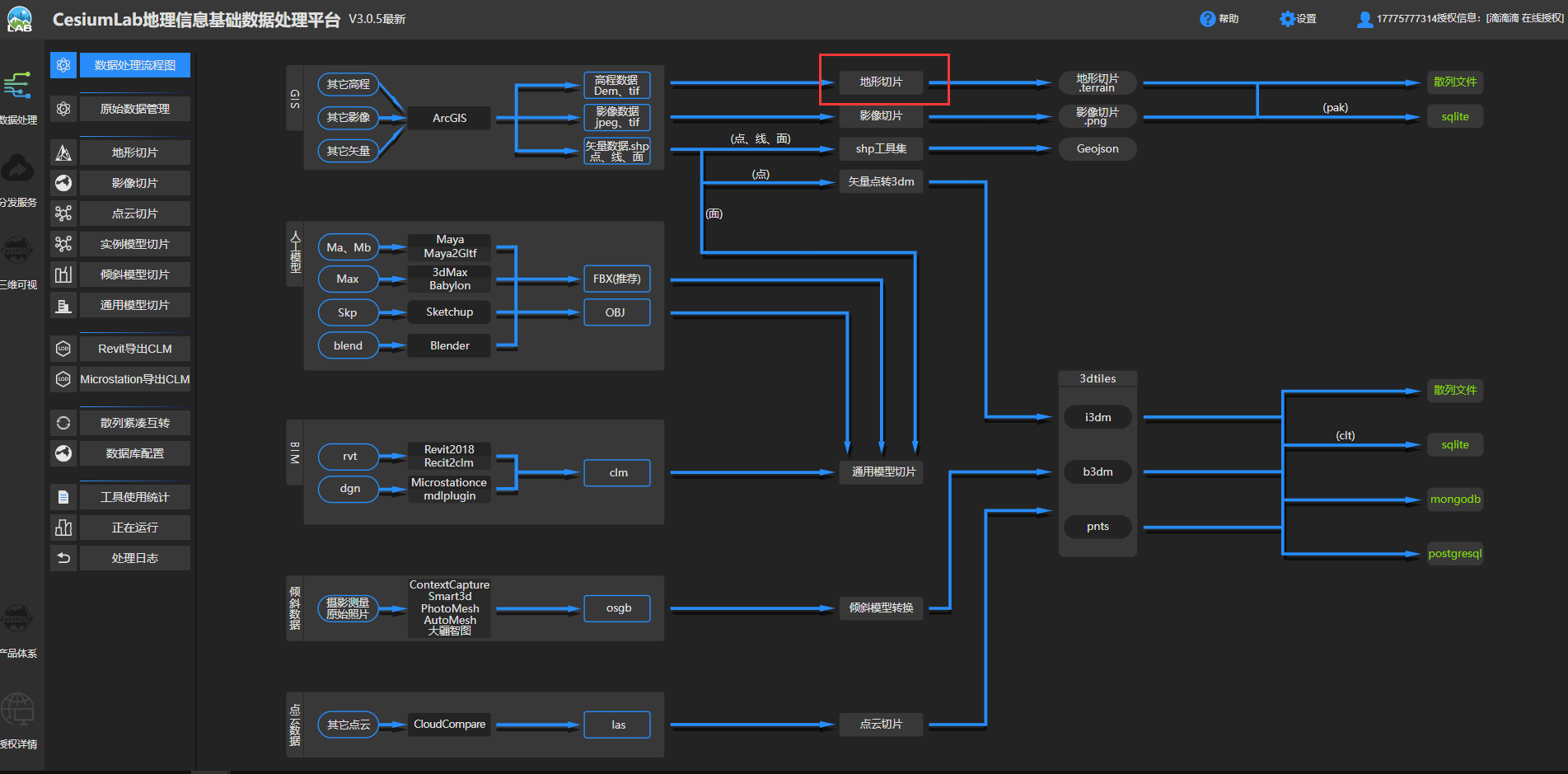
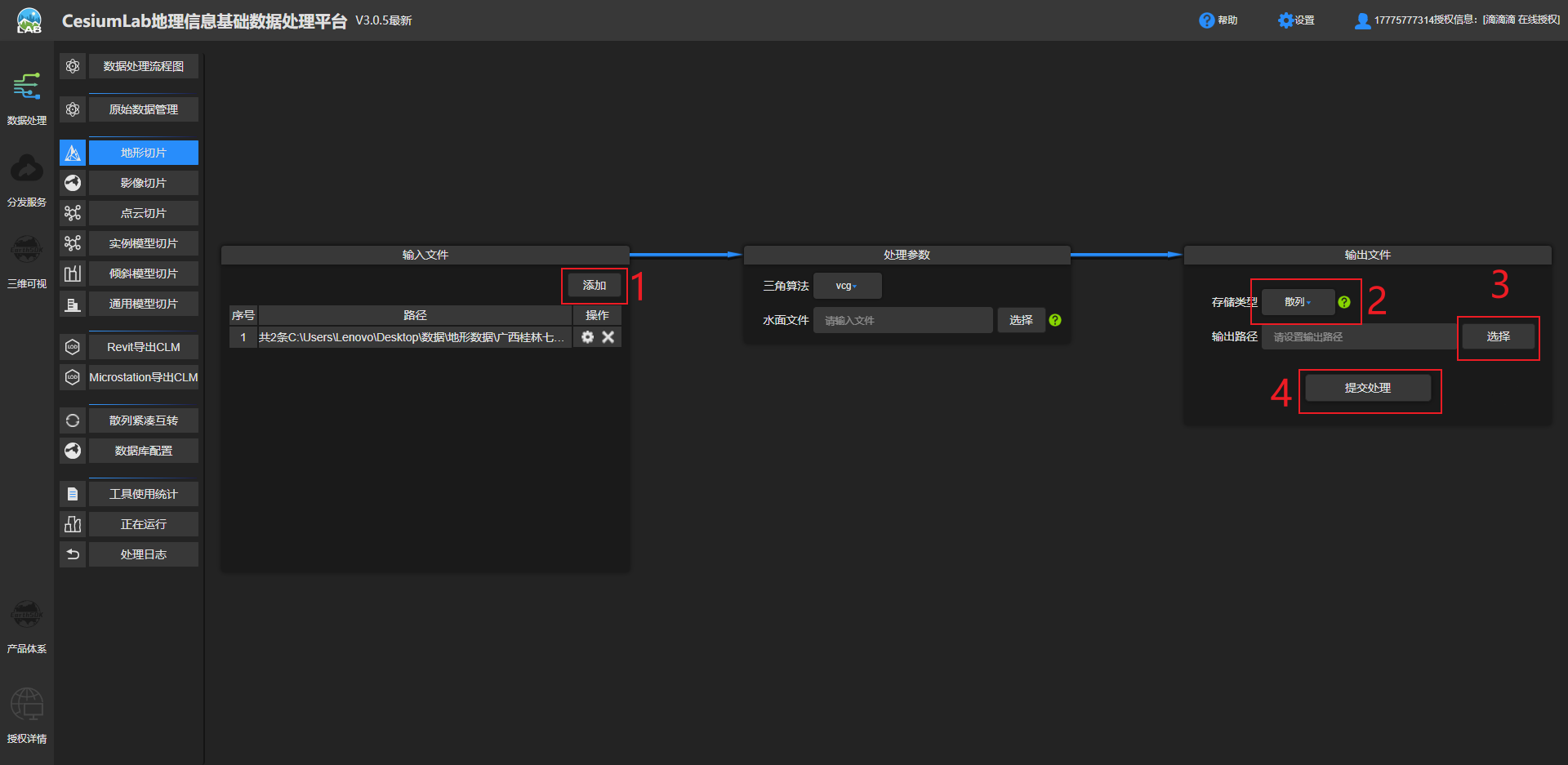
Unzip it after downloading,打开CesiumLab选择地形切片.
Submit it after configuration,Same choice here散列.
It actually took half an hour to process(In order to save time, the terrain has been passed on Baidu Cloud:Topographic data of Qixing District, Guilin City 提取码:ee1k )

2.3 Terrain release
Same after processingTest文件夹下新建一个terrainFolders hold terrain data,The original map data can be newly createdmap文件夹保存.terrainThe files in the folder are shown in the figure.
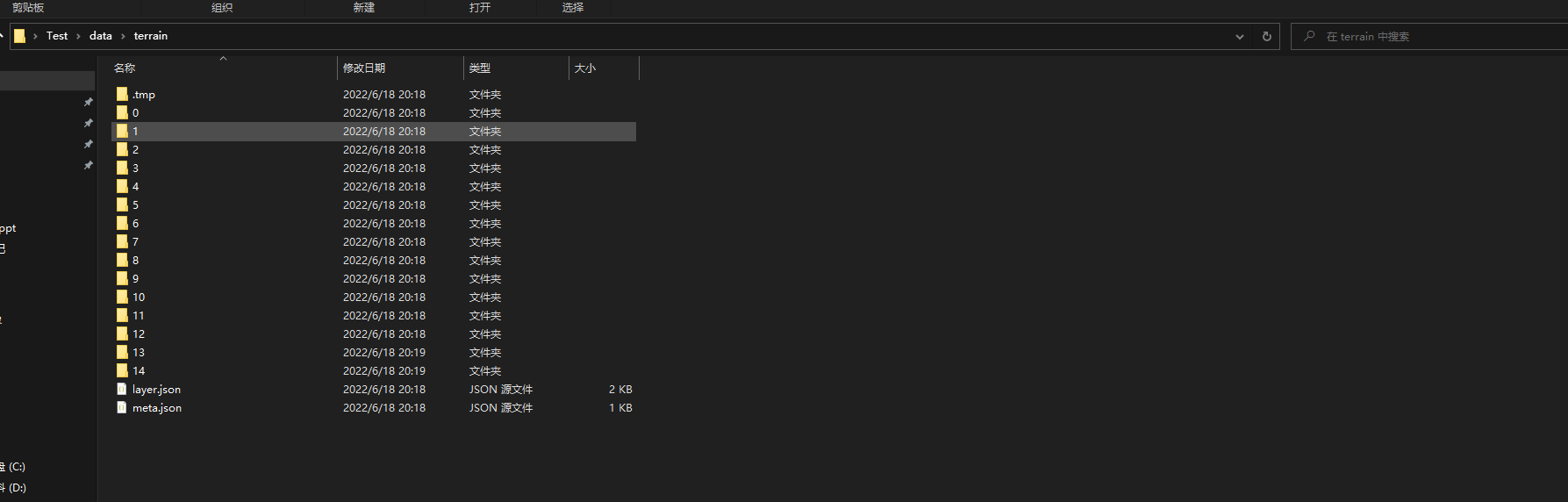
在nginx的conf目录下找到nginx.conf修改配置文件,在server函数中添加
ocation /terrain {
    alias C:/Users/Lenovo/Desktop/Test/data/terrain;
    autoindex on;
    autoindex_localtime on;
}
完整server代码如下:
server {
    listen 80;
    location / {
    alias C:/Users/Lenovo/Desktop/Test/CesiumDemo/;
    index  index.html index.htm;
	}

location /map {
    alias C:/Users/Lenovo/Desktop/Test/data/map;
    autoindex on;
    autoindex_localtime on;
	}

location /terrain {
    alias C:/Users/Lenovo/Desktop/Test/data/terrain;
    autoindex on;
    autoindex_localtime on;
	}
}
使用以下命令重新加载nginx,注意:Every time you modify the configuration file, you need to reload it using the command
nginx -s reload
在浏览器访问http://localhost/terrain/即可看到terrainThe files in the inner directory are published successfully.
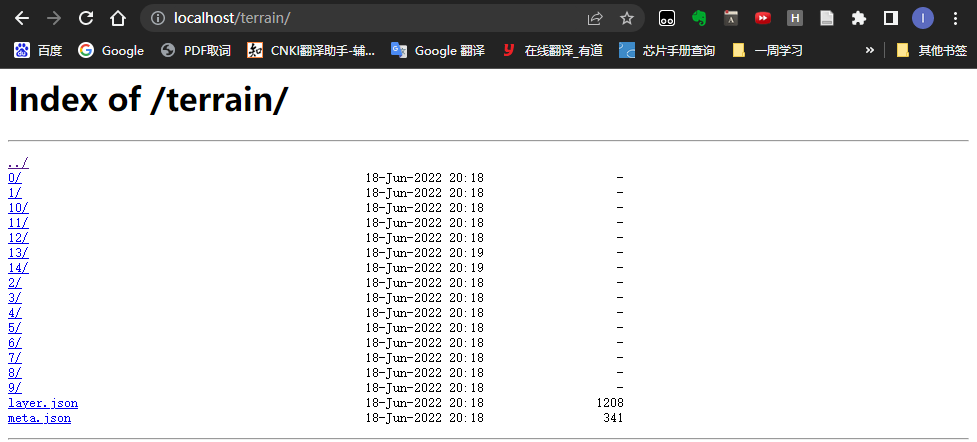
最后在CesiumDemo文件夹中的index.htmlIntroduce terrain service code in
var terrainProvider = new Cesium.CesiumTerrainProvider({
	url: 'http://localhost:80/terrain'
	});
viewer.terrainProvider = terrainProvider;
完整代码:
this.viewer = new Cesium.Viewer('cesiumContainer', {
    selectionIndicator: false, // 不显示指示器小部件
    infoBox: true, //  不显示信息框
    sceneModePicker: false, // 不显示模式切换选项
    baseLayerPicker: false,
    navigationHelpButton: false,
    animation: true,
    shouldAnimate: true,
    geocoder: false,
    homeButton: false,
    imageryProvider: new Cesium.UrlTemplateImageryProvider({
    	url: '/map/{z}/{x}/{y}.png',
    	fileExtension: 'png'
    })
})
    var terrainProvider = new Cesium.CesiumTerrainProvider({
    	url: 'http://localhost:80/terrain'
    });
    viewer.terrainProvider = terrainProvider;
The local image effect is shown in the figure
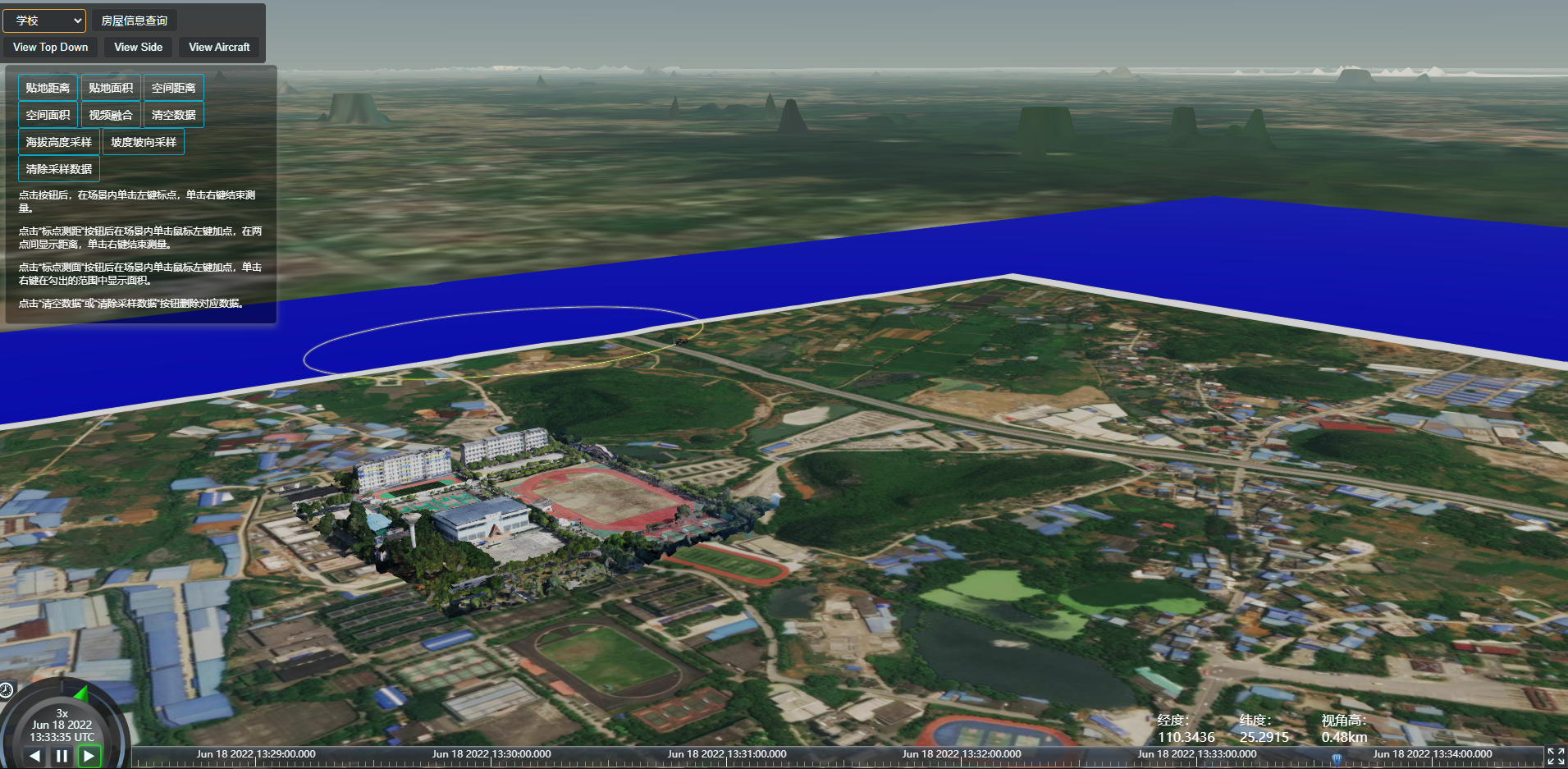
Compare with official image data to find problems.
参考资料:
2.4 遇到的问题
- 问题:效果差、精度低,There are a lot of small terrains that are not shown
- 原因:Probably because of the lower resolution and accuracy of the downloaded terrain data
- 改进:Look for terrain data with higher precision resolution
先自我介绍一下,小编13年上师交大毕业,曾经在小公司待过,去过华为OPPO等大厂,18年进入阿里,直到现在.深知大多数初中级java工程师,想要升技能,往往是需要自己摸索成长或是报班学习,但对于培训机构动则近万元的学费,着实压力不小.自己不成体系的自学效率很低又漫长,而且容易碰到天花板技术停止不前.因此我收集了一份《java开发全套学习资料》送给大家,初衷也很简单,就是希望帮助到想自学又不知道该从何学起的朋友,同时减轻大家的负担.添加下方名片,即可获取全套学习资料哦
边栏推荐
- 【MindSpore1.2.0-rc1产品】num_workers问题
- MySQL性能优化(硬件,系统配置,表结构,SQL语句)
- Tensorflow2.0 混淆矩阵与打印准确率不符
- Entering the applet for the first time
- MySQL八股文背诵版
- LeetCode每日一题(1717. Maximum Score From Removing Substrings)
- ImportError: attempted relative import with no known parent package
- 几个GTest、GMock的例子
- Talking about Contrastive Learning (Contrastive Learning) the first bullet
- 牛客网——华为题库(100~108)
猜你喜欢

golang日志库zerolog使用记录
【PyTorchVideo教程01】快速实现视频动作识别

技术很牛逼,还需要“向上管理”吗?

Google's AlphaFold claims to have predicted almost every protein structure on Earth
Perfectly Clear QuickDesk & QuickServer图像校正优化工具

VBA批量将Excel数据导入Access数据库

【MindSpore1.2.0-rc1产品】num_workers问题

VBA 连接Access数据库和Excle
The technology is very powerful, do you still need to "manage up"?
LeetCode 0952.按公因数计算最大组件大小:建图 / 并查集
随机推荐
HCIP --- 企业网的三层架构
MindSpore:【JupyterLab】查看数据时报错
M3SDA:用于多源域自适应的矩匹配
What is the difference between a cloud database and an on-premises database?
实体中增加操作方法
Google's AlphaFold claims to have predicted almost every protein structure on Earth
Niuke.com - Huawei Question Bank (100~108)
MySQL数据库————视图和索引
第一次进入小程序判断
055 c# print
跨进程启动后台服务
Encapsulates a console file selector based on inquirer
[Prometheus] An optimization record of the Prometheus federation [continued]
阿里云武林头条活动分享
架构师如何成长
【hbuilder】运行不了部分项目 , 打开终端 无法输入指令
- daily a LeetCode 】 【 191. A number of 1
牛客网——华为题库(100~108)
SimpleOSS third-party library libcurl and engine libcurl error solution
VBA 连接Access数据库和Excle