当前位置:网站首页>Wechat applet application development (I)
Wechat applet application development (I)
2022-07-25 04:00:00 【uesowys】
1. Preface
Wechat applet application is a locally running web application service independent of wechat official account or wechat service number . Because wechat applet Application 、 WeChat official account application 、 Wechat service account application provides services in the form of web page program , So you can use the same web program .
The difference between them is that wechat official account application and wechat service account application run web pages on the server (BS Architecture mode ), The wechat applet application is on wechat APP Run the web program locally on the client , It works like HTML5 Local parsing and running of .
Wechat applet uses local operation mode , It is conducive to providing a better service experience and providing close to native APP Using experience of . and , It is cross platform and easy to publish 、 download 、 Upgraded features . It is a new in the era of Cloud Computing CS Embodiment of architecture mode .
1.1. When the applet runs
1.1.1. Running environment
Wechat applet runs on a variety of platforms :iOS/iPadOS Wechat client 、Android Wechat client 、Windows PC Wechat client 、Mac Wechat client 、 Small program hardware framework and wechat developer tools for debugging .
Under different operating environments , The environment in which the script is executed is different , There are also differences in performance :
stay iOS、iPadOS and Mac OS On , Of the applet logic layer JavaScript The code runs in JavaScriptCore in , The view layer is created by WKWebView To render the , The environment has iOS 14、iPad OS 14、Mac OS 11.4 etc. ;
stay Android On , Of the applet logic layer JavaScript The code runs in V8 in , The view layer is based on Mobile Chromium Wechat self research of kernel XWeb Engine to render ;
stay Windows On , Applet logic layer JavaScript And view layers are all made of Chromium kernel ;
stay Development tools , Of the applet logic layer JavaScript The code is running in NW.js in , The view layer is created by Chromium Webview To render the .
JavaScriptCore Can't open JIT compile (Just-In-Time Compiler), The operation performance under the same conditions is significantly lower than that of other platforms .
1.1.2. Platform differences
Although the operating environments are very similar , But there are some differences :
JavaScript Grammar and API Inconsistent support : Grammatically, developers can open ES6 turn ES5 To avoid ( details ); Besides , The applet base library has the necessary Polyfill, To make up for API The difference of ( details ).
WXSS Rendering performance is inconsistent : Although you can avoid most of the problems by turning on style completion , It is suggested that developers should check the real performance of the applet at each end .
Developer tools are only for debugging , The final performance is based on the client .
1.2.JavaScript Support situation
1.2.1. Operation limit
Based on safety considerations , Dynamic execution is not supported in applets JS Code , namely :
Unsupported use eval perform JS Code
Unsupported use new Function Create a function (new Function('return this') With the exception of )
1.2.2. standard ECMAScript Support
Applet JS execution environment There are differences in the execution environment on different platforms , This leads to different platforms on ECMAScript There are differences in the support of Standards .
In order to smooth out these differences as much as possible , Built in core-js Polyfill.core-js The missing standards of the platform environment can be API A filling .
It should be noted that , The platform is right ECMAScript The differences in grammar support cannot be erased , When you need to use some advanced grammar ( Such as async/await when , You need code conversion tools to support these grammars .
1.3. The life cycle of the applet
The applet is started and finally destroyed , Will experience many different states , Applets behave differently in different states .
1.3.1. Applet startup
From the perspective of user cognition , In a broad sense, applet startup can be divided into two cases , One is cold start , One is hot start .
Cold start : If the user opens for the first time , Or the applet is destroyed and opened by the user again , At this point, the applet needs to be reloaded and started , Cold start .
Hot start : If the user has already opened an applet , Then open the applet again within a certain period of time , The applet is not destroyed at this time , Just from the background state to the foreground state , This process is called hot start .
From the perspective of small program life cycle , We usually talk about 「 start-up 」 Cold start , Hot start is generally referred to as background switch .
1.3.2. Front and back
After the applet starts , The interface is shown to the user , The applet is in the 「 The front desk 」 state .
When the user 「 close 」 Small program , The applet is not really closed , But into 「 backstage 」 state , At this time, the applet can run for a short time , But part API The use of will be limited . The methods of background cutting include but are not limited to the following :
Click the capsule button in the upper right corner to leave the applet
iOS Slide right from the left side of the screen away from the applet
Android click the back button to leave the applet
When the applet runs in the foreground, it directly cuts the wechat to the background ( Gesture or Home key )
When the applet is running in the foreground, it locks the screen directly
When the user enters wechat again and opens the applet , The applet will re-enter 「 The front desk 」 state .
1.3.3. Hang up
Applet entry 「 backstage 」 After a period of time ( At present, it is 5 second ), Wechat will stop the applet JS Thread execution , Applet entry 「 Hang up 」 state . At this point, the memory state of the applet will be preserved , But developer code execution will stop , The event and interface callbacks will enter again after the applet 「 The front desk 」 Trigger when .
When developers use background music playback 、 Background geographic location and other capabilities , Applet can be in 「 backstage 」 Keep running , Will not enter into 「 Hang up 」 state
1.3.4. Applet destruction
If the user hasn't used the applet for a long time , Or the system resources are tight , The applet will be 「 The destruction 」, I.e. complete termination of operation . Specifically, it includes the following situations :
When the applet enters the background and is 「 Hang up 」 after , If it takes a long time ( At present, it is 30 minute ) Didn't enter the front desk again , The applet will be destroyed .
When the applet takes up too much system resources , It may be destroyed by the system or recycled by wechat client .
1.4. Applet update mechanism
After developers release new versions of applets in the management background , Wechat client will have several opportunities to check whether the locally cached applet has a new version , And update the code package of the applet . But if the user has a historical version of the applet locally , At this time, it may be the old version .
2. Development version
Wechat applet development method uses the development tools officially provided by wechat .
2.1. Bind peanut shell proxy
The dynamic domain name of peanut shell server-side code is :
https://55vl963292.goho.co/

2.2. Bind wechat applet
- Log in to wechat applet management platform
- Bind wechat applet message to push domain name address

- Bind the domain name and address of wechat applet server


2.3. Register as a developer
Log in to wechat applet management platform to register

2.4. Develop applet homepage
2.4.1. Install wechat developer tools

2.4.2. New applet project
Do not use cloud services when creating new projects , All back-end service interfaces use the dynamic domain name interface of peanut shell

2.4.3. Development hello-world Local interface

2.4.4. Develop applet homepage
Call the local dynamic domain name interface :

The home page of the applet shows the local hello world:

2.5. Program version release applet

2.6. Applet management background publishing

2.7. WeChat APP View applet
On wechat APP Query the corresponding applet name in , You can access the corresponding applet
3. Commercial version
The commercial version mainly uses the cloud services provided by Tencent cloud , The application architecture mainly uses wechat cloud development and wechat cloud hosting .
( To be continued )
边栏推荐
- Openharmony Mengxin contribution Guide
- VMware installation
- Tiktok live broadcast brings goods to help the industry go to sea, and Fastdata observation industry boutique salon helps the ecological development
- Project launch process of software testing technology
- C language: Escape Character
- 使用 “display: flex;justify-content: center;align-items: center; ” 解决流式栅格布局无法居中的问题
- [understanding of opportunity-47]: Guiguzi - Chapter 11 - decision makers, moderation, and rational distribution of interests
- Apache Doris series: in depth understanding of real-time analytical database Apache Doris
- Display: the function and effect of align content, justify content and align items under flex
- Implementing DDD based on ABP -- domain logic and application logic
猜你喜欢

Bond network card mode setting

MySQL eight shares

Imeta | ggclusternet microbial network analysis and visualization nanny level tutorial
![[Flink] submit the jar package to the Flink cluster and run it](/img/9b/076949a4b9fe75ee248c400ee21474.png)
[Flink] submit the jar package to the Flink cluster and run it

Acwing 870. approximate number

Implementing DDD based on ABP -- domain logic and application logic

Force deduction brush question 7. Integer inversion
Openharmony Mengxin contribution Guide
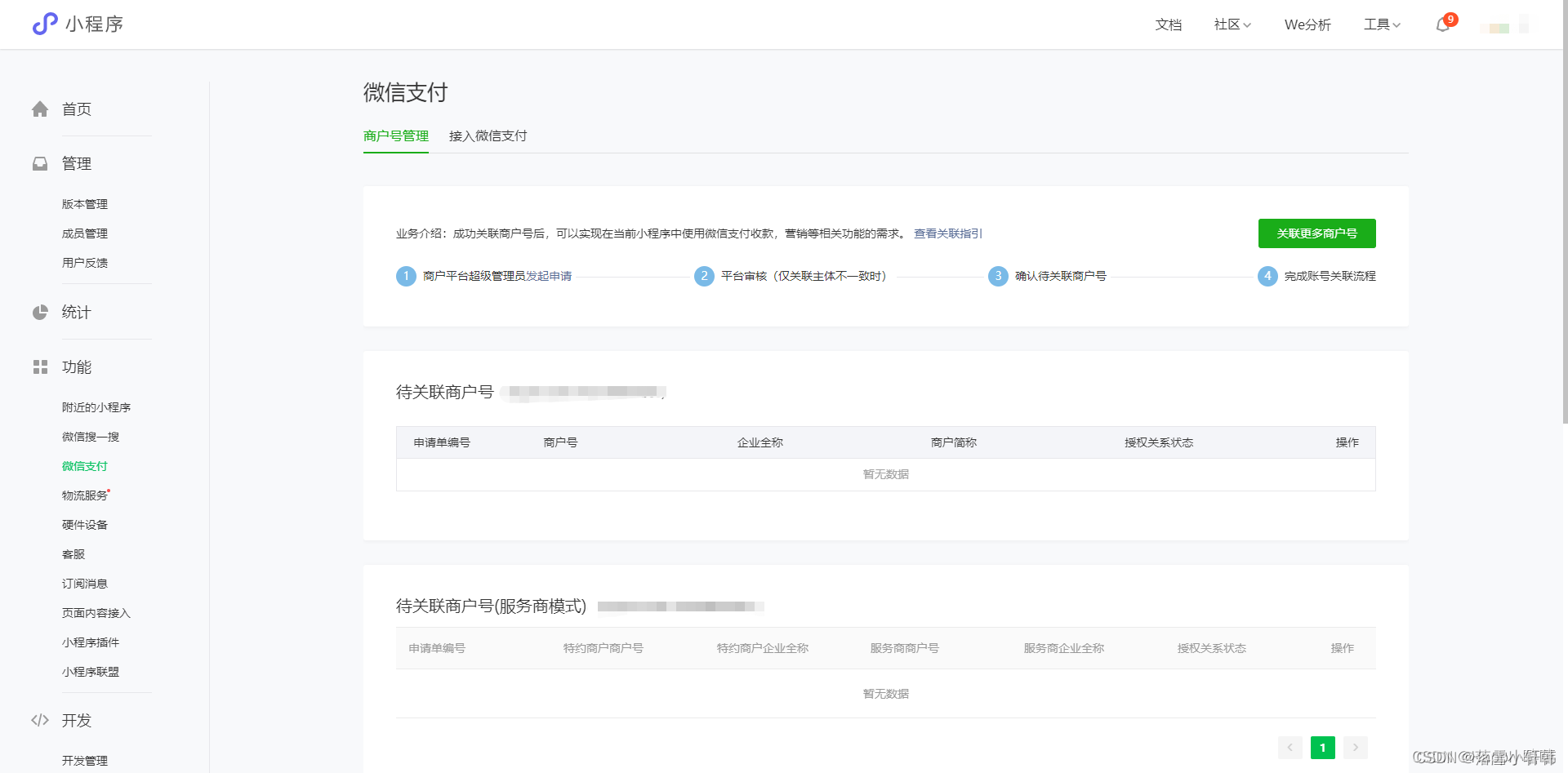
Wechat applet access wechat payment process

High temperature in Britain: two airport runways were burnt out, and several railways were restricted to ensure safety
随机推荐
Homologous strategy, surface longitude
Secondary vocational network security skills competition P100 dcore (light CMS system) SQL injection
Wechat applet authorized login (including obtaining basic information and binding mobile number)
SQL comment
Implementing DDD based on ABP -- domain logic and application logic
Niuke interview high frequency list (group 1) difficulty: simple & medium
Secondary vocational network security skills competition P100 web penetration test
High temperature in Britain: two airport runways were burnt out, and several railways were restricted to ensure safety
ES(8.1)认证题目
Server status code
[Flink] transform operator map
JS absolute minimum value of the sum of Huawei od two numbers
Experience sharing of system architecture designers in preparing for the exam: how to prepare for the exam effectively
[Flink] submit the jar package to the Flink cluster and run it
Tiktok live broadcast brings goods to help the industry go to sea, and Fastdata observation industry boutique salon helps the ecological development
300. Longest increasing subsequence
Debezium series: Show slave status view the possible different situations of master-slave delay
Network security - information hiding - use steganography to prevent sensitive data from being stolen
It took me 2 years from Foxconn assembly line to Tencent software testing post~
[Flink] transform operator flatmap