当前位置:网站首页>How to troubleshoot and solve the problem that the ultra-low delay security live broadcast system webrtc client plays no audio in the browser?
How to troubleshoot and solve the problem that the ultra-low delay security live broadcast system webrtc client plays no audio in the browser?
2022-06-24 17:10:00 【Tsingsee green rhino video】
By developing webrtc technology , We have achieved low latency live broadcast of the web page , about WebRTC At present, we have completed the development of the large framework , The testing of web pages has been gradually completed ,WebRTC The launch of our website will bring our users a better live experience .
In the test webrtc period , We found that using the browser to print the server feedback data , There is no audio , But using local rtsp There is a sound in the stream .
From the above screenshot, we can see that the feedback from the server is only video , And the browser uses video The audio volume in the tag is also not clickable .
This is definitely a server problem , There is no audio feedback from the server , Browser can't add audio stream , You can only view the server code for analysis . In the process of analysis, it is found that the server also has configuration items , The server does not feed back the audio .
There is config.json Code , There is a section of configuration that has disabled audio .
So we need to take disable_audio Change it to fasle To enable audio .
The data in the browser is modified after printing , With audio :
The buttons for playing audio in the browser are as follows , The volume button is clickable :
Server feedback audio data stream solution .
边栏推荐
- 集体突破之后,中国公有云的下一步落在哪里?
- A survey on model compression for natural language processing (NLP model compression overview)
- How to collect and define project requirements in the early stage of EDI project implementation?
- MySQL learning -- table structure of SQL test questions
- Nonholonomic constrained robot
- Development analysis of main chain system
- A solution for building live video based on open source real-time audio and video webrtc architecture
- To redefine the storage architecture, Huawei has used more than five "cores"
- How Tencent cloud es achieves cross cluster data copy & lt through reindex; Lower & gt;
- A survey on dynamic neural networks for natural language processing, University of California
猜你喜欢

Why do you develop middleware when you are young? "You can choose your own way"
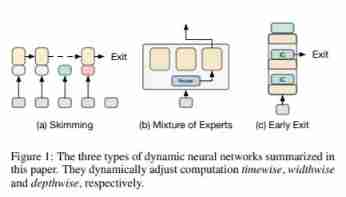
A survey on dynamic neural networks for natural language processing, University of California

MySQL learning -- table structure of SQL test questions
![[leetcode108] convert an ordered array into a binary search tree (medium order traversal)](/img/e1/0fac59a531040d74fd7531e2840eb5.jpg)
[leetcode108] convert an ordered array into a binary search tree (medium order traversal)

A survey on model compression for natural language processing (NLP model compression overview)

A survey of training on graphs: taxonomy, methods, and Applications

Daily algorithm & interview questions, 28 days of special training in large factories - the 15th day (string)
随机推荐
What is thermal data detection?
Audio knowledge (I)
Is CICC securities reliable? Is it legal? Is it safe to open a stock account?
Ramda 鲜为人知的一面
Activeindex selection and redirection in the menu bar on the right of easycvs
zblog系统如何根据用户ID获取用户相关信息的教程
Coding enhances security vulnerability scanning capability and helps the team "move left safely"
[version upgrade] Tencent cloud firewall version 2.1.0 was officially released!
Explore cloudera manager management software tuning (1)
06. Tencent cloud IOT device side learning - Introduction to basic functions
集体突破之后,中国公有云的下一步落在哪里?
Talk about some good ways to participate in the project
The RTSP video structured intelligent analysis platform easynvr stops calling the PTZ interface through the onvif protocol to troubleshoot the pending status
FPGA project development: experience sharing of lmk04821 chip project development based on jesd204b (I)
Go kit microservice integrates Promtheus to solve monitoring alarm problems
Low education without food? As an old Android rookie in the past six years, I was the most difficult one
[play with Tencent cloud] my operation strategy from domain name application to website filing in Tencent cloud
构建跨公链平台解决DApp开发问题
How to save data to the greatest extent after deleting LV by misoperation under AIX?
NFT元宇宙源码搭建解析与介绍