当前位置:网站首页>logging 学习最终版-配置的不同级别日志打印的颜色
logging 学习最终版-配置的不同级别日志打印的颜色
2022-07-26 10:50:00 【亚索不会吹风】
import logging
#设置日志颜色的包
import colorlog
import datetime


''' Loggers:记录器,提供应用程序代码能直接使用的接口; Handlers:处理器,将记录器产生的日志发送至目的地; Filters:过滤器,提供更好的粒度控制,决定哪些日志会被输出; Formatters:格式化器,设置日志内容的组成结构和消息字段。 %(name)s Logger的名字 #也就是其中的.getLogger里的路径,或者我们用他的文件名看我们填什么 %(levelno)s 数字形式的日志级别 #日志里面的打印的对象的级别 %(levelname)s 文本形式的日志级别 #级别的名称 %(pathname)s 调用日志输出函数的模块的完整路径名,可能没有 %(filename)s 调用日志输出函数的模块的文件名 %(module)s 调用日志输出函数的模块名 %(funcName)s 调用日志输出函数的函数名 %(lineno)d 调用日志输出函数的语句所在的代码行 %(created)f 当前时间,用UNIX标准的表示时间的浮 点数表示 %(relativeCreated)d 输出日志信息时的,自Logger创建以 来的毫秒数 %(asctime)s 字符串形式的当前时间。默认格式是 “2003-07-08 16:49:45,896”。逗号后面的是毫秒 %(thread)d 线程ID。可能没有 %(threadName)s 线程名。可能没有 %(process)d 进程ID。可能没有 %(message)s用户输出的消息 '''


'''日志颜色配置'''
log_colors_config = {

    #颜色支持 blue蓝,green绿色,red红色,yellow黄色,cyan青色
    'DEBUG': 'cyan',
    'INFO': 'green',
    'WARNING': 'yellow',
    'ERROR': 'red',
    'CRITICAL': 'bold_red',
}

'''创建logger记录器'''
logger = logging.getLogger('test')

# 输出到控制台
console_handler = logging.StreamHandler()
# 输出到文件
path = "./log"
'''获取当前年月日作为日志文件名'''
fileName = str(datetime.datetime.now().year) + '-' + str(datetime.datetime.now().month) + '-' + str(
    datetime.datetime.now().day) + '.log'
file_handler = logging.FileHandler(filename=path+'\\'+fileName, mode='a', encoding='utf8')


'''日志级别设置'''
#logger控制最低输出什么级别日志(优先级最高)
logger.setLevel(logging.DEBUG)
#console_handler设置控制台最低输出级别日志
console_handler.setLevel(logging.DEBUG)
#console_handler设置保存到文件最低输出级别日志
file_handler.setLevel(logging.INFO)

# 日志输出格式
#保存文件的日志格式
file_formatter = logging.Formatter(
    fmt='[%(asctime)s] %(filename)s -> %(funcName)s line:%(lineno)d [%(levelname)s] : %(message)s',
    datefmt='%Y-%m-%d %H:%M:%S'
)
#控制台的日志格式
console_formatter = colorlog.ColoredFormatter(
    #输出那些信息,时间,文件名,函数名等等
    fmt='%(log_color)s[%(asctime)s] %(filename)s -> %(funcName)s line:%(lineno)d [%(levelname)s] : %(message)s',
    #时间格式
    datefmt='%Y-%m-%d %H:%M:%S',
    log_colors=log_colors_config
)
console_handler.setFormatter(console_formatter)
file_handler.setFormatter(file_formatter)

# 重复日志问题:
# 这里进行判断,如果logger.handlers列表为空,则添加,否则,直接去写日志,解决重复打印的问题
if not logger.handlers:
    logger.addHandler(console_handler)
    logger.addHandler(file_handler)

console_handler.close()
file_handler.close()


if __name__ == '__main__':
    logger.debug('颜色')
    logger.info('绿色测试日志保存路径{}'.format(path+fileName))
    logger.warning('颜色')
    logger.error('error')
    logger.critical('critical')
边栏推荐
猜你喜欢

Codepoint 58880 not found in font, aborting. flutter build apk时报错

344.反转字符串

Bash shell学习笔记(二)

Many people don't know whether they are looking for Kanban software or Kanban software

PLC与伺服电机连接

看源码之LinkedList

flutter 背景变灰效果,如何透明度,灰色蒙板遮罩

RT thread learning notes (VI) -- start the elmfat file system based on SPI flash (Part 1)

如何组装一个注册中心?
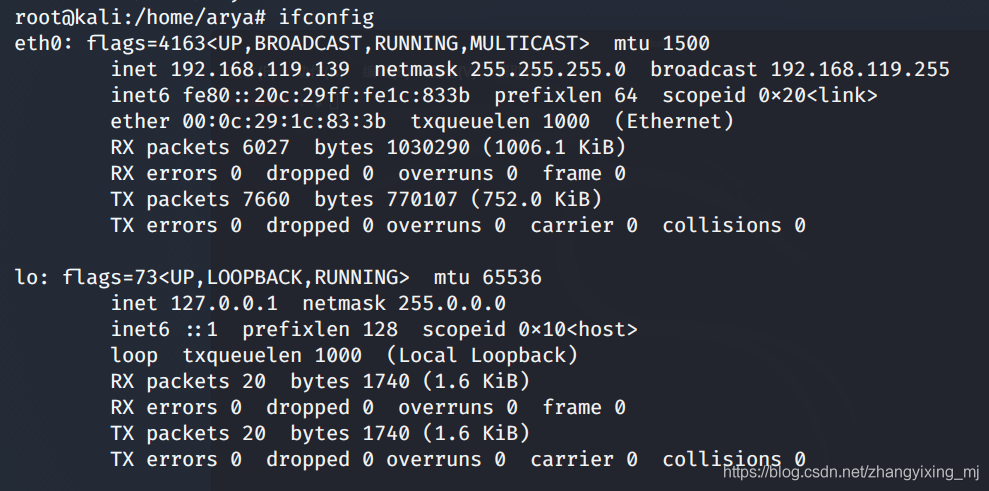
Kali view IP address
随机推荐
RT thread learning notes (V) -- edit, download and debug programs
35. Search the insertion position
对面向抽象编程的理解
微信公众号消息通知 “errcode“:40164,“errmsg“:“invalid ip
mysql20210906
菜鸟看源码之ArrayList
Kali view IP address
Software Testing Overview: the background, essence and process of software testing
MultipartFil转为File
Sword finger offer (44): flip the word order sequence
SQL Server 之Sql语句创建数据库
Add touch screen driver for stemwin 5.22 on Shenzhou IV development board
20210807 1 c language program structure
IAR sprintf 浮点 在UCOS 总格式化成0.0的问题
使用grid实现左中右布局,中间内容自适应
菜鸟看源码之LinkedBlockingQueue
@NotBlank、@NotNull 、@NotEmpty 区别和使用
【小程序】onReachBottom 事件为什么不能触发 ?(一秒搞定)
Shell script fails to execute repeatedly automatically
Sql Server 数据库之数据类型