当前位置:网站首页>Selenium自动化测试之Selenium IDE
Selenium自动化测试之Selenium IDE
2022-07-31 13:41:00 【虚幻私塾】
优质资源分享
| 学习路线指引(点击解锁) | 知识定位 | 人群定位 |
|---|---|---|
| 🧡 Python实战微信订餐小程序 🧡 | 进阶级 | 本课程是python flask+微信小程序的完美结合,从项目搭建到腾讯云部署上线,打造一个全栈订餐系统。 |
| Python量化交易实战 | 入门级 | 手把手带你打造一个易扩展、更安全、效率更高的量化交易系统 |
简介
Selenium IDE 是实现Web自动化的一种便捷工具,本质上它是一种浏览器插件。该插件支持Chrome和Firefox浏览器,拥有录制、编写及回放操作等功能,能够快速实现Web的自动化测试
使用场景
- Selenium IDE本身的定位并不是用于复杂的自动化场景,而是用于一些对效率拥有极高要求的简易场景
- 用于发现BUG,重现BUG,提高沟通效率
- 提高用例执行效率,提高回归效率
- 录制功能可以导出代码,节省自动代码编写时间
安装:
- 打开火狐浏览器,搜索火狐插件

- 点击选中进入后进行安装
基本操作
点击图标进入
录制与回放

- 点击第一个选项我们录制一个新的项目
- 输入项目名称
- 输入需要录制的网址
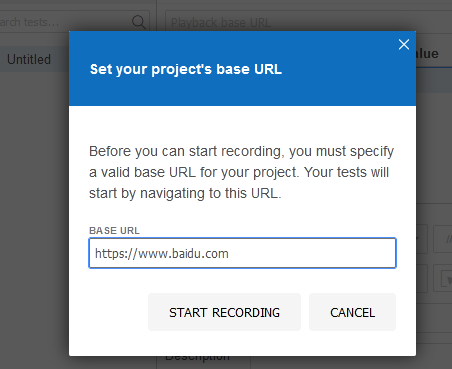
- 跳转页面后在录制状态下进行页面操作
- 操作结束后暂停录制,状态显示如下
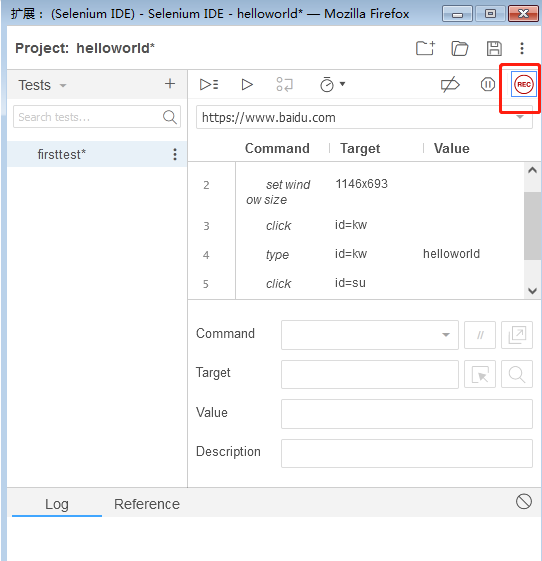
- 点击按钮进行回放

注意:上图右上角保存按钮可以用来保存录制脚本
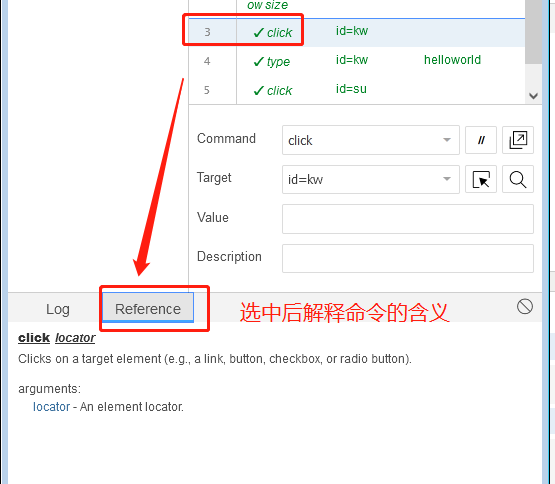
7. 
8. 可以导出脚本,节约编写用例的时间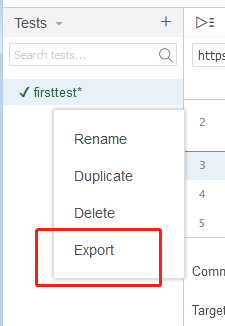
| 123456789101112131415161718192021222324252627 | # GeneratedbySelenium IDE``import pytest``importtime``import json``fromselenium import webdriver``fromselenium.webdriver.common.``byimportBy``fromselenium.webdriver.common.action_chains import ActionChains``fromselenium.webdriver.support import expected_conditions``fromselenium.webdriver.support.wait import WebDriverWait``fromselenium.webdriver.common.keys import Keys``fromselenium.webdriver.common.desired_capabilities import DesiredCapabilities class TestFirsttest():``def setup_method(self, method):``self.driver = webdriver.Firefox()``self.vars = {} def teardown_method(self, method):``self.driver.quit() def test_firsttest(self):``self.driver.get(``"https://www.baidu.com/"``)``self.driver.set_window_size(1146, 693)``self.driver.find_element(``By``.ID,"kw"``).click()``self.driver.find_element(``By``.ID,"kw"``).send_keys(``"helloworld"``)``self.driver.find_element(``By``.ID,"su"``).click() |
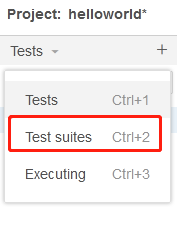
测试套件
- 在同一个项目中,可以同时管理多条测试用例。在Selenium IDE的测试视图中单击“+”按钮,可以新增测试用例,也可以右击一条测试用例,在上下文菜单中选择Duplicate(复制)选项进行复制
- 如果每个模块都有几十条测试用例,那么这些用例在对应的面板下将非常难以维护,以至于根本无法分辨各个用例归属于哪个模块。Selenium IDE提供了一种名为“测试套件”(Test Suite)的功能来管理测试用例
边栏推荐
猜你喜欢

Samba 远程命令执行漏洞(CVE-2017-7494)

C# 中的Async 和 Await 的用法详解

网络层重点协议——IP协议

Error: npm ERR code EPERM
![[CPU Design Practice] Simple Pipeline CPU Design](/img/83/e1dfedfe2b2cfe83a34f86e252caa7.jpg)
[CPU Design Practice] Simple Pipeline CPU Design
Introduction to the PartImageNet Semantic Part Segmentation dataset
操作符详解
LeetCode·每日一题·1161.最大层内元素和·层次遍历
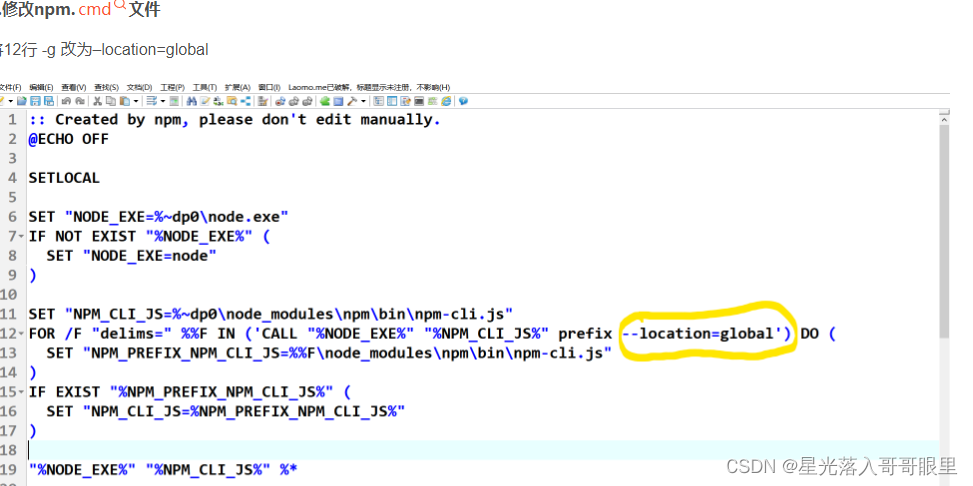
Introduction to using NPM
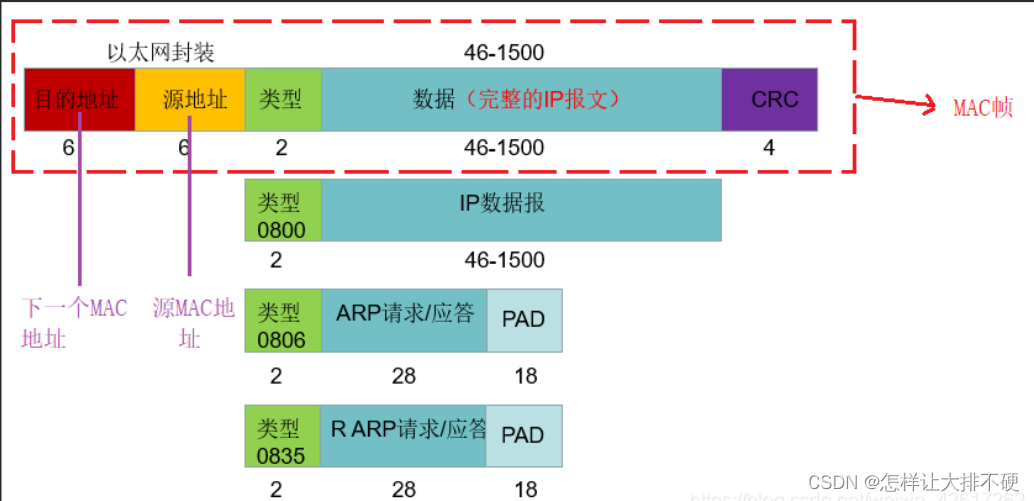
Detailed explanation of network protocols and related technologies
随机推荐
页面整屏滚动效果
基于去噪自编码器的故障隔离与识别方法
selenium被反爬了怎么办?
Introduction to the PartImageNet Semantic Part Segmentation dataset
C#控件CheckBox的使用
Save and load numpy matrices and vectors, and use the saved vectors for similarity calculation
C# control ListView usage
Grab the tail of gold, silver and silver, unlock the programmer interview "Artifact of Brushing Questions"
Even if the image is missing in a large area, it can also be repaired realistically. The new model CM-GAN takes into account the global structure and texture details
报错:npm ERR code EPERM
4.爬虫之Scrapy框架2数据解析&配置参数&数据持久化&提高Scrapy效率
The use of C# control CheckBox
关于MySQL主从复制的数据同步延迟问题
TensorRT安装及使用教程「建议收藏」
【蓝桥杯选拔赛真题46】Scratch磁铁游戏 少儿编程scratch蓝桥杯选拔赛真题讲解
/run/NetworkManager占用空间过大
ASM module in SAP Ecommerce Cloud Spartacus UI and Accelerator UI
Usage of += in C#
LeetCode·每日一题·1161.最大层内元素和·层次遍历
C# using NumericUpDown control