First, we need to understand why we need form validation ?
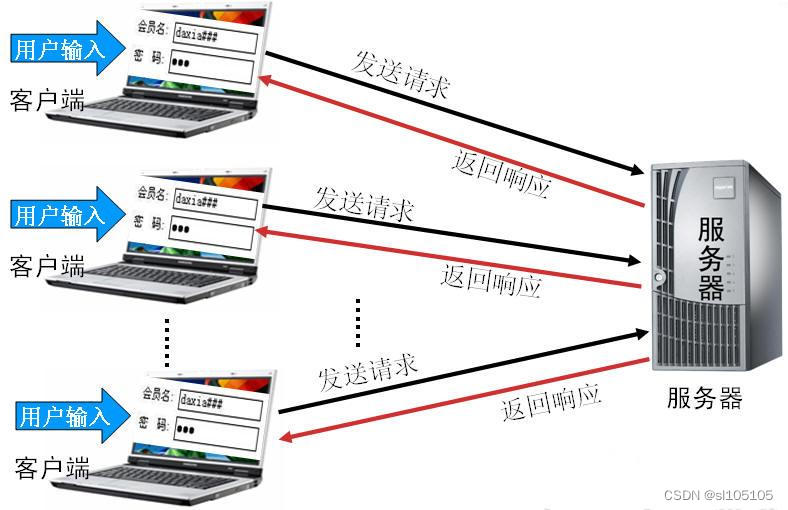
His purpose is to reduce the pressure on the server and Ensure that the input data meets the requirements
Let's take a look at our common form validation , For example, let you have a shallow understanding
Date format
for example : Month, year and day cannot be empty , The month must be in 1 To 12 Between , Day must be on 1 To 31 Between
Whether the form element is empty
User name and password
for example : User name cannot be less than 3 Characters ;
Password at least 6 position ; Can't be empty .
mail Address
for example : Can't be empty , Must contain @ and .
Id card number
It must meet the format of ID number
The idea of form verification
When the input form data does not meet the requirements , How to write scripts to prompt ?
Get the form element value
Use JavaScript Some methods of judging data
When the form is submitted , Triggering event , Verify the obtained data
Let's do an exercise , Realize the verification of form content
use first String Object validation mailbox , Can't be empty , The format is correct
Secondly, verify the content of the text box , The password cannot be empty , No less than 6 Characters , Name cannot be empty , There can be no numbers
Use String Object validation mailbox
Realize the idea
1. Use val( ) Method to get the value of the text box
2. Use indexOf( ) To determine whether the string contains “@” and “.”
3. Usage method submit( ) Submit Form
4. According to the return value is true still false To decide whether to submit the form
For the above, we can use the following code to practice
5. String validation
Split it up, let's have a specific understanding :
Non empty verification , testing EmailText Is it empty
if (EmailText== "") {
alert("Email Can't be empty ");
return false;
}
String search , Analyze it separately , Make a small case
indexOf(): Find the position where a specified string value first appears in the string
var str="this is js";
var selectFirst=str.indexOf("js"); return 8
This first value makes the value we are looking for , The second value causes us to return the subscript position ,12 This subscript does not exist , So back -1
var selectSecond=str.indexOf("js",12); return -1
Verify the login page
form.οnsubmit=function(){
var mail=EmailText.value;
if(mail==""){
alert("Email Can't be empty ");
return false;
}
if (mail.indexOf("@") == -1) {
alert("Email Incorrect format \n Must contain @");
return false;
}
if (mail.indexOf(".") == -1) {
alert("Email Incorrect format \n Must contain .");
return false;
}
return true;
}
Verification of text box content
Realize the idea
Use String Object's length Property to verify the length of the password
Verify whether the passwords entered twice are consistent
Use length Property to get the text length , And then use for Circulation and substring( ) Method to truncate a single character in turn
String validation
Length verification
length Property to get the string length
if(pwd.length<6){
alert(" Password must be equal to or greater than 6 Characters ");
return false;
}
Determine whether the string has numbers
Use for Circulation and substring() Method to truncate a single character in turn , Then judge whether each character is a number
for (var i = 0; i < user.length; i++) {
/* Intercept a single character */
var j = user.substring(i, i + 1);
if (isNaN(j) == false) {
//isNaN(j) == false Note that this means that it is a number , If ture Is not a number , We can also use negation
alert(" The name cannot contain numbers ");
return false;
}
}
Verification of registration page
form.οnsubmit=function(){
var pwd=getPwd.value;
if (pwd == "") {
alert(" The password cannot be empty ");
return false;
}
if (pwd.length < 6) {
alert(" Password must be equal to or greater than 6 Characters ");
return false;
}
var repwd=pwdAgain.value;
if (pwd != repwd) {
alert(" The two passwords are not the same ");
return false;
}
var user=userName.value;
if (user == "") {
alert(" Name cannot be empty ");
return false;
}
for (var i = 0; i < user.length; i++) {
var j = user.substring(i, i + 1);
if (isNaN(j) == false) {
alert(" The name cannot contain numbers ");
return false;
}
}
return true;
}
practice 1:
Email cannot be empty
The email must contain the symbol “@” and “.”
When the content in the email input box is correct , The page jumps to the registration success page (success.html)
Verify the prompt effect
Text input prompt effect
Realize the idea
Display the error message in <span> in , And then use html() Method , Set up <span> and </span> Content between
Script the validation function
When the mouse loses focus (blur event ) Call the validation function
<formaction="./ Submit .html"method="get">
Please enter a user name
<inputtype="text"id="">
<inputtype="submit"value=" Submit ">
</form>
<script>
varinput=document.querySelector("input");
varform=document.querySelector("form");
form.onsubmit=function() {
if(input.value.length<6) {
alert(" Mailbox must be greater than or equal to 6 Characters ")
returnfalse;
}
if(input.value=="") {
alert(" The mailbox cannot be empty ")
returnfalse;
}
if(input.value.indexOf("@") == -1||input.value.indexOf(".") == -1) {
alert(" Incorrect format ")
returnfalse;
}
}
</script>
practice 2:
First name and last name cannot be empty , There can be no numbers
The password cannot be less than 6 position , Email cannot be empty , The format is correct
Realize text box prompt effect
<formaction="./ Submit .html"method="get">
Please enter a user name :
<inputtype="text"class="input1">
<spanclass="span1"></span>
<br>
Please input a password :
<inputtype="password"class="input2">
<spanclass="span2"></span>
<br>
Please enter email address :
<inputtype="text"class="input3">
<spanclass="span3"></span>
<br>
<inputtype="submit">
</form>
<script>
varinput1=document.querySelector(".input1");
varinput2=document.querySelector(".input2");
varinput3=document.querySelector(".input3");
varspan1=document.querySelector(".span1");
varspan2=document.querySelector(".span2");
varspan3=document.querySelector(".span3");
varform=document.querySelector("form");
input1.onblur=in1;
input2.onblur=in2;
input3.onblur=in3;
functionin1() {
if(input1.value=="") {
span1.innerHTML=" Name cannot be empty "
span1.style.color="red"
returnfalse;
}
for(vari=0;i<input1.value.length;i++) {
varj=input1.value.substring(i,i+1)
if(isNaN(j) ==false) {
span1.innerHTML=" Names cannot have numbers "
span1.style.color="red"
}
}
span1.innerHTML=" Input correct "
span1.style.color="green"
returntrue;
}
functionin2() {
console.log(input2.value)
if(input2.value=="") {
span2.innerHTML=" The password cannot be empty "
span2.style.color="red"
returnfalse;
}
if(input2.value.length<6) {
span2.innerHTML=" The password cannot be less than 6 digit "
span2.style.color="red"
returnfalse;
}
span2.innerHTML=" Input correct "
span2.style.color="green"
returntrue;
}
functionin3() {
if(input3.value=="") {
span3.innerHTML=" The mailbox cannot be empty "
span3.style.color="red"
returnfalse;
}
if((input3.value.indexOf("@") == -1||input3.value.indexOf(".") == -1)) {
span3.innerHTML=" The email format is incorrect "
span3.style.color="red"
returnfalse;
}
span3.innerHTML=" Input correct "
span3.style.color="green"
returntrue;
}
form.onsubmit=function() {
if(in1() ==false||in2() ==false||in3() ==false) {
alert(" Submit failed ")
returnfalse;
}
returntrue;
}
Regular expressions
Why regular expressions are needed
Simple code
Rigorously verify the contents of the text box
regular expression syntax
Constructors :var reg=new RegExp(pattern,modifiers);
Pattern expression
Modifiers Modifier
Literal :var reg=/pattern/modifiers;
Modifier
i Perform a match that is not case sensitive
g Perform a global match ( Find all matches instead of stopping after finding the first one ), General coordination match Use
Common expressions
Regular expression methods
Check whether a string matches the regular
reg.test(string)=》 Return value is Boolean true matching ,false Mismatch
reg.exec(string)=》 The matching is successful, and the array is returned , And determine its location , Otherwise return to null
var str="efg";
var reg=/[a-z]/; perhaps var reg=/[A-Z]/;
console.log(reg.test(str));
console.log(reg.exec(str));
Two ways of writing :
expression describe
[a-z] Find anything from lowercase a To lowercase z The characters of
[A-Z] Find anything from uppercase A To capital Z The characters of
[0-9] Find anything from 0 to 9 The number of
[abc] Find any character in parentheses
[^abc] Find any character except in parentheses
The above expression , As long as there is one that meets the conditions, it is ture
Common metacharacters ( Special characters )
character describe
\w Match the Numbers 、 Letter ( Include case )、 Underline
\W Match non numeric 、 Letter 、 Underline
\d Match the Numbers
\D Match non numeric
\s Matching blank character ( Space 、 Line break )
\S Match non white space characters
\n Match newline
Be careful : These metacharacters should be case sensitive when used