当前位置:网站首页>Tutorial on building pytoch model from zero (IV) compiling training process -- Parameter Analysis
Tutorial on building pytoch model from zero (IV) compiling training process -- Parameter Analysis
2022-06-29 13:08:00 【CV technical guide (official account)】
Preface The training process mainly refers to writing train.py file , Including the analysis of parameters 、 Configuration of training log 、 Set random number seed 、classdataset The initialization 、 Network initialization 、 The setting of learning rate 、 Loss function settings 、 Setting of optimization mode 、tensorboard Configuration of 、 Construction of training process, etc .
Because of space , These contents will be divided into several articles to write . This paper introduces two methods of parameter analysis .
Welcome to the official account CV Technical guide , Focus on computer vision technology summary 、 The latest technology tracking 、 Interpretation of classic papers 、CV Recruitment information .
A model contains many training parameters , Such as file storage directory 、 Dataset catalog 、 Learning rate 、epoch Number 、 Parameters in the module, etc .
There are two methods commonly used for parameter analysis .
One is to put all parameters in yaml In file , By reading the yaml File to configure parameters . This is generally used for more complex projects , For example, there are multiple models , Corresponding to multiple groups of parameters . In this way, one can be configured for each model yaml file , The corresponding parameters of each model .
The other is directly in train.py Through the file argparser Parser to configure . This is generally used in only one model or relatively simple projects . You only need to change one or two parameters at a time .
yaml File parsing
yaml Rule of grammar
 Case sensitive
 Use indentation to indicate hierarchy
 Indentation is not allowed Tab key , Only Spaces are allowed .( You can put your ide Of tab Replace the key output with 4 A space )
 The number of Spaces indented is not important , As long as the elements of the same level are aligned to the left
# Notation
yaml File example
TRAIN:
  RESUME_PATH: "/path/to/your/net.pth"
  DATASET: ucf24  # `ava`, `ucf24` or `jhmdb21`
  BATCH_SIZE: 10
  TOTAL_BATCH_SIZE: 128
SOLVER:
  MOMENTUM: 0.9
  WEIGHT_DECAY: 5e-4
  LR_DECAY_RATE: 0.5
  NOOBJECT_SCALE: 1
DATA:
  TRAIN_JITTER_SCALES: [256, 320]
  TRAIN_CROP_SIZE: 224
  TEST_CROP_SIZE: 224
  MEAN: [0.4345, 0.4051, 0.3775]
  STD: [0.2768, 0.2713, 0.2737]
MODEL:
  NUM_CLASSES: 24
  BACKBONE: darknet
WEIGHTS:
  BACKBONE: "weights/yolo.weights"
  FREEZE_BACKBONE_2D: False
LISTDATA:
  BASE_PTH: "datasets/ucf24"
  TRAIN_FILE: "path/to/your/classdataset/trainlist.txt"
  TEST_FILE: "path/to/your/classdataset/testlist.txt"
yaml Parsing
Here are two approaches , A more complex , Like the one above, there are two levels . Parsing is troublesome , The code is as follows :
import yaml
import argparser
from fvcore.common.config import CfgNode
cfg = CfgNode()
cfg.TRAIN= CfgNode()    # Create a new node at each level
cfg.TRAIN.RESUME_PATH = "Train"
cfg.TRAIN.DATASET = "ucf24"  # `ava`, `ucf24` or `jhmdb21`
cfg.TRAIN.BATCH_SIZE=10
cfg.TRAIN.TOTAL_BATCH_SIZE=128
...
cfg.SOLVER= CfgNode()  # Create a new node at each level
cfg.SOLVER.MOMENTUM=0.9
cfg.SOLVER.WEIGHT_DECAY=5e-4
...

yaml_path = "yaml_test.yaml"
cfg.merge_from_file(yaml_path)

# Access method
print(cfg.TRAIN.RESUME_PATH)
The trouble is that you need to initialize all the elements , And then through cfg.merge_from_file(yaml_path) According to yaml File updates these elements .
The other is a relatively simple method of parsing the secondary .
import yaml
import argparser
with open(yaml_path,'r') as file:
    opt = argparse.Namespace(**yaml.load(file.read(),Loader=yaml.FullLoader))
# Access method
print(opt.TRAIN["RESUME_PATH"])
That is, the first level is in argparse Of Namespace in , Can be accessed through the dot , The second level is still the form of a dictionary . But it's too simple . If there is only one level , Just go through the point number . If not used argparse.Namespace, Then both levels are dictionaries , You can also directly access the dictionary .
argparser analysis
argparser The analytical form is generally placed in train.py At the top of the file , Applicable to relatively few parameters , When only one or two parameters need to be changed at a time .( I'm used to putting it in other files , For example, a separate parser.py Or directly on util.py in , Just because if you put it in train You have to slide for a long time before you get to train Part of , Quite a trouble )
Let's start with a standard example
import argparser
def get_args():
    parser = argparse.ArgumentParser(description='Training')
    parser.add_argument('--color_jitter', action='store_true', help='use color jitter in training')
    parser.add_argument('--batchsize', default=8, type=int, help='batchsize')
    parser.add_argument('--gpu_ids', default='0', type=str, help='gpu_ids: e.g. 0  0,1,2  0,2')
    return parser.parse_args()

# Usage method
python train.py
--color_jitter \
--batchsize=16 \
--gpu_ids='0'

# Access elements
opt = get_args()
print(opt.batchsize)
Here are three forms , One is action Of , When action='store_true' when , The default is false, Directly when setting parameters --color_jitter Can become True, The other two are shown above .
The next article will introduce the configuration of the training log for writing the training process 、 Set random number seed 、classdataset The initialization 、 Network initialization 、 The setting of learning rate 、 Loss function settings 、 Setting of optimization mode, etc .
Welcome to the official account CV Technical guide , Focus on computer vision technology summary 、 The latest technology tracking 、 Interpretation of classic papers 、CV Recruitment information .
CV The technical guide creates a free Knowledge of the planet . Pay attention to the official account, add the edited micro signal, invite to join. .

Solicitation notice : Welcome to contact me if you can write the following ( WeChat ID :“FewDesire”).
- TVM Introduction to practice tutorial
- TensorRT Introduction to practice tutorial
- MNN Introduction to practice tutorial
- Digital image processing and Opencv Introduction to practice tutorial
- OpenVINO Introduction to practice tutorial
- libtorch Introduction to practice tutorial
- Oneflow Introduction to practice tutorial
- Detectron Introduction to practice tutorial
- CUDA Introduction to practice tutorial
- caffe Source code reading
- pytorch Source code reading
- Deep learning from introduction to mastery ( Start with convolutional neural networks )
- Interpretation of the latest summit . For example, the most recent CVPR2022 The paper .
- Systematic overview of all directions 、 Development and evolution of main models 、 Innovative ideas, advantages and disadvantages of each model 、 Code analysis, etc .
- If you have something you want to write and it's not mentioned above , You can contact me .
Statement : There is a certain reward , Please contact us for details . If you have an idea to write but feel that you are not capable enough , You can also contact me first ( WeChat ID :FewDesire) understand . Please note before adding “ contribute ”.
Other articles
Introduction to computer vision
YOLO Series carding ( One )YOLOv1-YOLOv3
YOLO Series carding ( Two )YOLOv4
YOLO Series carding ( 3、 ... and )YOLOv5
Attention Mechanism in Computer Vision
Build from scratch Pytorch Model tutorial ( 3、 ... and ) build Transformer The Internet
Build from scratch Pytorch Model tutorial ( Two ) Build network
Build from scratch Pytorch Model tutorial ( One ) data fetch
StyleGAN Grand summary | Comprehensive understanding SOTA Method 、 New progress in architecture
A thermal map visualization code tutorial
Summary of industrial image anomaly detection research (2019-2020)
Some personal thinking habits and thought summary about learning a new technology or field quickly
边栏推荐
- RT-Thread内存管理
- [环境配置]PWC-Net
- Viewing splitchunks code segmentation from MPX resource construction optimization
- 中职网络安全技能竞赛之应用服务漏洞扫描与利用(SSH私钥泄露)
- Beifu controls the third-party servo to follow CSV mode -- Taking Huichuan servo as an example
- 如何计算win/tai/loss in paired t-test
- [environment configuration]pwc-net
- C#实现二叉树的层次遍历
- PyGame flips the image
- Nacos startup error
猜你喜欢

RT-Thread内存管理
墨菲安全入选中关村科学城24个重点项目签约

服务器监控netdata面板配置邮件服务
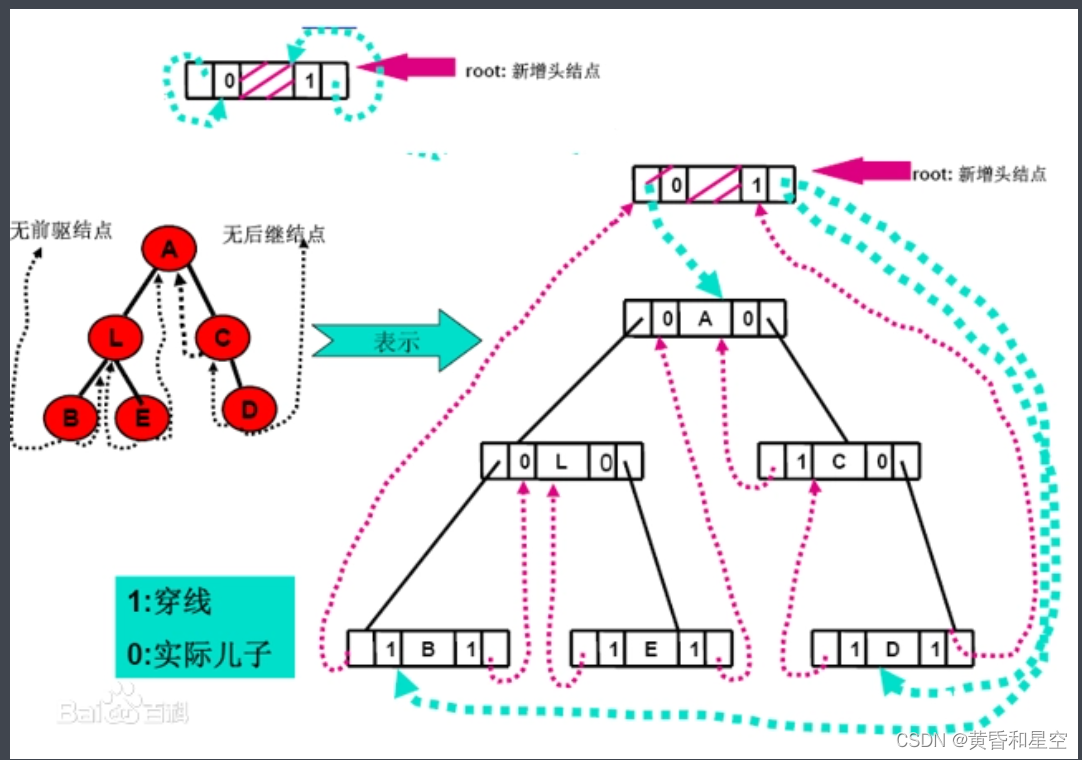
C#通过中序遍历对二叉树进行线索化

Viewing splitchunks code segmentation from MPX resource construction optimization

1. opencv realizes simple color recognition
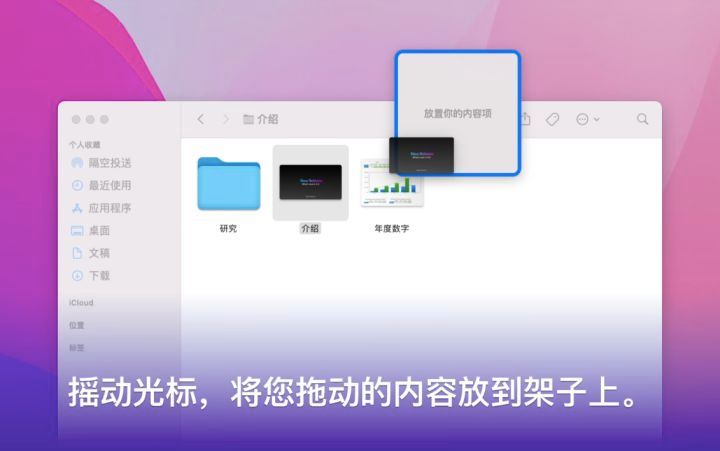
强大、优秀的文件管理软件评测:图片管理、书籍管理、文献管理

OPC of Beifu twincat3_ UA communication test case
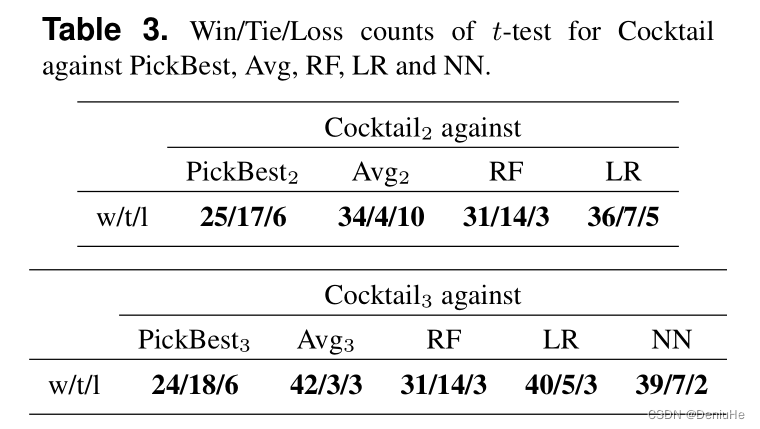
Comment calculer Win / Tai / Loss in paired t - test

别再重复造轮子了,推荐使用 Google Guava 开源工具类库,真心强大!
随机推荐
PyGame flips the image
CVPR2022 | 可精简域适应
hutool工具类的学习(持续更新)
Deep understanding of volatile keyword
墨菲安全入选中关村科学城24个重点项目签约
RT thread memory management
Qt的信号与槽
1. opencv realizes simple color recognition
OPC of Beifu twincat3_ UA communication test case
倍福TwinCAT配置、调试第三方伺服详细讲解--以汇川IS620N为例子
CVPR2022 | 弱监督多标签分类中的损失问题
Pygame 对图像进行翻转
qt 自定义控件 :取值范围
SCHIEDERWERK電源維修SMPS12/50 PFC3800解析
qt json
安装typescript环境并开启VSCode自动监视编译ts文件为js文件
Equidistant segmentation of surface rivers in ArcGIS [gradient coloring, pollutant diffusion]
Yunlong fire version aircraft battle (full version)
倍福控制器连接松下EtherCAT伺服注意事项
Comparison table of LR and Cr button batteries