当前位置:网站首页>VTK 圆柱体的生成与渲染
VTK 圆柱体的生成与渲染
2022-06-26 12:46:00 【点云侠】
一、简单VTK程序
1、代码示例
#include <vtkRenderWindow.h>
#include <vtkSmartPointer.h>
#include <vtkAutoInit.h>

VTK_MODULE_INIT(vtkRenderingOpenGL2);
VTK_MODULE_INIT(vtkInteractionStyle);

int main()
{

	vtkSmartPointer<vtkRenderWindow> renWin = vtkSmartPointer<vtkRenderWindow>::New();//用智能指针定义一个vtkRenderWindow对象
	renWin->Render();//显示并渲染VTK窗口

	renWin->SetWindowName("TestVTKInstall");
	renWin->SetSize(640, 480);
	renWin->Render();

	std::cin.get();
	return EXIT_SUCCESS;
}
二、生成圆柱
1、代码实现
#include <vtkAutoInit.h>
VTK_MODULE_INIT(vtkRenderingOpenGL2);
VTK_MODULE_INIT(vtkInteractionStyle);
#include <vtkSmartPointer.h>
#include <vtkRenderWindow.h>
#include <vtkRenderer.h>
#include <vtkRenderWindowInteractor.h>
#include <vtkInteractorStyleTrackballCamera.h>
#include <vtkCylinderSource.h>//生成一个中心在渲染场景原点的柱体
#include <vtkPolyDataMapper.h>
#include <vtkActor.h>
#include <vtkProperty.h>
#include <vtkPLYWriter.h>

int main()
{

	//---------------生成一个中心在渲染场景原点的柱体---------------
	//柱体的长轴沿Y轴,柱体的高度截面半径等都可以任意指定
	vtkSmartPointer<vtkCylinderSource> cylinder = vtkSmartPointer<vtkCylinderSource>::New();
	cylinder->SetHeight(3.0);//设置柱体的高
	cylinder->SetRadius(1.0);//设置柱体的半径
	cylinder->SetResolution(10);//设置柱体横截面的等边多边形的边数
	//---------------用于渲染多边形几何数据-------------------------
	vtkSmartPointer<vtkPolyDataMapper> cylinderMapper = vtkSmartPointer<vtkPolyDataMapper>::New();
	cylinderMapper->SetInputConnection(cylinder->GetOutputPort()); //VTK可视化管线的输入数据接口

	vtkSmartPointer<vtkActor> cylinderActor = vtkSmartPointer<vtkActor>::New();
	cylinderActor->SetMapper(cylinderMapper);
	cylinderActor->GetProperty()->SetColor(0.0, 0.0, 1.0);

	//-------------------写出为PLY格式文件--------------------------
	vtkSmartPointer<vtkPLYWriter>  plywriter = vtkSmartPointer<vtkPLYWriter>::New();
	plywriter->SetFileName("cylinder.ply");
	plywriter->SetInputConnection(cylinder->GetOutputPort());
	plywriter->Write();
	plywriter->Update();
	//----------------------管理场景渲染过程------------------
	vtkSmartPointer<vtkRenderer> renderer = vtkSmartPointer<vtkRenderer>::New();
	renderer->AddActor(cylinderActor);
	renderer->SetBackground(1.0, 1.0, 1.0);//RGB取值范围0~1
	//----------------------设置窗口参数----------------------
	vtkSmartPointer<vtkRenderWindow> renWin = vtkSmartPointer<vtkRenderWindow>::New();
	renWin->AddRenderer(renderer);
	renWin->SetSize(640, 480);//设置窗口大小,以像素为单元
	renWin->Render();
	renWin->SetWindowName("RenderCylinder");
	//---------------------交互机制--------------------------
	vtkSmartPointer<vtkRenderWindowInteractor> iren = vtkSmartPointer<vtkRenderWindowInteractor>::New();
	iren->SetRenderWindow(renWin);

	vtkSmartPointer<vtkInteractorStyleTrackballCamera> style = vtkSmartPointer<vtkInteractorStyleTrackballCamera>::New();
	iren->SetInteractorStyle(style);

	iren->Initialize();
	iren->Start();

	return EXIT_SUCCESS;
}
2、结果展示

边栏推荐
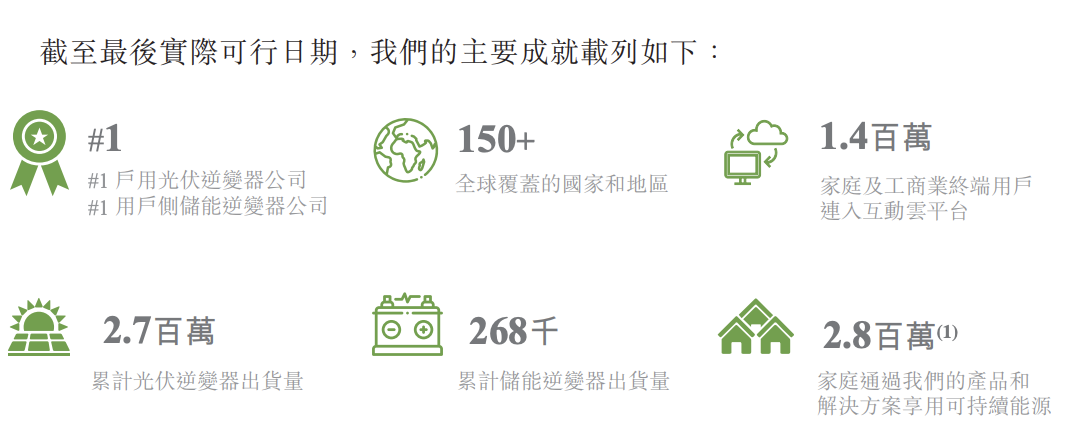
- 古瑞瓦特冲刺港交所上市:创下“多个第一”,获IDG资本9亿元投资
- Arcpy - - utilisation de la fonction insertlayer (): ajout de calques dans un document de carte
- Some conclusions about Nan
- Sed editor
- H5 video automatic playback and circular playback
- J - Wooden Sticks poj 1065
- 遍历指定目录获取当前目录下指定后缀(如txt和ini)的文件名
- Electron official docs series: Processes in Electron
- Learn how to develop owl components by hand (7): practical use of owl projects
- Zoomeeper sets ACL permission control (only specific IP access is allowed to enhance security)
猜你喜欢

Beifu PLC realizes zero point power-off hold of absolute value encoder -- use of bias

What features are added to Photoshop 2022 23.4.1? Do you know anything
古瑞瓦特沖刺港交所上市:創下“多個第一”,獲IDG資本9億元投資

2. Introduction to parallel interface, protocol and related chips (8080, 8060)

计算两点之间的距离(二维、三维)

Detailed introduction to shell script (4)
![[how to connect the network] Chapter 2 (middle): sending a network packet](/img/5f/602c59d3a7ee1154c7410fb2fcfc41.png)
[how to connect the network] Chapter 2 (middle): sending a network packet
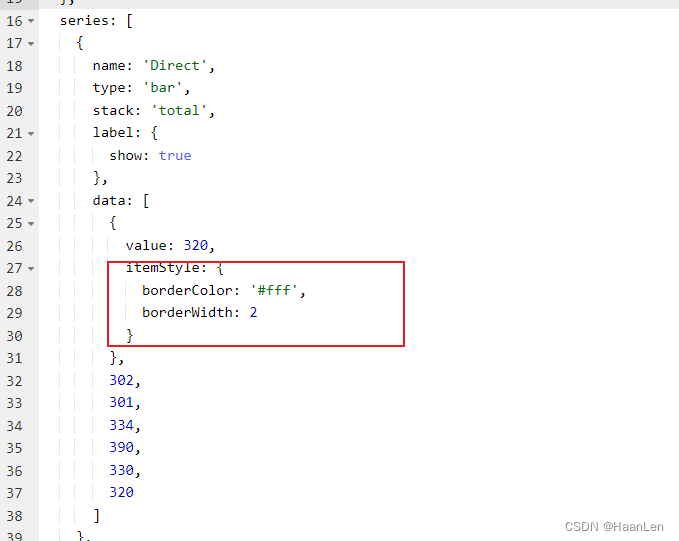
Echart stack histogram: add white spacing effect setting between color blocks

CloudCompare——泊松重建
Guruiwat rushed to the Hong Kong stock exchange for listing: set "multiple firsts" and obtained an investment of 900million yuan from IDG capital
随机推荐
MariaDB study notes
Nlp-d60-nlp competition D29
Beifu twincat3 can read and write CSV and txt files
7-16 monetary system I
shell脚本详细介绍(四)
NVM installation tutorial
ES6:Map
Electron official docs series: References
Basic configuration and test of Beifu twincat3 NCI in NC axis interface
Composite mode
tauri vs electron
Firewall introduction
Mysql database explanation (III)
Fire warning is completed within 10 seconds, and Baidu AI Cloud helps Kunming Guandu build a new benchmark of smart city
MediaPipe手势(Hands)
Electron official docs series: Get Started
李航老师新作《机器学习方法》上市了!附购买链接
Here Document免交互及Expect自动化交互
C language: Exercise 2
Electron official docs series: Testing And Debugging