当前位置:网站首页>22/02/14 study notes
22/02/14 study notes
2022-06-28 07:44:00 【Zeiyalo】
Xshell operation
One 、 First line analysis :

- hadoop: user name
- @node100: Host name
- ~: Home directory
Two 、 Some basic commands
ls: Displays the directory under the current directory ( file ) Information 
ll: Displays the directory under the current directory in detail ( file ) Information 
cd :
cd Directory name : Enter the corresponding directory
cd .: Current directory
cd … : Return to the previous directory
cd / : Go to the root directory
Table key : Automatic completion
Up key : Call the last code ( You can press... Many times )
Down key : Used in conjunction with the up key
pwd: Displays the current file or directory as an absolute path
3、 ... and 、 Absolute path and relative path
Absolute path : The directory name string from the root directory to the target directory , Intermediate use / Connect
eg: There are... In the root directory dev Catalog ,dev Under the directory block Catalog , Use absolute path to access block Catalog ;
Relative paths : Directory name string from its own directory to the target directory , Intermediate use / Connect
eg:
Four 、Linux Addition, deletion and modification of
1. Add Directory
Prerequisite : Confirm to create a new directory under the target directory
eg: stay ~ New under the directory test Catalog :
Instructions :mkdir test
odd file
eg: stay ~ New under the directory testfile file
Instructions :touch testfile
2.VI Editor
vi The editor can edit the file ,vi Fit to CentOS 7;
Instructions :vi testfile
Enter the appeal order to enter the order mode , In command mode , Press i、a、o You can enter the insert mode by pressing the key , Then you can edit what you want to input in the file , Press esc Key to exit command mode , Press... In command mode : You can adjust to the bottom line mode , In bottom line mode ‘q’ The command is to exit without saving , Press ‘wq’ Is to save and exit ,q Add a ‘!’ On behalf of forced exit ;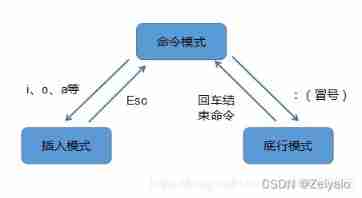
About vi For some specific operations in the editor, please refer to the following elder's article :
vi/vim Getting started with the editor
Check the contents of the file
Instructions :cat file name
eg:cat testfile
Copy of documents
Instructions :cp The original path The target path
eg:
cp ./testfile /opt
File movement
Instructions :mv The original path The target path
eg:
mv ./testmv /opt`
Delete
Prerequisite : You must have permission to successfully delete
eg: Delete file 
eg: Delete directory
rm -rf testrm
Linux man Command Introduction
man rm

Find file command
Instructions :find
3. File content query
(1) Output all the contents of the file
cat: Positive sequence output
tac: Output in reverse order 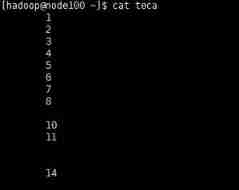

- Be careful :cat And tac Output in reverse order is in reverse order by line , So for a file with only one row of data cat And tac It is equivalent. ;
(2) Press line to output
head -n Digital parameters Target file : Output the content corresponding to the number of lines in front
tail -n Digital parameters Target file : Output the content of the number of lines corresponding to the next starting number 

In the above figure, three lines are output because there is another line at the end of the figure that is also included ;
- Be careful : Empty lines are included , When there is a blank line, it will be counted , Pay particular attention to the blank lines at the end
(3) Range queries
sed -n ‘ The first few lines begin , Which line ends p’ Target file
(4) When viewing content , At the same time, it shows the percentage function of the place you read
more File name
eg;
more /etc/profile

You can read down by entering ;
(5) You can use the up and down keys to adjust the reading position when viewing the content
less File name
eg:
less /etc/profile
You can use the up and down keys to adjust the reading position according to your reading needs ;
- notes :more And less Commands can be obtained by pressing q Skip reading ;
边栏推荐
- HJ进制转换
- Kubernetes cluster command line tool kubectl
- flutter 实现摇一摇功能
- 扩展Prometheus的解决方案thanos的简介和几个月使用心得
- [thanos source code analysis series]thanos query component source code analysis
- Leetcode learning records
- A single node obtains the lock lock of the order number
- Unity UI shadow component
- Sentinel mechanism of redis cluster
- HJ21 简单密码
猜你喜欢
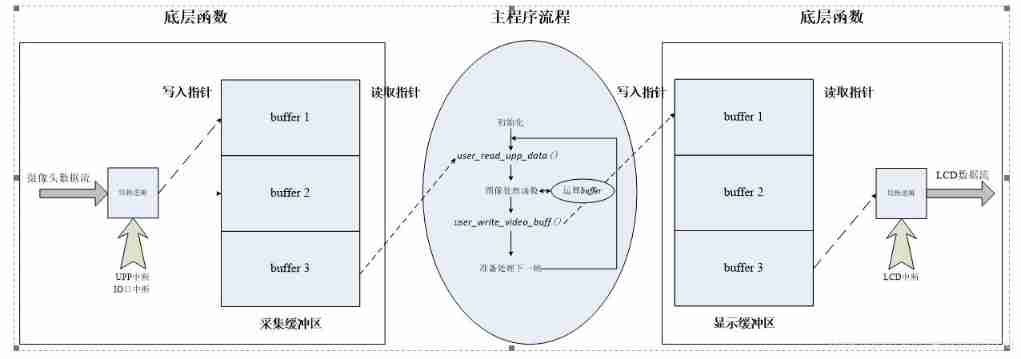
Design of DSP image data stream

Uninstall and reinstall the latest version of MySQL database. The test is valid

A single node obtains the lock lock of the order number

GPIO configuration of SOC

golang gin框架进行分块传输

Sentinel mechanism of redis cluster

Hash slot of rediscluster cluster cluster implementation principle
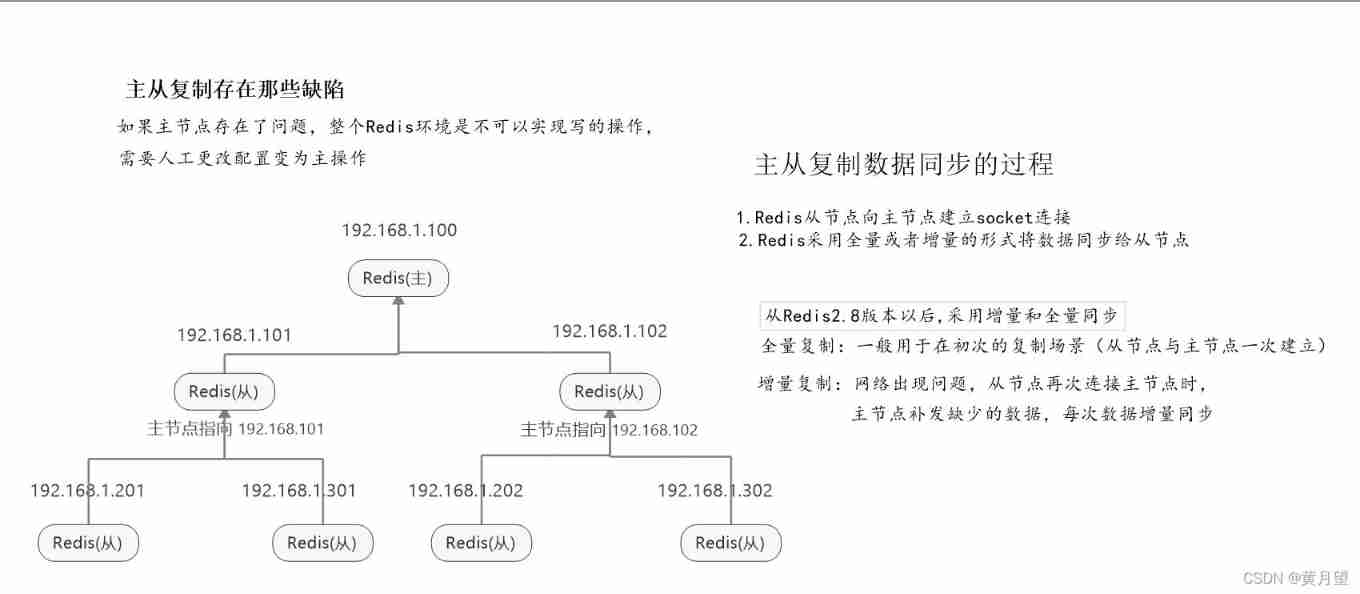
Redis one master multi slave cluster setup
Today's notes 22/1/7

软件测试与质量期末复习
随机推荐
flex布局
HJ delete the character with the least number of occurrences in the string
以动态规划的方式求解最长回文子串
Disposition Flex
No suspense about the No. 1 Internet company overtime table
HJ字符个数统计
GoLand IDE and delve debug Go programs in kubernetes cluster
7-1 understand everything
Hash slot of rediscluster cluster cluster implementation principle
ES6 use of return in arrow function
Section 9: dual core startup of zynq
kubernetes部署thanos ruler的发送重复告警的一个隐秘的坑
HJ explicit random number
Block transmission by golang gin framework
Install haproxy
QT -- communication protocol
8 figures | analyze Eureka's first synchronization registry
Introduction and several months' experience of extending the solution thanos of Prometheus
Sword finger offer|: linked list (simple)
kubelet驱逐机制的源码分析