当前位置:网站首页>ROS Qt环境搭建
ROS Qt环境搭建
2022-06-22 07:01:00 【冰激凌啊】
下载Qt
- S1:
sudo apt-get install qtcreator可能安装版本太久,所以官网安装:https://download.qt.io/archive/qt/ - S2:选择版本https://download.qt.io/archive/qt/5.9/5.9.9/: qt-opensource-linux-x64-5.9.9.run
- S3:进入安装目录下,更改执行权限:
chmod a+x qt-opensource-linux-x64-5.9.9.run - S4:双击安装,一直next,安装组件选择
Desktop gcc 64-bit即可,其他按需安装 - S5:然后在安装目录下双击Qtreator就可以运行了,但是为了方便,因此添加到环境变量
sudo nano /usr/bin/qtcreator
添加如下内容:#!/bin/sh export QT_HOME=/home/guyue/Qt5.9.9/Tools/QtCreator/bin $QT_HOME/qtcreator $*ctrl+o写入,ctrl+x退出 - S6:添加执行权限:
sudo chmod a+x /usr/bin/qtcreator - S7:终端运行:
qtcreator
ROS依赖
S1:安装依赖
sudo apt-get install ros-melodic-qt-create sudo apt-get install ros-melodic-qt-build # sudo apt-get install qtmultimedia5-devS2:创建Qt功能包
catkin_create_qt_pkg 功能包名 依赖1 依赖2 # 示例: cd ~/am_ws/src catkin_create_qt_pkg class1_ros_qt_demo roscpp rvizS3.1:此时
catkin_make会报错,进行如下修改:
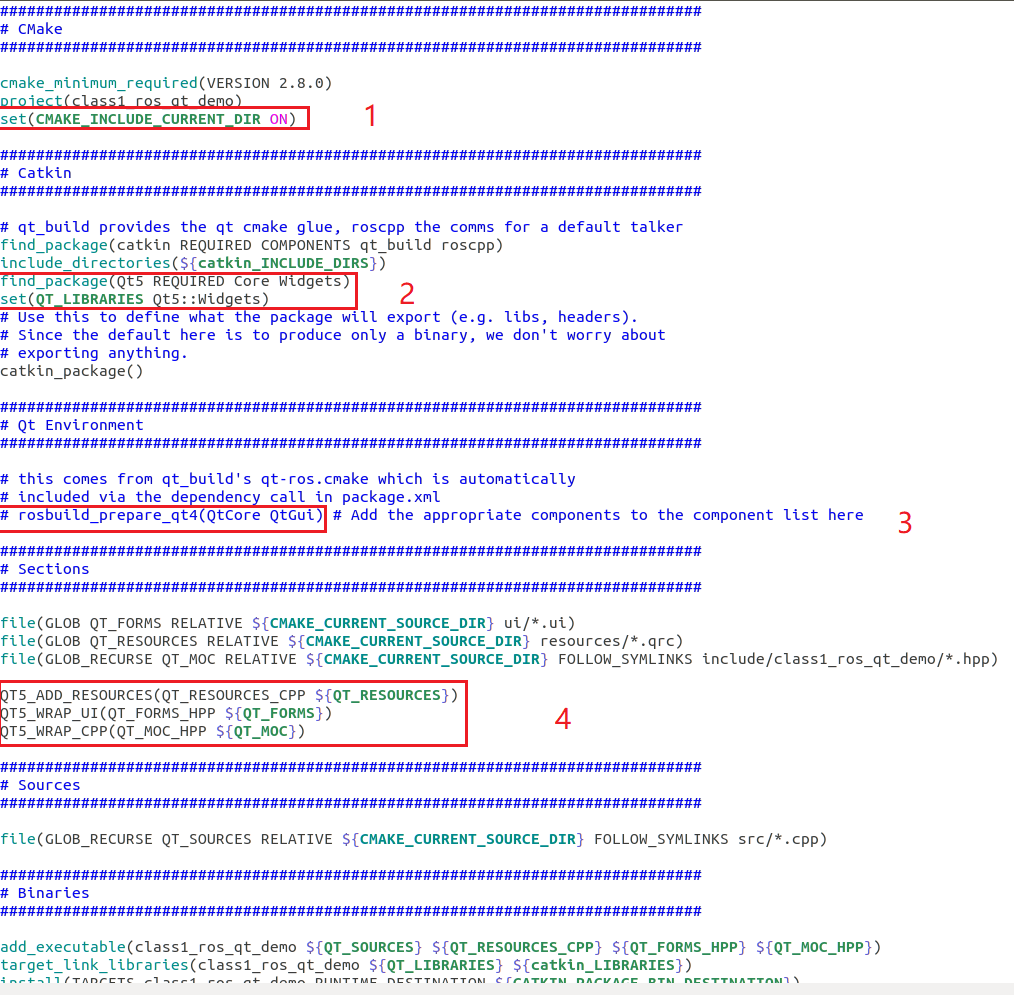
# 1/ 设置包含当前目录:
set(CMAKE_INCLUDE_CURRENT_DIR ON)


# 2/ 添加qt库:
find_package(Qt5 REQUIRED Core Widgets)
set(QT_LIBRARIES Qt5::Widgets)


# 3/ 删除:

rosbuild_prepare_qt4(QtCore QtGui)


# 4/ 更改
# QT4_ADD_RESOURCES(QT_RESOURCES_CPP) ${QT_RESOURCES})
# QT4_WRAP_UI(QT_FORMS_HPP ${QT_FORMS})
# QT4_WRAP_CPP(QT_MOC_HPP ${QT_MOC})

# 改为:
QT5_ADD_RESOURCES(QT_RESOURCES_CPP) ${QT_RESOURCES})
QT5_WRAP_UI(QT_FORMS_HPP ${QT_FORMS})
QT5_WRAP_CPP(QT_MOC_HPP ${QT_MOC})
具体在CMakeList.txt中的修改可以参考下图:
S3.2:此时再次编译还会报错,需要更改
~/am_ws/src/class1_ros_qt_demo/include/class1_ros_qt_demo/main_window.hpp文件,将:#include <QtGui/QMainWindow>,改为:#include <QtWidgets/QMainWindow>S4:然后一切正常就可以进行测试了
测试
S1:运行下述指令,出现画面:
rosrun class1_ros_qt_demo class1_ros_qt_demo
S2:运行
roscore,此时点击上述界面的connect,即进行连接
Qt编译ROS工程
S1:配置Qt的ROS环境
使用Qt打开工作空间/src下的CmakeList.txt;
配置build目录为工作空间/build;
然后点击Configure Project
注意打开的是工作空间src下的CmakeList,而不是功能包的
S1.2:如果项目不能正常打开


S1.3:头文件都在
<Headers>里面,点击打开头文件,按F4键可以切换头文件和对应的cpp文件S2:运行配置
点击project,然后选择run,在run configure里设置需要运行的,如果为空,可以点击add按钮添加
S3:然后点击绿色图标运行即可
参考

边栏推荐
- cookie的介绍和使用
- [rust notes] 01 basic types
- Introduction to 51 single chip microcomputer - LED light
- Difference between grail layout and twin wing layout
- Leetcode--- search insertion location
- Error encountered while importing keras typeerror: descriptors cannot not be created directly If this call came from a _
- 6. install the SSH connection tool (used to connect the server of our lab)
- Data security practice guide - data collection security practice - data classification and classification
- golang調用sdl2,播放pcm音頻,報錯signal arrived during external code execution。
- 2022年畢業生求職找工作青睞哪個行業?
猜你喜欢

QT connect to Alibaba cloud using mqtt protocol

The journey of an operator in the framework of deep learning
![[fundamentals of machine learning 01] blending, bagging and AdaBoost](/img/8e/e1920c8745cf981caa6fd1598065fb.jpg)
[fundamentals of machine learning 01] blending, bagging and AdaBoost

关于solidity的delegatecall的坑

低代码开发一个合同应用

【GCN-RS】UltraGCN: Ultra Simplification of Graph Convolutional Networks for Recommendation (CIKM‘21)
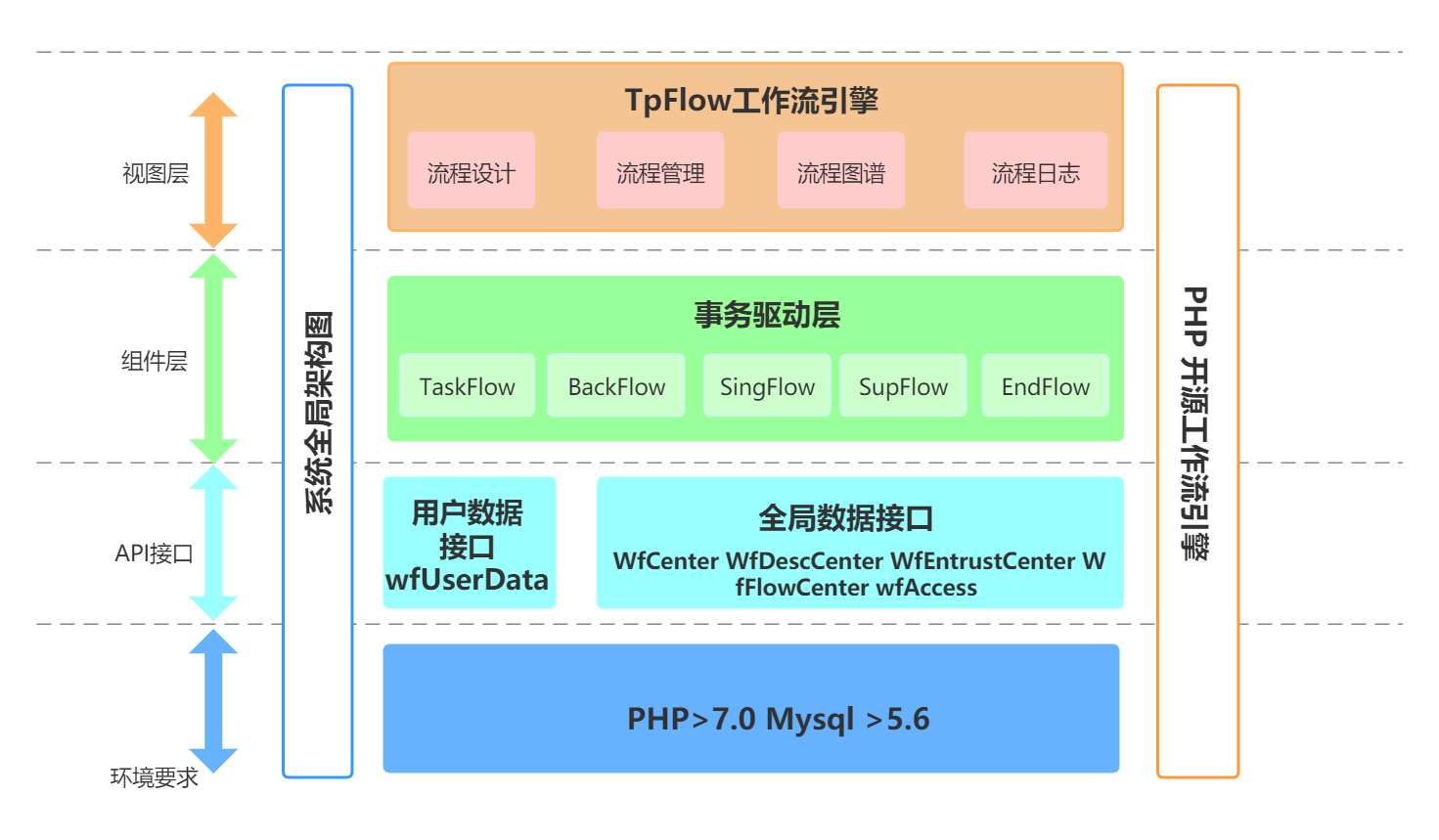
Tpflow v6.0.6 official release

How can we effectively alleviate anxiety? See what ape tutor says
On the pit of delegatecall of solidity

OpenGL - Draw Triangle
随机推荐
生成字符串方式
Single cell paper record (part6) -- space: spatial gene enhancement using scrna seq
自然语言处理理论和应用
golang调用sdl2,播放pcm音频,报错signal arrived during external code execution。
2022年畢業生求職找工作青睞哪個行業?
OpenGL - Textures
流程引擎解决复杂的业务问题
代码的巨大进步
迪进面向ConnectCore系统模块推出Digi ConnectCore语音控制软件
Detailed tutorial on connecting MySQL with tableau
Qt development simple Bluetooth debugging assistant (low power Bluetooth)
Which is the best agency mode or decoration mode
[fundamentals of machine learning 04] matrix factorization
Introduction to 51 single chip microcomputer - LED light
Buuctf part Title WP
Languo technology helps the ecological prosperity of openharmony
Introduction to 51 Single Chip Microcomputer -- digital tube
Tpflow v6.0.6 official release
MySQL Niuke brush questions
Literature record (part106) -- graph auto-encoder via neighborhood Wasserstein reconstruction