当前位置:网站首页>QT design simulation robot controller
QT design simulation robot controller
2022-07-24 16:25:00 【User 6557940】
introduction
this paper Jungle Simply implement a 6 Degree of freedom industrial robot simulation controller , Users can use the interface 6 The sliding bar of each axis controls the posture of the robot .
01
Platform and robot model
Platform——vs2008,Qt4.8.6,Coin3D3.1.3
Robot model——KUKA KR16 robot, Model files can be downloaded on the official website (https://www.kuka.com/)
02
UI Design
03
About Robot
This article chooses KUKA KR16 Robots, for example . Check the manual and schematic diagram of the robot to know the length of each rod of the robot , Parameters such as the motion range of each axis .
Robot size
The length and other dimensions of the robot are used to determine the size of the robot DH Parameters ( Related to robot kinematics ):
Axis motion range
The range of motion of each axis needs to be limited in the program :
UI The slider of the interface uses Qt Provided QSlider, So each QSlider The maximum and minimum values of are set as follows :
  this->ui.horizontalSlider_Axis1->setRange(-185,185);
  this->ui.horizontalSlider_Axis2->setRange(-35,155);
  this->ui.horizontalSlider_Axis3->setRange(-130,154);
  this->ui.horizontalSlider_Axis4->setRange(-350,350);
  this->ui.horizontalSlider_Axis5->setRange(-130,130);
this->ui.horizontalSlider_Axis6->setRange(-350,350);04
About implementation
The implementation process related to the interface is as follows : Drag the mouse to slide the slider of any axis , Rotate the robot axis to the specified angle . What we use here is QSlider One of the signal:valueChanged(int), This signal is emitted every time you drag .
It is mainly implemented in the corresponding slot function :
(1) Get this moment 6 The value of the slider , Let each axis of the robot rotate to its corresponding angle ;
(2) The angle number is displayed in real time in the text box on the left of each slider .
The code of this part is as follows :
void Robot::initUiRobotAxis()
{
  this->ui.horizontalSlider_Axis1->setRange(-185,185);
  this->ui.horizontalSlider_Axis2->setRange(-35,155);
  this->ui.horizontalSlider_Axis3->setRange(-130,154);
  this->ui.horizontalSlider_Axis4->setRange(-350,350);
  this->ui.horizontalSlider_Axis5->setRange(-130,130);
  this->ui.horizontalSlider_Axis6->setRange(-350,350);

  connect(ui.horizontalSlider_Axis1,SIGNAL(valueChanged(int)),this,SLOT(setRobotPose()));
  connect(ui.horizontalSlider_Axis2,SIGNAL(valueChanged(int)),this,SLOT(setRobotPose()));
  connect(ui.horizontalSlider_Axis3,SIGNAL(valueChanged(int)),this,SLOT(setRobotPose()));
  connect(ui.horizontalSlider_Axis4,SIGNAL(valueChanged(int)),this,SLOT(setRobotPose()));
  connect(ui.horizontalSlider_Axis5,SIGNAL(valueChanged(int)),this,SLOT(setRobotPose()));
  connect(ui.horizontalSlider_Axis6,SIGNAL(valueChanged(int)),this,SLOT(setRobotPose()));
}Slot function setRobotPose The implementation is as follows :
void Robot::setRobotPose()
{
  double input_Joint[6] = {0,0,0,0,0,0};
  input_Joint[0] = 0.01*ui.horizontalSlider_Axis1->value();
  input_Joint[1] = 0.01*ui.horizontalSlider_Axis2->value();
  input_Joint[2] = 0.01*ui.horizontalSlider_Axis3->value();
  input_Joint[3] = 0.01*ui.horizontalSlider_Axis4->value();
  input_Joint[4] = 0.01*ui.horizontalSlider_Axis5->value();
  input_Joint[5] = 0.01*ui.horizontalSlider_Axis6->value();

  ui.lineEdit_Axis1->setText(QString::number(input_Joint[0]));
  ui.lineEdit_Axis2->setText(QString::number(input_Joint[1]));
  ui.lineEdit_Axis3->setText(QString::number(input_Joint[2]));
  ui.lineEdit_Axis4->setText(QString::number(input_Joint[3]));
  ui.lineEdit_Axis5->setText(QString::number(input_Joint[4]));
  ui.lineEdit_Axis6->setText(QString::number(input_Joint[5]));

  this->setAxis(input_Joint);
}05
effect
http://mpvideo.qpic.cn/0af2an66ym4vycqoambaeaqkb4gvzuntan2gjkuha4ba2cipa4aa.f10002.mp4?
边栏推荐
- 矩阵的秩和图像的秩的一些了解
- To create a private Ca, I use OpenSSL
- LaneATT
- C# TCP客户端窗体应用程序异步接收方式
- hping3安装使用
- JUC source code learning note 3 - AQS waiting queue and cyclicbarrier, BlockingQueue
- 15. ARM embedded system: how to debug single board with PC
- 图像label处理——json文件转化为png文件
- Getting started with ARP
- MySQL converts strings to numeric types and sorts them
猜你喜欢
15、ARM嵌入式系统:如何用PC调试单板

多线程(基础)

105 constructing binary trees from preorder and inorder traversal sequences

Caikeng Alibaba cloud Kex_ exchange_ identification: read: Connection reset by peer
 [email protected]"/>
ZBar project introduction and installation configuration| [email protected]

Servlet框架(servlet+jsp)+Mysql实现的增删改查+分页(功能包学生信息录入、学生信息增删改查、分页等)

狗牙根植物介绍
Custom view - Custom button

Complete guide on how to prevent cross site scripting (XSS) attacks
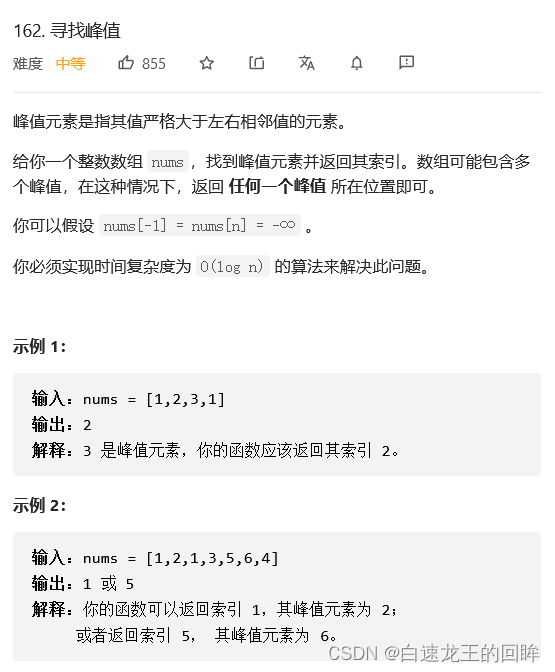
leetcode:162. 寻找峰值【二分寻找峰值】
随机推荐
Jia Yueting's Faraday will receive another financing of US $225million in the future, and ff91 will be mass produced soon!
deepin任务栏消失解决方法
Knowledge points of MySQL (12)
MySQL write lock does not take effect
leetcode:162. 寻找峰值【二分寻找峰值】
Four common post submission methods (application / x-www-form-urlencoded, multipart / form data, application / JSON, text / XML)
If this.$router Push the same address with different parameters, and the page does not refresh
安信证券开户在手机开户安全吗?
[machine learning basics] - another perspective to explain SVM
EventLoop event loop mechanism
31 next spread
普林斯顿微积分读本02第一章--函数的复合、奇偶函数、函数图像
【LeetCode】Day103-搜索二维矩阵 II
Jenkins cli command details
Traverse, delete, judge whether JSON data is empty, and recursion
MySQL converts strings to numeric types and sorts them
Qt键盘事件(一)——检测按键输入
Chapter 2 using API Mgmnt service
124 maximum path sum in binary tree
[leetcode]75. color classification - problem solving (execution time beat 90%, memory consumption beat 78%)