当前位置:网站首页>最新Windows下Go语言开发环境搭建+GoLand配置
最新Windows下Go语言开发环境搭建+GoLand配置
2022-06-24 08:08:00 【BigChen_up】
一、下载Go语言开发包
大家可以在Go语言官网(https://golang.google.cn/dl/)下载 Windows 系统下的Go语言开发包,如下图所示。
这里我们下载的是 64 位的开发包,如果电脑是 32 位系统的话,则需要下载 32 位的开发包,在上图所示页面中向下滚动即可找到 32 位开发包的下载地址,如下图所示。
注意:下载 Windows 版本的Go语言开发包时尽量选择 MSI 格式,因为它可以直接安装到系统,不需要额外的操作。
二、安装Go语言开发包
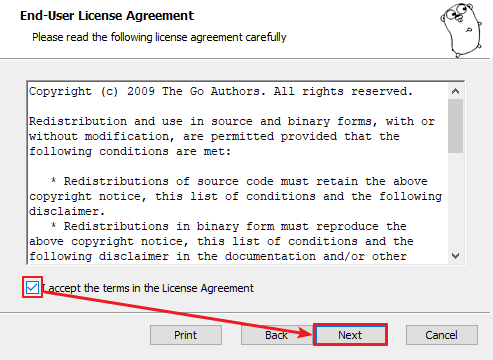
双击我们下载好的Go语言开发包即可启动安装程序,如下图所示,这是Go语言的用户许可协议,无需管它,直接勾选“I accept …”然后点击“Next”即可。
在 Windows 系统下Go语言开发包会默认安装到 C 盘的 Go 目录下,推荐在这个目录下安装,使用起来较为方便。当然,你也可以选择其他的安装目录,确认无误后点击“Next”,如下图所示: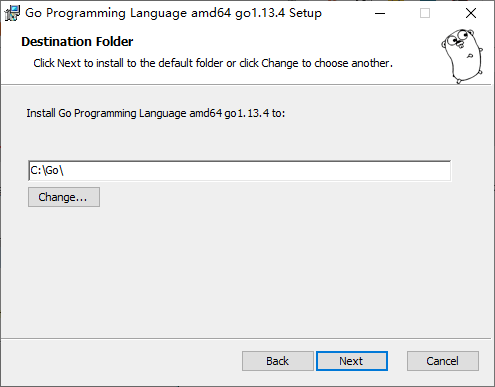
Go语言开发包的安装没有其他需要设置的选项,点击“Install”即可开始安装,如下图所示: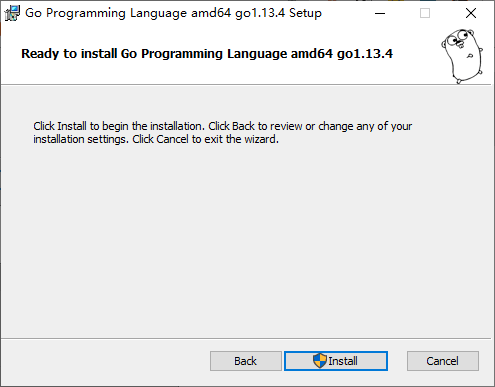
等待程序完成安装,然后点击“Finish”退出安装程序。
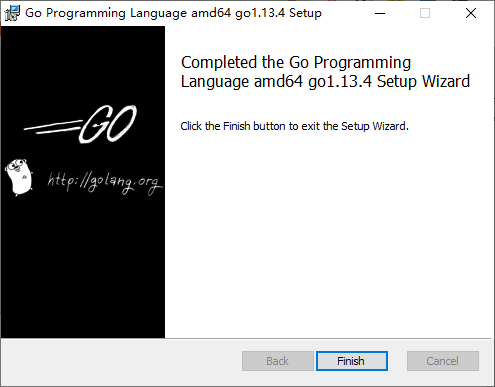
安装完成后,在我们所设置的安装目录下将生成一些目录和文件,如下图所示: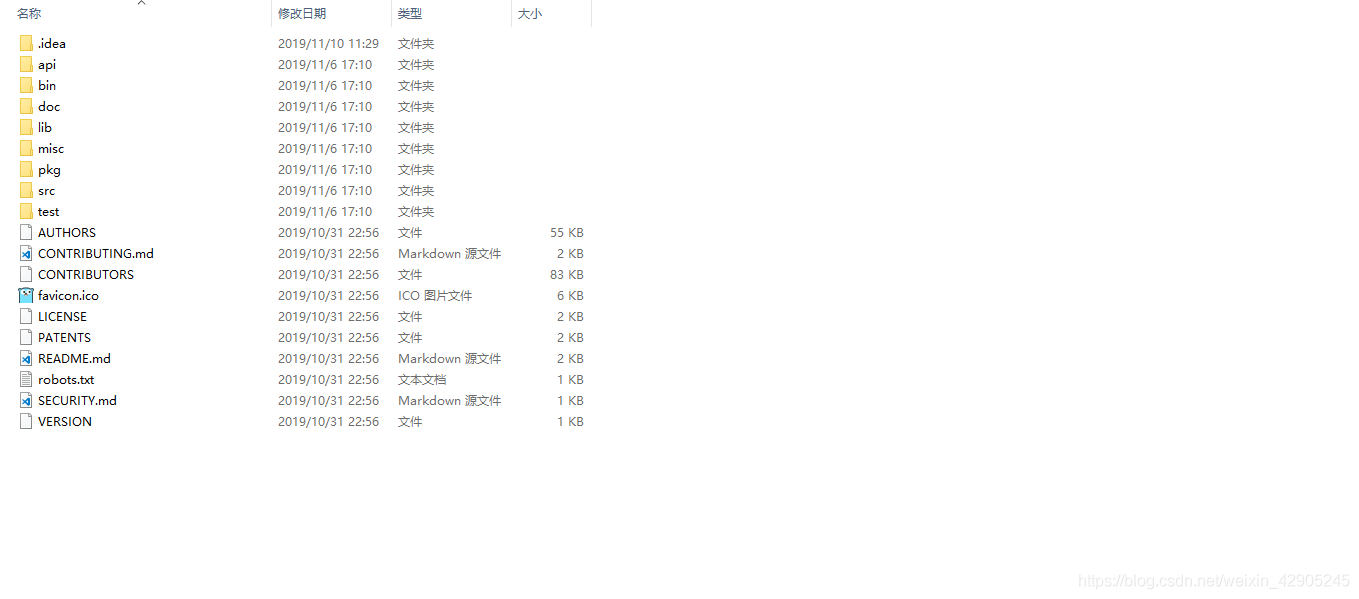
三、设置环境变量
开发包安装完成后,我们还需要配置一下GOPATH 环境变量,之后才可以使用Go语言进行开发。GOPATH 是一个路径,用来存放开发中需要用到的代码包。
在桌面或者资源管理器右键“此电脑”(或者“我的电脑”)→“属性”→“高级系统设置”→“环境变量”,如下图所示。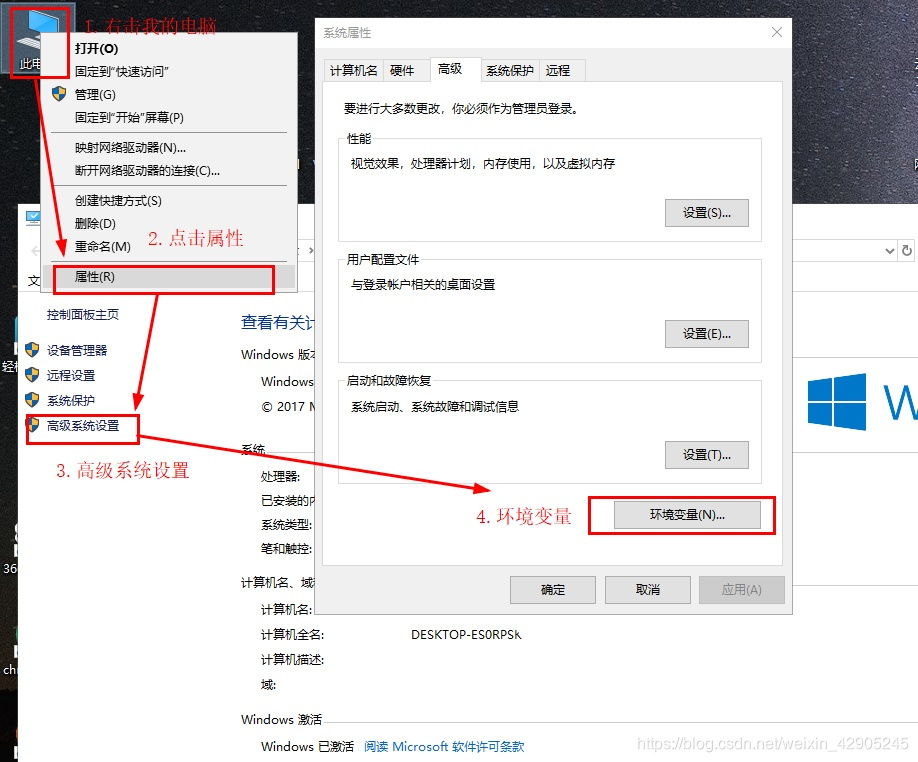
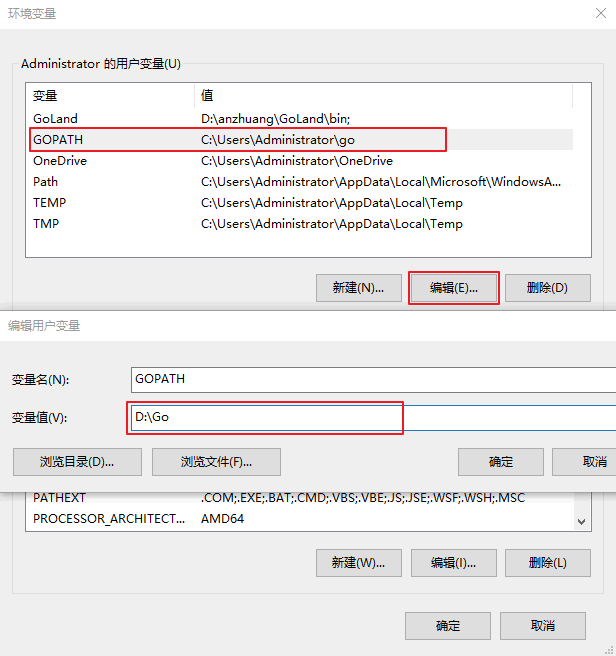
在弹出的菜单里找到 GOPATH 对应的选项点击编辑之后就可以修改了,没有的话可以选择新建,并将变量名填写为 GOPATH,变量值设置为任意目录均可(尽量选择空目录),例如 D:\Go。
四、开发工具智能设置环境变量
本教程使用的是GoLand开发工具,Goland下载如下:
Goland 下载和安装
大家可以从 Goland 的官网下载对应版本的 Goland 的安装包
官网下载地址:https://www.jetbrains.com/go/download/other.html
- 配置GOROOT 打开GoLand开发工具点击:File/Settings/GOROOT 如图:

- 配置GOPATH。打开GoLand开发工具点击:File/Settings/GOPATH 如图:

配置完成就可以撸代码了,在D:\goProject 文件夹下新建一个test.go文件如下:
package main

import "fmt"

func main() {

	fmt.Println("hello world")
}

边栏推荐
- How to configure environment variables and distinguish environment packaging for multi terminal project of uniapp development
- 从618看京东即时零售的野心
- 深入解析 Apache BookKeeper 系列:第三篇——读取原理
- [noi simulation] pendulum (linear algebra, Du Jiao sieve)
- [noi Simulation Competition] send (tree DP)
- 4274. suffix expression
- Zero foundation self-study SQL course | syntax sequence and execution sequence of SQL statements
- 零基础自学SQL课程 | SQL语句语法顺序与执行顺序
- Some common pitfalls in getting started with jupyter:
- [redis realize Secondary killing Business ①] Overview of Secondary killing Process | Basic Business Realization
猜你喜欢

解决:jmeter5.5在win11下界面上的字特别小

Time Series Data Augmentation for Deep Learning: A Survey 之论文阅读

Opencv maximum filtering (not limited to images)

eBanb B1手环刷固件异常中断处理

读CVPR 2022目标检测论文得到的亿点点启发
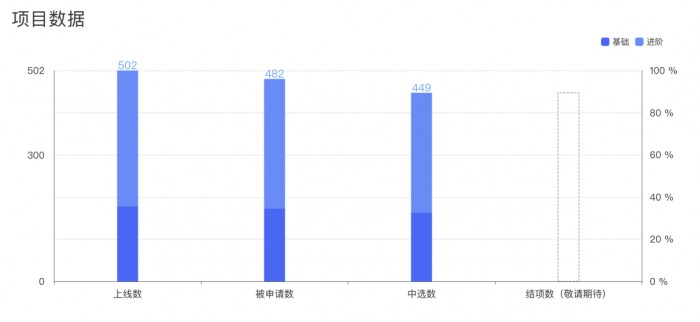
The list of open source summer winners has been publicized, and the field of basic software has become a hot application this year

【ES6闯关】Promise堪比原生的自定义封装(万字)

2022.6.13-6.19 AI行业周刊(第102期):职业发展

支持向量机(SVC,NuSVC,LinearSVC)

Xiaobai needs to learn MySQL - incremental statistical SQL
随机推荐
Applet cloud data, data request a method to collect data
On the routing tree of gin
Data middle office: middle office architecture and overview
Code written by mysql, data addition, deletion, query and modification, etc
Unable to change the virtual machine power status and report an error solution
零基础自学SQL课程 | SQL语句语法顺序与执行顺序
零基础自学SQL课程 | 相关子查询
Implementation process of tcpdump packet capturing
4274. suffix expression
解决:jmeter5.5在win11下界面上的字特别小
2022-06-23: given a nonnegative array, select any number to make the maximum cumulative sum a multiple of 7, and return the maximum cumulative sum. N is larger, to the 5th power of 10. From meituan. 3
Pytoch read data set (two modes: typical data set and user-defined data set)
Zero foundation self-study SQL course | having clause
Zero foundation self-study SQL course | sub query
Cmake命令之target_compile_options
Data middle office: middle office practice and summary
198. 打家劫舍
每周推荐短视频:计算的终极形态是“元宇宙”?
1844. replace all numbers with characters
[noi simulation] pendulum (linear algebra, Du Jiao sieve)