当前位置:网站首页>Unity脚本的基础语法(1)-游戏对象的常用操作
Unity脚本的基础语法(1)-游戏对象的常用操作
2022-06-30 12:18:00 【ht_game】
游戏对象的常用操作
Unity中很多对游戏对象的操作都是使用脚本来修改对象的Transform(变换属性)与Rigidbody(刚体属性)参数从而实现的。
物体旋转
通过Transform
Transform.Rotate()
  private void Update()
    {

        this.transform.Rotate(90, 0, 0);//绕x轴旋转90度。正值表示顺时针,负值表示逆时针
    }
注意这样的利用transform来实现物体运动的方法,一般有第四参数的重载用于确定变换的轴,
Space.World:相对于世界坐标系统进行旋转
Space.Self:相对于自身轴进行旋转
通过Rigidbody
Rigidbody.MoveRotation
格式
public void MoveRotation(Quaternion rot);
Quaternion:四元角
描述:将刚体旋转到rotation。
使用Rigidbody.MoveRotation旋转刚体,符合刚体的插值设置。
如果在 Rigidbody 上启用了 Rigidbody 插值,则调用Rigidbody.MoveRotation将导致渲染的任何中间帧中的两个旋转之间的平滑过渡。如果您想在每个FixedUpdate中连续旋转刚体,则应使用此选项。
 Rigidbody m_Rigidbody;
 Vector3 m_EulerAngleVelocity;

    void Start()
    {


        m_Rigidbody = GetComponent<Rigidbody>();
        m_EulerAngleVelocity = new Vector3(0, 100, 0);
    }

    void FixedUpdate()
    {

        Quaternion deltaRotation = Quaternion.Euler(m_EulerAngleVelocity * Time.fixedDeltaTime);
        m_Rigidbody.MoveRotation(m_Rigidbody.rotation * deltaRotation);
    }
物体移动
第一种方式通过Velocity
但是在大多数情况下,不应直接修改速度,因为这可能会导致不切实际的行为 ,要在每个物理步骤中设置对象的速度。
一个典型的用法是在第一人称射击游戏中跳跃时改变速度,因为你想要立即改变速度。
    Rigidbody rig;
    private void Update()
    {

        rig = this.gameObject.GetComponent<Rigidbody>();
        rig.velocity = new Vector3(0, 0, 5);//每帧向y轴方向移动5个单位
    }
第二种方式通过UnityAPI——Rigidbody.MovePosition移动位置
描述:将运动学刚体移向postion
Rigidbody.MovePosition移动刚体并符合插值设置。启用刚体插值后,Rigidbody.MovePosition会在帧之间创建平滑过渡。Unity在每次调用中移动一个刚体。发生在世界空间中FixedUpdate。将刚体position从一个位置传送到另一个位置使用Rigidbody.position而不是MovePosition。
public class NewBehaviourScript : MonoBehaviour //声明类
{

    Rigidbody rig;
    public float speed = 5f;
    private void Start()
    {

        rig = this.gameObject.GetComponent<Rigidbody>();
    }
    private void FixedUpdate()
    {

        Vector3 input = new Vector3(Input.GetAxis("Horizontal"), Input.GetAxis("Vertical"));
        rig.MovePosition(transform.position + input * Time.deltaTime * speed);//从当前位置移动到新的位置,以每秒5单位的速度
    }
}
第三种方式Rigidbody.AddForce(最常用的方式)
格式
public void AddForce ( Vector3 force , ForceMode mode = ForceMode.Force);
描述:向刚体添加力
力沿force矢量方向连续施加。指定ForceMode mode允许将力的类型更改为 Acceleration、Impulse 或 Velocity Change。
ForceMode.Force:将输入解释为力
ForceMode.Acceleration:将参数解释为加速度
ForceMode.Impulse:将参数解释为脉冲
ForceMode.VelocityChange:将参数解释为直接的速度变化(以米/秒为单位),并通过力的值改变速度。
力只能应用于活动刚体。如果 GameObject 处于非活动状态,则 AddForce 无效。此外,刚体不能是运动学的。
默认情况下,一旦施加力,刚体的状态设置为唤醒,除非力为Vector3.zero。
   Rigidbody rig;
    public float force = 50f;
    private void Start()
    {

        rig = this.gameObject.GetComponent<Rigidbody>();
    }
    private void FixedUpdate()
    {

        if (Input.GetButton("Jump"))
        {

            rig.AddForce(transform.up * force);//向上添加一个50牛的力
        }
    }
通过Transform
第一种方式 通过Transform.Position
 private void Update()
    {

        transform.position = new Vector3(0, 0, 10);//向z轴移动10个单位
    }
第二种方式 通过UnityAPI——Transform.Translate
    private void Update()
    {

        transform.Translate(0, 0, 5,Space.Self);//物体每一帧向z轴方向移动5个单位。
    }
注意
如果一个游戏物体有刚体就需要使用刚体的移动组件。
同时刚体每一帧调用方法使用FixedUpdate
边栏推荐
- 电机控制park变换公式推导
- Four ways for flinksql to customize udtf
- Introduction to the novelty of substrate source code: comprehensive update of Boca system Boca weight calculation, optimization and adjustment of governance version 2.0
- Redis的配置文件及新数据类型
- 黑马笔记---List系列集合与泛型
- Dqn notes
- 【一天学awk】运算符
- [target tracking] |pytracking configuring win to compile prroi_ pool. pyd
- 基于ThinkPHP5封装tronapi-波场接口-PHP版本--附接口文档-20220627
- Sword finger offer 05 Replace spaces: replace each space in the string s with "%20"“
猜你喜欢
![[target tracking] |pytracking configuring win to compile prroi_ pool. pyd](/img/ac/1e443164e57c4f34ddd1078de9f0d2.png)
[target tracking] |pytracking configuring win to compile prroi_ pool. pyd

Introduction to new features of ES6

Pinda general permission system (day 7~day 8)

Questionnaire star questionnaire packet capturing analysis
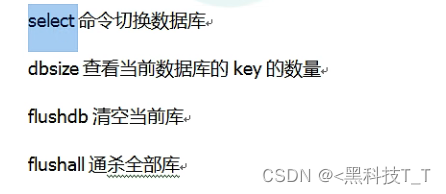
Commands for redis basic operations
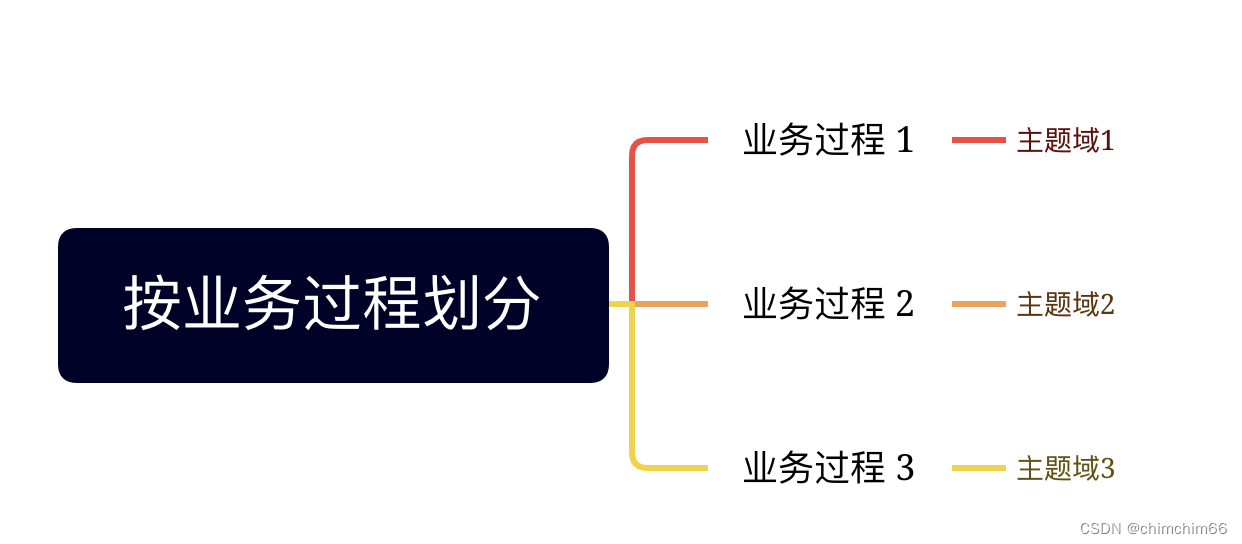
Determining the subject area of data warehouse construction

QT MSVC installation and commissioning

【一天学awk】基础中的基础
![[learn awk in one day] operator](/img/52/fd476d95202f3a956fd59437c2d960.png)
[learn awk in one day] operator

Shell基础入门
随机推荐
【惊了】迅雷下载速度竟然比不上虚拟机中的下载速度
Swagger2 automatically generates API documents
Flink SQL console, group not recognized_ Concat function?
Visual studio configures QT and implements project packaging through NSIS
Inner join and outer join of MySQL tables
Spatiotemporal prediction 2-gcn_ LSTM
MySql实现两个查询结果相除
Introduction to the novelty of substrat source code: indexing of call calls and fully completing the materialization of storage layer
问卷星问卷抓包分析
grep匹配查找
Apple executives openly "open the connection": Samsung copied the iPhone and only added a large screen
Introduction to new features of ES6
Dataworks synchronizes maxcomputer to sqlserver. Chinese characters become garbled. How can I solve it
项目中遇到一个有趣的事情
Pharmacy management system
Dqn notes
Redis-緩存問題
Substrate 源码追新导读: Call调用索引化, 存储层事物化全面完成
Reading the table data of Tencent documents in the applet
Grep match lookup