当前位置:网站首页>HISAT2 - StringTie - DESeq2 pipeline 进行bulk RNA-seq
HISAT2 - StringTie - DESeq2 pipeline 进行bulk RNA-seq
2022-07-03 07:21:00 【韩建刚(CAAS-UCD)】
软件官网:
Hisat2: Manual | HISAT2
StringTie:StringTie
建议看保姆级教程:
1. RNA-seq : Hisat2+Stringtie+DESeq2 – 恒诺新知
2. RNA-seq用hisat2、stringtie、DESeq2分析 - 简书
基本用法:
1. 构建参考基因组索引
# 提取剪接位点和外显子信息
extract_splice_sites.py Mus_musculus.GRCm39.104.gtf > Mus_musculus.ss
extract_exons.py Mus_musculus.GRCm39.104.gtf > Mus_musculus.exon
# 建立索引
# 最后的 Mus_musculus.GRCm39_tran 为索引文件前缀
hisat2-build --ss Mus_musculus.ss --exon Mus_musculus.exon              Mus_musculus.GRCm39.dna.primary_assembly.fa \
               Mus_musculus.GRCm39_tran
# 时间超长,大于12h,建议晚上跑
2. 参考基因组比对
# -x跟索引名前缀,-1,-2跟双端测序文件,-U跟单端测序文件,-S输出为sam格式的文件,-p线程数量
# 我们直接输出为排序好的bam文件
# --dta输出为转录本组装的reads,--summary-file输出比对信息
hisat2 -p 10 --dta -x path/to/Mus_musculus.GRCm39_tran
         --summary-file test1_summary.txt
         -1 1.fastq-data/test1_R1_rep1.fq.gz
         -2 1.fastq-data/test1_R2_rep1.fq.gz
         -S test1.sam
3. samtools 对输出 sam 文件排序并转为 bam 文件
# [email protected]为samtools的线程数
samtools sort [email protected] 10 -o test1.sorted.bam test.sam
4. 转录本组装
# 组装转录本,-p为线程数,-G为组装参考注释文件,-l为输出文件名前缀
# 单个样本运行
stringtie -p 10 -G Mus_musculus.GRCm38.102.gtf
                -l test1
                -o test1.gtf
                test1.sorted.bam
5. 注释文件合并
# 创建 mergelist.txt 文件,指明组装后注释文件的路径
path/to/test1.gtf
path/to/test2.gtf
path/to/test3.gtf

# 合并gtf文件
$ stringtie --merge -p 10 -G ./Mus_musculus.GRCm38.102.gtf
                    -o stringtie_merged.gtf
                    mergelist.txt
6. 利用生成的注释文件对转录本进行定量
# 创建一个新的 test1 文件夹,转录本定量结果保存到文件夹中
mkdir test1/
stringtie  -p 10 -e -G ./stringtie_merged.gtf
             -o test1/test1.gtf
             -A test1/gene_abundances.tsv
             test1.sorted.bam
# 相应文件夹下生成样本名.gtf和gene_abundances.tsv的两个文件,对应每个样本的 count 值定量结果,我们需要合并到一个文件里。
7. 提取基因定量结果
prepDE.py 需要一个 sample_list,第一列为样本名,第二列为 gtf 文件路径

# sample_list.txt 文件内容如下
test1 path/to/test1/test1.gtf
test2 path/to/test1/test2.gtf
test3 path/to/test1/test3.gtf
test4 path/to/test1/test4.gtf

# 提取合并count结果,-i为输入sample_list
prepDE.py -i sample_list.txt

# 生成gene_count_matrix.csv和transcript_count_matrix.csv文件
8. 选做:提取 FPKM/TPM 或 coverage 结果
需要用到stringtie_expression_matrix.pl,下载地址如下:
rnaseq_tutorial/stringtie_expression_matrix.pl at master · griffithlab/rnaseq_tutorial · GitHub
# 提取TPM
$ ./stringtie_expression_matrix.pl --expression_metric=TPM
                                   --result_dirs='test1_rep1,test1_rep2,test2_rep1,test2_rep2'
                                   --transcript_matrix_file=transcript_tpms_all_samples.tsv
                                   --gene_matrix_file=gene_tpms_all_samples.tsv

# 提取FPKM
./stringtie_expression_matrix.pl --expression_metric=FPKM
                                   --result_dirs='test1_rep1,test1_rep2,test2_rep1,test2_rep2'
                                   --transcript_matrix_file=transcript_fpkms_all_samples.tsv
                                   --gene_matrix_file=gene_fpkms_all_samples.tsv

# 提取coverage
./stringtie_expression_matrix.pl --expression_metric=coverage
                                   --result_dirs='test1_rep1,test1_rep2,test2_rep1,test2_rep2'
                                   --transcript_matrix_file=transcript_coverage_all_samples.tsv
                                   --gene_matrix_file=gene_coverage_all_samples.tsv
# 在当前目录就会生成相应的基因和转录本的tpm、fpkm、coverage 结果
9. DESeq2 差异分析
# 安装DESeq2包
BiocManager::install('DESeq2')
# 加载包
library(DESeq2)
# 设置工作路径
setwd('D:rnaseq')
# 读入counts矩阵
gene_count_matrix <- read.csv("D:/rnaseq/gene_count_matrix.csv",row.names = 1)
count <- gene_count_matrix[rowSums(gene_count_matrix)>0,]
# 构建表型矩阵
colData <- data.frame(row.names = colnames(count),
                      condition = factor(c(rep('control',2),rep('treat',2)),
                                           levels=c('control','treat'))
                      )
# 查看
colData
#            condition
# test1_rep1   control
# test1_rep2   control
# test2_rep1     treat
# test2_rep2     treat

dds <- DESeqDataSetFromMatrix(countData = count, colData = colData,design = ~ condition)
dds <- DESeq(dds)
res <- results(dds)
diff_res <- as.data.frame(res)
diff_res$gene_name <- rownames(diff_res)
# 输出差异结果
write.table(diff_res,file = 'DESeq2_diff_results.csv',quote = F,sep = ',',row.names = F,col.names = T)边栏推荐
- Common problems in io streams
- 3311. 最长算术
- [Fiddler actual operation] how to use Fiddler to capture packets on Apple Mobile Phones
- 4EVERLAND:IPFS 上的 Web3 开发者中心,部署了超过 30,000 个 Dapp!
- Setting up the development environment of dataworks custom function
- The underlying mechanism of advertising on websites
- [Fiddler problem] solve the problem about Fiddler's packet capturing. After the mobile network is configured with an agent, it cannot access the Internet
- [solved] sqlexception: invalid value for getint() - 'Tian Peng‘
- Operation and maintenance technical support personnel have hardware maintenance experience in Hong Kong
- Some experiences of Arduino soft serial port communication
猜你喜欢
Homology policy / cross domain and cross domain solutions /web security attacks CSRF and XSS
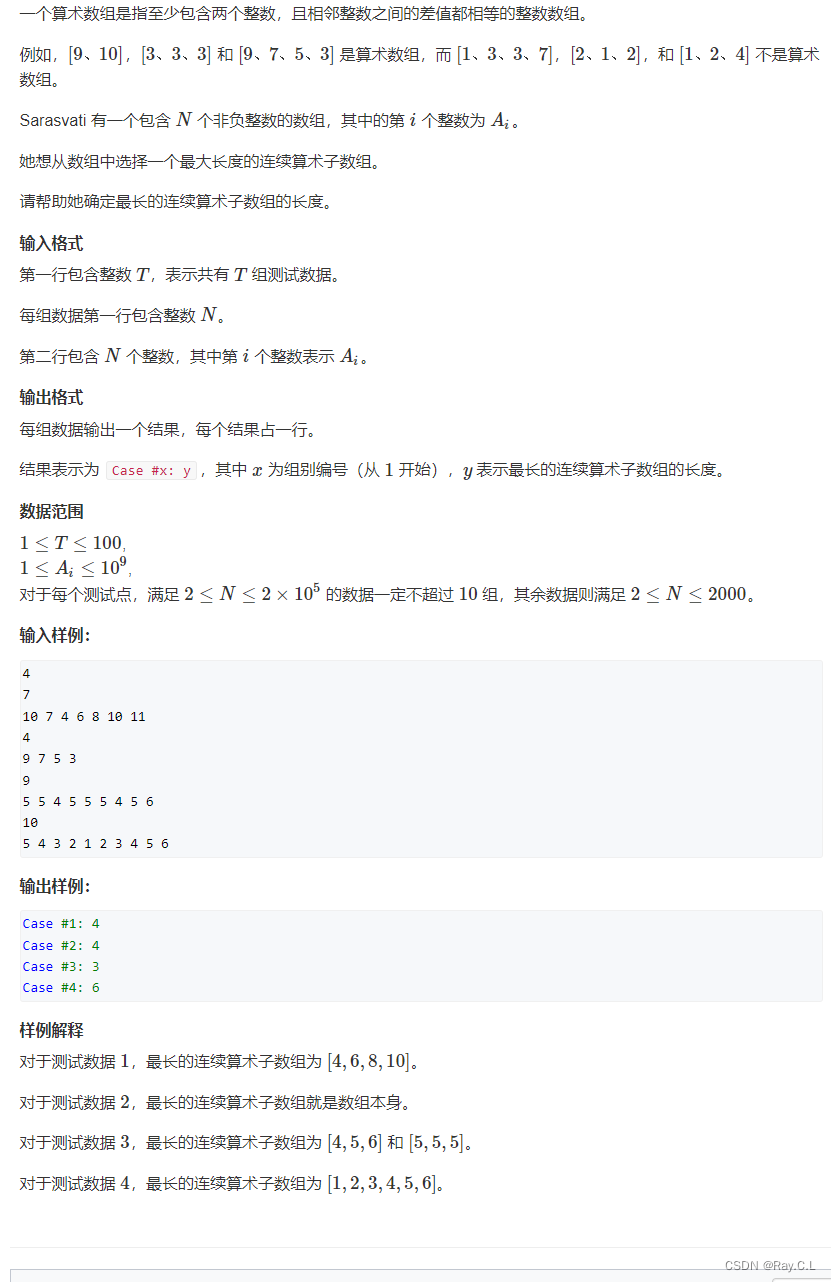
3311. Longest arithmetic
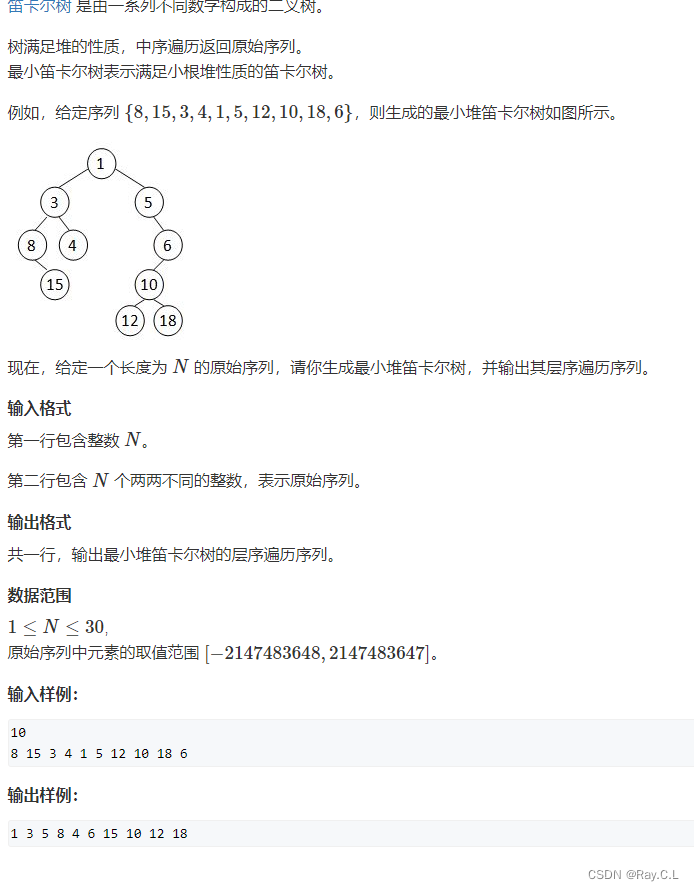
4279. Cartesian tree

《指環王:力量之戒》新劇照 力量之戒鑄造者亮相
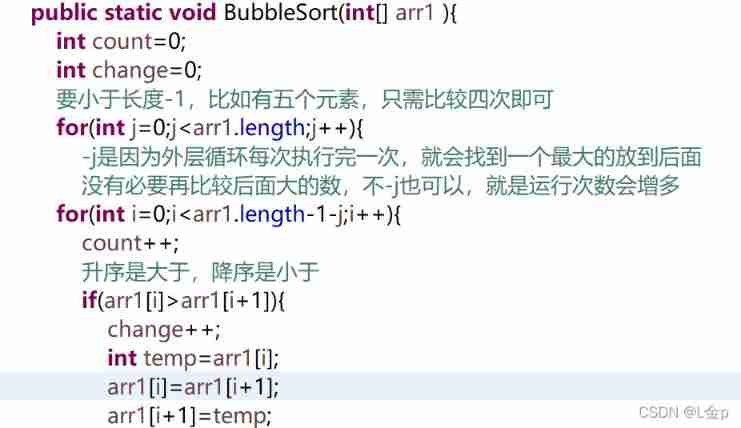
Sorting, dichotomy

【已解决】Unknown error 1146

Flask Foundation

深度学习参数初始化(一)Xavier初始化 含代码

691. 立方体IV
![Gridome + strapi + vercel + PM2 deployment case of [static site (3)]](/img/65/8d79998e96a2c74ba6e237bee652c6.jpg)
Gridome + strapi + vercel + PM2 deployment case of [static site (3)]
随机推荐
Selenium key knowledge explanation
[Fiddler problem] solve the problem about Fiddler's packet capturing. After the mobile network is configured with an agent, it cannot access the Internet
Topic | synchronous asynchronous
Spa single page application
[cmake] cmake link SQLite Library
Download address collection of various versions of devaexpress
dataworks自定义函数开发环境搭建
专题 | 同步 异步
How to specify the execution order for multiple global exception handling classes
Common analysis with criteria method
Gridome + strapi + vercel + PM2 deployment case of [static site (3)]
4279. Cartesian tree
Hash table, generic
[day15] introduce the features, advantages and disadvantages of promise, and how to implement it internally. Implement promise by hand
"Baidu Cup" CTF game 2017 February, Web: blast-1
Talk about floating
gstreamer ffmpeg avdec解码数据流向分析
Book recommendation~
Laravel框架 踩坑(一)
Basic knowledge about SQL database