当前位置:网站首页>Privacy computing fat offline prediction
Privacy computing fat offline prediction
2022-06-27 13:59:00 【qq_ forty-three million four hundred and seventy-nine thousand 】
High quality resource sharing
| Learning route guidance ( Click unlock ) | Knowledge orientation | Crowd positioning |
|---|---|---|
| 🧡 Python Actual wechat ordering applet 🧡 | Progressive class | This course is python flask+ Perfect combination of wechat applet , From the deployment of Tencent to the launch of the project , Create a full stack ordering system . |
| Python Quantitative trading practice | beginner | Take you hand in hand to create an easy to expand 、 More secure 、 More efficient quantitative trading system |

One 、 explain
Fate The model predictions are offline forecast and Online forecasting Two ways , The effect is the same , Mainly the way of use 、 Applicable scenario 、 High availability 、 There are great differences in performance, etc ; This article uses Fate be based on Vertical logistic regression The model trained by the algorithm is used for off-line prediction practice .
- Based on the above 《 Privacy computing FATE- model training 》 The model trained in the
- About Fate Please refer to the article for the basic overview and installation deployment of 《 Privacy computing FATE- Key concepts and stand-alone Deployment Guide 》
Two 、 Query model information
Execute the following command , Get into Fate In the container :
docker exec -it $(docker ps -aqf "name=standalone\_fate") bash
First, we need to get the corresponding model_id and model_version Information , Can pass job_id Execute the following command to get :
flow job config -j 202205070226373055640 -r guest -p 9999 --output-path /data/projects/fate/examples/my_test/
job_id Can be in FATE Board View in .
After successful execution, the corresponding model information will be returned , And generate a folder under the specified directory job_202205070226373055640_config
{
    "data": {
        "job\_id": "202205070226373055640",
        "model\_info": {
            "model\_id": "arbiter-10000#guest-9999#host-10000#model",
            "model\_version": "202205070226373055640"
        },
        "train\_runtime\_conf": {}
    },
    "retcode": 0,
    "retmsg": "download successfully, please check /data/projects/fate/examples/my\_test/job\_202205070226373055640\_config directory",
    "directory": "/data/projects/fate/examples/my\_test/job\_202205070226373055640\_config"
}
job_202205070226373055640_config It contains 4 File :
- dsl.json: Mission dsl To configure .
- model_info.json: Model information .
- runtime_conf.json: Task running configuration .
- train_runtime_conf.json: empty .
3、 ... and 、 Model deployment
Execute the following command :
flow model deploy --model-id arbiter-10000#guest-9999#host-10000#model --model-version 202205070226373055640
Pass respectively --model-id And --model-version Specify the... Found in the above steps model_id and model_version
After the deployment is successful, return :
{
    "data": {
        "arbiter": {
            "10000": 0
        },
        "detail": {
            "arbiter": {
                "10000": {
                    "retcode": 0,
                    "retmsg": "deploy model of role arbiter 10000 success"
                }
            },
            "guest": {
                "9999": {
                    "retcode": 0,
                    "retmsg": "deploy model of role guest 9999 success"
                }
            },
            "host": {
                "10000": {
                    "retcode": 0,
                    "retmsg": "deploy model of role host 10000 success"
                }
            }
        },
        "guest": {
            "9999": 0
        },
        "host": {
            "10000": 0
        },
        "model\_id": "arbiter-10000#guest-9999#host-10000#model",
        "model\_version": "202205070730131040240"
    },
    "retcode": 0,
    "retmsg": "success"
}
After successful deployment, a new model_version
Four 、 Prepare forecast configuration
Execute the following command :
cp /data/projects/fate/examples/dsl/v2/hetero_logistic_regression/hetero_lr_normal_predict_conf.json /data/projects/fate/examples/my_test/
Put... Directly Fate The built-in vertical logistic regression algorithm prediction configuration example , Copy it to our
my_testUnder the table of contents .

The predicted configuration file mainly configures three parts :
- The above section is to configure the initiator and participant roles
- The middle part needs to be filled with the correct Model information
- The following is the data table used in the forecast
The only thing that needs to be modified is the middle one Model information part ; Note that the version number entered here is Model deployment Version number returned after , And need to add job_type by predict Specify the task type as forecast task .
5、 ... and 、 Perform forecast task
Execute the following command :
flow job submit -c hetero_lr_normal_predict_conf.json
Just like model training, it also uses submit command , adopt -c Specify profile .
Return after successful execution :
{
    "data": {
        "board\_url": "http://127.0.0.1:8080/index.html#/dashboard?job\_id=202205070731385067720&role=guest&party\_id=9999",
        "code": 0,
        "dsl\_path": "/data/projects/fate/fateflow/jobs/202205070731385067720/job\_dsl.json",
        "job\_id": "202205070731385067720",
        "logs\_directory": "/data/projects/fate/fateflow/logs/202205070731385067720",
        "message": "success",
        "model\_info": {
            "model\_id": "arbiter-10000#guest-9999#host-10000#model",
            "model\_version": "202205070730131040240"
        },
        "pipeline\_dsl\_path": "/data/projects/fate/fateflow/jobs/202205070731385067720/pipeline\_dsl.json",
        "runtime\_conf\_on\_party\_path": "/data/projects/fate/fateflow/jobs/202205070731385067720/guest/9999/job\_runtime\_on\_party\_conf.json",
        "runtime\_conf\_path": "/data/projects/fate/fateflow/jobs/202205070731385067720/job\_runtime\_conf.json",
        "train\_runtime\_conf\_path": "/data/projects/fate/fateflow/jobs/202205070731385067720/train\_runtime\_conf.json"
    },
    "jobId": "202205070731385067720",
    "retcode": 0,
    "retmsg": "success"
}
6、 ... and 、 View forecast results
Can be returned by board_url perhaps job_id Go to FATE Board View results in , But the graphical interface can only be viewed at most 100 Bar record ;
We can go through output-data command , Export all data output of the specified component :
flow tracking output-data -j 202205070731385067720 -r guest -p 9999 -cpn hetero_lr_0 -o /data/projects/fate/examples/my_test/predict
- -j: Specify the... Of the forecast task job_id
- -cpn: Specify the component name .
- -o: Specify the output directory .
Return after successful execution :
{
    "retcode": 0,
    "directory": "/data/projects/fate/examples/my\_test/predict/job\_202205070731385067720\_hetero\_lr\_0\_guest\_9999\_output\_data",
    "retmsg": "Download successfully, please check /data/projects/fate/examples/my\_test/predict/job\_202205070731385067720\_hetero\_lr\_0\_guest\_9999\_output\_data directory"
}
In the catalog /data/projects/fate/examples/my_test/predict/job_202205070731385067720_hetero_lr_0_guest_9999_output_data You can see two files in :
- data.csv: For all data output .
- data.meta: Is the column header of the data .
Code scanning, attention, surprise !

边栏推荐
猜你喜欢

基于 Nebula Graph 构建百亿关系知识图谱实践

赛迪顾问发布《“十四五” 关键应用领域之数据库市场研究报告》(附下载)
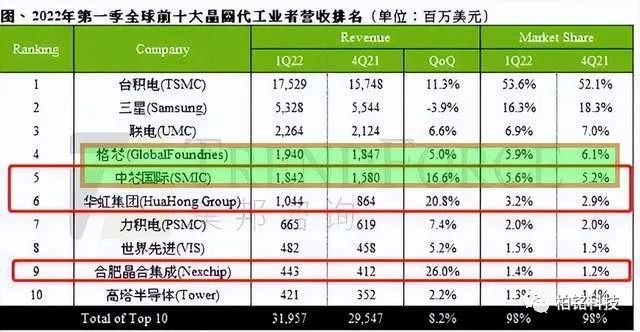
American chips are hit hard again, and another chip enterprise after Intel will be overtaken by Chinese chips

Redis 主从复制、哨兵模式、Cluster集群

What else can PLM do?

Debug tool
Practice of constructing ten billion relationship knowledge map based on Nebula graph

Openssf security plan: SBOM will drive software supply chain security

Half find (half find)
![[PHP code injection] common injectable functions of PHP language and utilization examples of PHP code injection vulnerabilities](/img/19/9827a5e8becfc9d5bf2f51bddf803e.png)
[PHP code injection] common injectable functions of PHP language and utilization examples of PHP code injection vulnerabilities
随机推荐
实现WordPress上传图片自动重命名的方法
AcWing 第57 场周赛
Yyds dry goods inventory solution sword finger offer: cut rope (advanced version)
快速搭建一个自己的访问国外网站,搭建ss并开启bbr快速上网
#yyds干货盘点# 解决剑指offer:剪绳子(进阶版)
With the advent of the era of Internet of everything, Ruijie released a scenario based wireless zero roaming scheme
类模板中可变参的逐步展开
my.ini文件配置
ensp云朵配置
Li Kou's 81st biweekly match
External memory
Openhgnn releases version 0.3
隐私计算FATE-离线预测
Gaode map IP positioning 2.0 backup
crane:字典项与关联数据处理的新思路
JVM parameter setting and analysis
How to set postman to Chinese? (Chinese)
剑指 Offer II 039. 直方图最大矩形面积 单调栈
Domestic database disorder
Redis持久化