当前位置:网站首页>[C # network application programming] Experiment 3: process management exercise
[C # network application programming] Experiment 3: process management exercise
2022-07-27 20:06:00 【Hua Weiyun】
experiment 3: Process management exercise
Through this experiment , Be familiar with and master Process The use of the class .
1、 Create a WPF Application project
2、 take App.xaml Medium Application.Resources The content of this section is changed to
<Application x:Class="WpfApp1.App" xmlns="http://schemas.microsoft.com/winfx/2006/xaml/presentation" xmlns:x="http://schemas.microsoft.com/winfx/2006/xaml" xmlns:local="clr-namespace:WpfApp1" StartupUri="MainWindow.xaml"> <Application.Resources> <Style x:Key="LabelStyle" TargetType="Label"> <Setter Property="FontSize" Value="14"/> <Setter Property="HorizontalContentAlignment" Value="Center"/> <Setter Property="HorizontalAlignment" Value="Center" /> <Setter Property="Background" Value="AliceBlue"/> </Style> <Style x:Key="BorderStyle" TargetType="Border"> <Setter Property="Height" Value="35"/> <Setter Property="VerticalAlignment" Value="Center"/> <Setter Property="Background" Value="AliceBlue"/> </Style> </Application.Resources></Application>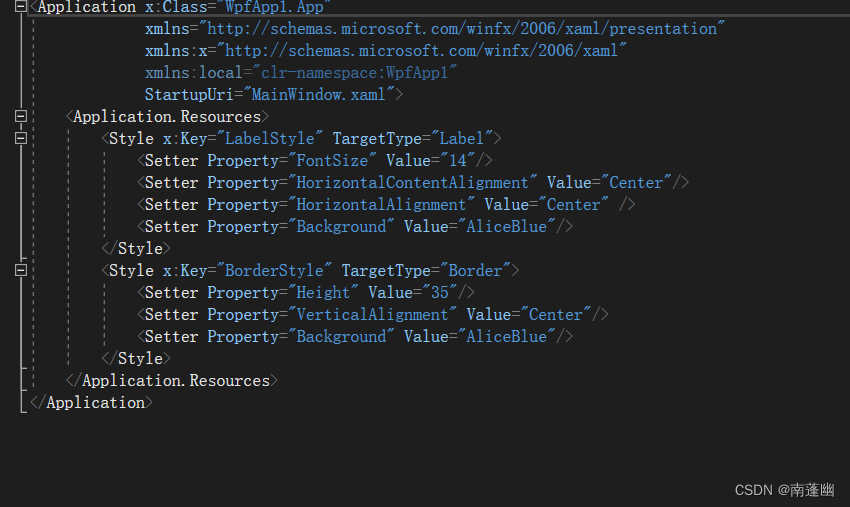
3、 modify MainWindow.xaml And code hiding classes
MainWindow.xaml
<Window x:Class="WpfApp1.MainWindow" xmlns="http://schemas.microsoft.com/winfx/2006/xaml/presentation" xmlns:x="http://schemas.microsoft.com/winfx/2006/xaml" xmlns:d="http://schemas.microsoft.com/expression/blend/2008" xmlns:mc="http://schemas.openxmlformats.org/markup-compatibility/2006" xmlns:local="clr-namespace:WpfApp1" mc:Ignorable="d" Title="MainWindow" Height="450" Width="800"> <Grid Margin="20"> <Grid.ColumnDefinitions> <ColumnDefinition Width="Auto"/> <ColumnDefinition Width="*"/> </Grid.ColumnDefinitions> <Rectangle Grid.ColumnSpan="2" Fill="White" RadiusX="14" RadiusY="14" Stroke="Blue" StrokeDashArray="3"/> <Rectangle Grid.Column="0" Margin="7" Fill="#FFF0F9D8" RadiusX="10" RadiusY="10" Stroke="Blue" StrokeDashArray="3"/> <Rectangle Grid.Column="0" Margin=" 20" Fill="White" Stroke="Blue"/> <ScrollViewer Grid.Column="0" Margin="20"> <StackPanel> <StackPanel.Resources> <Style TargetType="Button"> <Setter Property="HorizontalContentAlignment" Value="Center"/> <Setter Property="Margin" Value="5 10 5 0"/> <Setter Property="Padding" Value=" 15 0 15 0"/> <Setter Property="FontSize" Value=" 10"/> <EventSetter Event="Click" Handler="button_Click"/> </Style> </StackPanel.Resources> <Button Content=" example 1(StartStopProcess)" Tag="/Examples/Page1.xaml"/> </StackPanel> </ScrollViewer> <Frame Name="frame1" Grid.Column="1" Margin="10" BorderThickness="1" BorderBrush="Blue" NavigationUIVisibility="Hidden"/> </Grid></Window>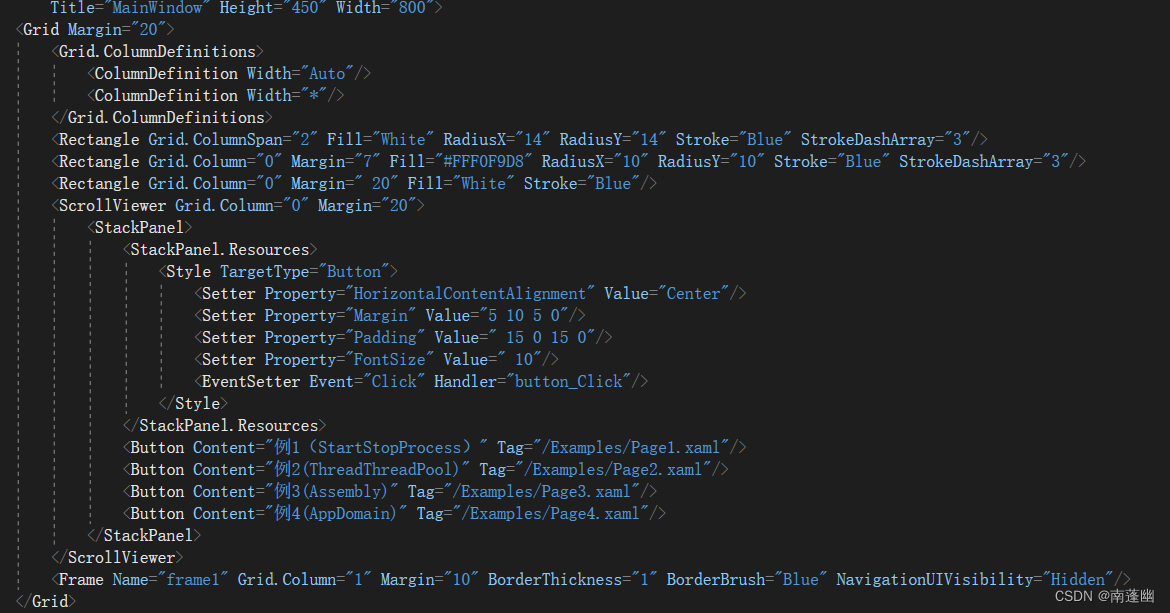
MainWindow.xaml.cs primary coverage
using System;using System.Collections.Generic;using System.Linq;using System.Text;using System.Threading.Tasks;using System.Windows;using System.Windows.Controls;using System.Windows.Data;using System.Windows.Documents;using System.Windows.Input;using System.Windows.Media;using System.Windows.Media.Imaging;using System.Windows.Navigation;using System.Windows.Shapes;namespace WpfApp1{ /// <summary> /// MainWindow.xaml Interaction logic of /// </summary> public partial class MainWindow : Window { Button oldButton = new Button(); public MainWindow() { InitializeComponent(); } private void button_Click(object sender, RoutedEventArgs e) { Button btn = e.Source as Button; btn.Foreground = Brushes.Black; oldButton.Foreground = Brushes.Black; oldButton = btn; frame1.Source = new Uri(btn.Tag.ToString(), UriKind.Relative); } }}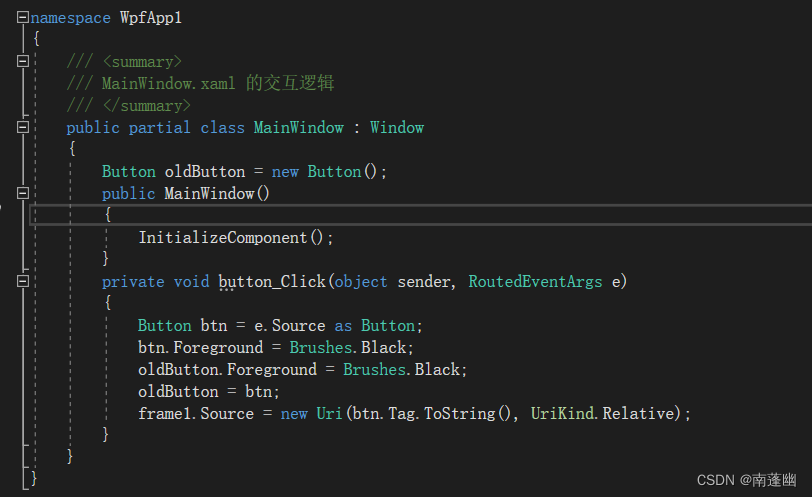
modify Page1.xaml Core code
<Page x:Class="WpfApp1.Examples.Page1" xmlns="http://schemas.microsoft.com/winfx/2006/xaml/presentation" xmlns:x="http://schemas.microsoft.com/winfx/2006/xaml" xmlns:mc="http://schemas.openxmlformats.org/markup-compatibility/2006" xmlns:d="http://schemas.microsoft.com/expression/blend/2008" xmlns:local="clr-namespace:WpfApp1.Examples" mc:Ignorable="d" d:DesignHeight="450" d:DesignWidth="800" Title="Page1"> <DockPanel Background="White"> <Label DockPanel.Dock="Top" Content=" start-up 、 Stop and observe the process " Style="{StaticResource LabelStyle}"/> <Border DockPanel.Dock="Bottom" Style="{StaticResource BorderStyle}"> <StackPanel Orientation="Horizontal" HorizontalAlignment="Center"> <Button Name="btnStart" Width="70" Content=" Start the process " Click="BtnStart_Click"/> <Button Name="btnStop" Margin="20 0 0 0" Width="70" Content=" Stop the process " Click="BtnStop_Click"/> </StackPanel> </Border> <DataGrid Name="dataGrid1" Background="White" Margin="5" IsReadOnly="True" AutoGenerateColumns="False"> <DataGrid.Columns> <DataGridTextColumn Header=" process ID" Binding="{Binding Path=Id}" Width="50"/> <DataGridTextColumn Header=" Process name " Binding="{Binding Path=ProcessName}" Width="70"/> <DataGridTextColumn Header=" Take up memory " Binding="{Binding Path=TotalMemory}" Width="80"/> <DataGridTextColumn Header=" Starting time " Binding="{Binding Path=StartTime}" Width="130"/> <DataGridTextColumn Header=" File path " Binding="{Binding Path=FileName}"/> </DataGrid.Columns> </DataGrid> </DockPanel></Page>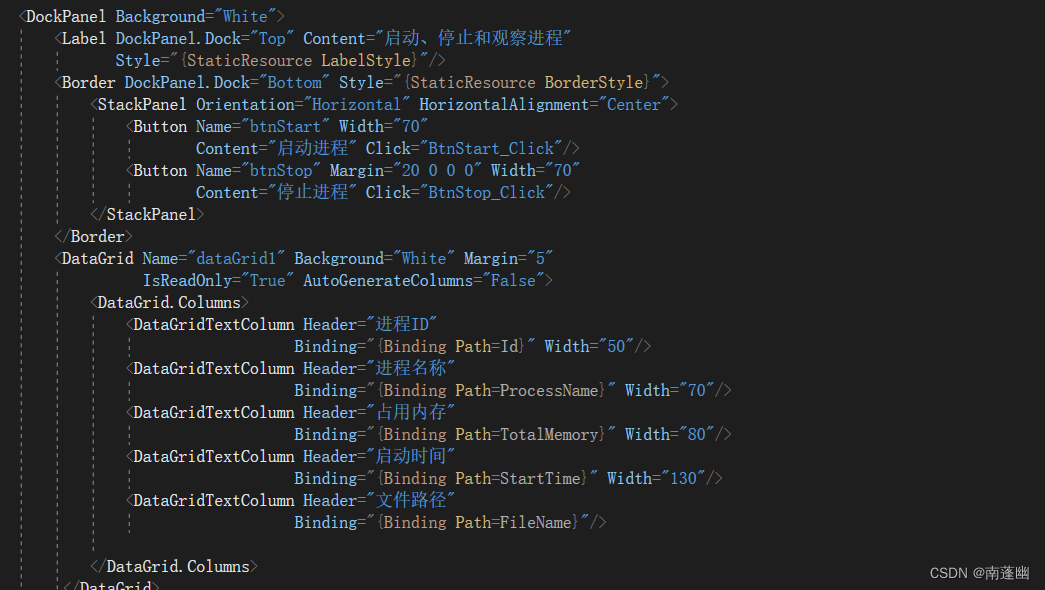
Page1.xaml.cs Core code
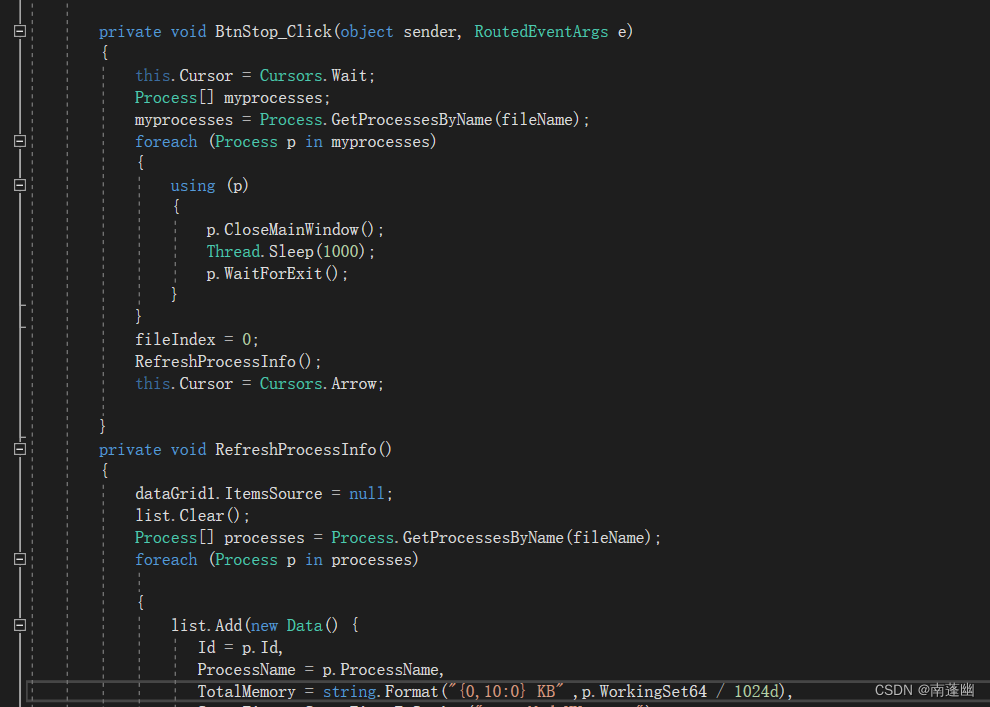
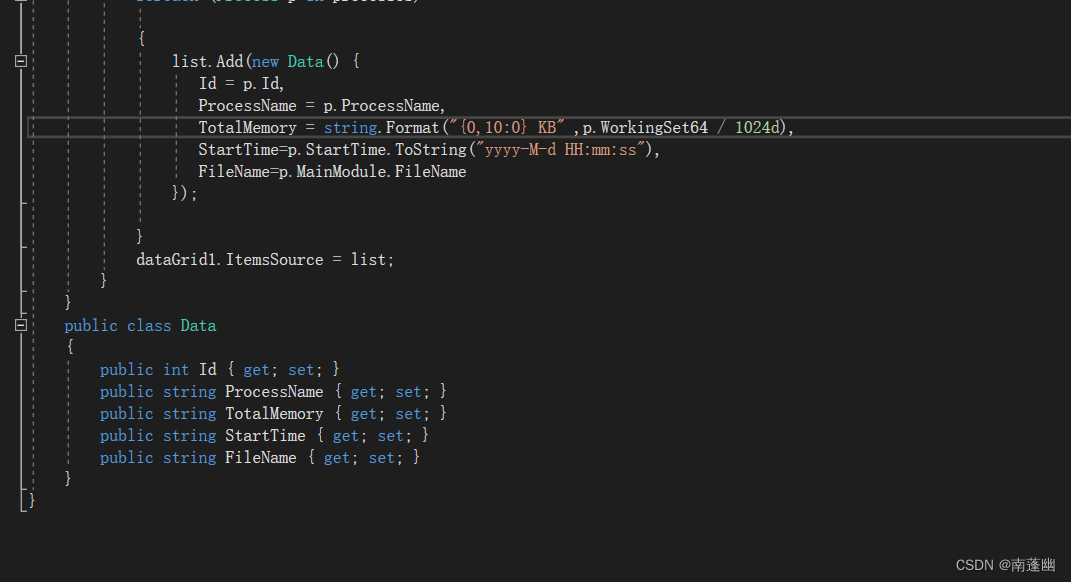
using System;using System.Collections.Generic;using System.Diagnostics;using System.IO;using System.Linq;using System.Text;using System.Threading;using System.Threading.Tasks;using System.Windows;using System.Windows.Controls;using System.Windows.Data;using System.Windows.Documents;using System.Windows.Input;using System.Windows.Media;using System.Windows.Media.Imaging;using System.Windows.Navigation;using System.Windows.Shapes;namespace WpfApp1.Examples{ /// <summary> /// Page1.xaml Interaction logic of /// </summary> public partial class Page1 : Page { int fileIndex = 1; string fileName = "Notepad"; List<Data> list = new List<Data>(); public Page1() { InitializeComponent(); } private void BtnStart_Click(object sender, RoutedEventArgs e) { string argument = Environment.CurrentDirectory + "\\myfile" + (fileIndex++) + ".txt"; if (File.Exists(argument)==false) { File.CreateText(argument); } Process p = new Process(); p.StartInfo.FileName = fileName; p.StartInfo.Arguments = argument; p.StartInfo.UseShellExecute = false; p.StartInfo.WindowStyle = ProcessWindowStyle.Normal; p.Start(); p.WaitForInputIdle(); RefreshProcessInfo(); } private void BtnStop_Click(object sender, RoutedEventArgs e) { this.Cursor = Cursors.Wait; Process[] myprocesses; myprocesses = Process.GetProcessesByName(fileName); foreach (Process p in myprocesses) { using (p) { p.CloseMainWindow(); Thread.Sleep(1000); p.WaitForExit(); } } fileIndex = 0; RefreshProcessInfo(); this.Cursor = Cursors.Arrow; } private void RefreshProcessInfo() { dataGrid1.ItemsSource = null; list.Clear(); Process[] processes = Process.GetProcessesByName(fileName); foreach (Process p in processes) { list.Add(new Data() { Id = p.Id, ProcessName = p.ProcessName, TotalMemory = string.Format("{0,10:0} KB" ,p.WorkingSet64 / 1024d), StartTime=p.StartTime.ToString("yyyy-M-d HH:mm:ss"), FileName=p.MainModule.FileName }); } dataGrid1.ItemsSource = list; } } public class Data { public int Id { get; set; } public string ProcessName { get; set; } public string TotalMemory { get; set; } public string StartTime { get; set; } public string FileName { get; set; } }}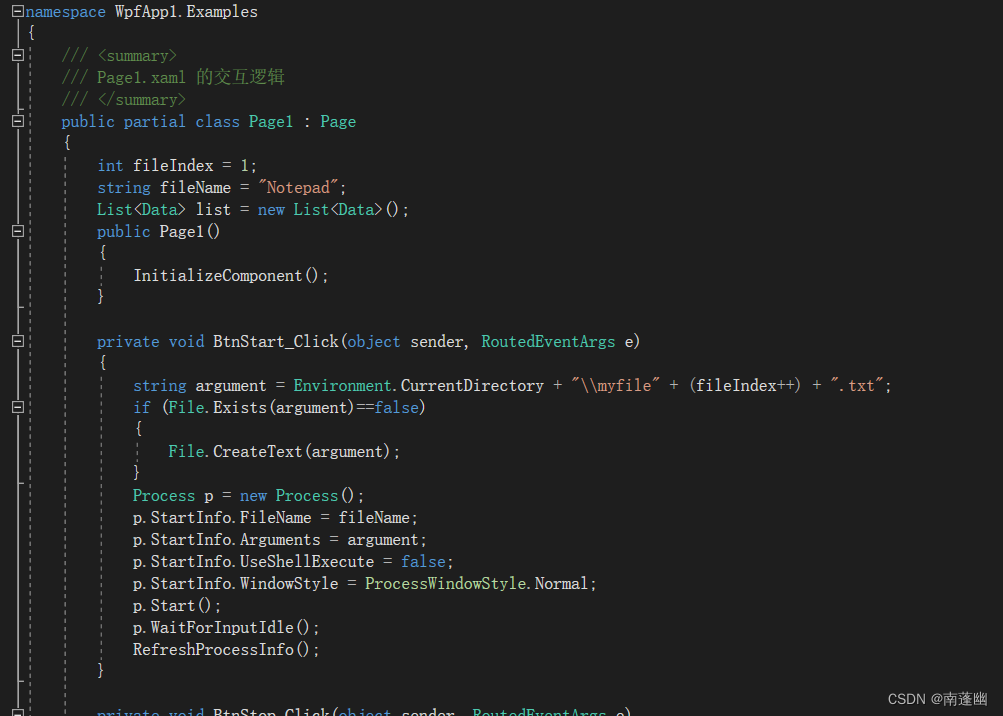
experimental result
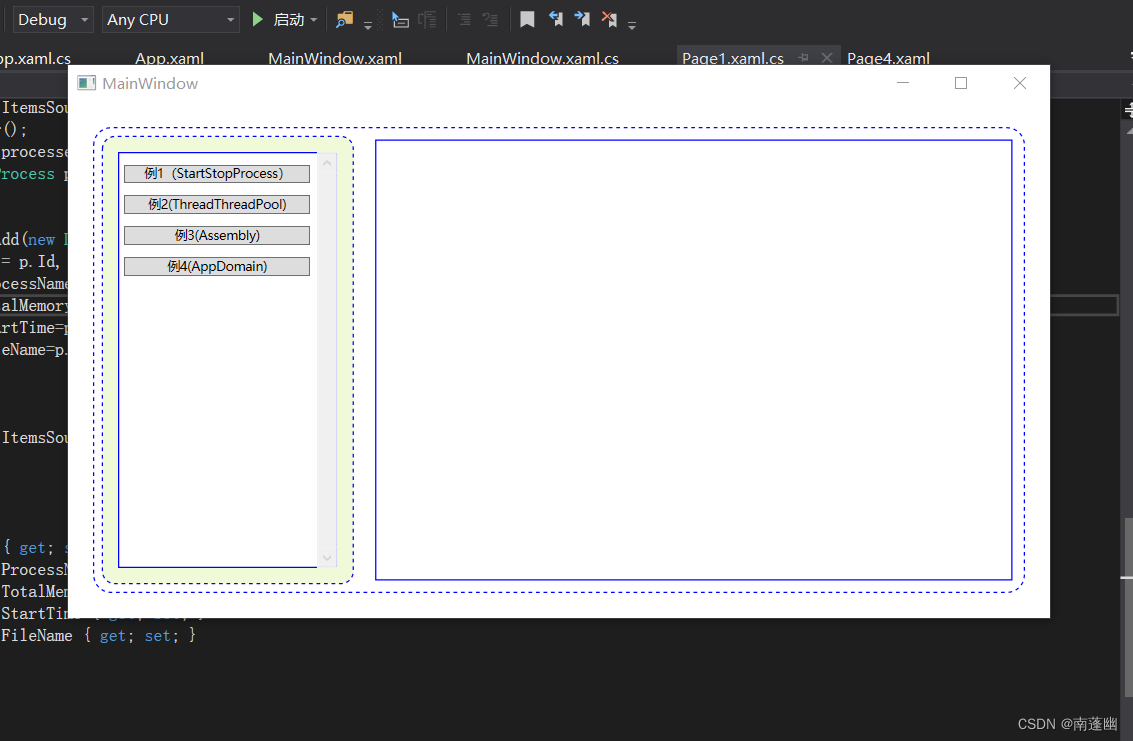
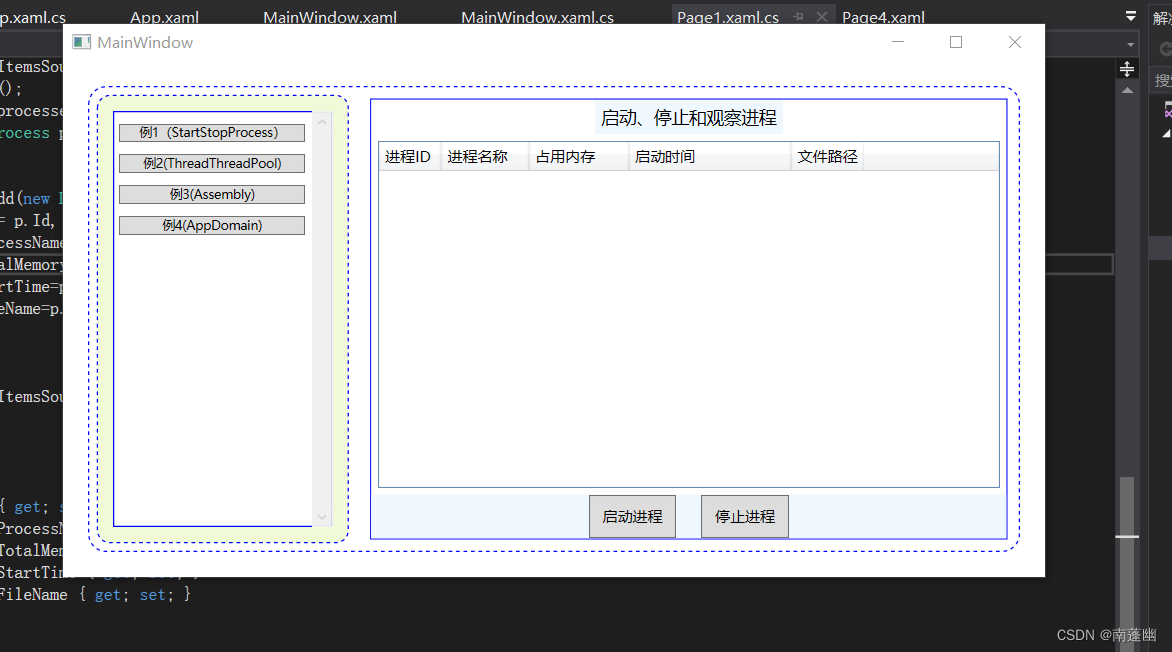
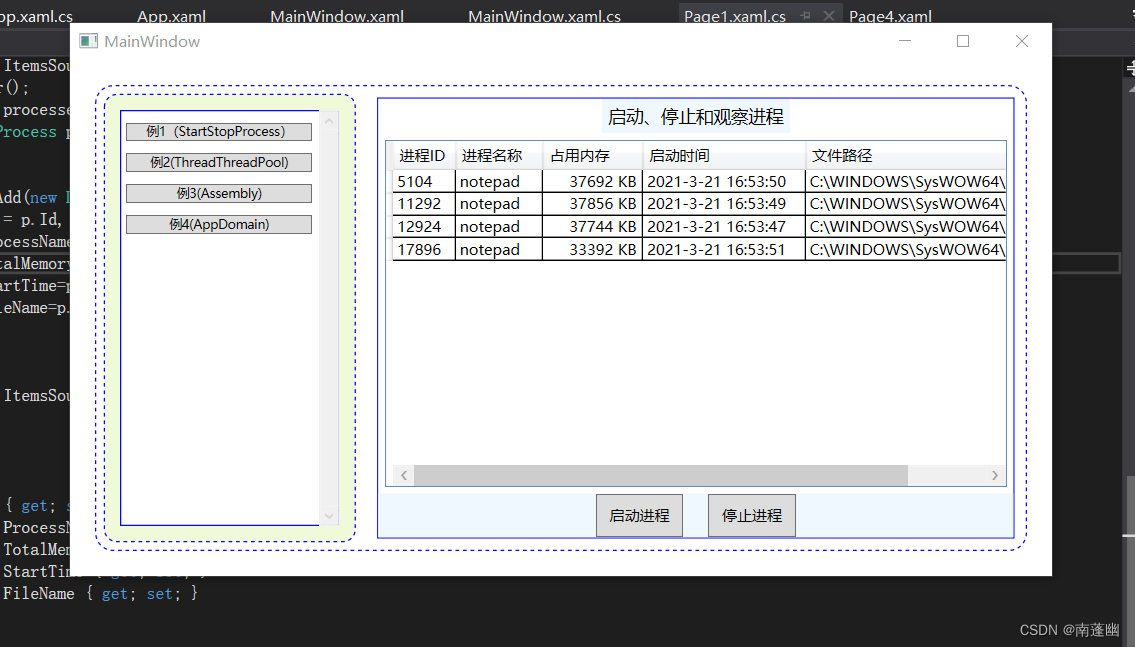
The experimental results can start multiple processes , And stop all processes
Through this experiment , Yes Process The use of the class , Start the process , Stop the process , Get all process information , Get the specified process information , More proficient and master the process management knowledge .
边栏推荐
- Built in module 10.18
- 化工巨头巴斯夫&Pasqal:利用量子神经网络优化天气预报
- C193:评分系统
- libpcap库和pcap_sendpacket接口函数了解
- 10.31 extended configuration of static route
- PC博物馆(3) MITS Altair 8800
- C# 后台GC 的前因后果
- System information function of MySQL function summary
- Capacitance in series and in parallel and capacitance in series and balance resistance
- Rodin 安装 SMT Solvers 插件
猜你喜欢

Introduction to basic cesium controls

化工巨头巴斯夫&Pasqal:利用量子神经网络优化天气预报

信道容量、信道带宽基本概念的理解

MVCC的底层原理
Underlying principle of mvcc

An in-depth understanding of crystal oscillation circuit derived from xtalin pin and xtalout pin of single chip microcomputer

Version announcement | Apache Doris 1.1 release version officially released!

1.2 pedestrian recognition based on incremental generation of occlusion and confrontation suppression (code understanding and experimental progress + Report)

Sharepreference (storage)

What does bus mean
随机推荐
C193:评分系统
Common errors reported by pytorch
[IOT] Wei Peng: Interpretation of 6000 + words | seven necessary product management tools for product people in 2022 (version 1.0)
Qt的QTextToSpeech类实现语音播报功能
使用VS编译NCNN
mysql数据库中的数据如何加密呢?mysql8.0自带新特性
Introduction to reinforcement learning
Underlying principle of mvcc
pytorch lstm+attention
C# 后台GC 的前因后果
Qtexttospeech class of QT realizes voice broadcast function
由单片机XTALIN引脚和XTALOUT引脚导出的对晶体震荡电路的深入理解
产品经理:排查下线上哪里冒出个“系统异常”的错误提示
归一化(Normalization)和标准化(Standardization)
全局函数
Normalization and standardization
内置模块10.18
程序设计综合实验三
统一建模语言 (UML) 规范
【PyTorch系列】PyTorch之torchvision 图像处理库详解