当前位置:网站首页>【使用树莓派时碰到的一些问题】
【使用树莓派时碰到的一些问题】
2022-08-02 03:28:00 【jualay】
1.打开文件管理时闪退
在给树莓派4B安装OpenCV的系统镜像时,发现打开文件管理的时候就一直闪退,不能查看任何的文件夹里面的东西,重启树莓派也没有作用。查阅了一些资料后,发现了解决的方法,需要在终端界面输入以下指令并回车,之后再重启就解决问题了。
sudo apt-get install --reinstall pcmanfm
2.为了让这个仓库能够应用,这必须在更新之前显式接受。
换源之后发现不能用sudo apt-get update来更新。解决办法如下:
sudo apt update
3.换源以及出现由于没有公钥,无法验证下列签名
修改/etc/apt/sources.list
sudo nano /etc/apt/sources.list
将原来的内容全部注释掉(前面加个 # )并添加
deb https://mirrors.tuna.tsinghua.edu.cn/debian/ buster main contrib non-free
deb-src https://mirrors.tuna.tsinghua.edu.cn/debian/ buster main contrib non-free
deb https://mirrors.tuna.tsinghua.edu.cn/debian/ buster-updates main contrib non-free
deb-src https://mirrors.tuna.tsinghua.edu.cn/debian/ buster-updates main contrib non-free
deb https://mirrors.tuna.tsinghua.edu.cn/debian/ buster-backports main contrib non-free
deb-src https://mirrors.tuna.tsinghua.edu.cn/debian/ buster-backports main contrib non-free
deb https://mirrors.tuna.tsinghua.edu.cn/debian-security buster/updates main contrib non-free
deb-src https://mirrors.tuna.tsinghua.edu.cn/debian-security buster/updates main contrib non-free
修改/etc/apt/sources.list.d/raspi.list
sudo nano /etc/apt/sources.list.d/raspi.list
将原来的内容全部注释掉(前面加个 # )并添加
deb http://mirrors.tuna.tsinghua.edu.cn/raspberrypi/ buster main ui
最后呢再输入
sudo apt-get update
边栏推荐
猜你喜欢






随机推荐
kotlin语法总结(二)
SGDP(2)——声纳寻宝游戏
无源域适应(SFDA)方向的领域探究和论文复现(第二部分)
Visual Studio2022创建setup项目
php的curl函数模拟post数据提交,速度非常慢
考(重点理解哪些属于其他货币资金)、其他货币资金的内容、其他货币资金的账务处理(银行汇票存款、银行本票存款、信用卡存款、信用证保证金存款、存出投资款、外埠存款)
自定义view实现半圆弧进度条
synchronized锁原理详解
英语每日打卡
cmd控制台窗体大小设置
挖矿是什么意思?矿工都做了什么?
Microsoft Office安装全过程记录
政府会计的概念、政府会计标准体系、政府会计的特点(会形成小考点)、政府会计要素及其确认和计量、政府预算会计要素、政府财务会计要素
zsh: command not found: xxx 解决方法
解决composer安装太慢 更换国内镜像
Dcat Admin 关闭代码生成器 登录指定地址
关于我的大创、论文~
sacalatest AnyFunSuite:no implicits found for parameter pos
Laravel打印执行的SQL语句
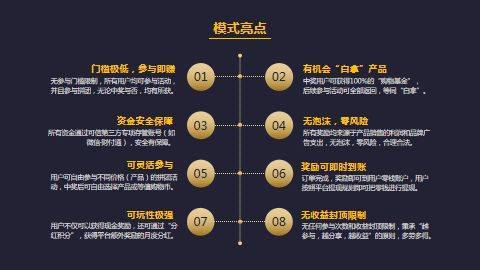
链动2+1模式开发系统