当前位置:网站首页>Final Cut Pro Chinese tutorial (2) understanding of material window
Final Cut Pro Chinese tutorial (2) understanding of material window
2022-07-27 04:58:00 【macw_ q】
Hello everyone , Welcome to learn Final Cut Pro Basic tutorials for , I am a Mac Xiaobotong , This video explains —Final Cut Pro Understanding of material window .

In this issue, we will learn about the understanding of the material window , Before understanding the material window , Let's first understand the top 7 The role of icons .

The icons on the left are :
① Arrow icons : It is the opening and closing of our import window
② Key Icon : It is an editor of our keywords
③ Tick icon : It is the progress query of our background tasks
The icons on the right are :
④ Material window
⑤ Timeline window
⑥ Opening and closing of import window
⑦ A setting for exporting media .
In the material window , We choose a name for our repository , You can right-click to find the location of a file in our resource library in the access .

If we want to delete the repository , You can only right-click the file in the access , Move to waste paper floor .

Select our resource library in the material window , You can press enter to change one of its names

Including our events , Press enter to modify a name , The project is the same .
On the side of the resource pool , Right click it to close our resource pool .

The closing here is just closing, not deleting , If we want to open it , You can also click again . Open the resource library and find him , So it comes back .

Below the resource pool , There will be a smart collection here , Click the arrow to have some conditions for smart selection ,

For example, my personal collection is only audio , Pictures or all video items are here , There will be some categories that come with it .
Fragment screening
Next we select our event ,
On the right, if we have a lot of clips , You can also click on all clips to screen for a condition ,

It can be personal collection or rejected and unused , It means something literally ,
Window mode switching
If we want to switch one of our windows , List mode , You can also use this icon next to all clips , Is the switching of our window mode ,
Click it to switch to a list mode , Click again and switch back to our window mode .

- You can switch a list or window according to your preferences .
Clip adjustment
This Arrow icons It's our fragment size adjustment

- You can control us here
A height of the fragment, Can you see , Want him toHigh or low, Can be adjusted here .

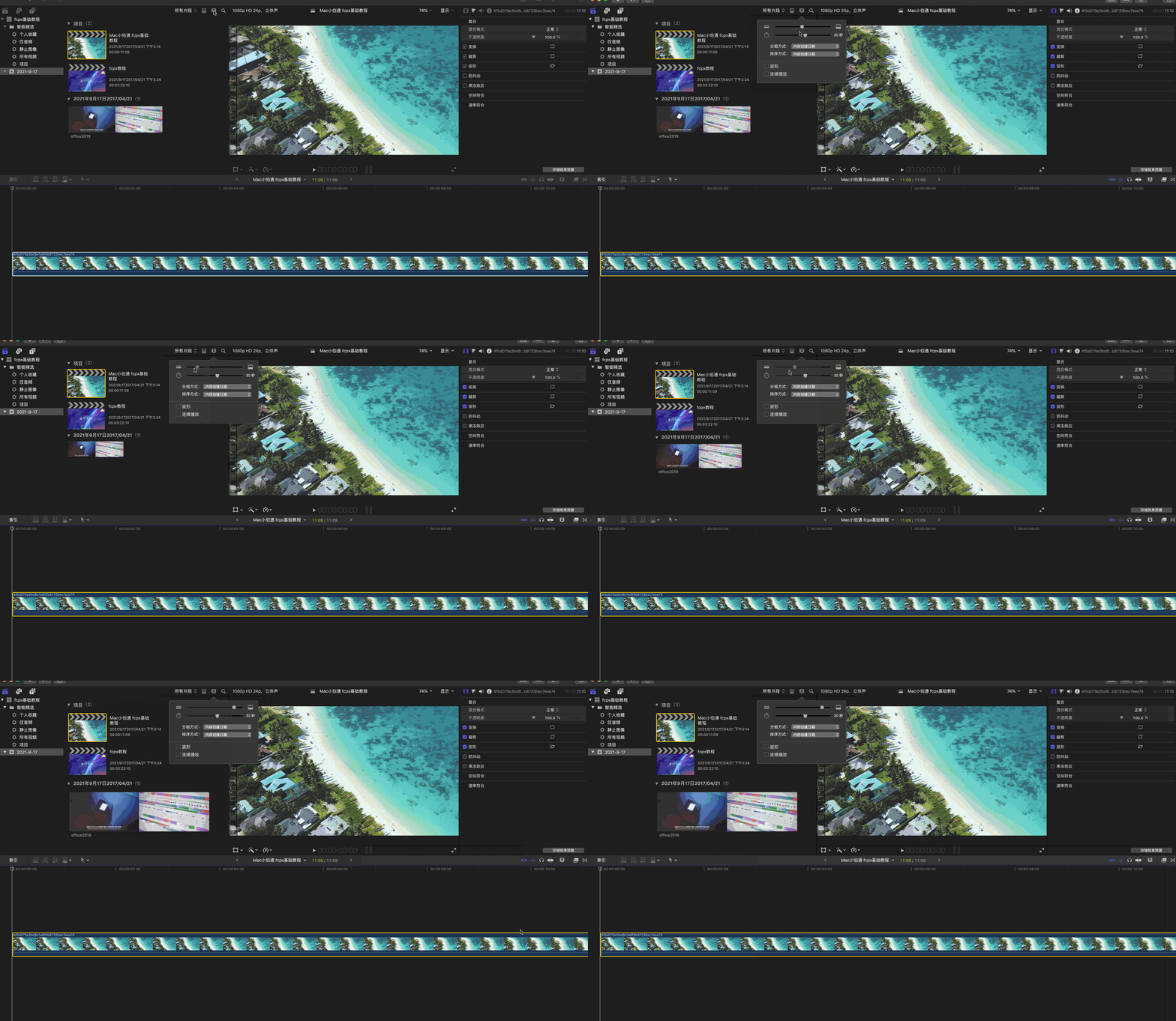
The slider below controls the size of our clip ,
You can see that the clip pulled to the right will be larger and larger , Pull the clip to the left and it will become smaller .

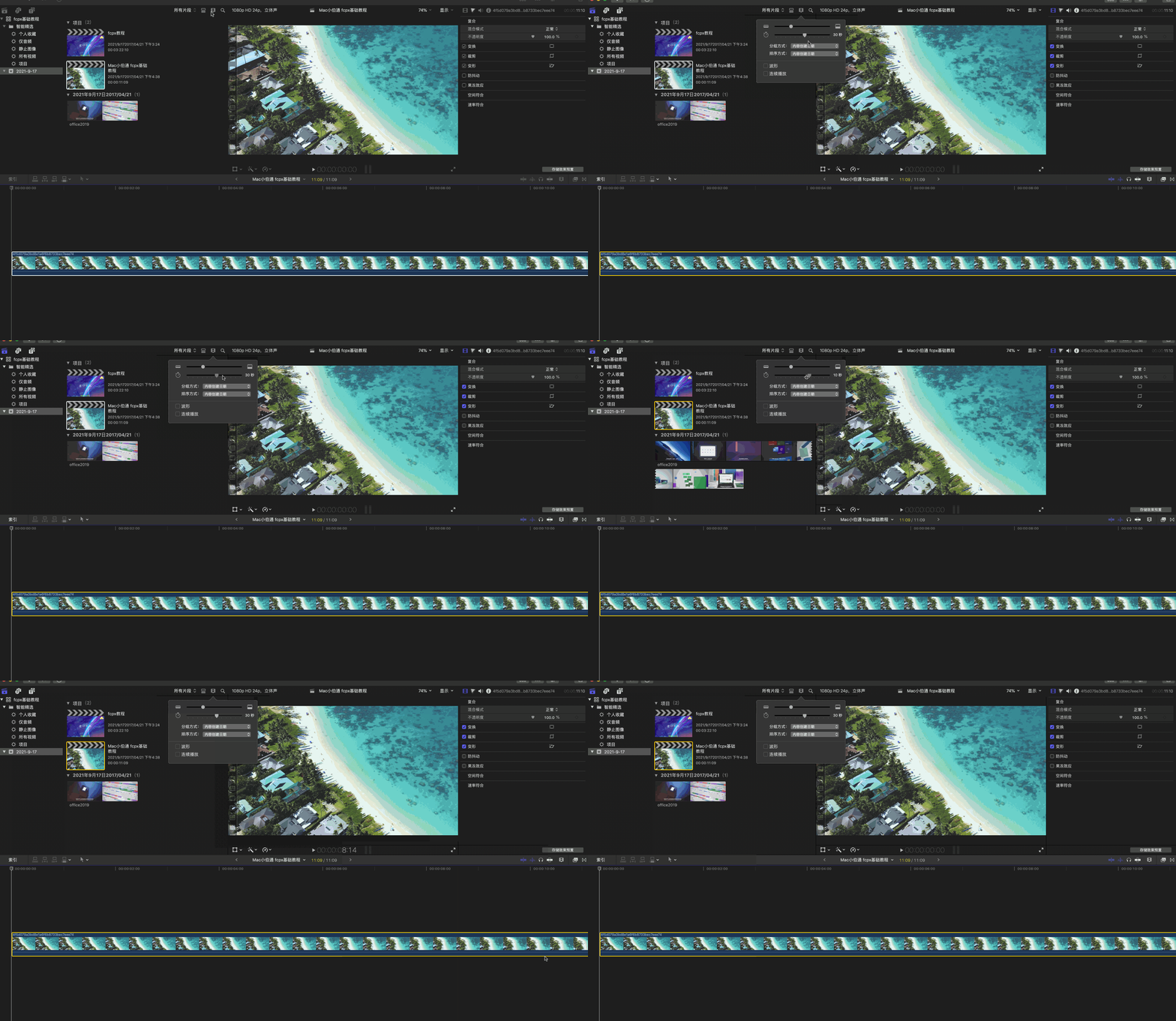
Shortcut usage :
In addition, we can make an adjustment here through the slider ,
We can also choose our clips , Press shortcut key cmd++++ Just zoom in
cmd------ Is to shrink ,
If sometimes we cmd++++ To great , I want him to zoom to the window at one time . You can press shift Add Z In this case , Zoom to the window , It's very convenient for us to check .

Let's continue clicking on the icon , The grouping and sorting methods here , It means literally , Xiaobian won't repeat it .

wave form :
What does this waveform mean , It's an audio waveform of our video , We can click it to view the waveform of our audio . We can also turn it off .

Play continuously :
What does continuous play mean here , That is, we choose this clip , If you finish playing this clip , He will then play to the 2 A fragment , This is a literal meaning .

Magnifier icon : Fragment search
Then there is our magnifying glass icon , Click on it to search a segment of us .
If we have a lot of clips , You can search through text .

Rectangular icon : filter
There will be a rectangular icon next to it , It's one of our filters .
This filter is very powerful , You can add multiple search criteria .
There is a plus sign here , You can see adding various search criteria , Later, I will sort out the materials for a detailed explanation in that issue , Just have a general understanding here .

On the side of the resource pool , There will be our music and sound effects next to it , You can check here .

Then there is our subtitle and generator , You can see that there will be subtitles or generators here .

Whether it's a repository , Music is still subtitle and generator , We can close them by selecting their icons .
A sidebar on the left , We can click it to close , Including our resource pool , Click again to close , Click again to open .

That's all MacW What Xiaobian brought to you “Final Cut Pro Chinese novice tutorial (2) Understanding of material window ”, Key words of this article :“FCPX Chinese Course ,fcpx Material window FCPX Novice tutorial ”, link :“Final Cut Pro Chinese novice tutorial (2) Understanding of material window - macw Download Station ”, Reprint please keep .
边栏推荐
- Title: there is an array that has been sorted in ascending order. Now enter a number and ask to insert it into the array according to the original rule.
- Reproduce ssa-gan using the nine day deep learning platform
- Effect Hook
- [C language] detailed explanation of user-defined types (structure + enumeration + Union)
- Photoshop提示暂存盘已满怎么办?ps暂存盘已满如何解决?
- [search] flood fill and shortest path model
- HCIA static routing comprehensive experiment
- Photoshop裁剪工具隐藏技巧
- Full revolutionary networks for semantic segmentation (FCN)
- kali系统arp介绍(断网嗅探密码抓包)
猜你喜欢

.htaccess learning
2019 top tennis cup upload
MySQL下载安装 & 完美卸载

Replication of df-gan experiment -- detailed steps of replication of dfgan and forwarding from remote port to local port using mobaxtem

Reproduce ssa-gan using the nine day deep learning platform

Knowledge about hash index and b+ tree

项目对接支付宝支付,内网穿透实现监听支付宝的支付成功异步回调通知

消防安全培训资料汇总

Yolov4网络详解

Explanation of index failure principle and its common situations
随机推荐
【C语言】动态内存管理
如何重置Photoshop首选项?ps重置首选项的方法
2019强网杯upload
「Photoshop2021入门教程」对齐与分布制作波点图案
HCIA static routing comprehensive experiment
Cache read / write policies: cacheside, read/writethrough and writeback policies
Find a specific number in an ordered array
C language address book management system (linked list, segmented storage of mobile phone numbers, TXT file access, complete source code)
Vscode opens a new chapter in the visualization of pull request update code branches
MySQL下载安装 & 完美卸载
【C语言】自定义类型详解(结构体+枚举+联合)
CEPH operation
网络协议详解:IP
【Acwing】第61场周赛 题解
On the problem that Gorm's beforedelete hook method does not work
缓存读写策略:CacheAside、Read/WriteThrough及WriteBack策略
The usage syntax and scene of selector, as well as the usage of background picture size, text box shadow and excessive effect
Pinia uses plug-ins for persistent storage.
UUID and indexing rules
js小技巧