当前位置:网站首页>MySQL basic operation and comprehensive instance project based on MySQL basic operation
MySQL basic operation and comprehensive instance project based on MySQL basic operation
2022-07-29 02:31:00 【Programming enthusiast - Axin】
List of articles
- MySQL The basic operation of database is based on MySQL Comprehensive instance project of basic database operation
- summary
MySQL The basic operation of database is based on MySQL Comprehensive instance project of basic database operation
1、 Log in MySQL database
Log in MySQL database :
C:\WINDOWS\system32>MySQL -u root -p
Enter password: ******
Welcome to the MySQL monitor.  Commands end with ; or \g.
Your MySQL connection id is 25
Server version: 8.0.29 MySQL Community Server - GPL

Copyright (c) 2000, 2022, Oracle and/or its affiliates.

Oracle is a registered trademark of Oracle Corporation and/or its
affiliates. Other names may be trademarks of their respective
owners.

Type 'help;' or '\h' for help. Type '\c' to clear the current input statement.

mysql>
1、 Create database
To create a database is to divide an area on the system disk for data storage and management .
If the administrator creates a database for the user when setting permissions , Can be used directly , otherwise , You need to create your own database .
MySQL Basic steps for creating a database in SQL The grammar format is :
CREATE DATABASE database_name;
Create a db_database The database of , As shown below
CREATE DATABASE db_database;
2、 Delete database
To delete a database is to clear an existing database from disk space , After clearing , All the data in the database will also be deleted , The delete database statement is similar to the command to create the database ,MySQL The basic syntax format of deleting database in is :
DROP DATABASE database_name;
Create a db_database The database of , As shown below
DROP DATABASE db_database;
3、 Comprehensive case —— Database creation and deletion
requirement : Use database operation statements to create 、 View and delete databases , The requirements are as follows :
1: Create database zoo:
2: Select the current database as zoo:
3: view the database zoo Information about :
4: Delete database zoo:
The operation process :
cmd Environment creating and deleting databases
1: Create database zoo:
Before creating the database , stay cmd Login first in the environment MySQL, As shown below :
C:\WINDOWS\system32>mysql -u root -p
Enter password: ******
Welcome to the MySQL monitor.  Commands end with ; or \g.
Your MySQL connection id is 16
Server version: 8.0.29 MySQL Community Server - GPL

Copyright (c) 2000, 2022, Oracle and/or its affiliates.

Oracle is a registered trademark of Oracle Corporation and/or its
affiliates. Other names may be trademarks of their respective
owners.

Type 'help;' or '\h' for help. Type '\c' to clear the current input statement.

mysql>
Create database zoo Of SQL The statement is as follows :
mysql> CREATE DATABASE zoo;
Query OK, 1 row affected (0.01 sec)
2: Select the current database as zoo:
Select the current database as zoo Of SQL The statement is as follows :
mysql> USE zoo;
Database changed
3: view the database zoo Information about :
view the database zoo Of information SQL The statement is as follows :
mysql> SHOW CREATE DATABASE zoo \G;
*************************** 1. row ***************************
       Database: zoo
Create Database: CREATE DATABASE `zoo` /*!40100 DEFAULT CHARACTER SET utf8mb4 COLLATE utf8mb4_0900_ai_ci */ /*!80016 DEFAULT ENCRYPTION='N' */
1 row in set (0.00 sec)
4: Delete database zoo:
Delete database zoo Of SQL The statement is as follows :
mysql> DROP DATABASE zoo;
Query OK, 0 rows affected (0.01 sec)
The results are shown in the following figure :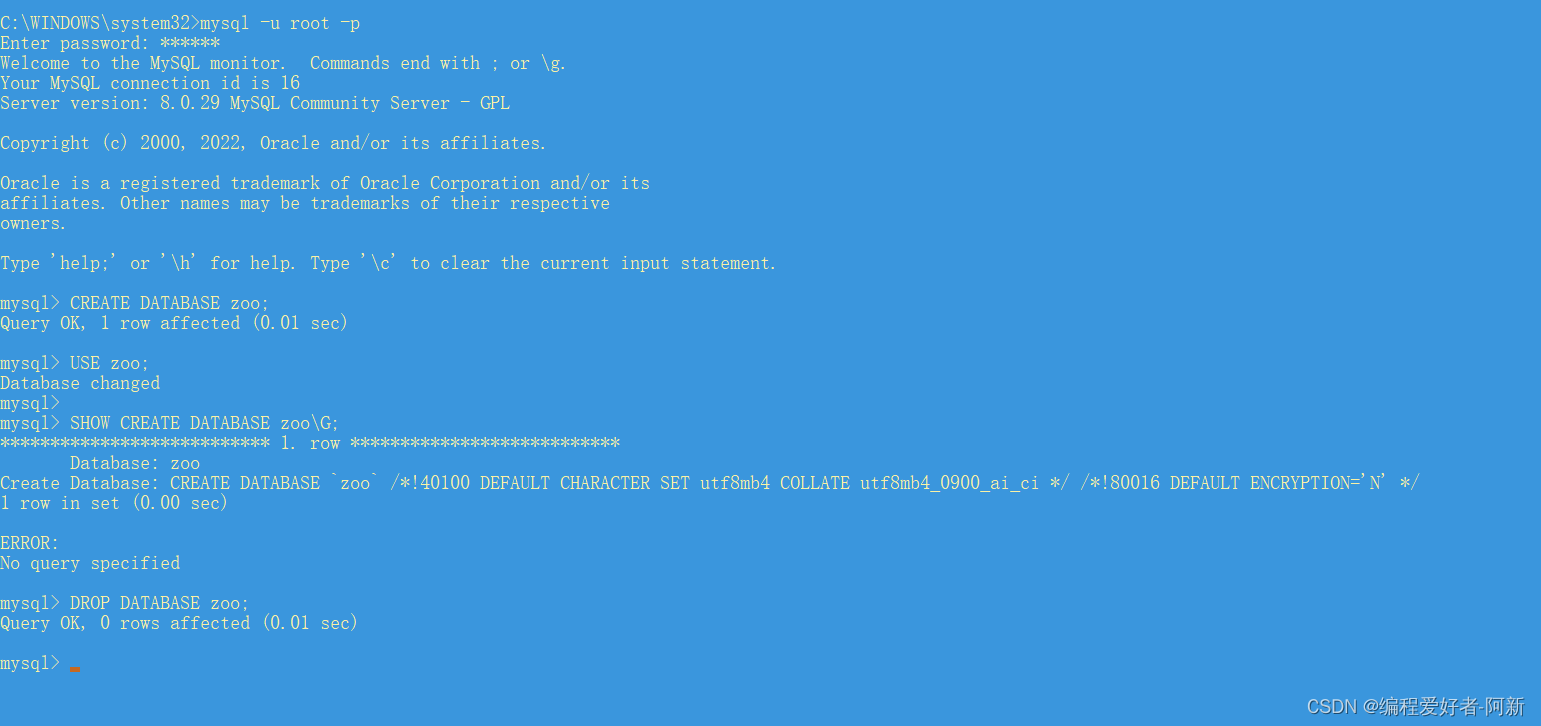
use Navicat Create and delete databases
Get into Navicat Good software , Create a new query to create a database .
Write the following in the query SQL sentence , As shown below .
-- 1: Create database zoo:
CREATE DATABASE zoo;

-- 2: Select the current database as zoo:
 USE zoo;

-- 3: view the database zoo Information about :
SHOW CREATE DATABASE zoo\G;

-- 4: Delete database zoo:
 DROP DATABASE zoo;
The operation process is as follows
1、 choice CREATE DATABASE zoo; Of SQL sentence , As shown in the figure below 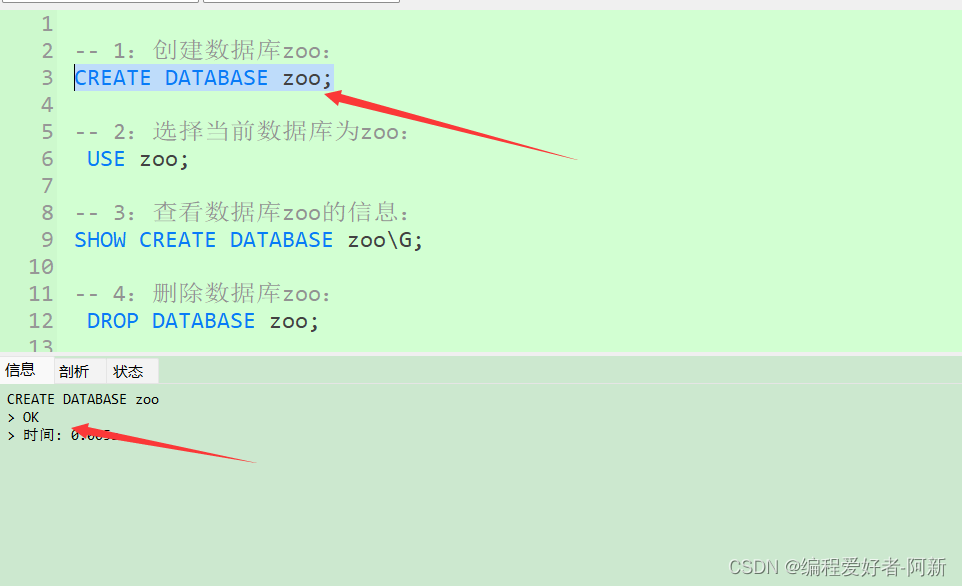
2、 choice USE zoo; Of SQL sentence , As shown in the figure below 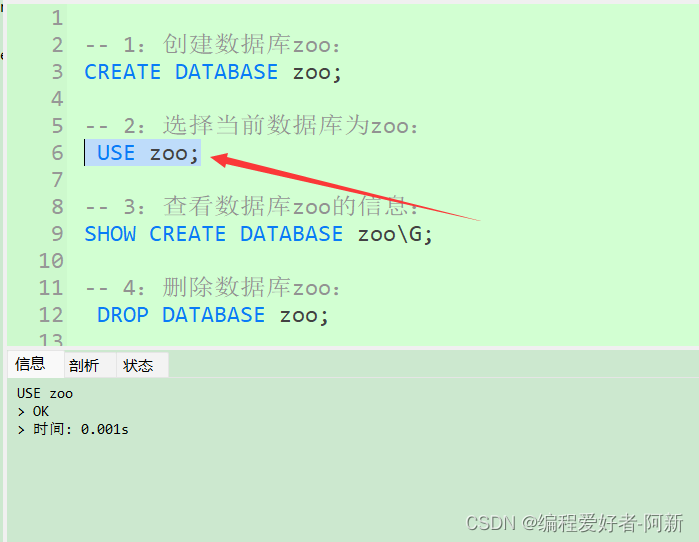
3、 choice SHOW CREATE DATABASE zoo; Of SQL sentence , As shown in the figure below 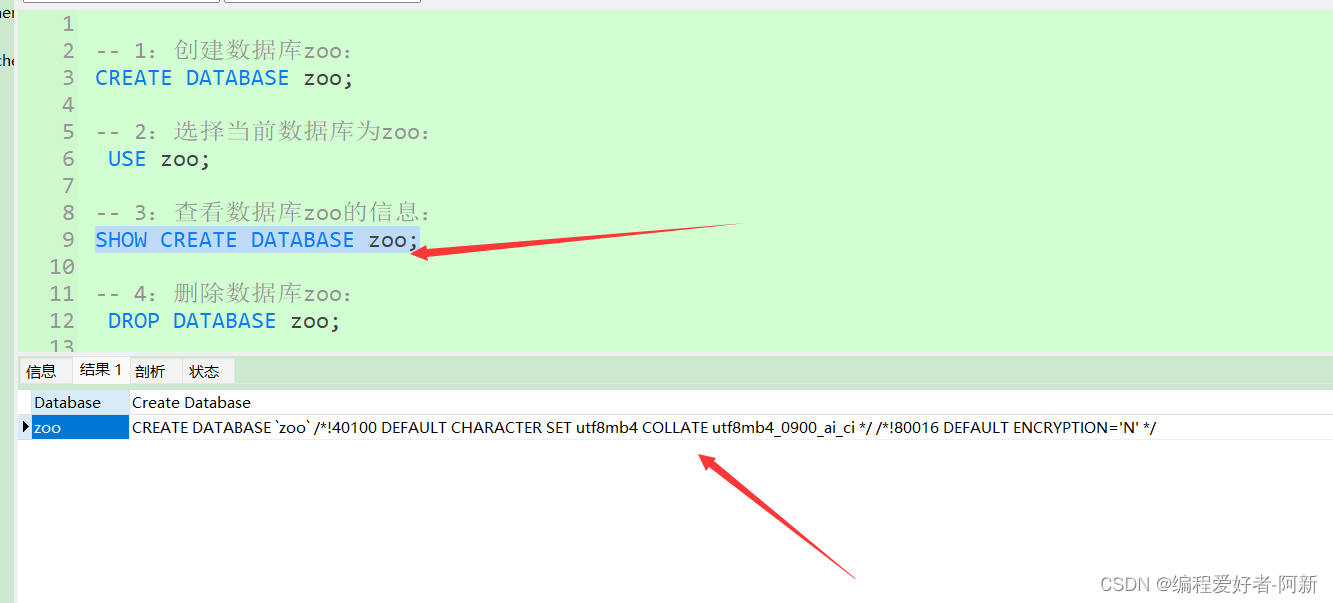
4、 choice DROP DATABASE zoo; Of SQL sentence , As shown in the figure below 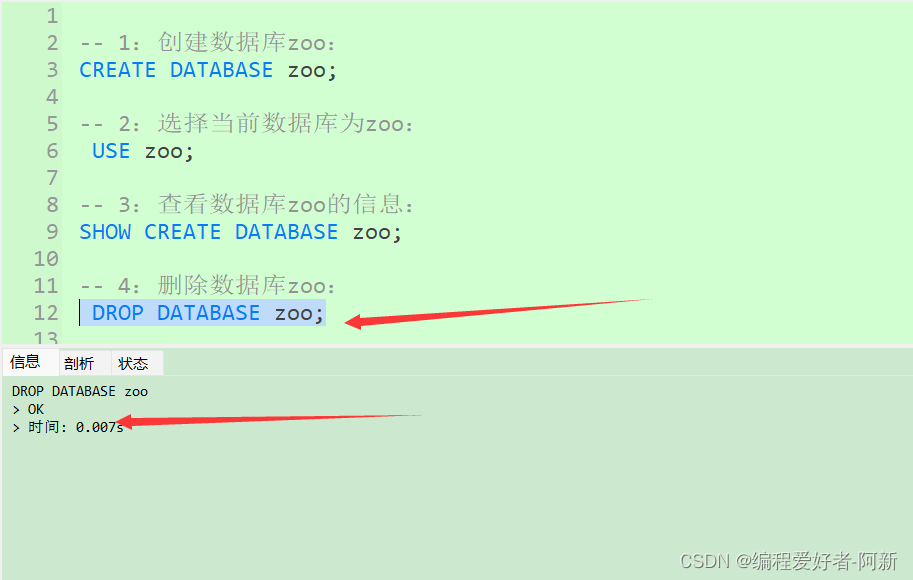
summary
This paper mainly introduces the creation and deletion of database SQL sentence :
CREATE DATABASE database_name and
DROP DATABASE database_name;
So that readers can quickly master MySQL The basic usage of creating and deleting databases in databases . In addition, it also introduces the use of cmd The environment create 、 Delete database and Navicat Create... In the environment 、 How to delete the database .
边栏推荐
- How much is the report development cost in the application system?
- Kbxxxxx is not necessarily a patch, but also a description of a solution to a problem
- Split, an avalanche caused by connection pool parameters
- Awvs cannot start problem
- Day 14: continued day 13 label related knowledge
- Explain asynchronous tasks in detail: task status and lifecycle management
- Three methods of STM32 delay function
- [RT learning note 1] RT thread peripheral routine - control LED light flashing
- 3d智能工厂工艺流转可视化交互展示应用优点
- PS + PL heterogeneous multicore case development manual for Ti C6000 tms320c6678 DSP + zynq-7045 (2)
猜你喜欢

Esbuild Bundler HMR

The financing demand of 129 million yuan was released, and the roadshow of the Dake city project continued to irrigate the "good seedlings" of scientific innovation

Transform okhttp cache with retrofit

第3章业务功能开发(线索备注的删除和修改)

Jmeter之BeanShell生成MD5加密数据写入数据库

如果非要在多线程中使用 ArrayList 会发生什么?

数据安全与隐私计算峰会-安全求交集在隐私计算中的发展和应用:学习

裂开了,一次连接池参数导致的雪崩问题

如果时间不够,无法进行充分的测试怎么办?

基于对象的实时空间音频渲染丨Dev for Dev 专栏
随机推荐
千万不要把Request传递到异步线程里面,有坑
Excel uses countif statistics
KBxxxxxx不一定是补丁,也可能是某个问题解决方案的描述
MySQL和Redis的双写一致性
Exploration and practice of network security vulnerability management
0728~ sorting out interview questions
Responsive dream weaving template makeup website
DevOps 团队如何抵御 API 攻击?
发布融资需求1.29亿元,大科城项目路演持续浇灌科创“好苗子”
Split, an avalanche caused by connection pool parameters
聊聊接口性能优化的11个小技巧
开启TLS加密的Proftpd安全FTP服务器安装指南
How to customize a new tab in Duoyu security browser?
Chapter 3 business function development (deletion and modification of clue remarks)
我被这个浏览了 746000 次的问题惊住了
一文读懂Okaleido Tiger近期动态,挖掘背后价值与潜力
Ten methods to prevent blackmail software from attacking data
“12306”的架构到底有多牛逼?
redis为什么快,消息队列,单线程
I was stunned by this question that I browsed 746000 times