当前位置:网站首页>[fireworks in the sky] it's beautiful to light up the night sky with gorgeous fireworks. A programmer brought a fireworks show to pay New Year's greetings to everyone~
[fireworks in the sky] it's beautiful to light up the night sky with gorgeous fireworks. A programmer brought a fireworks show to pay New Year's greetings to everyone~
2022-06-10 23:58:00 【Programmer pear】
Preface
author :“ Programmer pear ”
** The article brief introduction **: This article mainly explains how to make a new year's interface fireworks special effect .
** Article source code access **: In order to thank everyone who pays attention to me, the project source code of each article is distributed free of charge
Enjoy drops
Welcome friends give the thumbs-up 、 Collection 、 Leaving a message.
Text
Setting off fireworks is one of our customs to welcome the new year and bid farewell to the old , However , Large amount of discharge behavior , Will greatly reduce the air quality , build
Air pollution is accompanied by fire 、 Personal injury and other potential safety hazards . So fireworks have been banned in most areas since very early ~
It is already the peak period of construction , Many of my friends may have never seen fireworks , Nah, Nah, NAH Xiaobian will use code to release
The fireworks , Let's have enough fireworks at one time

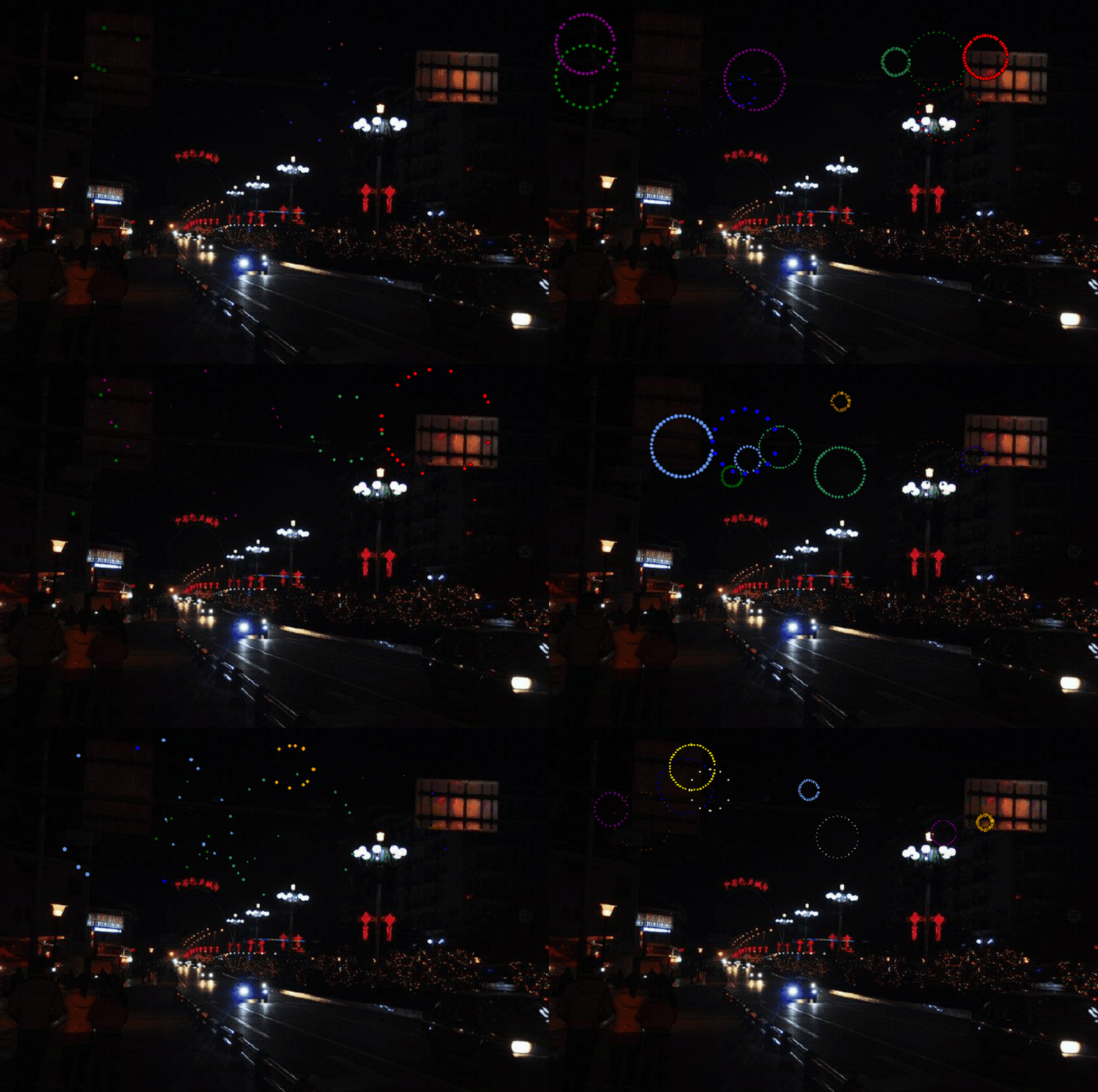
One 、 Effect display
Two 、 Source code display
1) Function implementation uses Python The library includes :tkinter、PIL、time、random、math, If you haven't installed a third before
Fangku's words , Use pip install + Module name Just install it .
2) First , We use tkinter To create a canvas
root = tk.Tk()
# Draw a canvas
cv = tk.Canvas(root, height=457, width=690)
# Background map
image = Image.open("bg.jpeg")
photo = ImageTk.PhotoImage(image)
# Draw a picture on the drawing board
cv.create_image(0, 0, image=photo, anchor='nw')
cv.pack()
3) Next, we'll implement the effect of fireworks display and display it on the canvas . Let's define a fireworks class first fireworks, The main package in the class
enclosed : Initialization method and update data method .
The main parameters of initialization method include : Fireworks bloom axis 、 Speed 、 Color 、 The number of particles and time, etc , The code implementation is as follows :
def __init__(self, cv, idx, total, explosion_speed, x=0., y=0.,
vx=0., vy=0., size=2., color='red', lifespan=2, **kwargs):
self.id = idx
# Fireworks bloom x Axis
self.x = x
# Fireworks bloom x Axis
self.y = y
self.initial_speed = explosion_speed
# Exorcism x Shaft speed
self.vx = vx
# Exorcism y Shaft speed
self.vy = vy
# Number of blooming particles
self.total = total
# Has stayed for a long time
self.age = 0
# Color
self.color = color
# canvas
self.cv = cv
self.cid = self.cv.create_oval(x - size, y - size, x + size, y + size,
fill=self.color)
self.lifespan = lifespan
4) When the fireworks are set off, they need to be refreshed , Take a look at the update method , The code implementation is as follows :
def update(self, dt):
self.age += dt
# Particles expand
if self.alive() and self.expand():
move_x = cos(radians(self.id * 360 / self.total)) * self.initial_speed
move_y = sin(radians(self.id * 360 / self.total)) * self.initial_speed
self.cv.move(self.cid, move_x, move_y)
self.vx = move_x / (float(dt) * 1000)
# Expand to maximum drop
elif self.alive():
move_x = cos(radians(self.id * 360 / self.total))
self.cv.move(self.cid, self.vx + move_x, self.vy + 0.5 * dt)
self.vy += 0.5 * dt
# Expired removal
elif self.cid is not None:
cv.delete(self.cid)
self.cid = None
5) Next, let's look at the realization of fireworks display , The main elements include : The number of fireworks 、 The scope and speed of the explosion 、 Dwell time and brush
New time, etc , The code implementation is as follows :
def ignite(cv):
t = time()
# Fireworks list
explode_points = []
wait_time = randint(10, 100)
# The number of explosions
numb_explode = randint(6, 10)
for point in range(numb_explode):
# List of explosive particles
objects = []
# The explosion x Axis
x_cordi = randint(50, 550)
# The explosion y Axis
y_cordi = randint(50, 150)
speed = uniform(0.5, 1.5)
size = uniform(0.5, 3)
color = choice(colors)
# The speed of the explosion
explosion_speed = uniform(0.2, 1)
# The particle number radius of the explosion
total_particles = randint(10, 50)
for i in range(1, total_particles):
r = fireworks(cv, idx=i, total=total_particles,
explosion_speed=explosion_speed, x=x_cordi, y=y_cordi,
vx=speed, vy=speed, color=color, size=size,
lifespan=uniform(0.6, 1.75))
# Add to the particle list
objects.append(r)
# Add the particle list to the fireworks list
explode_points.append(objects)
total_time = .0
# stay 1.8 Keep up to date in seconds
while total_time < 1.8:
# Pause the screen 0.01s
sleep(0.01)
# Refresh time
tnew = time()
t, dt = tnew, tnew - t
# Traverse the fireworks list
for point in explode_points:
# Traverse the list of particles in the fireworks
for item in point:
# Update time
item.update(dt)
# Refresh the page
cv.update()
total_time += dt
root.after(wait_time, ignite, cv)

summary
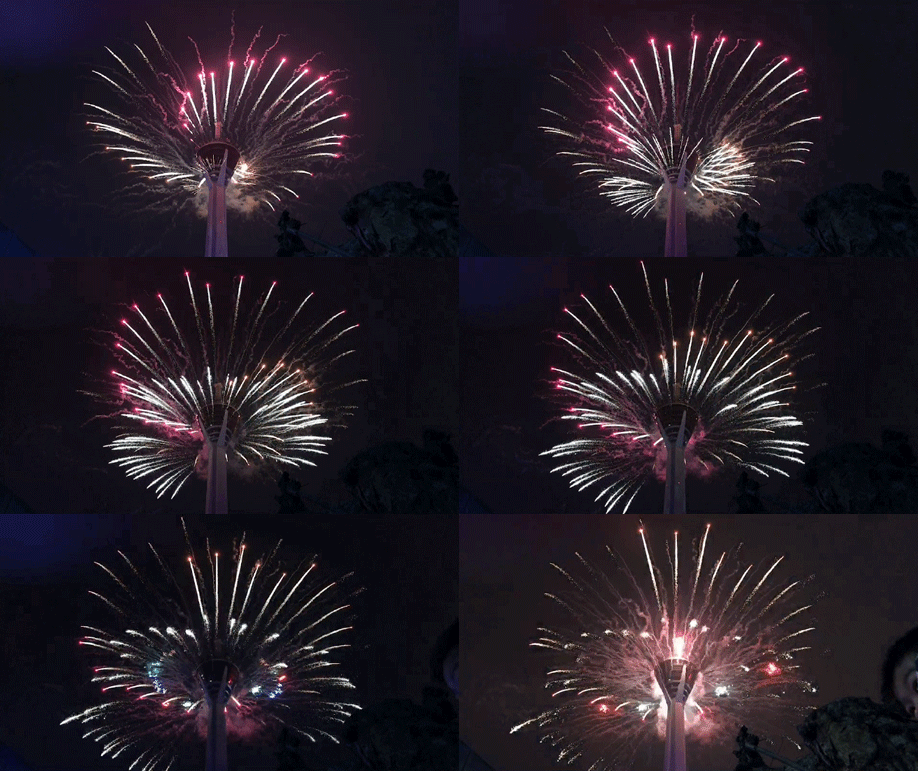
So many fireworks .gif Enough to see You can also make your own code , Come what you want ~
Follow Xiaobian for more wonderful content ! Remember to click on the portal
Remember Sanlian ! If you need packaged source code + Free sharing of materials !! Portal

边栏推荐
- LabVIEW中NI MAX中缺少串口
- LabVIEW obtains the information of all points found by the clamp function
- 【Pygame合集】回忆杀-“童年游戏”,看看你中几枪?(附五款源码自取)
- easyrecovery15操作简单方便的数据恢复工具
- 【颜值检测神器】来,请拿出你们的绝活(这颜值,对得起观众么?)
- LabVIEW和VDM提取色彩和生成灰度图像
- 【Pygame小游戏】来了来了它来了——这款五子棋小游戏超A的,分享给你的小伙伴儿一起pk吧~
- 2022 college entrance examination quantitative paper | please answer the questions for quantitative candidates
- flutter 如何去掉listview顶部空白的问题
- 给线程池里面线程添加名称的4种方式
猜你喜欢

curl导入postman报错小记

【Turtle表白合集】“海底月是天上月,眼前人是心上人。”余生多喜乐,长平安~(附3款源码)

LabVIEW错误“内存已满 - 应用程序停止在节点”

Data and information resource sharing platform (6)
How to measure the refresh rate of oscilloscope

干货丨MapReduce的工作流程是怎样的?
示波器刷新率怎么测量

SystemVerilog(十)-用户自定义类型

【Pygame小游戏】激荡大脑思维,一起来玩转奇思妙想“24点”叭~(超赞滴)

It is said that the verification code is a barrier in the crawler. I can break through it with only five lines of code.
随机推荐
OpenResty安装
LabVIEW中创建毫秒时间标识
细数十大信息安全原则
【自动回复or提醒小助手】妈妈再也不用担心我漏掉消息了(10行代码系列)
ILRuntime热更框架 安装以及断点调试
【Pygame小游戏】来了来了它来了——这款五子棋小游戏超A的,分享给你的小伙伴儿一起pk吧~
A simple understanding of B tree
Create millisecond time id in LabVIEW
黑马头条丨腾讯薪酬制度改革引争议;英特尔全国扩招女工程师;黑马100%就业真的吗......
示波器刷新率怎么测量
Ilruntime hotfix framework installation and breakpoint debugging
LabVIEW获取Clamp函数找到的所有点的信息
vtk.js中vtp下载
2022 college entrance examination quantitative paper | please answer the questions for quantitative candidates
Classic sentences in Yi Shu's works
Unity script cannot display Chinese comments of C # source code or the script created by vs does not have comments of C # source code
Fiddler configuration
Hyperleger fabric installation
集合删除元素技巧 removeIf
上海网上开户是安全的吗?