当前位置:网站首页>WDS必知必会
WDS必知必会
2022-06-21 15:34:00 【maic】
在webpack中构建本地服务,最重要的一个插件webpack-dev-server,我们俗称WDS,它承担起了在开发环境模块热加载、本地服务、接口代理等非常重要的功能。
本文是笔者对wds的一些理解和认识,希望在项目中有所帮助。
正文开始...
在阅读本文之前,本文会大概从下几个方面去了解wds
1、了解wds是什么
2、wds在webpack中如何使用
3、项目中使用wds是怎么样的
4、关于配置devServer的一些常用配置,代理等
5、wds如何实现模块热加载原理
了解webpack-dev-server
顾名思义,这是一个在开发环境下的使用的本地服务,它承担了一个提供前端静态服务的作用
首先我们快速搭建一个项目,创建一个项目webpack-07-wds执行npm init -y,然后安装基础支持的插件
npm i webpack webpack-cli html-webpack-plugin webpack-dev-server -D
创建一个webpack.config.js
const path = require('path');
const htmlWebpackPlugin = require('html-webpack-plugin')
module.exports = {
  entry: './src/index.js',
  output: {
    path: path.resolve(__dirname, 'dist'),
    filename: 'js/[name].js'
  },
  plugins: [new htmlWebpackPlugin({
    template: './public/index.html'
  })]
}
在根目录下创建public,新建html文件
<!DOCTYPE html>
<html lang="en">
  <head>
    <meta charset="UTF-8" />
    <meta http-equiv="X-UA-Compatible" content="IE=edge" />
    <meta name="viewport" content="width=device-width, initial-scale=1.0" />
    <title>webpack-for-dev-server</title>
  </head>
  <body>
    <div id="app"></div>
  </body>
</html>
我们在入口文件写入一段简单的代码
// index
(() => {
  const appDom = document.getElementById('app');
  appDom.innerHTML = 'hello webpack for wds'
})()
我们已经准备好了内容,现在需要启动wds,因此我们需要在在package.json中启动服务
  "scripts": {
    "test": "echo \"Error: no test specified\" && exit 1",
    "start": "webpack server"
  },
执行npm run start

万事大吉,原来就是一行命令就可以了
但是这行命令的背后实际上有webpack-cli帮我们做了一下事情,实际上在.bin目录下,当你执行该命令时,webpack就会启用告知webpack-dev-server开启服务,通过webpack根据webpack.config.js的配置信息进行compiler,然后再交给webpack-dev-server处理
参考官方文档webpack-dev-server[1]
根目录新建server.js
// server.js
const webpack = require('webpack');
const webpackDevServer = require('webpack-dev-server');
const webpackConfig = require('./webpack.config.js');
// webpack处理入口配置相关文件
const compiler = webpack(webpackConfig);
// devServer的相关配置
const devServerOption = {
  port: 8081,
  static: {
    directory: path.join(__dirname, 'public')
  },
  compress: true // 开启gizps压缩public中的html
};
const server = new webpackDevServer(devServerOption, compiler);
const startServer = async () => {
  console.log('server is start');
  await server.start();
}
startServer();
终端执行node server.js或者在package.json中配置,执行npm run server
  "scripts": {
    "test": "echo \"Error: no test specified\" && exit 1",
    "start": "webpack server",
    "server": "node ./server.js"
  }
打开页面http://localhost:8081地址,发现是ok的
我们注意到可以使用webpack server启动服务,这个主要是webpack-cli的命令server[2]
关于在命令行中设置对应的环境,在以前项目中可能你会看到,process.env.NODE_ENV这样的设置
你可以在cli命令中配置,注意只能在最前面设置,不能像以下这种方式设置webpack server NODE_ENV=test NODE_API=api,不然会无效
  "scripts": {
    "test": "echo \"Error: no test specified\" && exit 1",
    "start": "NODE_ENV=test NODE_API=api webpack server",
    "server": "node ./server.js"
  },
在webpack.config.js中就可以看到设置的参数
// webpack.config.js
const path = require('path');
const htmlWebpackPlugin = require('html-webpack-plugin')

console.log(process.env.NODE_ENV, process.env.NODE_API) // test api
module.exports = {
  entry: './src/index.js',
  mode: 'development',
  output: {
    path: path.resolve(__dirname, 'dist'),
    filename: 'js/[name].js'
  },
  plugins: [new htmlWebpackPlugin({
    template: './public/index.html'
  })]
}
你可以设置--node-env xxx环境参数来指定环境变量
"start:test": "webpack server --node-env test",
更多参数设置参考官方cli[3]
wds在webpack中的使用
我们上述是用一个server.js,通过命令行方式,调用webpack-dev-serverAPI方式去启动一个本地的静态服务,但是实际上,在webpack中直接在配置devServer[4]接口中配置就行。
了解几个常用的配置
port指定端口打开页面clientoverlay 当程序错误时,浏览器页面全屏警告 webSocketURL 允许指定websocket服务器
progress启动开发环境gizp压缩静态htmlhistoryApiFallback当使用路由模式为history时,必须设置这个,要不然前端刷新直接404页面hot模块热加载,需要结合module.hot.accept('xxx/xxx')指定某个模块热加载 module.hot.acceptopen 当我们启动本地服务时,自动打开指定配置端口的浏览器
module.exports = {
  ...
  devServer: {
      port: '9000',
      client: {
      progress: true, // 启用gizp
      overlay: {
        errors: true, // 如果有错误会有蒙层
        warnings: false,
      },
      webSocketURL: {
        hostname: '0.0.0.0',
        pathname: '/ws',
        port: 8080,
        protocol: 'ws',
      }
    },
    historyApiFallback: true, // 使用路由模式为history时,必须设置这个,要不然前端刷新会直接404页面
    hot: true, // 模块热加载,对应模块须配合module.hot.accept('xxx/xxx.js')指定模块热加载
    open: true, // 当服务启动时默认自动直接打开浏览器,可以指定打开哪个页面
  }
}
proxy
proxy 这是项目中接触最多一点,也是初学者配置代理时常最令人头疼的事情,实际上proxy本质就是将本地的接口路由前缀代理到目标服务器环境,可以同时代理多个不同环境,具体参考以下
...
module.exports = {
  ...
  devServer: {
    ...
    proxy: {
      '/j': {
        target: 'https://movie.douban.com', // 代理豆瓣
        changeOrigin: true
      },
      '/cmc': {
        target: 'https://apps.game.qq.com', // 代理王者荣耀官网
        changeOrigin: true, // 必须要加,否则代理接口直接返回html
        pathRewrite: { '^/cmc': '/cmc' },
      }
    }
  }
}
我们修改index.js
(() => {
  const $ = id => document.getElementById(id);
  const appDomMovie = $('movie');
  const gameDom = $('wang');
  // appDom.innerHTML = 'hello webpack for wds,';
  // https://movie.douban.com/j/new_search_subjects?sort=U&range=0,10&tags=%E7%94%B5%E5%BD%B1&start=0
  // 豆瓣电影
  const featchMovie = async () => {
    const { data = [] } = await (await fetch('/j/new_search_subjects?sort=U&range=0,10&tags=%E7%94%B5%E5%BD%B1&start=0')).json()
    // console.log(data)
    const divDom = document.createElement('div');
    let str = '';
    data.forEach(item => {
      const { title, rate } = item;
      str += ` <span>${title},${rate}</span>`
    })
    divDom.innerHTML = str;
    appDomMovie.appendChild(divDom);
  }
  featchMovie();
  const wangzherongyao = async () => {
    const divDom = document.createElement('div');
    // https://apps.game.qq.com/cmc/cross?serviceId=18&filter=tag&sortby=sIdxTime&source=web_pc&limit=20&logic=or&typeids=1%2C2&exclusiveChannel=4&exclusiveChannelSign=8a28b7e82d30142c1a986bb7acdcc068&time=1655732988&tagids=931
    // 王者荣耀官网
    const { data: { items = [] } } = await (await fetch('/cmc/cross?serviceId=18&filter=tag&sortby=sIdxTime&source=web_pc&limit=20&logic=or&typeids=1%2C2&exclusiveChannel=4&exclusiveChannelSign=8a28b7e82d30142c1a986bb7acdcc068&time=1655732988&tagids=931')).json()
    let str = '';
    console.log(items)
    items.forEach(item => {
      const { sTitle, sIMG } = item;
      str += `<div>
          <img src=${sIMG} />
          <div>${sTitle}</div>
      </div>`
    });
    divDom.innerHTML = str;
    gameDom.appendChild(divDom);
  }
  wangzherongyao()
})()
 对应的两个接口数据就已经在页面上渲染出来了
对于代理我们会常常容易会犯以下几个误区
第一种, 多个接口代理,第一个直接以 /代理,这会造成第二个代理无效,接口直接404,优先级会先匹配第一个
{
 devServer: {
   proxy: {
      '/': {
        target: 'https://movie.douban.com', // 代理豆瓣
        changeOrigin: true,
      },
      '/cmc': {
        target: 'https://apps.game.qq.com', // 代理王者荣耀官网
        changeOrigin: true, // 必须要加,否则代理接口直接返回html
        pathRewrite: { '^/cmc': '/cmc' },
      }
    }
 }
}
第二种, pathRewrite要不要加,什么时候该加,不知道你发现没有我第一个接口拦截并没有加pathRewrite,但是和第二个加了效果是一样的。
现在有一个场景,就是你本地测试服务接口与线上接口是有区别的,一般你在本地开发是联调环境,后端的接口不按照常理出牌,假设联调环境后端就是死活不同意统一接口路径怎么办?
现在假设后端接口
联调环境:/dev/api/cmc/cross
线上环境是/api/cmc/cross
于是你想到有以下两种方案:
1、在axios请求拦截根据环境变量手动添加前缀,但是这不是一种很好的方案,相当于把不确定性的逻辑代码打包到线上去了,有一定风险
2、不管开发环境还是本地联调环境都是统一的路径,仅仅只是在proxy的pathRewrite做处理,这样风险很小,不容易造成线上接口404风险
于是这时候pathRewrite的作用就来了,重写路径,注意是pathRewrite: { '^/cmc': '/dev/cmc' }
我们仅仅是在开发环境重新了/cmc接口路径,实际上代码环境的代码并不会打包到线上
  {
 devServer: {
   proxy: {
      '/j': {
        target: 'https://movie.douban.com', // 代理豆瓣
        changeOrigin: true,
      },
      '/cmc': {
        target: 'https://apps.game.qq.com', // 代理王者荣耀官网
        changeOrigin: true, // 必须要加,否则代理接口直接返回html
        pathRewrite: { '^/cmc': '/dev/cmc' },
      }
    }
 }
}
第三种,缺少 changeOrigin:true,像下面这种丢失了changeOrigin是不行的
 devServer: {
   proxy: {
      '/j': {
        target: 'https://movie.douban.com', // 代理豆瓣
        // changeOrigin: true,
        pathRewrite: { '^/j': '/j' },
      },
      '/cmc': {
        target: 'https://apps.game.qq.com', // 代理王者荣耀官网
        //changeOrigin: true,
        pathRewrite: { '^/cmc': '/dev/cmc' },
      }
    }
 }
}
如果遇到有多个路由指向的是同一个服务器怎么办,别急,官网有方案,你可以这么做
{
  devServer: {
    proxy: [
     {
        context: ['/j', '/cmc'],
        target: 'https://movie.douban.com'
     }
   ]
  }
}
项目常用的就是以上这些了,另外拓展的,比如可以支持本地https,因为默认本地是http,还有支持当前可以开启一个websocket服务,更多配置参考官网,或者有更多特别的需求,及时翻阅官网[5]
WDS模块热加载原理(HMR)
只更新页面模块变化的内容,无需全站刷新
本质上就是webpack-dev-server中的两个服务,一个express提供的静态服务,通过webpack去compiler入口的依赖文件,加载打包内存中的bundle.js
第二个模块热加载是一个websocket服务,通过socketio,当源码静态文件发生变化时,此时会生成一个manifest文件,这个文件会记录一个hash以及对应文件修改的chunk.js,当文件修改时websocket会单独向浏览器发送一个ws服务,从而更新页面部分模块,更多可以参考官网hot-module-replacement[6]
总结
了解
webpack-dev-server是什么,它是一个开发环境的静态服务webpack-dev-server在webpack中的使用关于
WDS一些常用的配置,比如如何配置接口代理等浅识
HMR模块热加载,原生webpack虽然也提供了模块热加载,但是webpack-dev-server可以实现模块热加载,常用框架,比如vue,内部热加载是用vue-loader实现的,在使用WDS时,默认是开启了热加载的。
参考资料
webpack-dev-server: https://webpack.docschina.org/api/webpack-dev-server/
[2]server: https://github.com/webpack/webpack-cli/blob/master/SERVE-OPTIONS-v4.md
[3]cli: https://webpack.docschina.org/api/cli/
[4]devServer: https://webpack.docschina.org/configuration/dev-server/
[5]官网: https://webpack.docschina.org/configuration/dev-server/
[6]hot-module-replacement: https://webpack.docschina.org/concepts/hot-module-replacement/
边栏推荐
- 多进程的坑记录( 不定时更新)
- Best practice | how to use Tencent cloud micro build to develop enterprise portal applications from 0 to 1
- “我这个白痴,招到了一堆只会‘谷歌’的程序员!”
- Dentron: ultra fast open source notes in vscode
- Integration of sparkstreaming and sparksql
- Je ne veux pas ouvrir un compte en ligne.
- Gmail: how to track message reading status
- A pit trodden in the equivalence comparison of integer
- Basic concepts of database
- Several common implementation methods of mock interface test
猜你喜欢

Encryption market "escape": clearing, selling and running

Not only products, FAW Toyota can give you "all-round" peace of mind

Idea restart
![[pytorch basic tutorial 29] DIN model](/img/13/a180134e149c7ec08ff878f3e3514c.png)
[pytorch basic tutorial 29] DIN model
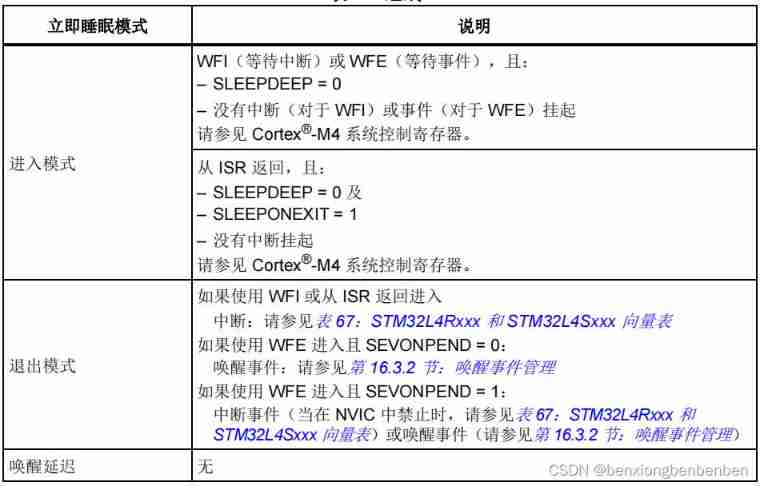
Stm32l431 immediate sleep mode (code + explanation)

The rising sun chart effectively shows the hierarchy and ownership of data
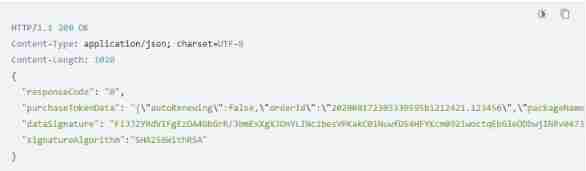
When Huawei order service is called to verify the token interface, connection reset is returned

Three sides of the headline: tostring(), string Valueof, (string) forced rotation. What is the difference

Comprehensive learning notes for intermediate network engineer in soft test (nearly 40000 words)

Set up your own website (4)
随机推荐
Native JS routing, iframe framework
『忘了再学』Shell流程控制 — 36、for循环介绍
Defcampctf2122 Forensics
原生JS路由,iframe框架
[Yugong series] February 2022 wechat applet -app Debug JSON configuration attribute
[database] written interview database
[Yugong series] February 2022 wechat applet -app Networktimeout of JSON configuration attribute
多进程的坑记录( 不定时更新)
使用APICloud实现文档下载和预览功能
MQ interview questions sorting
Best practice | how to use Tencent cloud micro build to develop enterprise portal applications from 0 to 1
Principles and examples of PHP deserialization vulnerability
Research Report on the overall scale, major producers, major regions, products and application segments of active aluminum chloride in the global market in 2022
Write static multi data source code and do scheduled tasks to realize database data synchronization
WSL 2 的安装过程(以及介绍)
理财产品预约赎回确认日是什么?
The application of RPC technology and its framework sekiro in crawler reverse, encrypting data is a shuttle!
Encryption market "escape": clearing, selling and running
Angular 服务器端渲染应用的开箱即用的缓存功能问题
Analysis on the scale and market structure of China's bill financing industry in 2020 [figure]