当前位置:网站首页>Sim2real environment configuration tutorial
Sim2real environment configuration tutorial
2022-07-02 16:19:00 【Xiangwan demon avvvvvva】
1. Download mirroring tar Package to local
Due to official docker The mirror address source is abroad , Download is slow , Therefore, the corresponding server and client images are uploaded to Alibaba cloud in advance , Mirror first tar Download the package locally , In the download tar You can complete the following operations while packaging .
2. download sim2real Start the script file locally and install the image
sim2real Official installation tutorial
Just follow the official tutorial , Here are some key points : There are many differences in the host operation , Please refer mainly to this document 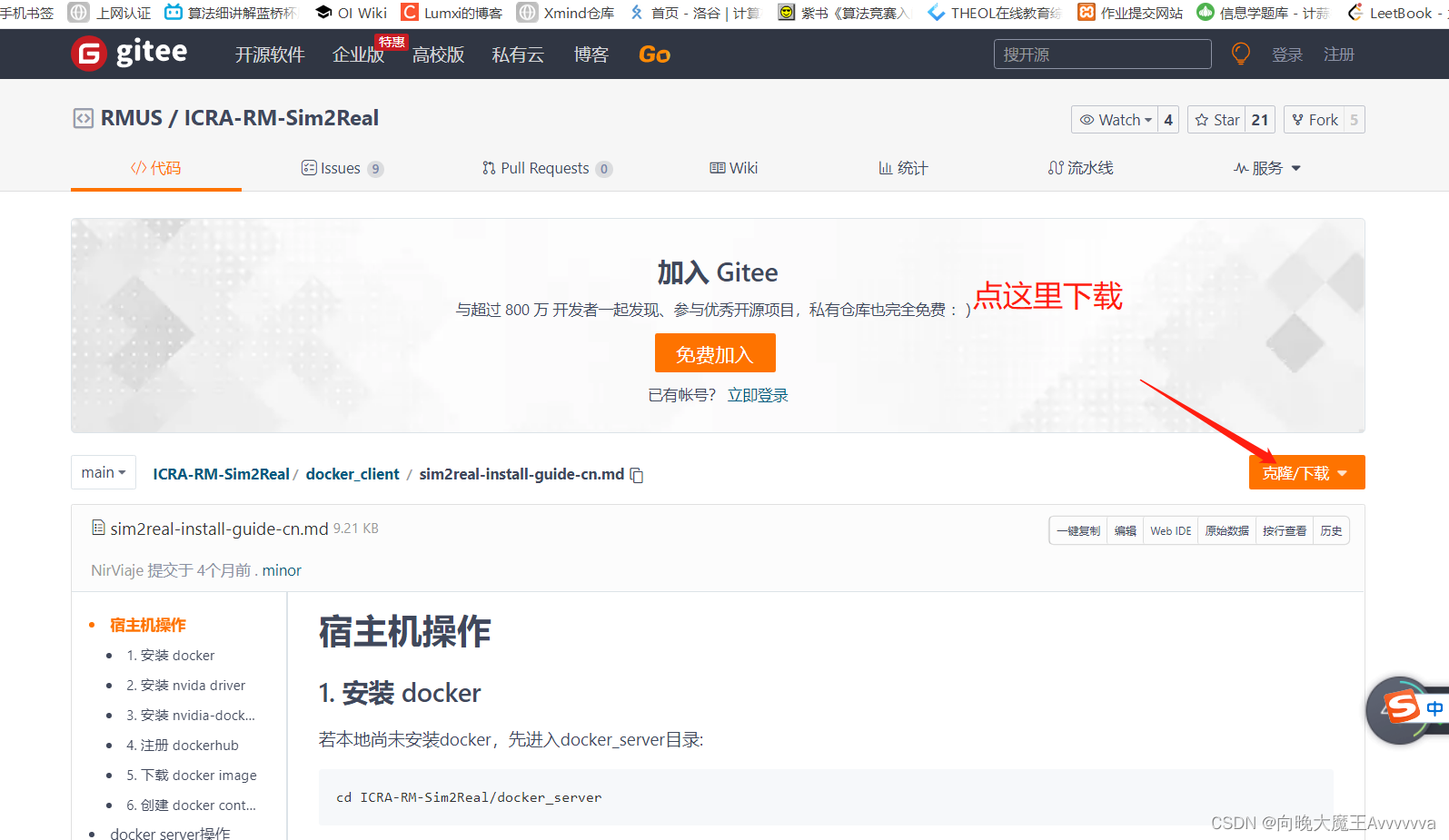
First, download the startup script locally , Then install according to the official prompt document : The startup script is shown in the figure

Pay attention to the second step of host operation [
install nvida driver] There is a hole in this step , Please install according to the video I gave :Pay attention to the fifth step of host operation [
download docker image], The operation steps here are as follows :- First get the two given tar package , Pictured :

- Then put these two tar Package import docker in , The instructions are as follows :
docker load < /home/dp/sim2real_package/sim2real_server_v_1_3_0.tardocker load < /home/dp/sim2real_package/sim2real_client_v_1_2_0.tar- Be careful :
/home/dp/sim2real_package/It's the place where these two bags are stored on my computer , Please pay attention to modification when using - Then the input
docker imagescheck 

- The string in the third column represents the mirrored id name , Please check whether these two exist ID name , If it does not exist, the import fails , If it exists, the import succeeds
- Currently, the two imported images have no identification names , Let's mark it , It is convenient for us to use in the future , The instructions are as follows :
docker tag 8a1e835533aa sim2real_client:1.2.0docker tag 206f8c04b635 sim2real_server:1.3.0- Input again
docker imagescheck 

- As shown in the figure, the import is successful
- First get the two given tar package , Pictured :
3. Configure client and server
- That is, modify the files in the startup script
- Modify the client script file

- Enter the downloaded startup script file
- then ALT+CTRL+T Open a new terminal , Input
gedit ./create_container_client.sh 
- Modify the highlighted behavior
sim2real_client:1.2.0, Save it after modification - Input... In the terminal
./create_container_client.sh, complete
- Modifying the server script file is the same
Enter the following path
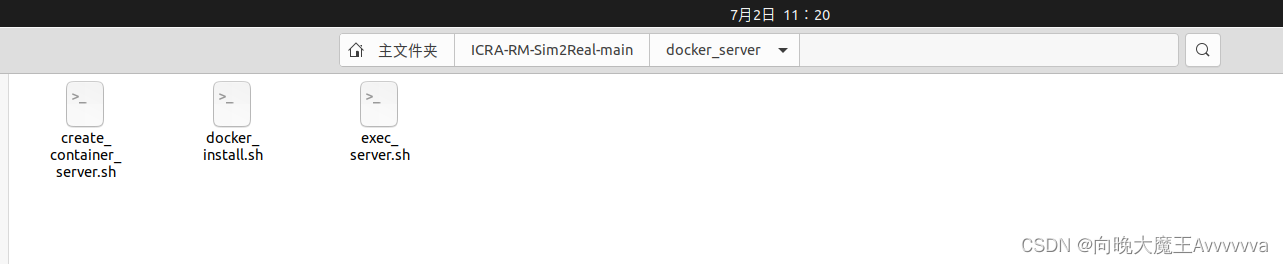
Start the new terminal , Input
gedit ./create_container_server.shModify the highlighted behavior :
sim2real_server:1.3.0, Save after modification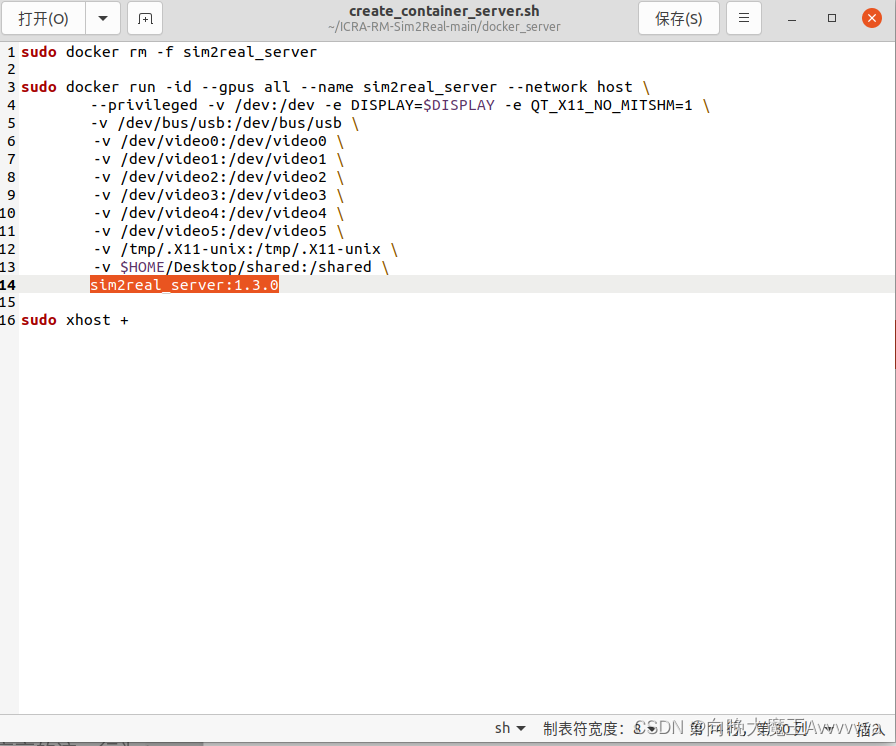
The input terminal
./create_container_server.sh
- Complete the above steps to complete the installation of the emulator image
4. Verify the environment and be familiar with the operation
Most of the main pits have been completed , The rest of the simulator usage tutorials , Please refer to the official document except [ Host operation ] All contents of the section ,good luck.
边栏推荐
- Song of cactus - throwing stones to ask the way (3)
- 外企高管、连续创业者、瑜伽和滑雪高手,持续迭代重构的程序人生
- 解决** WARNING ** : Your ApplicationContext is unlikely to start due to a @ComponentScan of the defau
- Kubernetes family container housekeeper pod online Q & A?
- 华为云服务器安装mysqlb for mysqld.service failed because the control process exited with error code.See “sys
- How to import a billion level offline CSV into Nepal graph
- Flink real-time data warehouse (IX): incremental synchronization of data in MySQL
- JS learning notes - operators
- 2020.4.12 byte written test questions B DP D monotone stack
- Application of visualization technology in Nebula graph
猜你喜欢

JS learning notes - first acquaintance

理想之光不灭
Original God 2.6 server download and installation tutorial
How to use stustr function in Oracle view

HMS core machine learning service helps zaful users to shop conveniently
sim2real环境配置教程

做机器视觉哪个软件好?

Dimension table and fact table in data warehouse
The sea of stars hidden behind the nebula graph
![[fluent] dart data type string type (string definition | string splicing | string API call)](/img/7b/cc624aa33f45fbed0bbe354253158b.jpg)
[fluent] dart data type string type (string definition | string splicing | string API call)
随机推荐
What are the necessary functions of short video app development?
Original God 2.6 server download and installation tutorial
Set the background picture in the idea (ultra detailed)
JS learning notes - first acquaintance
Boot 事务使用
华为云服务器安装mysqlb for mysqld.service failed because the control process exited with error code.See “sys
通过两级网关设计来路由服务网格流量
可视化技术在 Nebula Graph 中的应用
Recommended practice sharing of Zhilian recruitment based on Nebula graph
HMS core machine learning service helps zaful users to shop conveniently
【5G NR】RRC连接释放
注册成为harmonyos开发者并安装DevEco Studio 3.0 Beta2 for HarmonyOS
Solve * * warning * *: your ApplicationContext is unlikely to start due to a @componentscan of the defau
By asp Net core downloads files according to the path exception
Text intelligent expansion and contraction control of swiftui text component (tutorial includes source code)
自注意力机制和全连接的图卷积网络(GCN)有什么区别联系?
[fluent] dart language (DART language features | JIT instant compilation | AOT static compilation)
QVariant与Json的各种纠葛——Qt
Add user-defined formula (time sharing t+0) to mobile app access as an example
Yyds dry inventory KVM new inventory to expand space for home