当前位置:网站首页>Liunx Mysql安装
Liunx Mysql安装
2022-06-24 07:06:00 【Q z1997】
Liunx Mysql安装
说明:
Linux下软件的安装通常有三种方式:二进制、rpm、yum三种方式。
MySQL的下载:
因为我使用的是阿里云服务器,联网的,所以我直接在linux下进行下载,使用Windows的小伙伴也可以将mysql下载本地再上传到服务器上面
附上官网的下载链接通过命令行在服务器内下载软件包的连接:
官网: MySQL官网下载
服务器下载(联网):wget http://dev.mysql.com/get/Downloads/MySQL-5.7/mysql-5.7.17-linux-glibc2.5-x86_64.tar.gz
卸载原有的mysql
# 查看
rpm -qa | grep mysql

# 若存在 mysql 安装文件,则会显示 mysql安装的版本信息
# 如:mysql-connector-odbc-5.2.5-6.el7.x86_64
# 卸载
rpm -e --nodeps mysql-connector-odbc-5.2.5-6.el7.x86_64
上传下载的安装包
解压:tar -zxvf mysql-5.7.17-linux-glibc2.5-x86_64.tar.gz
重命名:mv mysql-5.7.17-linux-glibc2.5-x86_64 mysql
移动:mv mysql /usr/local/
添加用户组、用户
groupadd mysql

useradd -g mysql mysql
创建data目录与更改权限
cd /usr/local/mysql
mkdir data
pwd
# /usr/local/mysql
chown -R mysql:mysql ./
配置my.cnf
[root etc]# pwd
/etc
[root etc]# touch my.cnf
[mysql]
# 设置mysql客户端默认字符集
default-character-set=utf8
socket=/tmp/mysql.sock


[mysqld]

#mysql无密码登陆
#skip-grant-tables

#禁用DNS解析
#skip-name-resolve
# 端口
port=3306
socket=/tmp/mysql.sock
# 设置mysql的安装目录
basedir=/usr/local/mysql
# 设置mysql数据库的数据的存放目录
datadir=/usr/local/mysql/data
# 允许最大连接数
max_connections=200
# 服务端使用的默认字符集
character-set-server=utf8
# 创建新表时将使用的默认存储引擿
default-storage-engine=INNODB
#lower_case_table_name=1
max_allowed_packet=16M
初始化mysql
./bin/mysqld --initialize --user=mysql --basedir=/usr/local/mysql --datadir=/usr/local/mysql/data
#执行完后会输出:红色的就是初始密码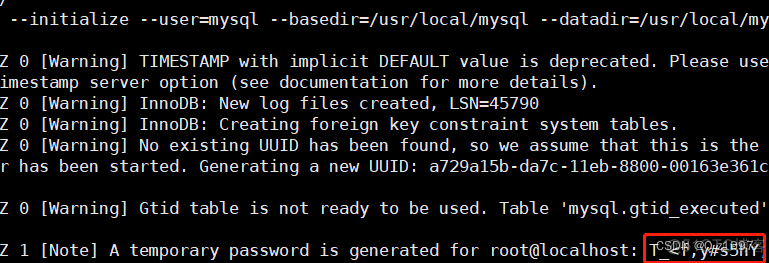
设置mysql为开机自启
   #拷贝mysql.server到init.d目录下

    cp ./support-files/mysql.server /etc/rc.d/init.d/mysqld
    chmod +x /etc/rc.d/init.d/mysqld

    #添加服务

    chkconfig --add mysqld

    #查看是否添加成功

    chkconfig --list mysqld

配置环境变量
vi /etc/profile

#添加如下内容
PATH=$PATH:/usr/local/mysql/bin
export PATH
#使配置生效
source /etc/profile
#查看一下配置是否生效
echo $PATH
首次登录更改 密码
alter user '用户名'@'localhost | %' identified by  '密码';


alter user 'root'@'localhost' identified by  'Daxizi7724530!';
边栏推荐
- js中通过key查找和更新对象中指定值的方法
- MATLAB Camera Calibrator相机标定
- mysql组合索引的有序性
- Vscode install the remote -wsl plug-in to connect to the local WSL
- It is enough to read this article about ETL. Three minutes will let you understand what ETL is
- RuntimeError: Missing dependencies:XXX
- leetcode 1642. Furthest building you can reach
- Easynvr and easyrtc platforms use go language to manage projects. Summary of the use of govendor and gomod
- The reason why the qtimer timer does not work
- Get screen width and height tool class
猜你喜欢

5 minutes, excellent customer service chat handling skills

input的聚焦后的边框问题
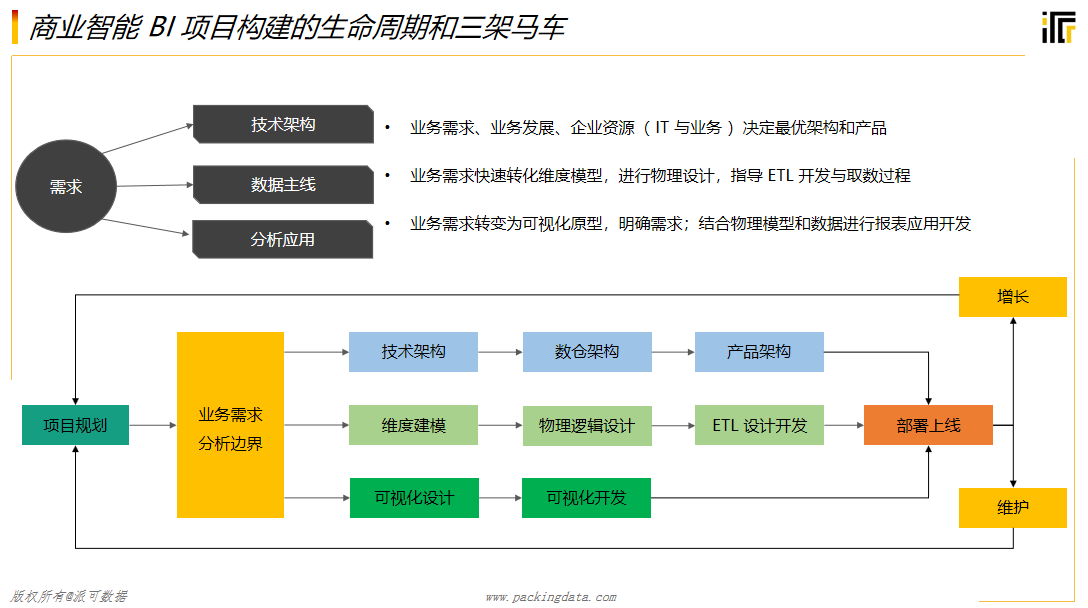
关于ETL看这篇文章就够了,三分钟让你明白什么是ETL

K8S部署高可用postgresql集群 —— 筑梦之路

教程篇(5.0) 08. Fortinet安全架构集成与FortiXDR * FortiEDR * Fortinet 网络安全专家 NSE 5

ZUCC_ Principles of compiling language and compilation_ Experiment 05 regular expression, finite automata, lexical analysis
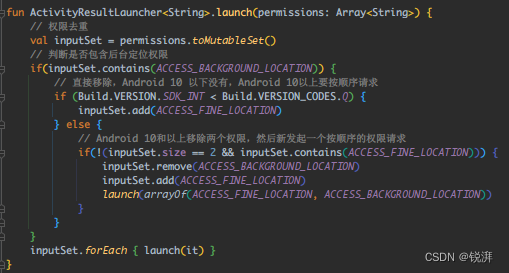
New technology practice, encapsulating the permission application library step by step with the activity results API

Jenkins自动化部署,连接不到所依赖的服务【已解决】

表单图片上传在Chorme中无法查看请求体的二进制图片信息

Centos7 installation of jdk8, mysql5.7 and Navicat connection to virtual machine MySQL and solutions (solutions to MySQL download errors are attached)
随机推荐
单目双视三维坐标确定
数据平台简介
uniapp 热更新后台管理
【团队管理】测试团队绩效管理的25点小建议
Why do you want to file? What are the advantages and disadvantages of website filing?
PHP代码加密+扩展解密实战
There was an error checking the latest version of pip
数据库迁移从PostgreSQL迁移到 MYSQL
String转Base64
Glusterfs replacement failure brick
深度学习与神经网络:最值得关注的6大趋势
Redis cluster data skew
Centos7安装jdk8以及mysql5.7以及Navicat连接虚拟机mysql的出错以及解决方法(附mysql下载出错解决办法)
AUTO PWN
Redis的Cluster集群数据倾斜
一文详解|增长那些事儿
利用ngrok做内网穿透
String to Base64
pymysql 向MySQL 插入数据无故报错
input的聚焦后的边框问题