当前位置:网站首页>NDK R21 compiles ffmpeg 4.2.2 (x86, x86_64, armv7, armv8)
NDK R21 compiles ffmpeg 4.2.2 (x86, x86_64, armv7, armv8)
2022-06-11 05:34:00 【Come and go】
List of articles
1. compile FFmpeg
Get ready Ununtu、ndk r21(linux)、FFmpeg.
Prepare to compile the script , There are two , One of them is dedicated to armv7 Of .
armv7
#!/bin/bash

API=21
#armv7-a
ARCH=armv7

PREFIX=./SO/$ARCH

TOOLCHAIN=/home/qwe/android-ndk-r21/toolchains/llvm/prebuilt/linux-x86_64

build()
{

./configure \
--prefix=$PREFIX \
--disable-static \
--enable-shared \
--enable-small \
--enable-gpl \
--disable-doc \
--disable-programs \
--disable-avdevice \
--enable-cross-compile \
--target-os=android \
--arch=$ARCH \
--cc=$TOOLCHAIN/bin/armv7a-linux-androideabi$API-clang \
--cross-prefix=$TOOLCHAIN/bin/arm-linux-androideabi-

make clean
make -j4
make install

}

build
arm64 x86 x86_64
#!/bin/bash

API=21
#arm64 x86 x86_64  Corresponding  aarch64 i686 x86_64
ARCH=arm64
ARCH2=aarch64

PREFIX=./SO/$ARCH

TOOLCHAIN=/home/qwe/android-ndk-r21/toolchains/llvm/prebuilt/linux-x86_64

build()
{

./configure \
--prefix=$PREFIX \
--disable-static \
--enable-shared \
--enable-small \
--disable-doc \
--disable-programs \
--disable-avdevice \
--enable-cross-compile \
--target-os=android \
--arch=$ARCH \
--cc=$TOOLCHAIN/bin/$ARCH2-linux-android$API-clang \
--cross-prefix=$TOOLCHAIN/bin/$ARCH2-linux-android-

make clean
make -j4
make install

}

build
stay FFmpeg Run the script from the root directory of . The initial run will prompt the lack of software , Just follow the prompts to install .
[email protected]:~/FFmpeg-n4.2.2$ sudo su
[sudo] qwe  Password :
[email protected]:/home/qwe/FFmpeg-n4.2.2# ./build3.sh

2. Use FFmpeg Of so library
android studio Create project 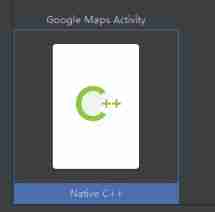
take so Copy the file to the following directory .include yes FFmpeg Of .h file ,x86、x86_64、armv7、armv8 Generated .h Same .
edit build.gradle(:app)
android {

    .....
    sourceSets {

        main {
    //jniLibs
            jniLibs.srcDirs = ['src/main/libs']
        }
    }
}
edit cmakeList.txt
cmake_minimum_required(VERSION 3.4.1)

# Set up two directories ,${
    ANDROID_ABI} It will change according to the equipment
set(DIR ${
    PROJECT_SOURCE_DIR}/../libs/${
    ANDROID_ABI})
set(DIR2 ${
    PROJECT_SOURCE_DIR}/../libs)
# Appoint h File directory , The compilation process needs to find .h file
include_directories(${
    DIR2}/include)

add_library( # Sets the name of the library.
        native-lib

        # Sets the library as a shared library.
        SHARED

        # Provides a relative path to your source file(s).
        native-lib.cpp)

# Import FFmpeg The library of
add_library(libavcodec SHARED IMPORTED)
#so The location of the file
set_target_properties(libavcodec
        PROPERTIES IMPORTED_LOCATION
        ${
    DIR}/libavcodec.so)


add_library(libavfilter SHARED IMPORTED)
set_target_properties(libavfilter
        PROPERTIES IMPORTED_LOCATION
        ${
    DIR}/libavfilter.so)

add_library(libavformat SHARED IMPORTED)
set_target_properties(libavformat
        PROPERTIES IMPORTED_LOCATION
        ${
    DIR}/libavformat.so)

add_library(libavutil SHARED IMPORTED)
set_target_properties(libavutil
        PROPERTIES IMPORTED_LOCATION
        ${
    DIR}/libavutil.so)

add_library(libswresample SHARED IMPORTED)
set_target_properties(libswresample
        PROPERTIES IMPORTED_LOCATION
        ${
    DIR}/libswresample.so)

add_library(libswscale SHARED IMPORTED)
set_target_properties(libswscale
        PROPERTIES IMPORTED_LOCATION
        ${
    DIR}/libswscale.so)

find_library( # Sets the name of the path variable.
        log-lib

        log)

# Connection Library
target_link_libraries( # Specifies the target library.
        native-lib

        # Links the target library to the log library
        # included in the NDK.
        ${
    log-lib}
        libavfilter
        libavformat
        libswresample
        libswscale
        libavutil
        libavcodec)
change native-lib.cpp Medium stringFromJNI Method
#include <jni.h>
#include <string>

extern  "C"{

#include "libavcodec/avcodec.h"
}


extern "C" JNIEXPORT jstring JNICALL
Java_cn_study_testffmpeg_MainActivity_stringFromJNI(
        JNIEnv *env,
        jobject /* this */) {

    std::string hello = avcodec_configuration();
    return env->NewStringUTF(hello.c_str());
}
Running effect 
边栏推荐
- Customize the layout of view Foundation
- Stone game -- leetcode practice
- QT Road (2) -- HelloWorld
- 深度学习分布式训练
- Wechat custom component - style - slot
- JVM tuning 6: GC log analysis and constant pool explanation
- Project - Smart City
- [opencv learning problems] 1 Namedwindow() and imshow() show two windows in the picture
- Activity start process record
- PCB走线到底能承载多大电流
猜你喜欢
![[entry level basics] node basic knowledge summary](/img/91/39aff1ade1f37f54b61a454e32d487.jpg)
[entry level basics] node basic knowledge summary

Preliminary understanding of multi task learning

Recherche sur l'optimisation de Spark SQL basée sur CBO pour kangourou Cloud Stack

getBackgroundAudioManager控制音乐播放(类名的动态绑定)

Deep search + backtracking

How to make lamps intelligent? How to choose single fire and zero fire intelligent switches!

推荐一款免费的内网穿透开源软件,可以在测试本地开发微信公众号使用

mysql字符串转数组,合并结果集,转成数组

Number of atoms (easy to understand)

智能门锁为什么会这么火,米家和智汀的智能门锁怎么样呢?
随机推荐
JVM tuning 6: GC log analysis and constant pool explanation
WinForm (II) advanced WinForm and use of complex controls
Carrier coordinate system inertial coordinate system world coordinate system
QT Road (1) -- Introduction to pro file
20多种云协作功能,3分钟聊透企业的数据安全经
PCB走線到底能承載多大電流
自定义View之基础篇
AttributeError: ‘HistGradientBoostingClassifier‘ object has no attribute ‘_ n_ features‘
About custom comparison methods of classes and custom methods of sort functions
Multi threading tutorial (XXIV) cas+volatile
6 questions to ask when selecting a digital asset custodian
Recursively process data accumulation
String sorting times --- bubble sorting deformation
Section IV: composition and materials of asphalt mixture (2) -- main materials of asphalt
NDK learning notes (I)
wxParse解析iframe播放视频
微信小程序,购买商品属性自动换行,固定div个数,超出部分自动换行
35.搜索插入位置
Preliminary test of running vins-fusion with zed2 binocular camera
es-ik 安装报错