当前位置:网站首页>DirectExchange交换机简单入门demo
DirectExchange交换机简单入门demo
2022-07-31 05:25:00 【Max恒】
源码在文章末尾
前置学习知识
1. FanoutExchange交换机代码教程 SpringAMQP 简单入门demod2
了解过Fanout交换机的同学就一定知道, 在给Fanout交换机发送消息的时候只需要指定交换机的名称, 和要发送的消息即可, 并且可以指定多个队列 FanoutExchange交换机代码教程
    @Test
    public void testSendFanoutExchange() {
        // 交换机名称
        String exchangeName = "声明FanoutExchange交换机";
        // 消息
        String message = "测试 FanoutExchange 交换机, 请各位接收 !";
        rabbitTemplate.convertAndSend(exchangeName, "", message);
    }
下面我们要学习的Direct交换机的区别, 和Fanout很相似, 但是唯一不同的就是每一个Queue都与Exchange设置一个BindingKey, 而且在发布消息的时候也需要指定消息的RoutingKey
下面我们用代码演示一下
    @RabbitListener(bindings = @QueueBinding(
            //队列名称
            value = @Queue("direct.queue1"),
            //交换机名称
            exchange = @Exchange(value = "direct", type = ExchangeTypes.DIRECT),
            //key
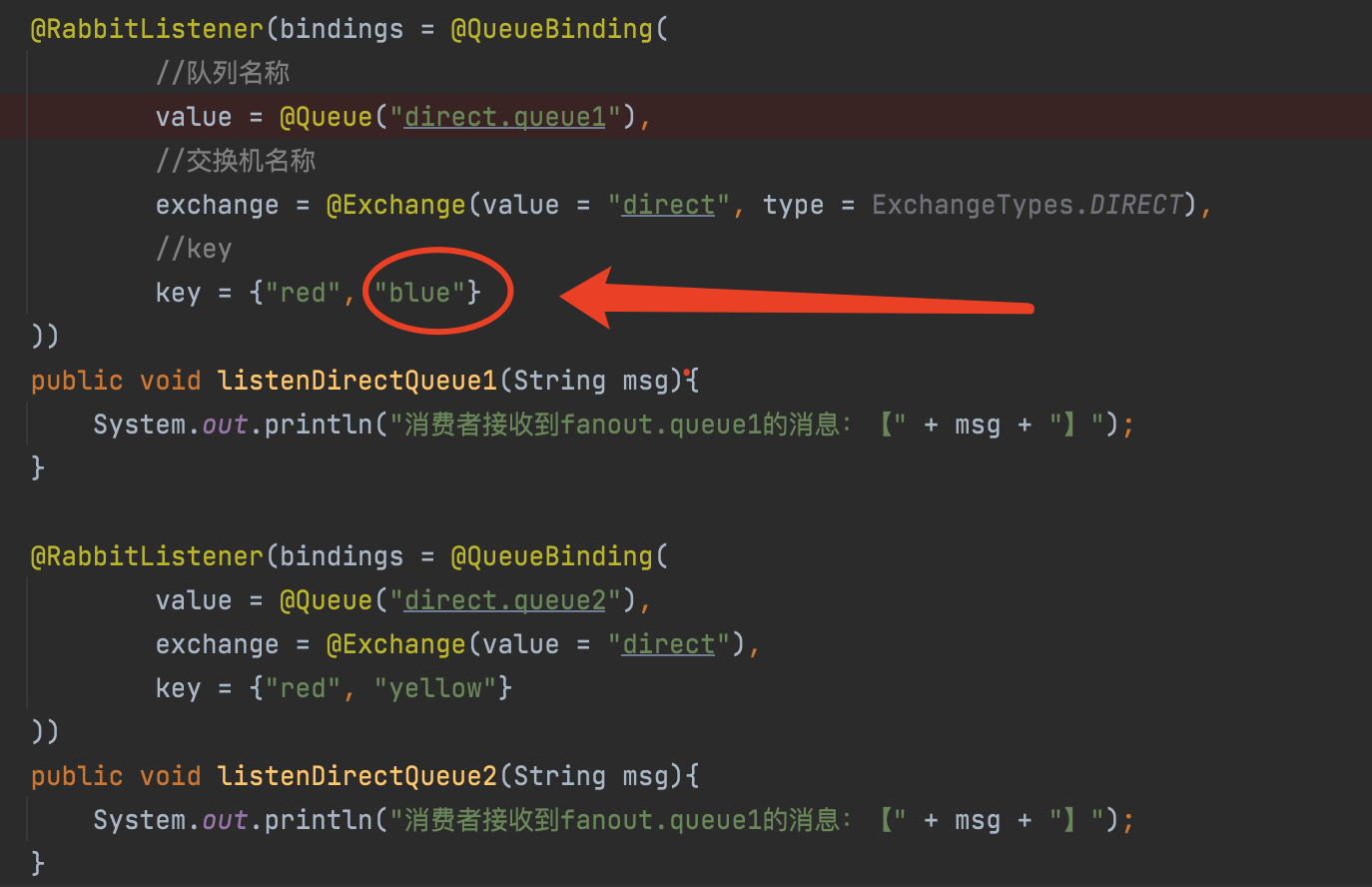
            key = {"red", "blue"}
    ))
    public void listenDirectQueue1(String msg){
        System.out.println("消费者接收到fanout.queue1的消息:【" + msg + "】");
    }

    @RabbitListener(bindings = @QueueBinding(
            value = @Queue("direct.queue2"),
            exchange = @Exchange(value = "direct"),
            key = {"red", "yellow"}
    ))
    public void listenDirectQueue2(String msg){
        System.out.println("消费者接收到fanout.queue1的消息:【" + msg + "】");
    }
案例1 key的值为blue
    @Test
    public void testSendDirectExchange() {
        // 交换机名称
        String exchangeName = "direct";
        // 消息
        String red = "hello, blue!";
        rabbitTemplate.convertAndSend(exchangeName, "blue", red);
    }
运行结果 :
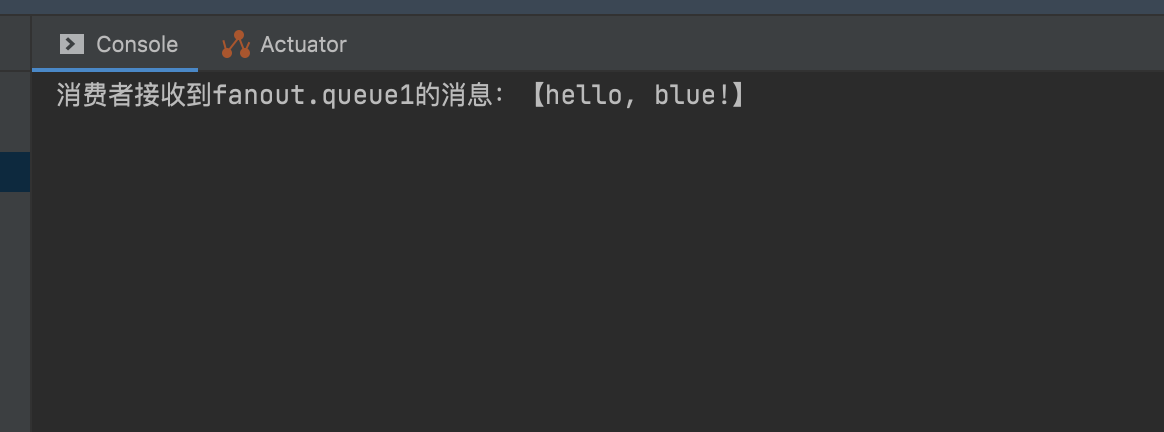
解析:
其实原因很简单 在我们的QueueBinding中声明的key中包含了 "blue"
案例2 key值为red
    @Test
    public void testSendDirectExchange() {
        // 交换机名称
        String exchangeName = "direct";
        // 消息
        String red = "hello, red!";
        rabbitTemplate.convertAndSend(exchangeName, "red", red);
    }
运行结果 :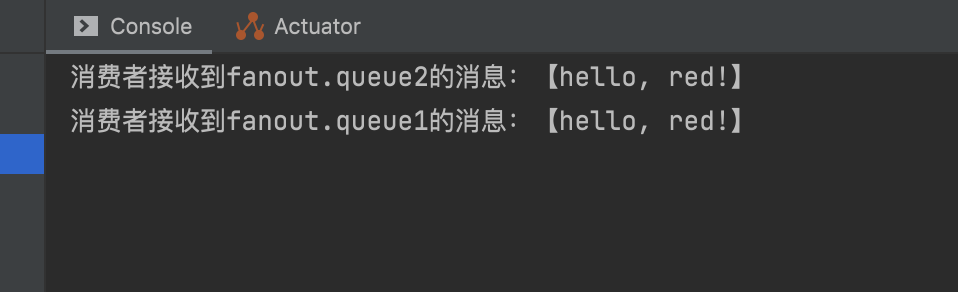 解析 :
解析 :
我们能看出, 这次由两个队列同时接收到了消息, 在队列direct.queue1和direct.queue2中, QueueBinding中声明的key同时都包含了 "red"
源码项目地址:
链接: https://pan.baidu.com/s/1vnYVEPGO8B5XLCf9Xc67cA 提取码: few9
边栏推荐
猜你喜欢






随机推荐
磁盘管理与文件系统
常用浏览器内核的了解、ES5和ES6的区别、ES6的更新的笔试题
10.0 堆体系结构概述之元空间/永久代
IPTV直播列表
Moment.js common methods
深度解析 z-index
基础配置--IP地址--主机名--域名
DDL+DML+DQL
等待,信息打印,浏览器操作,键盘事件
什么是浮动?什么是文档流?清除浮动的几种方式及原理?什么是BFC,如何触发BFC,BFC的作用
In-depth analysis of z-index
机器学习反向传播的一些推导公式
shell脚本 -d 是目录文件,那么-e,-f等说明
APP测试:测试流程及常规测试内容
浅析v-model语法糖的实现原理与细节知识及如何让你开发的组件支持v-model
基本正则表达式元字符,字符,次数,锚定分组
试题 历届真题 错误票据【第四届】【省赛】【B组】
MySQL的触发器
数据库原理作业2 — JMU
4-1-7 二叉树及其遍历 家谱处理 (30 分)