当前位置:网站首页>Koa框架的基本使用
Koa框架的基本使用
2022-07-31 05:21:00 【 K 】
前言(来自官网)
ES6/7 带来的变革
自ES6确定和ES7的async/await开始普及,node.js的发展变得更加迅速,可以预见到JavaScript中令人“头疼”的多层嵌套回调(注意是”多层嵌套回调“)将会使用Promise + async/await的方式逐渐替代(不是完全替代,多层嵌套回调也有其特殊的应用场景)。koa2 大势所趋的前景
基于async/await实现中间体系的koa2框架将会是是node.js web开发方向大势所趋的普及框架。基于generator/yield的koa1将会逐渐被koa2替代,毕竟使用co.js来处理generator是一种过渡的方式,虽然有其特定的应用场景,但是用async/await会更加优雅地实现同步写法。
一、Koa是什么?
Koa2 是基于 node.js web serve 框架
koa注册的中间件提供两个参数,即ctx/next。ctx是req和res的集合;next()是执行下一个中间件。
二、Koa的安装
1.项目初始化
npm init -y // 生成package.json文件
2.安装Koa2
npm install koa --save
3.Hello world
const Koa = require('koa')  // 导入Koa
const app = new Koa()  // 实例化app对象

app.use( async ( ctx ) => {  // 编写中间件
  ctx.body = 'Hello world'
})

app.listen(3000)  // 启动服务
console.log('[demo] start-quick is starting at port 3000')
4.启动Demo
node index.js // 访问http:localhost:3000
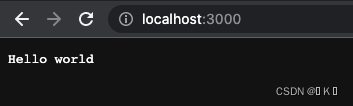
三、中间件
一个流程上独立的业务模块,可扩展、可插拔。简单来说,就是将复杂的业务拆分成独立的函数,就是中间件。
包含但不限于:
1、npm install koa-router 路由库
const Koa = require('koa');
const Router = require('koa-router'); // 导入koa-router中间件

const app = new Koa();
const userRouter = new Router({
     prefix: '/user' }); // 属性前缀

userRouter.get('/test', (ctx, next) => {

    ctx.response.body = "test request"
    // console.log(ctx.params.id)
});

userRouter.post('/', (ctx, next) => {

    ctx.response.body = "test response"
});

app
	// .use((ctx, next) => {

    // ctx.body = ctx.request.query
    // })
    .use(userRouter.routes())  //注册为中间件
    .use(userRouter.allowedMethods())  //用于判断某一个 method 是否支持,Method Not Allowed

app.listen(3000, () => {

    console.log("dome is start")
})
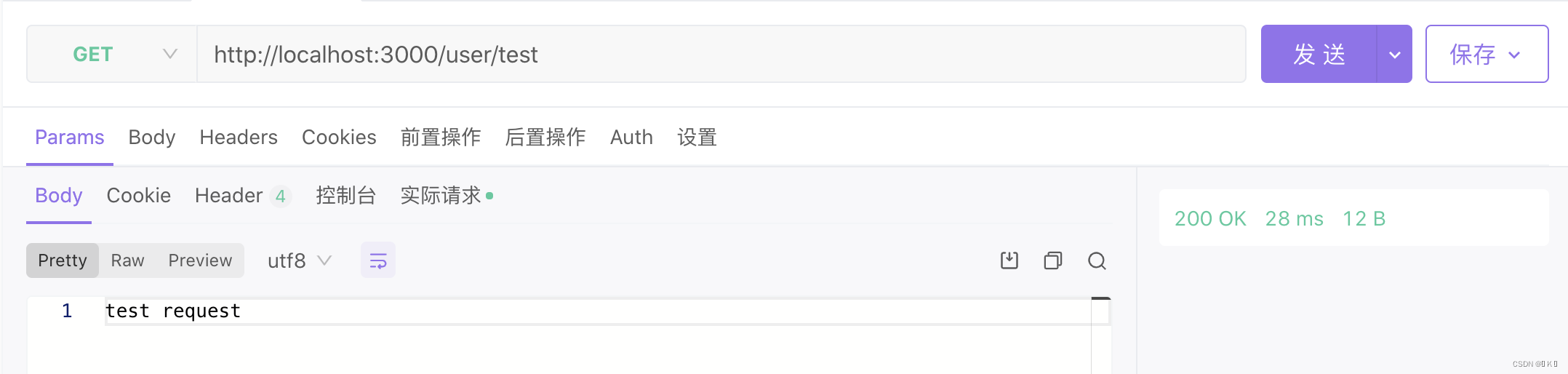
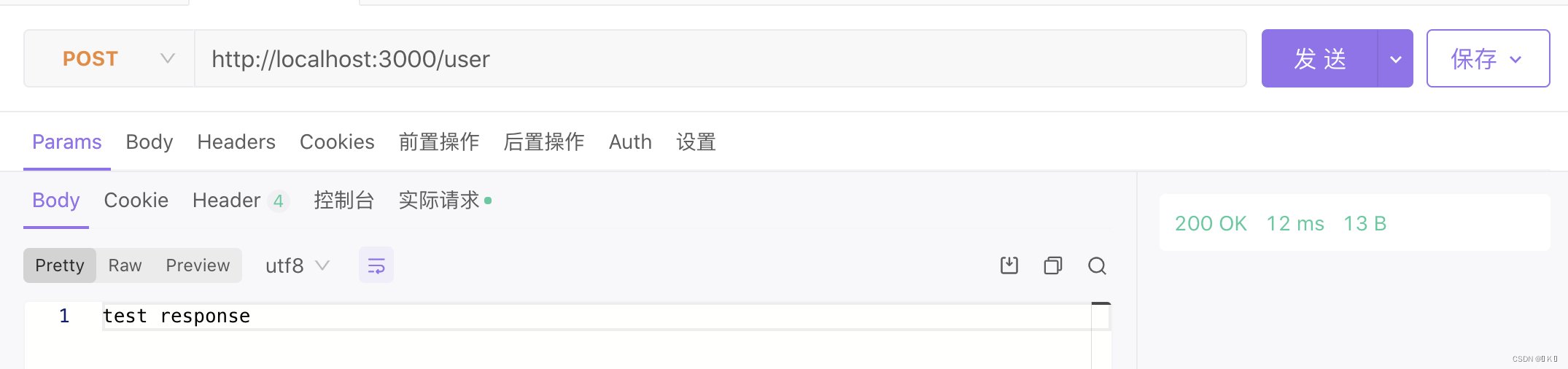
获取params参数:
userRouter.get('/test/:id', (ctx, next) => {

    ctx.response.body = "test request"
    console.log(ctx.params.id)
});
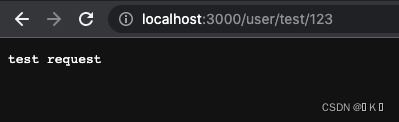

获取query参数:
.use((ctx, next) => {

    ctx.body = ctx.request.query
})

实现二级路由:
const Koa = require('koa')
const fs = require('fs')
const app = new Koa()

const Router = require('koa-router')

let home = new Router()

// 子路由1
home.get('/', async ( ctx )=>{

  let html = ` <ul> <li><a href="/page/helloworld">/page/helloworld</a></li> <li><a href="/page/404">/page/404</a></li> </ul> `
  ctx.body = html
})

// 子路由2
let page = new Router()
page.get('/404', async ( ctx )=>{

  ctx.body = '404 page!'
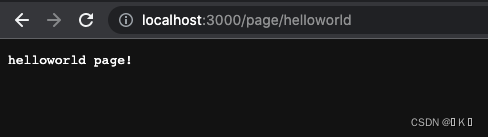
}).get('/helloworld', async ( ctx )=>{

  ctx.body = 'helloworld page!'
})

// 装载所有子路由
let router = new Router()
router.use('/', home.routes(), home.allowedMethods())
router.use('/page', page.routes(), page.allowedMethods())

// 加载路由中间件
app.use(router.routes()).use(router.allowedMethods())

app.listen(3000, () => {

  console.log('[demo] route-use-middleware is starting at port 3000')
})

2、npm install koa-bodyparser 解析json数据
const Koa = require('koa')
const bodyParser = require('koa-bodyparser') // 导入koa-bodyparser中间件
const app = new Koa()

app.use(bodyParser())  // 使用ctx.body解析中间件

app.use(async (ctx) => {

    if (ctx.url === '/' && ctx.method === 'GET') {

        const html = ` <form method="POST" action="/"> <label for="forName" >Name</label> <input id="forName" type="text" name="name"></input> <button type="submit">submit</button> </form> `
        ctx.body = html
    } else if (ctx.url === '/' && ctx.method === 'POST') {

        ctx.body = ctx.request.body  //关键句,koa-bodyparser解析POST表单里的数据,为json类型
    } else {

        ctx.body = "<h1>404 Not Found</h1>"
    }
})

app.listen(3000)
console.log('[demo] start-quick is starting at port 3000')

四、洋葱模式
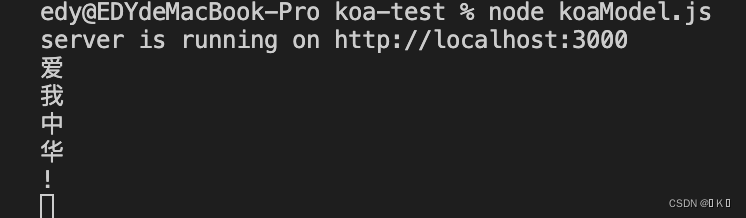
在洋葱模型中,当我们执行第一个中间件时,首先输出爱,然后调用next(),那么此时它会等第二个中间件执行完毕才会继续执行第一个中间件。然后执行第二个中间件,输出我,调用next(),执行第三中间件,输出中.此时第三个中间件执行完毕,返回到第二个中间件,输出华,然后返回到第一个中间件,输出!。
// 1. 导入koa包
const Koa = require('koa')
// 2. 实例化对象
const app = new Koa()
// 3. 编写中间件
app.use((ctx, next) => {

    console.log('爱')
    next()
    console.log('!')
})

app.use((ctx, next) => {

    console.log('我')
    next()
    console.log('华')
})

app.use((ctx) => {

    console.log('中')
})
// 4. 监听端口, 启动服务
app.listen(3000)
console.log('server is running on http://localhost:3000')
总结
以上就是今天要讲的内容,本文仅仅简单介绍了Koa的基本使用,koa还提供了其他许多强大的中间件,能使我们快速便捷地进行开发。
边栏推荐
猜你喜欢






随机推荐
Debian 10 配置网卡,DNS,IP地址
数据驱动,
通过js禁止ctrl+滚轮放缩浏览器页面,禁止用手势放大
5G的用途和工作原理
防抖和节流
文件内容浏览cut、uniq、sort、tr命令的使用,
FRP穿透教程
常用命令讲解
小型网站组建(ENSP)
等待,信息打印,浏览器操作,键盘事件
svn冲突产生原因
基本正则表达式元字符,字符,次数,锚定分组
TypeScript进阶
TCP/IP协议和互联网协议群
DOM-DOM的介绍以及通过方法获取元素
@ConfigurationProperties和@EnableConfigurationProperties
2022年软件测试现状最新报告
Oracle入门 05 - VirtualBox的虚拟机安装配置
使用powerDesigner反向工程生成Entity
TypeScript编译(tsconfig.json)