当前位置:网站首页>使用ECS和OSS搭建个人网盘
使用ECS和OSS搭建个人网盘
2022-07-26 22:45:00 【掌九】
使用ECS和OSS搭建个人网盘
实验:用开源网盘工具cloudreve搭建个人网盘
一、环境准备
在阿里云计算平台选中云服务器ECS,进行实例的创建


如下几个选项更改即可
一核一G够用即可:

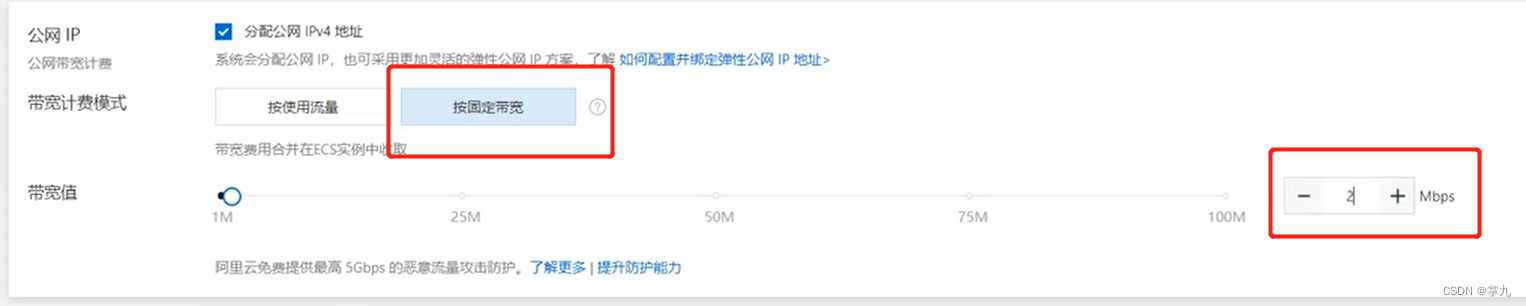

其他可不更改


二、服务安装
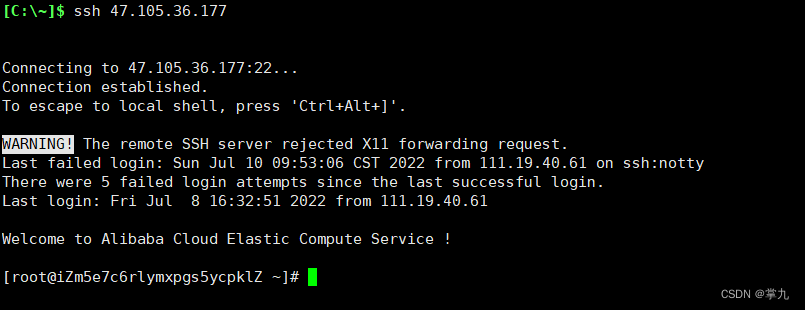
远程连接——可用VNC,也可以用Xshell(本实验运用Xshell连接)

安装cloudreve
wget -c https://github.com/cloudreve/Cloudreve/releases/download/3.5.3/cloudreve_3.5.3_linux_amd64.tar.gz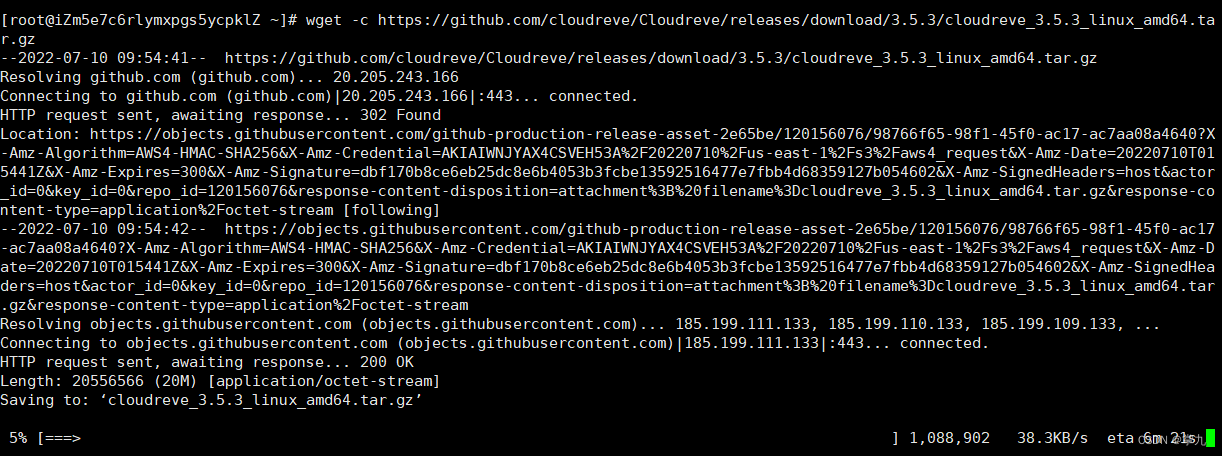

解压:

三、开放端口5212
回到ECS控制台
点击手动添加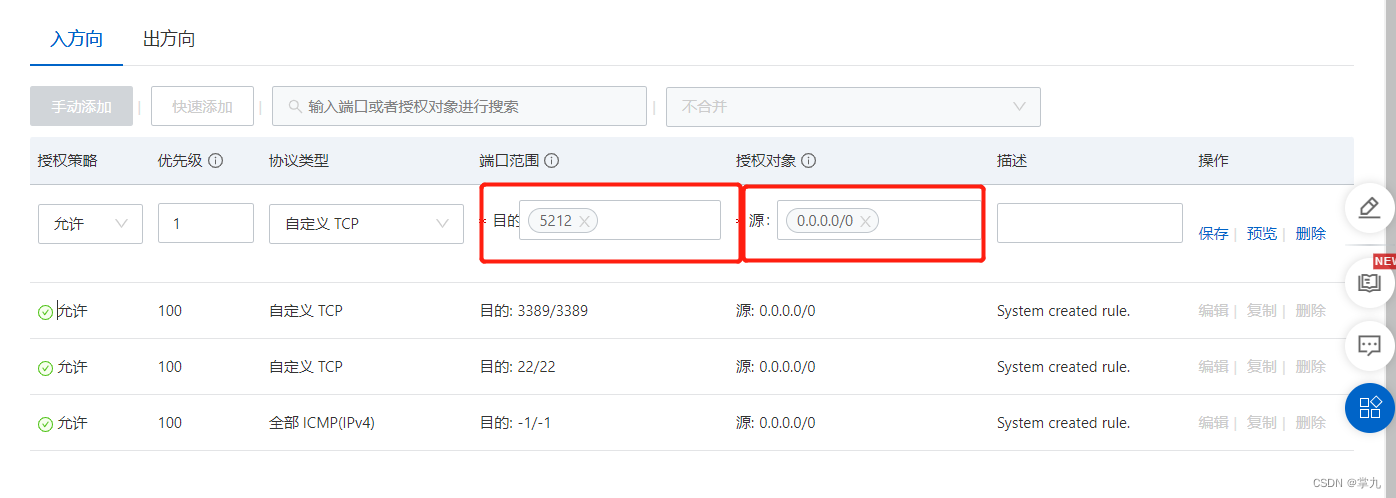
点击保存

账号及密码: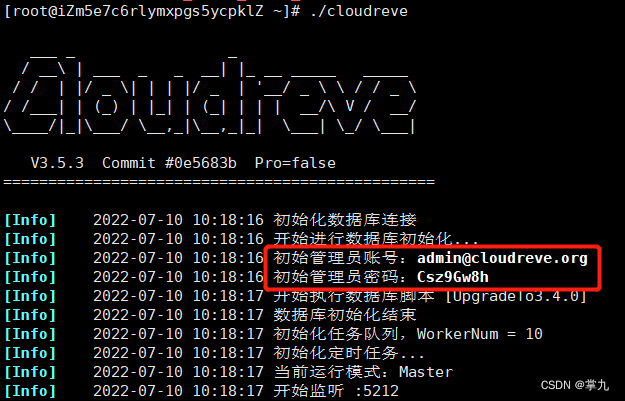


四、对象存储OSS


其他默认即可
登录https://ram.console.aliyun.com 创建RAM账号,并授权


添加权限


五、安装ossfs挂载OSS
下载软件:wget -c https://github.com/aliyun/ossfs/releases/download/v1.80.5/ossfs_1.80.5_centos7.0_x86_64.rpm
安装:# yum localinstall ossfs_1.80.5_centos7.0_x86_64.rpm

配置账号访问信息:echo BucketName:yourAccessKeyId:yourAccessKeySecret > /etc/passwd-ossfs
[[email protected] ~]# echo zhangjiu:LTAI5tQ9SzYGghBwEJmefFJ5:BMHvLs6AfXlZnY0S0WO1EoJRXEeeW9 > /etc/passwd-ossfs
[[email protected] ~]# chmod 640 /etc/passwd-ossfs
打开下载的CSV文件

修改配置命令
echo zhangjiu:LTAI5tQ9SzYGghBwEJmefFJ5:BMHvLs6AfXlZnY0S0WO1EoJRXEeeW9 > /etc/passwd-ossfs
修改权限
[[email protected] ~]# chmod 640 /etc/passwd-ossfs
挂载OSS:
创建挂载点
挂载
格式:ossfs BucketName mountfolder -o url=Endpoint


永久挂载: vim /etc/init.d/ossfs
#!/bin/bash
ossfs Automount Aliyun OSS Bucket in the specified direcotry.
chkconfig: 2345 90 10
description: Activates/Deactivates ossfs configured to start at boot time.
ossfs BucketName mountfolder -o url=Endpoint -o allow_other
修改权限
放入后台运行
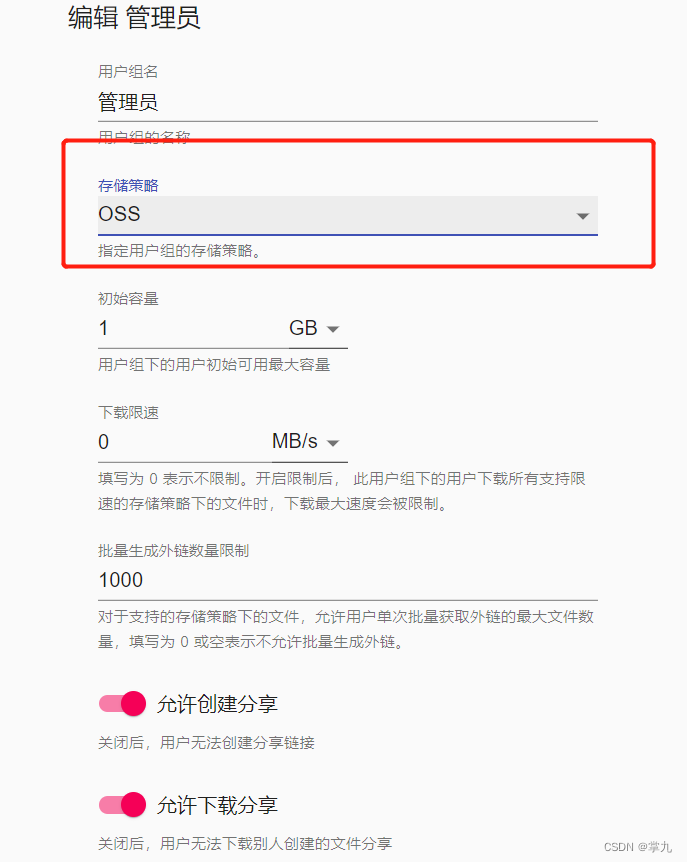
六、添加存储策略
重新登录


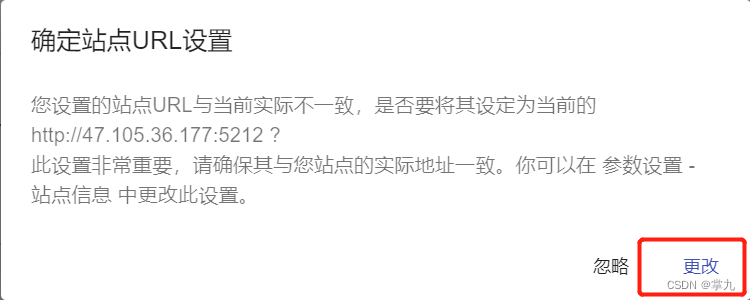


在bucket上创建一个目录dir1
回到cloudreve
一直下一步即可

七、测试


实验成功
边栏推荐
猜你喜欢





随机推荐
RT thread learning
网络与VPC之动手实验
Web Service (04) -- Introduction and construction of lamp +discuz Forum
【无标题】
33 three swordsman awk
系统安全及应用
9、 Bubble sort
DNS
24SSH服务
Download pronunciation pairs+ship or sheet+tree or three
Shell(13)三剑客
[mysql] what happens when things are executed concurrently?
Review of information acquisition technology
System safety and Application
域名分析和DNS的配置安装
Shell(10)数组和冒泡排序
Paddleocr usage example
String容器的底层实现
Notes during in-depth learning (to be improved)
VirtualBox VMS extended disk space