当前位置:网站首页>Express framework
Express framework
2022-07-27 06:55:00 【THER1881】
One 、Node frame
1、 frame : A semi-finished product , Developers follow the specifications of the framework ( requirement ) Different configurations can meet different requirements
2、Node Common framework of :Express、Koa、egg
Two 、Express frame
1、 brief introduction : be based on Node Lightweight operation environment Web frame , Encapsulates the Node Of http Module and the function of this module is extended, so that developers can easily complete page routing 、 Request processing 、 Response processing .
2、 stay VSCode Install in Express
(1)npm init -y -- Generate package.json file
(2)npm install express --save
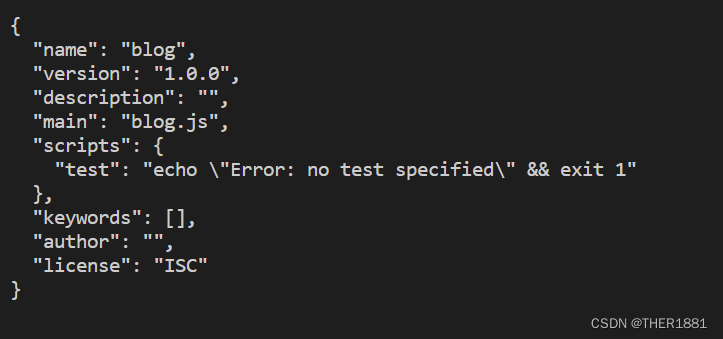
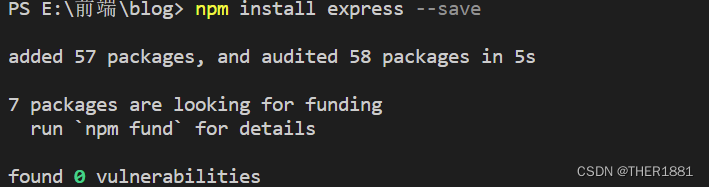

3.3、 Use Express build Web The server
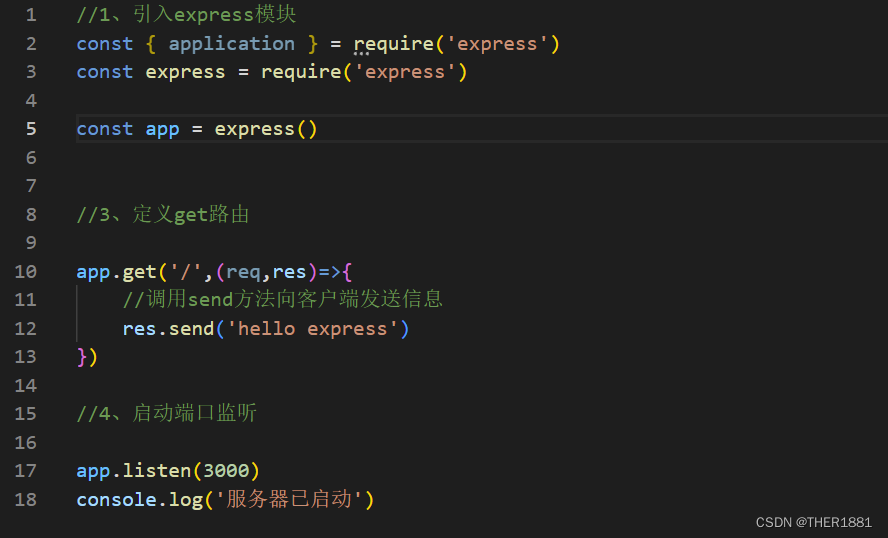
(1) introduce express modular ;
(2) call express() Method to create a server object app;
(3) call get() Method definition GET route ;
(4) call listen() Method listening port
demonstration :

3、 ... and 、Express Functions of the framework
1、 Set up middleware response http request
2、 Execution is based on HTTP Methods and URL Routing of different actions
3、 Allow dynamic rendering based on parameters passed to the template HTML page
Four 、 stay VScode Created in Express project
1、 install Express
stay cmd Input in npm install -g express-generator

2、 see Express Version number
express --version

3、 Create project
3.1、 Create a directory
3.2、 Enter the directory to execute instructions :express Project name
for example :express hello
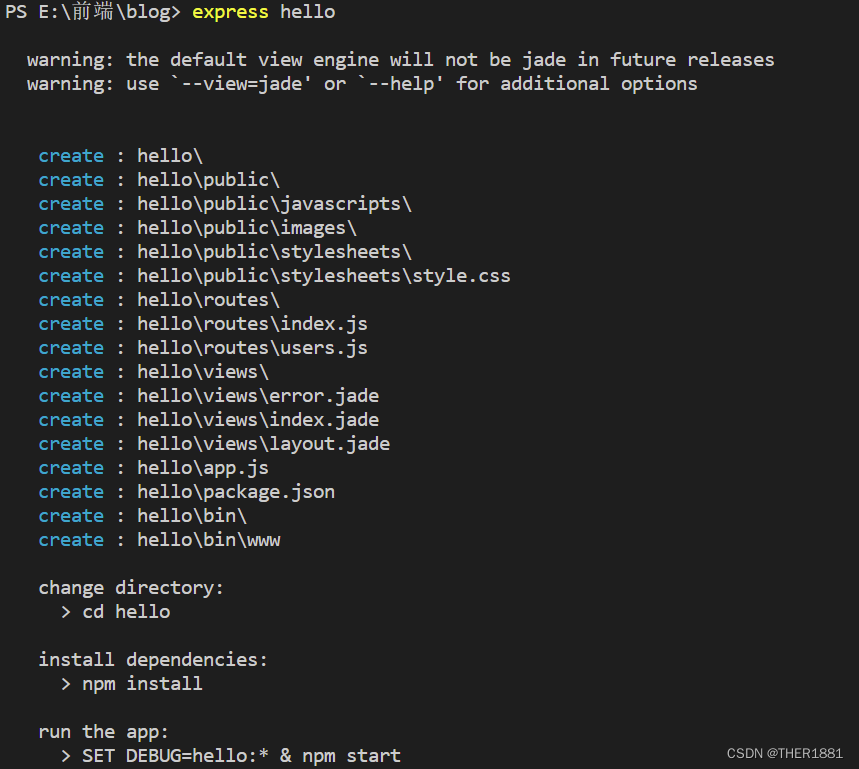
3.3、 Enter the project directory , Execution instruction :npm install Install related dependent modules
for example : cd hello
hello> npm install

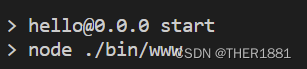
3.4、 Start project :npm start – The default port number of the project is 3000
3.5、 Start browser access :http://localhost:3000
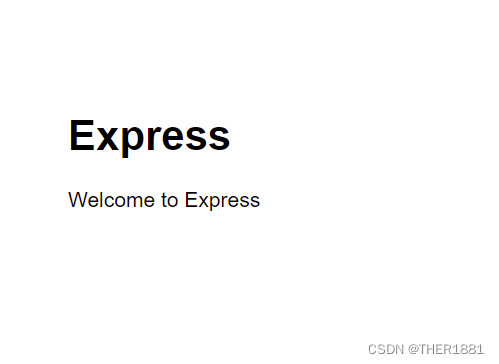
When using the browser to access, this interface appears, indicating that all the above operations are successful
4、 Modify the port number of the item listening :/bin/www
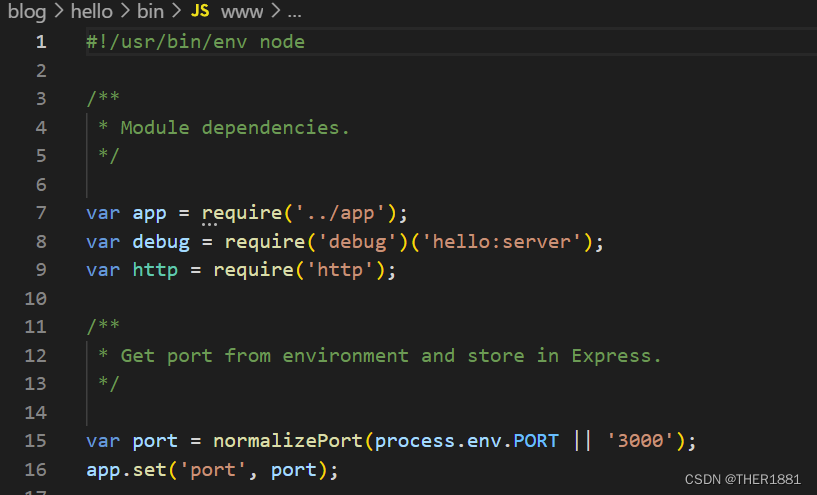
5、 install nodemon modular , Real time tracking of source program changes . Open after installation package.json file , Make the following changes
  "scripts": {

		"start": "nodemon ./bin/www"
	  }

6、Express Directory structure of the project
| Directory name | explain |
|---|---|
| bin | Startup profile , stay www Modify the operation port number in |
| node_modules | Store all project dependency Libraries |
| public | Used to hold static resource files picture ,CSS,JAVASCRIPT file |
| routers | Routing folder . It stores routing files |
| views | Where the pages are stored |
| package.json | Configuration information file of the project ( Projects depend on configuration and Developer Information ) |
| app.js | Apply core profile , Project entrance |

Four 、Express middleware
1、 middleware (Middleware) brief introduction :
Middleware refers specifically to the intermediate processing links of business processes . It's essentially one function Processing function Express Call process of Middleware :
When a request arrives Express After the server of , Multiple middleware can be called continuously , To preprocess this request .
Be careful : In the formal parameter list of middleware functions , Must contain next Parameters , The routing processing function only contains req and res.
next Function function : It is the key to realize the continuous call of multiple middleware , He said to transfer the flow relationship to the next middleware or routing .
2、 The function of middleware
(1)、 route
(2)、 Publish website maintenance announcements
(3)、 Customize 404
3、 Composition of middleware
3.1、 Middleware methods
| Middleware methods | explain |
|---|---|
| get() | Respond to the user's get request |
| post() | Respond to the user's post request |
| put() | Respond to the user's put request . Usually used to modify data |
| delete() | Respond to the user's delete request . Usually used to delete data |
| use() | Handle all requests |
| static() | Respond to users' access to static resources |
3.2、 Request handling function
get(‘ Request path ’, Request handling function )
 for example :

   get('/',(req,res,next)=>{


        Processing code
	   next()

   })
5、 ... and 、Express The routing : adopt express.Router() Realize modular routing management
1、 Usage method :
(1)、 Create routing file : extension .js The file of (index.js)
(2)、 Introduce... Into the routing file express modular
var express = require('express');
(3)、 Use express Module creates router object
var router = express.Router();
(4)、 Define the middleware to respond to user requests
router.get() or router.post()
(5)、 Export router objects
module.exports = router;
(6)、 In the core document of the project app.js Introduce routing files into
var indexRouter = require('./routes/index');
(7)、 Specify the request path of the routing file
app.use('/', indexRouter);
emphasize : Customize the splicing process of the request path of the routing file :http://localhost:3000/students/info
demonstration :
//1、 introduce express modular
var express = require('express')

//2、 Create router objects

var router = express.Router()

//3、 Define middleware , Used to respond to user requests
router.get('/info',((req, res, next) =>{

    res.send(' I am a router ')
} ))


router.get('/',((req, res, next) => {

    res.send(' I am a Student The root of the ')
}))
router.post('/postdemo',(req, res) => {

    res.send(' Hello , This is a post Request ')
})
//4、 export

module.exports = router
app.js:
//5、 Import customized routing file
var studentRouter = require('./routes/student')
//6、 Configure the request path of the custom route file
app.use('/students',studentRouter)


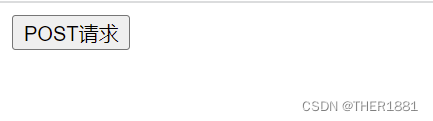
You need to separate the front end and the back end when doing projects , So I'm testing post When asked , Need to be in VSCode Re create a HTML page :
<!DOCTYPE html>
<html lang="en">
<head>
    <meta charset="UTF-8">
    <meta http-equiv="X-UA-Compatible" content="IE=edge">
    <meta name="viewport" content="width=device-width, initial-scale=1.0">
    <title>Document</title>
</head>
<body>
    <form action="http://localhost:3000/students/post" method="post">
        <button type="submit">POST request </button>
    </form>
</body>
</html>

边栏推荐
- System security and Application
- What "hard core innovations" does Intel have in the first half of 2022? Just look at this picture!
- Soul 递交港股上市申请,加快社交聚集地多元化、场景化的布局
- 2022年全球最具技术实力的的智能合约安全审计公司推荐
- Boostrap
- EasyRecovery14数据恢复软件官方功能简介
- 众多世界500强企业集聚第二届数博会,数字产业大幕即将开启!
- How to make the minimum API bind the array in the query string
- Log in to Alibaba cloud server with a key
- 智能安防视频平台EasyCVR出现通道列表为空情况的原因是什么?
猜你喜欢

FTX US推出FTX Stocks,向主流金融行业迈进
keras-ocr实例测试

聊聊大火的多模态

Disk management and file system

Event capture and bubbling - what is the difference between them?
How to delete or replace the loading style of easyplayer streaming media player?
Pruning - quantification - turn to onnx Chinese series tutorials

Future, futuretask and completable future are often asked in interviews

Add virtual network card and configure OP route in win10

PXE efficient batch network installation
随机推荐
Go语言学习
采用QT进行OpenGL开发(一)绘制平面图形
After adding a camera (camera) to the UAV in gazebo, the UAV cannot take off
如何删除或替换EasyPlayer流媒体播放器的loading样式?
DNS domain name resolution service
Soul continues to make efforts to list its social channels in Hong Kong. Why is "soul style social" popular?
众多世界500强企业集聚第二届数博会,数字产业大幕即将开启!
Px4 source code compilation to establish its own program module
deepsort源码解读(二)
PSI|CSI和ROC|AUC和KS -备忘录
Project training experience 2
When a subclass calls the constructor of its parent class
keras-ocr实例测试
gin-vue-admin 使用docker容器中的数据库
网站服务器被攻击怎么办?向日葵提示防范漏洞是关键
pycharm在虚拟环境下跑jupyter notebook问题记录
FTX Foundation funded 15million to help covid-19 clinical trials, which will affect global public health
Go language learning
Event capture and bubbling - what is the difference between them?
FTP service introduction and configuration