当前位置:网站首页>threejs:流光效果封装
threejs:流光效果封装
2022-06-11 00:26:00 【粉末的沉淀】
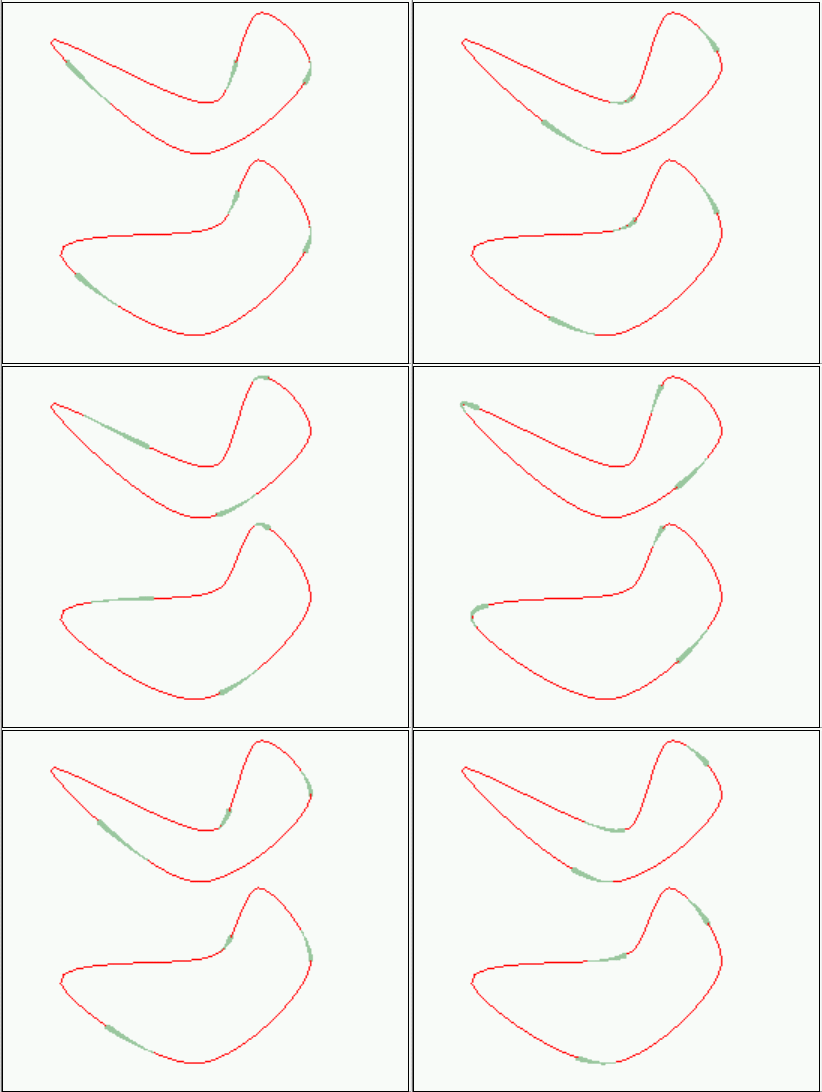
在网上看到的这种流光效果,在某宝买了源码后,决定把这个效果封装成js文件,以后用起来就很方便了。
flyCurve.js文件代码如下:
import * as THREE from 'three'
var uniforms = {
		u_time: { value: 0.0 }
	};
var clock = new THREE.Clock();
export const timerFlyCurve = setInterval(()=>{
	const elapsed = clock.getElapsedTime();
	uniforms.u_time.value = elapsed;
},20);
// 着色器设置
const vertexShader = `
				 varying vec2 vUv;
				   attribute float percent;
				   uniform float u_time;
				   uniform float number;
				   uniform float speed;
				   uniform float length;
				   varying float opacity;
				   uniform float size;
				   void main()
				   {
				       vUv = uv;
				       vec4 mvPosition = modelViewMatrix * vec4( position, 1.0 );
				       float l = clamp(1.0-length,0.0,1.0);
				       gl_PointSize = clamp(fract(percent*number + l - u_time*number*speed)-l ,0.0,1.) * size * (1./length);
				       opacity = gl_PointSize/size;
				       gl_Position = projectionMatrix * mvPosition;
				   }
			 `
const fragmentShader = `
							 #ifdef GL_ES
							   precision mediump float;
							   #endif
							   varying float opacity;
							   uniform vec3 color;
							   void main(){
							       if(opacity <=0.2){
							           discard;
							       }
							       gl_FragColor = vec4(color,1.0);
							   }
			`
export function createFlyCurve(points, closed) {
	var curve = new THREE.CatmullRomCurve3(points, closed);
	// 流光的颜色,三个数字分别代表rgb的值,不过注意,需要除以255
	// 比如浅绿色的rgb是(0,255,127),那么这里的Vector3就等于(0,1,127/255)也就是(0,1,0.49803921)
	var color = new THREE.Vector3( 0.5999758518718452, 0.7798940272761521, 0.6181903838257632 );
	var flyLine = initFlyLine( curve, {
		speed: 0.4,
		color: color,
		number: 3, //同时跑动的流光数量
		length: 0.2, //流光线条长度
		size: 3 //粗细
	}, 5000 );
	return flyLine;
}
function initFlyLine( curve, matSetting, pointsNumber ) {
		var points = curve.getPoints( pointsNumber );
		var geometry = new THREE.BufferGeometry().setFromPoints( points );
		const length = points.length;
		var percents = new Float32Array( length );
		for (let i = 0; i < points.length; i += 1) {
			percents[i] = ( i / length );
		}
		geometry.setAttribute( 'percent', new THREE.BufferAttribute( percents, 1 ) );
		const lineMaterial = initLineMaterial( matSetting );
		var flyLine = new THREE.Points( geometry, lineMaterial );
		return flyLine;
	}

	function initLineMaterial( setting ) {
		const number = setting ? ( Number( setting.number ) || 1.0 ) : 1.0;
		const speed = setting ? ( Number( setting.speed ) || 1.0 ) : 1.0;
		const length = setting ? ( Number( setting.length ) || 0.5 ) : 0.5;
		const size = setting ? ( Number( setting.size ) || 3.0 ) : 3.0;
		const color = setting ? setting.color || new THREE.Vector3( 0, 1, 1 ) : new THREE.Vector3( 0, 1, 1 );
		const singleUniforms = {
			u_time: uniforms.u_time,
			number: { type: 'f', value: number },
			speed: { type: 'f', value: speed },
			length: { type: 'f', value: length },
			size: { type: 'f', value: size },
			color: { type: 'v3', value: color }
		};
		const lineMaterial = new THREE.ShaderMaterial( {
			uniforms: singleUniforms,
			vertexShader: vertexShader,
			fragmentShader: fragmentShader,
			transparent: true
		} );
		return lineMaterial;
	}
export default
 {
     createFlyCurve,
     timerFlyCurve
 }
在vue中先引入createFlyCurve方法和timer定时器:

createFlyCurve方法只有两个参数,points, closed,也就是组成曲线的点坐标和曲线是否闭合,该方法返回一个Points物体,然后将这个物体添加到场景就可以了。

如果想要改变流光的速度、数量、长度、颜色等参数,可以直接去js文件里修改。

最后,因为js文件里有一个定时器控制流光动起来,所以在vue销毁前最好还是清理一下定时器,以免内存泄漏等问题。

完整的demo代码:
<template>
	<div>
		<!-- 本案例演示流光js文件的使用-->
		<div id="container"></div>
	</div>

</template>

<script>
	import * as THREE from 'three'
	// 注意OrbitControls要加{},注意路径是jsm
	import {
		OrbitControls
	} from 'three/examples/jsm/controls/OrbitControls.js';
	import {
		createFlyCurve,timerFlyCurve
	} from './flyCurve.js';

	export default {
		name: "hello",
		props: {

		},
		components: {

		},
		data() {
			return {
				scene: null,
				renderer: null,
				camera: null
			}
		},
		created() {},
		mounted() {
			this.init();
			this.animate();

		},
		//后续还要在beforeDestory中进行销毁
		beforeDestroy() {
			this.scene = null;
			this.renderer = null;
			this.camera = null;
			// 流光效果js文件中的定时器,为了避免内存泄漏问题,最好在销毁前清除
			clearInterval(timerFlyCurve);
		},
		methods: {
			// 场景初始化
			init() {
				let container = document.getElementById('container');
				this.camera = new THREE.PerspectiveCamera(75, window.innerWidth / window.innerHeight, 0.1, 1000);
				// 特别注意,相机的位置要大于几何体的尺寸
				this.camera.position.x = 20;
				this.camera.position.y = 20;
				this.camera.position.z = 20;
				this.scene = new THREE.Scene();
				this.renderer = new THREE.WebGLRenderer(
				{
					// 抗锯齿性
					antialias: true
				}
				);
				this.renderer.setClearAlpha(0.0); // 设置alpha,合法参数是一个 0.0 到 1.0 之间的浮点数
				this.renderer.setSize(window.innerWidth, window.innerHeight);
				container.appendChild(this.renderer.domElement);
				var points = [
					new THREE.Vector3(-10, 0, 10),
					new THREE.Vector3(-5, 5, 5),
					new THREE.Vector3(0, 0, 0),
					new THREE.Vector3(5, -5, 5),
					new THREE.Vector3(10, 0, 10)
				];
				var closed = true;
				var flyLine = createFlyCurve(points,closed);
				var flyLine2 = createFlyCurve(points,closed);
				flyLine2.position.set(0,10,0)
				this.scene.add(flyLine);
				this.scene.add(flyLine2);


				var curve = new THREE.CatmullRomCurve3( [
					new THREE.Vector3( -10, 0, 10 ),
					new THREE.Vector3( -5, 5, 5 ),
					new THREE.Vector3( 0, 0, 0 ),
					new THREE.Vector3( 5, -5, 5 ),
					new THREE.Vector3( 10, 0, 10 )
				],true );

				var points = curve.getPoints( 50 );
				var geometry = new THREE.BufferGeometry().setFromPoints( points );

				var material = new THREE.LineBasicMaterial( { color : 0xff0000 } );

				// Create the final object to add to the scene
				var curveObject = new THREE.Line( geometry, material );

				var curveObject2 = new THREE.Line( geometry, material );
				curveObject2.position.set(0,10,0)

				this.scene.add(curveObject);
				this.scene.add(curveObject2);


				// 初始化轨道控制器
				// 还需要配合animate,不断循环渲染,达到用鼠标旋转物体的作用。
				this.orbitControls = new OrbitControls(this.camera, this.renderer.domElement);
			},

			animate() {
				requestAnimationFrame(this.animate);
				this.renderer.render(this.scene, this.camera);
			}

		}
	}
</script>

<style scoped>
	#container {
		width: 100%;
		height: 600px;
	}
</style>
效果:
最后总结一下:
引入js,生成object,将object添加到scene,vue销毁前清理定时器。
边栏推荐
- Digital IC Design self-study ing
- Role of handlermethodargumentresolver + use case
- Bubble sort and quick sort
- Beijing Tongzhou District high tech enterprise cultivation support standard, with a subsidy of 100000 yuan
- Norme de soutien à la culture des entreprises de haute technologie du district de Mentougou à Beijing, subvention de 100 000 RMB
- Project_ Visual analysis of epidemic data based on Web Crawler
- [Li mu] how to read papers [intensive reading of papers]
- 关于mobx
- 北京中国专利奖政策支持介绍,补贴100万
- Time dependent - format, operation, comparison, conversion
猜你喜欢

中间件_Redis_06_Redis的事务

Basic introduction of graph and depth first traversal and breadth first traversal

对多线程的理解

如何使用自定义注解进行参数校验

简述自定义注解

detectron2训练自己的数据集和转coco格式

Function of barcode fixed assets management system, barcode management of fixed assets

Yunna PDA wireless fixed assets inventory management system

Inventory management and strategy mode

PX4从放弃到精通(二十四):自定义机型
随机推荐
北京东城区高新技术企业培育支持标准,补贴10万
Digital IC Design self-study ing
Sealem finance builds Web3 decentralized financial platform infrastructure
Shenzhen Nanshan District specialized, special and new enterprise application conditions, with a subsidy of 100000-500000 yuan
CSRF attack
北京平谷区高新技术企业培育支持标准,补贴10万
Projet Visualisation et analyse des données sur les épidémies basées sur le Web crawler
HandlerMethodArgumentResolver(参数解析器)的作用+使用小案例
Pd虚拟机安装系统提示 “网络初始化失败 操作失败 ”的解决方案
ROS参数服务器
Direct insert sort and shell sort
IRS应用发布之十五:应用安全自测指南
Store binary tree in sequence [store tree in array]
关于mobx
[path planning] week 1: hodgepodge
Middleware_ Redis_ 05_ Persistence of redis
MultipartFile和File互转工具类
Configurable custom implementation 1 Implementation interface, 2 Custom configuration 3 Default configuration
2022年高考加油 那年我的高考如此兴奋
对象存储 S3 在分布式文件系统中的应用