当前位置:网站首页>[web security self-study] section 1 building of basic Web Environment
[web security self-study] section 1 building of basic Web Environment
2022-06-10 16:43:00 【Q1X1】
List of articles
Preface
utilize linux+nginx+php-fpm+mysql Set up a website and be able to run php Code , Connect to the database and execute mysql sentence .
Set up records
System Overview
centos 7
Basic environment installation
install GCC
yum install gcc-c++
install PCRE
yum install -y pcre pcre-devel
install Zlib
yum install -y zlib zlib-devel
install Openssl
yum install -y openssl openssl-devel
install EPEL-release
yum -y install epel-release
install Nginx
yum -y install nginx
Website path :/usr/share/nginx/html
nginx To configure :/etc/nginx/nginx.conf
Set up self start :systemctl enable nginx.service
Modify the configuration file , Remove the previous comments to parse php file :
restart :service resrat nginx
Visit the home page to check the installation :
install php-fpm
PHP-FPM To solve two problems :
1. Tradition php-cgi change php.ini After configuration, you need to restart php-cgi To make a new php-ini take effect , Cannot start smoothly .
2.php-cgi Process termination ,php The service will also be forced to terminate .
Synchronization source :rpm -Uvh https://dl.fedoraproject.org/pub/epel/epel-release-latest-7.noarch.rpm
rpm -Uvh https://mirror.webtatic.com/yum/el7/webtatic-release.rpm
Search for php-fpm edition :yum search all php-fpm
Uninstall the original version dependency :
yum remove php php-fpm php-common
install 7.0 Version and its extensions yum install php70w php70w-fpm php70w-cli php70w-common php70w-devel php70w-gd php70w-pdo php70w-mysql php70w-mbstring php70w-bcmath php70w-xml php70w-pecl-redis php70w-process php70w-intl php70w-xmlrpc php70w-soap php70w-ldap php70w-opcache
Opening service systemctl start php-fpm
Set to turn on self starting systemctl enable php-fpm
Close the service killall php-fpm
restart php-fpm -R
stay /usr/share/nginx/html create a file , The content is <?php phpinfo(); ?>
And visit to see php Analyze the situation 
install MySQL
download MySQL Installation package wget -i -c http://dev.mysql.com/get/mysql57-community-release-el7-10.noarch.rpm
Use yum install yum -y install mysql57-community-release-el7-10.noarch.rpm
install MySQL The server yum -y install mysql-community-server --nogpgcheck #nogpgcheck Indicates that the key is not verified , Otherwise, it will report a mistake , Of course, you can also use the official belt mariadb
start-up MySQLsystemctl start mysqld.service
View running status systemctl status mysqld.service
lookup root password grep "password" /var/log/mysqld.log
Access to database mysql -u root -p
Change Password ALTER USER 'root'@'localhost' IDENTIFIED BY '[email protected]';# take root Change the password to xxxx, It must be strong enough , Contains numeric case and special characters , Otherwise, an unsafe prompt will appear , The password cannot be modified successfully .
Turn on Remote Access grant all privileges on . to 'root'@'192.168.31.1' identified by 'password' with grant option;#192.168.31.1 Indicates an address that allows remote access only , If all are required, it is allowed to replace the address with %
Refresh permission configuration flush privileges;
Exit database exit
Add open ports to the firewall firewall-cmd --zone=public --add-port=3306/tcp --permanent
Reload firewall firewall-cmd --reload
Remote access testing
This test uses Navicat,MySQL Access requires installing the client .
Safety thinking
The server
Port security : Only open the ports that need to be used .
Host vulnerability : Use goby Scan to ensure no major security vulnerabilities
Baseline check : Meet basic safety requirements , Use github The script automatic scanning discovery basically passes .
password security : No weak password , You can log in with a key .
database
password security : Prevent weak passwords
Port security : You can modify mysql default 3306 port
Application system
Do safety inspection before going online , have access to awvs/xray scan .
Build a shooting range environment that is open to the public 401 Basic authentication settings , Prevent malicious attacks .
middleware
nginx Parsing vulnerability , This is a configuration problem , Default is hard to use , The configuration is flexible and light , It's a good choice .
Thinking about shortcut key installation
It can be used later docker\phpstudy And so on .
边栏推荐
- Technology sharing | quick intercom, global intercom
- Jerry's ble timer clock source cannot choose OSC crystal oscillator [chapter]
- Implementation of word count case code in MapReduce
- Full array of arrays
- C # homework - student information management system
- PV operation daily question - black and white chess question
- 迪赛智慧数——文字(文本墙):80后儿童时期风靡的25种玩具
- Chinese translation of Rilke's autumn with heartless sword
- Enroulez - vous, brisez l'anxiété de 35 ans, l'animation montre le processeur enregistrer le processus d'appel de fonction, entrer dans l'usine d'interconnexion est si simple
- When visual studio 2019 is installed, vs installer cannot download files. The progress bar is 0. It shows the solutions to network problems
猜你喜欢

Palm detection and finger counting based on OpenCV

Analysis report on marketing status and demand potential of China's acetate starch industry 2022-2028

Rk3308 key and LED light
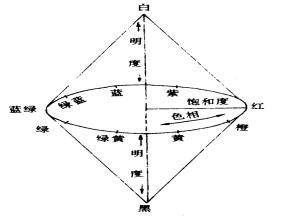
Detailed explanation of RGB color space, hue, saturation, brightness and HSV color space

袋鼠云数栈基于CBO在Spark SQL优化上的探索

Embedded development: five challenges in wireless update using MCU

Software College of Shandong University Project Training - Innovation Training - network security range experimental platform (16)

Online document collaboration tool is the first step to improve work efficiency
![Jerry's ble IO port interrupt and flip [chapter]](/img/e6/bd5bb99ba79ca8daaee844689cd57f.png)
Jerry's ble IO port interrupt and flip [chapter]

Technology sharing | quick intercom, global intercom
随机推荐
嵌入式开发:使用MCU进行无线更新面临的5大挑战
靠,嘉立创打板又降价
PV operation daily question - black and white chess question (variant)
Jerry's ble timer clock source cannot choose OSC crystal oscillator [chapter]
When visual studio 2019 is installed, vs installer cannot download files. The progress bar is 0. It shows the solutions to network problems
Webdypro layout control cannot be used_ SAP LIUMENG
迪赛智慧数——文字(文本墙):80后儿童时期风靡的25种玩具
Aggregate sum of MapReduce cases
leetcode:730. 统计不同回文子序列【由点及面区间dp + 三维dp + 对角线遍历】
Software College of Shandong University Project Training - Innovation Training - network security range experimental platform (16)
Jerry's ble abnormal power consumption [chapter]
Jerry's ble dynamic power regulation [chapter]
Embedded development: five challenges in wireless update using MCU
Palm detection and finger counting based on OpenCV
The CPU load caused by implicit conversion is nearly 100%
PV operation daily question 1 - single wooden bridge problem (variant 1)
RGB颜色空间、色调、饱和度、亮度、HSV颜色空间详解
Full array of arrays
PV operation daily question - exam questions
Devops-2- from the Phoenix Project