当前位置:网站首页>MySQL learning records -- III. MySQL query statements
MySQL learning records -- III. MySQL query statements
2022-06-12 08:58:00 【Uncertain factors】
One 、mysql data type
1. value type
1.1.MySQL Support all standards SQL Numerical data type .
1.2. These types include strict numerical data types (INTEGER、SMALLINT、DECIMAL and NUMERIC), And approximate values
1.3. According to the type (FLOAT、REAL and DOUBLE PRECISION).
1.4. keyword INT yes INTEGER A synonym for , keyword DEC yes DECIMAL A synonym for .
1.5.BIT Data type save bit field value , And support MyISAM、MEMORY、InnoDB and BDB surface .
1.6. As SQL Standard extension ,MySQL Integer types are also supported TINYINT、MEDIUMINT and BIGINT. The following table shows the storage and range required for each integer type .
| type | purpose | size | Range ( A signed ) | Range ( Unsigned ) |
|---|---|---|---|---|
| tinyint | Small integer value | 1Bytes | (-128, 127) | (0, 255) |
| smallint | Large integer value | 2Bytes | (-32768, 32767) | (0, 65635) |
| mediumint | Large integer value | 3Bytes | (-8 388 608, 8 388 608) | (0, 16 777 215) |
| int or integer | Large integer value | 4Bytes | (-2 147 483 648, 2147483648) | (0, 4294967275) |
| bigint | Maximum integer value | 1Bytes | (-128, 127) | (0, 255) |
| float | Single precision Floating point numbers | 4Bytes | (-3402823466E+38, -1.175494351E-38) ,0,(1.175494351E-38,3.402823466351E+38) | (0, (1.075494351E-38,3.402823466E+38)) |
| double | Double precision Floating point numbers | 8Bytes | (-1.7976931348623157E+308, -2.2250738585072014E-308),0,(2.2250738585072014E-308),0,(2.2250738585072014E-308,1.797693134868315E+308) | (0, 255) |
| decimal | Small value | Yes DECIMAL, If M>D, by M+2 otherwise D+2 | Depend on M and D | Depend on M and D |
2. Date and time type
2.1. The date and time type that represent the time value are DATETIME、DATE、TIMESTAMP、TIME and YEAR.
2.2. Each time type has a valid value range and a " zero " value , When the designation is illegal MySQL Use... When the value cannot be represented " zero " value .
2.3.TIMESTAMP Type has a proprietary automatic update feature , Will be described later .
| type | purpose | size | Range | Format |
|---|---|---|---|---|
| date | Date value | 3Bytes | 1000-01-01/9999-12-31 | YYYY-MM-DD |
| time | Time value or duration | 3Bytes | ‘-838:5959’/‘838:59:59’ | HH:MM:SS |
| year | The year is worth | 1Bytes | 1901/2155 | YYYY |
| datetime | Mix date and time values | 8Bytes | 1000-01-01 00:00:00/9999-12-31 23:59:59 | YYYY-MM-DD HH;MM;SS |
| timestamp | Mix date and time values , Time stamp | 4Bytes | 1970-01-01 00:00:00/2038 | YYYYMMDD HHMMSS |
3. String type
String type means CHAR、VARCHAR、BINARY、VARBINARY、BLOB、TEXT、ENUM and SET. This section describes how these types work and how to use them in queries .
| type | purpose | size |
|---|---|---|
| char | Fixed length string | 0-255 Bytes |
| varchar | Variable length string | 0-65535 Bytes |
| tinyblob | No more than 255 Binary string of characters | 0-255 Bytes |
| tinytext | Text string | 0-255 Bytes |
| blob | Long text data in binary form | 0-65535 Bytes |
| text | Long text data | 0-65353 Bytes |
| mediumblob | Medium length text data in binary form | 0-16777215 Bytes |
| mediumtext | Medium length text data | 0-16777215 Bytes |
| longblob | Maximum text data in binary form | 0-4294967295 Bytes |
| longtext | Large text data | 0-4294967295 Bytes |
Two 、 mysql Query operation
1. You can use one or more tables , Use commas between tables , Division , And use WHERE Statement to set the query conditions .
2. Use AND perhaps OR Specify one or more conditions .
3.WHERE Clause can also be applied to SQL Of DELETE perhaps UPDATE command .
4.WHERE Clause is similar to... In programming languages if Conditions , according to MySQL Table to read the specified data .
Search method
select * from surface where Conditions
// Search for
SELECT * FROM `user` WHERE real_name = ''
// Fuzzy search
SELECT * FROM `user` WHERE real_name LIKE '% Yang %'
// Multiple requirements
SELECT * FROM  Table name  WHERE  Parameters  = '' AND  Parameters  = ''
// Select a table to query
SELECT * FROM  Library name . Table name  WHERE  Parameters  = ' anhui '
Multiple tables associated query
select Output content
from surface a Table alias ( Better be simple )
left join surface b Table alias ( Better be simple ) on a.xx( Table parameters ) = b.xx( Table alias )
( Grouping output )group by a Table alias ,xx
// Multi-table query ( Left 、 Right 、 Internal connection ( The mapping relationship ))
SELECT
 c.xx AS '',
 count(p.xx) AS ''
FROM
  Table name  c
LEFT JOIN  Table name  p ON c.xx = p.xx
LEFT JOIN   Table name  t on p.xx= t.xx
WHERE
c.xx= 1
and c.add_time BETWEEN '2022-04-01 00:00:00' and '2022-05-24 00:00:00'
AND p.xx = 1 and t.xx = 1
GROUP BY c.xx
details
a、 Even the table
     No correspondence is shown
    select A.num, A.name, B.name
    from A,B
    Where A.nid = B.nid

     No correspondence is shown
    select A.num, A.name, B.name
    from A inner join B
    on A.nid = B.nid

    A Table all display , If B There is no correspondence in , Then the value is null
    select A.num, A.name, B.name
    from A left join B
    on A.nid = B.nid

    B Table all display , If B There is no correspondence in , Then the value is null
    select A.num, A.name, B.name
    from A right join B
    on A.nid = B.nid
b、 Combine
     Combine , Automatic processing coincidence
    select nickname
    from A
    union
    select name
    from B

     Combine , Unprocessed coincidence
    select nickname
    from A
    union all
    select name
    from B
Query add parameters
as: Take the alias select x.id as ’ name ‘ where …
group by( Must be in where after ,order by Before ): grouping , There is a mapping relationship , branch ( Column ) Group shows a parameter
limit/limit X offset X: Limit , Find out the information between (select * from surface limit 5;)
between: Find out the goals between (select * from Table name where c. Time BETWEEN ‘2022-04-01 00:00:00’ and ‘2022-05-24 00:00:00’)
in: Look up a line Example :select * from surface where id in (11,22,33)
on: Mating left chain 、 Right chain 、 Internal links use , ditto ( Multi-table query )
like(%/_ Both front and back ): Fuzzy query (select * from surface where name like ‘ale%’)% Multiple strings , (select * from surface where name like ‘ale_’)_ Single string
Aggregate function query
COUNT: Returns the total number of records whose specified column is not empty
SUM:: Sums the specified columns ( Such as salary payment )
MIN, MAX:MIN(e1) return e1 The minimum value in the column specified by the expression ; MAX(e1) return e1 The maximum value in the column specified by the expression ;
desc/desc:(select * from surface order by Column 1 desc, Column 2 asc) - according to “ Column 1” From large to small , If they are the same, press the column 2 Sort from small to large
AVG: The column specified for the expression , averaging .
MEDIAN: First , according to e1 The column specified by the expression , Sort values ; If after sorting , The total record is odd , Return to the sorting queue , Values in the middle ; If after sorting , The total record is even , Is in the sort queue , Average the middle two values , Return this average ;
***RANK(RANK( ) OVER ([ PARTITION BY column1 ] ORDER BY column2 [ASC|DESC]))***( Find the sequence number of a parameter ):
(select rank(1500) within group (order by salary) as “rank number” from employees)
FIRST、LAST:
 grammar :    agg_function(e1) KEEP (DENSE_RANK FIRST ORDER BY e2 [NULLS {
    FIRST|LAST}]) [OVER PARTITION BY e3 ]
            agg_function(e1) KEEP (DENSE_RANK LAST  ORDER BY e2 [NULLS {
    FIRST|LAST}]) [OVER PARTITION BY e3 ]
         Parameters :    agg_function For an aggregate function , It can be for  MIN、MAX、SUM、AVG、COUNT、VARIANCE or STDDEV
            e2 Specify which field to base on , Sort ;
            e3 Specify which field to base on , To classify ( grouping );
             When specifying OVER PARTITION BY After clause , Sort each class separately after classification ;
            DENSE_RANK Assign sequence numbers to the sorted records , And the serial number is continuous .
            NULLS {
    FIRST|LAST} Specify sort fields e1 If the value of is empty , Then shoot in front of the sequence (NULLS FIRST) Or back (NULLS LAST)
            DENSE_RANK After FIRST/LAST Confirm selection passed DENSE_RANK In a sequenced sequence , The serial number is the smallest / The biggest record . When the serial number is the same , Return multiple records
             When the serial numbers are the same , When multiple records are returned ,agg_function(e1) The aggregate function continues to process the multiple records e1 Fields are aggregated .
         effect :     If agg_function by min(e1), Get the sorted FIRST or LAST In multiple records of , A field e1 The minimum value of
             This field is not a sort key field e2
         example :
         The employee table is known to have a salary field , Bonus field . Of the lowest paid employees , The record of the employee with the highest bonus .
         The known table is as follows :
        SQL> select * from employees order by salary;
         EMP_ID     EMP_NAME           SALARY  COMMISSION
        ---------- ---------------------------- ------------  ------------
        10001      ZhangSan              500        200
        10002      LiSi                  500        300
        10003      WangWu                500        100
        10004      MaLiu                 2000       500
        10005      NiuQi                 2500       200
        10006      ShangDuo              2500       300
        10007      BaiQi                 2500       400

        SQL> select max(commission) keep(dense_rank first order by salary asc) as commission from employees;
        COMMISSION
        ----------
               300
         First , Press salary After ordering , Get a record of the lowest salary , They are employees 10001、10002、10003 Three records .
         Aggregate functions max(commission) Yes 3 The employee who gets the highest bonus in the records 10002, Bonus is 300.
3、 ... and 、 mysql The insert
MySQL Used in table INSERT INTO SQL Statement to insert data .
Insert method
INSERT INTO
user(user_name,user_pwd,user_phone,user_time) VALUES (?, ?, ?, ?)
INSERT INTO `user` (user_name,user_pwd,user_phone,user_time) VALUES (?, ?, ?, ?)
Four 、 mysql update operation
update surface set name = ‘alex’ where id>1
update surface set name = 'alex' where id>1
5、 ... and 、 mysql Delete operation
delete from surface where id=1 and name=’alex’
delete from  surface
delete from  surface  where id=1 and name='alex'
// Welcome to add
边栏推荐
- [computer use] how to change a computer disk into a mobile disk?
- 【sklearn学习】LightGBM
- Engineers learn music theory (II) scale and tendency
- 2022.6.11-----leetcode.926
- mySql学习记录——二、mySql建表命令
- Composition of box model
- Chapter VI - procedures with multiple segments
- The database doesn't know what went wrong
- Occupied occupied occupied occupied occupied
- Flink传入自定义的参数或配置文件
猜你喜欢

Flink传入自定义的参数或配置文件

Engineers learn music theory (I) try to understand music

2022 simulated examination platform operation of high voltage electrician work license question bank

Set up redis sentinel cluster (instance):
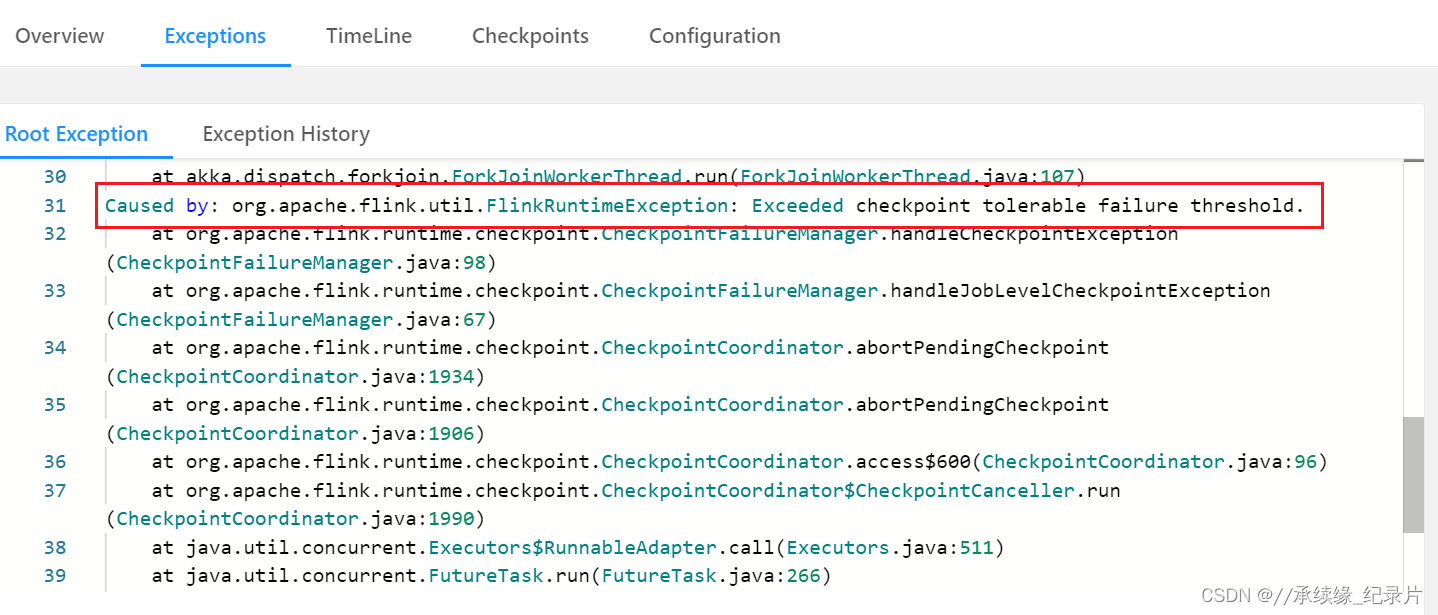
Flink CheckPoint : Exceeded checkpoint tolerable failure threshold

MFS explanation (IV) -- MFS management server installation and configuration

torch. logical_ And() method
Background location case 1
![[GUI development] browsing function implementation model of image processing software](/img/37/2162a6047682b9cfc9b8b7c2488068.jpg)
[GUI development] browsing function implementation model of image processing software

Display the remaining valid days according to the valid period
随机推荐
Background position - mixed units
Notes used by mqtt (combined with source code)
Difference between binary GB and gib
Detailed explanation of iSCSI (V) -- actual operation of iSCSI client configuration
(十二)交互组件Selectable
Shell基本语法--数组
day5-x
Composition of box model
Background location case 1
Audio and video related links
EIP-1559
MySQL - Import / export operation
Encapsulate the amount input box component.
Set up redis sentinel cluster (instance):
Analysis of 43 cases of MATLAB neural network: Chapter 8 prediction of GRNN Network - Freight Volume Prediction Based on generalized regression neural network
QT realizes multi screen and multi-resolution adaptation
[open source project] easycmd command graphical software
Engineers learn music theory (III) interval mode and chord
Introduction to Chang'an chain node certificate, role and authority management
Domain name mapping to specified IP