当前位置:网站首页>将Graph Explorer搬上JupyterLab:使用GES4Jupyter连接GES并进行图探索
将Graph Explorer搬上JupyterLab:使用GES4Jupyter连接GES并进行图探索
2022-06-25 18:12:00 【华为云】
GES4Jupyter是一款可以在JupyterLab中连接访问GES并可视化的工具。工具中封装了部分GES业务面接口,并提供对返回数据的可视化能力。基于该工具在Jupyter上进行图探索,可以大大降低编码成本,丰富JupyterLab的数据表现力。

一、使用前准备
1. 华为云账号
在使用华为云服务之前您需要注册华为云帐号。通过此帐号,只需为使用的服务付费,即可使用所有华为云服务。
注册华为云账号步骤请点击:《华为云注册介绍》
注册成功后即可自动登录华为云,您需要完成“实名认证”才可以正常使用服务。《实名认证介绍》
2. OBS对象存储服务
OBS即对象存储服务(Object Storage Service),GES将OBS作为数据源导入数据。
数据若想导入图引擎服务GES,需要先上传至OBS。详情参考:华为云图引擎服务 GES 实战——创图
3. GES图引擎服务
使用GES4Jupyter前,需要在图引擎服务控制台创建一个GES图实例,并且导入数据。本例中使用的数据源是新冠患者轨迹追溯数据集v2,可以从AI Gallery中下载。详情参考:华为图引擎文档-快速入门和华为云图引擎服务 GES 实战——创图
4. 获取调用GES业务面API必备的参数
调用GES API需要输入token鉴权信息,认证鉴权能力依赖华为云统一身份认证服务IAM。获取Token需要用户名密码、图所在区域等信息。详情查看:华为图引擎文档-业务面API认证鉴权和调用 GES 服务业务面 API 相关参数的获取
二、使用GES4Jupyter连接GES服务
从华为云首页进入ModelArts控制台,点击CodeLab新建一个Jupyter Notebook,并等待资源初始化完成。

新建一个Notebook,使用下列代码获取GES4Jupyter程序和资源文件。
import moxing as moxmox.file.copy('obs://obs-aigallery-zc/GES/ges4jupyter/beta/ges4jupyter.py', 'ges4jupyter.py')mox.file.copy('obs://obs-aigallery-zc/GES/ges4jupyter/beta/ges4jupyter.html', 'ges4jupyter.html')在Notebook中输入代码后,将该段文本配置为代码,然后点击左侧的运行按钮,并等待运行完成。

点击左上角的“+”号新建代码片段,输入下列代码段并运行,完成GES4Jupyter的初始化。
from ges4jupyter import GESConfig, GES4Jupyter, read_csv_configeip = ''project_id = ''graph_name = ''iam_url = ''user_name = ''password = ''domain_name = ''project_name = ''port = 80eip, project_id, graph_name, iam_url, user_name, password, domain_name, project_name, port = read_csv_config('cn_north_4_graph.csv')config = GESConfig(eip, project_id, graph_name, iam_url = iam_url, user_name = user_name, password = password, domain_name = domain_name, project_name = project_name, port = port)ges_util = GES4Jupyter(config, True);上面代码中涉及的字段含义基本分为两大类,简单介绍下:
- 用于构造API的参数:eip,projectId,graph_name, port这四个参数都参与构造了业务面请求的url。eip与graph_name两个参数在创图时容易获得,port参数默认为80,开启安全模式时为443,关于projectId,可参考图引擎官网文档-获取项目id,从图控制台根据图所属的区域来获取项目id。
- 用于在请求API前获取token的参数:iam_url, user_name, password, domain_name,project_name,GES4Jupyter会使用这四个参数获取token,进而在使用api时进行鉴权,相关参数获取请参考:华为图引擎文档-业务面API认证鉴权和调用 GES 服务业务面 API 相关参数的获取
除了手动输入这部分参数,也可以将参数构造为一个csv文件上传至CodeLab平台,而后执行图示read_csv_config方法,一键获取所有参数。

如图为一个区域为北京四的图的示例文件,关键信息(如ip、projectId、图名、账户名、密码、iam子账号名)通过马赛克隐藏。
对于新创的图,使用下列代码段可以创建点边索引,方便使用cypher:
print('开始创建点索引:')job_id = ges_util.build_vertex_index()job_result = ges_util.get_job(job_id)if 'errorCode' not in job_result: for i in range(100): if job_result['status'] == 'success': break else: time.sleep(1) job_result = ges_util.get_job(job_id)print('点索引创建完成')print('开始创建边索引:')job_id = ges_util.build_edge_index()job_result = ges_util.get_job(job_id)if 'errorCode' not in job_result: for i in range(100): if job_result['status'] == 'success': break else: time.sleep(1) job_result = ges_util.get_job(job_id)print('边索引创建完成')如果图比较大,且没有基于label过滤方面的诉求,也可以关闭cypher的索引开关。
ges_util.cypher_query("call dbms.parameter('needNodeIndex', false)");ges_util.cypher_query("call dbms.parameter('needEdgeIndex', false)");执行summary方法可以看到点边分布:

三、使用GES4Jupyter调用业务面接口并进行可视化
GES4Jupyter支持调用cypher语句,并可视化cypher的结果。在初始化完成GES4Jupyter后,使用下列代码可以执行并可视化cypher查询:
cypher_result = ges_util.cypher_query("match (n)-[r]->(m) return n,r,m limit 10",formats=['row','graph']);ges_util.format_cypher_result(cypher_result)在Notebook中输入该段代码,点击运行,可以看到Notebook中效果:

同时,工具还提供了其他选项卡,不仅可以看到可视化Graph结构,还可以看到表格数据、以及原始的json数据。

GES4Jupyter也提供了能力对gremlin语言返回的点边数据进行可视化。
gremlin_result = ges_util.gremlin_query("g.V().outE().bothV().path().limit(2)");ges_util.format_gremlin_result(gremlin_result)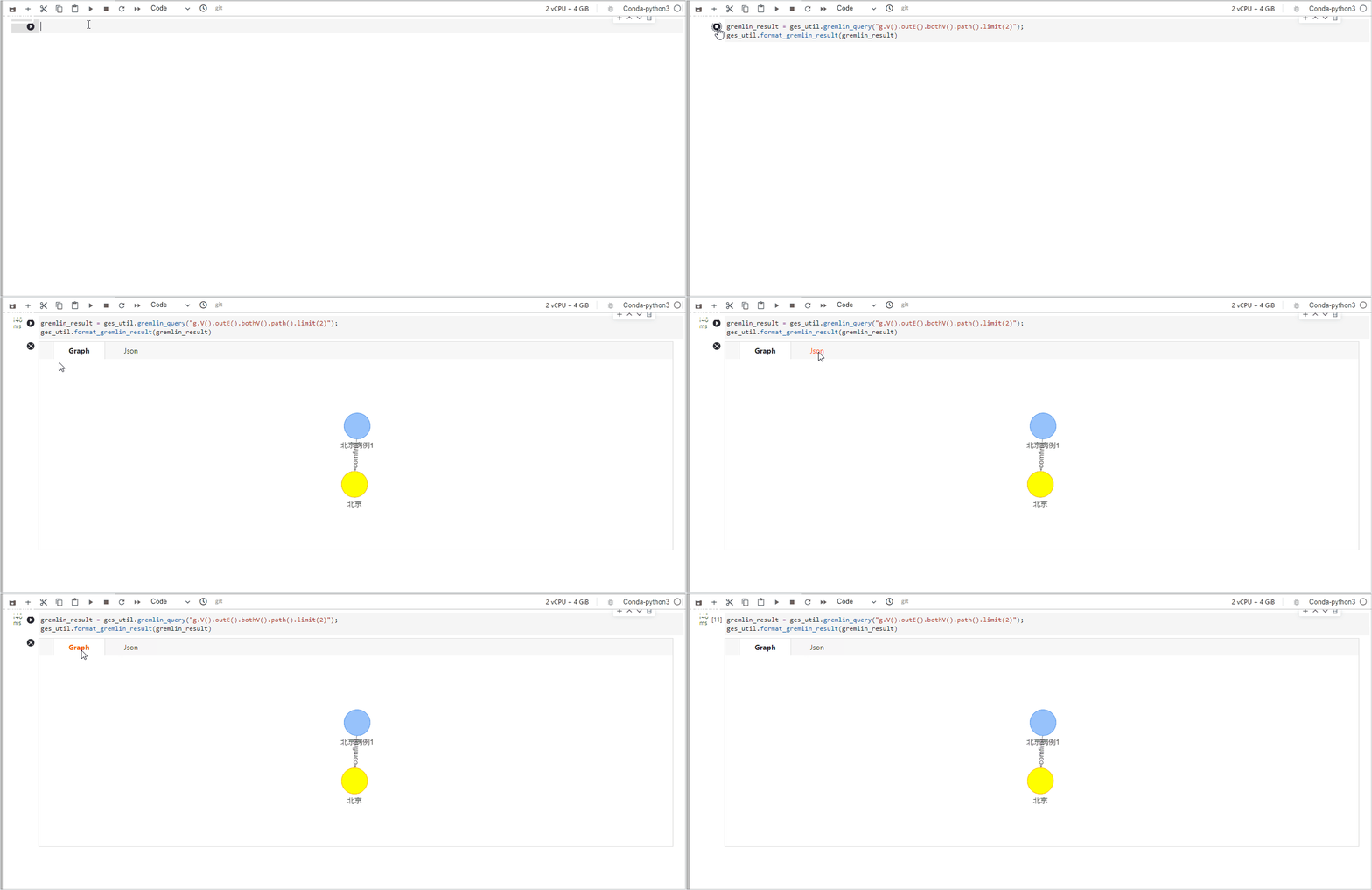
同时,对于ges的path-query接口,当返回数据为tree格式时,GES4Jupyter也能提供较好的支持。
result = ges_util.path_query({ "repeat": [ { "operator": "bothV", "vertex_filter": { "property_filter": { "leftvalue": { "id": "" }, "predicate": "NOTIN", "rightvalue": { "value": ["北京"] } } } } ], "until": [ { "vertex_filter": { "property_filter": { "leftvalue": { "id": "" }, "predicate": "=", "rightvalue": { "value": ["额济纳旗"] } } } } ], "times": 5, "queryType": "Tree", "vertices": ["北京病例2"] })ges_util.format_path_query(result)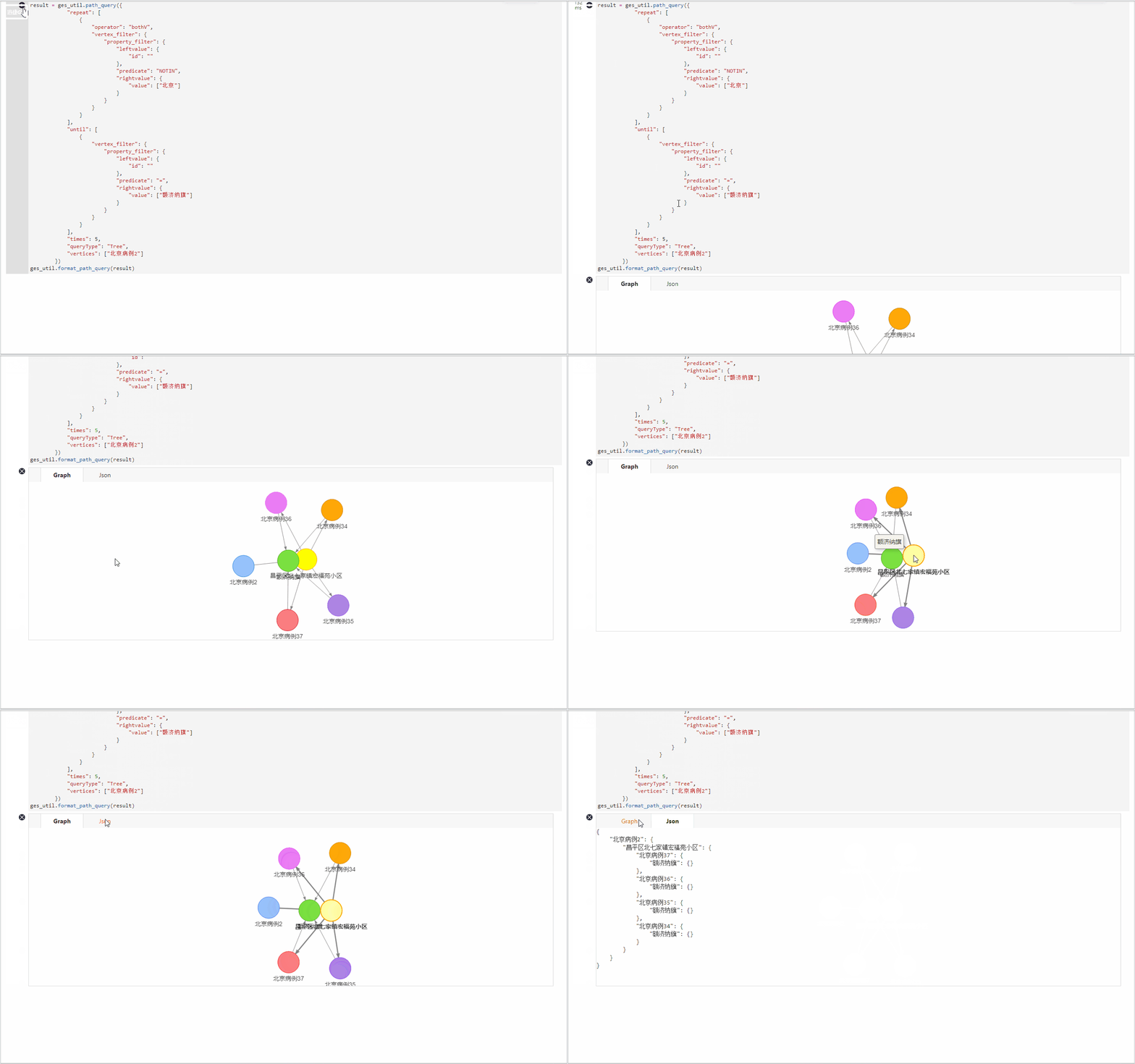
四、图引擎官网有更多案例可以使用GES4Jupyter上手体验
本文的数据集取自华为云图引擎官网“新冠患者轨迹追溯”数据集,notebook代码取自“新冠患者轨迹追溯”案例,在图引擎官方网站上,还有其他动手实践案例,配套ModelArts的CodeLab,可以实现“开箱即用”,提供丰富的场景和大家一起认识图、了解图、使用图。

边栏推荐
- Kotlin of Android cultivation manual - several ways to write a custom view
- 踩坑记录---线程池拒绝策略引起的一系列巧合
- 深入理解ELF文件
- Intelligent dialog 01 redis installation
- [machine learning] case study of college entrance examination prediction based on multiple time series
- Encryption trend: Fashion advances to the meta universe
- How to judge whether you are suitable for software testing
- 【工作小技巧】刚入职的软件测试工程师怎么快速上手新岗位
- 揭秘GES超大规模图计算引擎HyG:图切分
- Hash of redis command
猜你喜欢

General message publishing and subscription in observer mode

ASP.NET超市便利店在线购物商城源码,针对周边配送系统

Install spark + run Scala related projects with commands + crontab scheduled execution

篇7:CLion中没有代码提示,,,

Part 5:vs2017 build qt5.9.9 development environment

Optimization of lazyagg query rewriting in parsing data warehouse

微博评论的计算架构

Deep understanding of ELF files

The Stackies 2022:32个营销技术栈入选

Encryption trend: Fashion advances to the meta universe
随机推荐
What is the ranking of the top ten securities companies? Is it safe to open a mobile account?
微博评论的计算架构
JSP页面运行却显示源码
The stacks 2022:32 marketing technology stacks selected
延时函数如何延时
【深入理解TcaplusDB技术】Tmonitor系统升级
利用Qt制作美化登录界面框
微服务介绍
证券公司排名前十手续费最低 办理开户安全吗
IVX sailing
Swagger实现后台接口自动化文档
How to delay the delay function
SDN系统方法 | 10. SDN的未来
Wechat applet reports an error: request:fail URL not in domain list
解决nvprof 报错ERR_NVGPUCTRPERM - The user does not have permission to profile on the target device.
篇5:VS2017搭建QT5.9.9开发环境
篇7:CLion中没有代码提示,,,
Hover effect of eight buttons
Slam visuel Leçon 14 leçon 9 filtre Kalman
Introduction to microservices