当前位置:网站首页>From Read and save in bag file Jpg pictures and PCD point cloud
From Read and save in bag file Jpg pictures and PCD point cloud
2022-07-02 10:54:00 【SmileAtlas】
from .bag Read and save in file .jpg Pictures and .pcd Point cloud
#!/usr/bin/env python
 #coding:utf-8
import os
import rosbag
import cv2
from cv_bridge import CvBridge
from tqdm import tqdm
import time


class ExtractBagData(object):

    def __init__(self, bagfile_path, camera_topic, pointcloud_topic, root):
        self.bagfile_path = bagfile_path
        self.camera_topic = camera_topic
        self.pointcloud_topic = pointcloud_topic
        self.root = root
        self.image_dir = os.path.join(root, "images")
        self.pointcloud_dir = os.path.join(root, "pointcloud")

        # Create a directory for extracting pictures and point clouds  ./root/images root/pointcloud
        if not os.path.exists(self.image_dir):
            os.makedirs(self.image_dir)
        if not os.path.exists(self.pointcloud_dir):
            os.makedirs(self.pointcloud_dir)

    def extract_camera_topic(self):
        bag = rosbag.Bag(self.bagfile_path, "r")
        bridge = CvBridge()
        bag_data_imgs = bag.read_messages(self.camera_topic)

        index = 0

        # for topic, msg, t in bag_data_imgs:
        # for topic, msg, t in tqdm(bag_data_imgs):
        pbar = tqdm(bag_data_imgs)
        for topic, msg, t in pbar:
            pbar.set_description("Processing extract image id: %s" % (index+1))
            cv_image = bridge.imgmsg_to_cv2(msg, "bgr8")
            # print('\033[31m=\033[0m'*120)
            # print(topic) # /usb_cam/image_raw
            # print(msg)
            # print(t) # 1616554905461126311
            #print(type(cv_image)) # <type 'numpy.ndarray'>
            # cv2.imshow("Image window", cv_image)
            # cv2.waitKey(3)
            #  If you need to use a timestamp to name the extracted image , have access to msg.header.stamp.to_sec() Get the timestamp
            # timestr = "%.6f" % msg.header.stamp.to_sec()
            cv2.imwrite(os.path.join(self.image_dir, str(index) + ".jpg"), cv_image)
            index += 1

    def extract_pointcloud_topic(self):
        ''' #  Extract point cloud data as pcd Suffix file , The default extraction is named for the timestamp  #  Extract command :rosrun pcl_ros bag_to_pcd result.bag /velodyne_points ./pointcloud #  Extract point cloud with timestamp command :1616554905.476288682.pcd :return: '''
        cmd = "rosrun pcl_ros bag_to_pcd %s /velodyne_points %s" % (self.bagfile_path, self.pointcloud_dir)
        os.system(cmd)

        #  Then read the extracted pcd Point cloud data , Change the file name to index in order
        pcd_files_list = os.listdir(self.pointcloud_dir)
        #  Because extracted pcd It is commanded by timestamp , But the list is not sorted from small to large according to the timestamp , Here the timestamp is reordered
        pcd_files_list_sorted = sorted(pcd_files_list)
        # print(zip(pcd_files_list, pcd_files_list_sorted))

        index = 0
        pbar = tqdm(pcd_files_list_sorted)
        for pcd_file in pbar:
            pbar.set_description("Processing extract poindcloud id: %s" % (index + 1))
            os.rename(os.path.join(self.pointcloud_dir, pcd_file),
                      os.path.join(self.pointcloud_dir, str(index) + ".pcd"))
            print("pcd_file name: ", pcd_file)
            index += 1


if __name__ == '__main__':
    bagfile_path = '/home/cyp/WorkSpace/lcf_ws/src/lidar_camera_fusion/scripts/zed_lidar_calibration.bag'
    camera_topic = "/zed/zed_node/left_raw/image_raw_color"
    pointcloud_topic = "/velodyne_points"
    extract_bag = ExtractBagData(bagfile_path, camera_topic, pointcloud_topic,  "/home/cyp/WorkSpace/lcf_ws/src/data")
    extract_bag.extract_camera_topic()
    extract_bag.extract_pointcloud_topic()

pip install rospkg
ModuleNotFoundError:No module named ‘Cryptodome’
pip install pycryptodomex
 ModuleNotFoundError: No module named ‘gnupg’
pip install gnupg


pip install opencv-python==3.2.0.6
边栏推荐
- UVM - usage of common TLM port
- VSCode工具使用
- JS settimeout() and interview questions
- MYSQL环境配置
- [Fantasy 4] introduction and use of UMG components (under update...)
- Start class, data analysis, high salary training plan, elite class
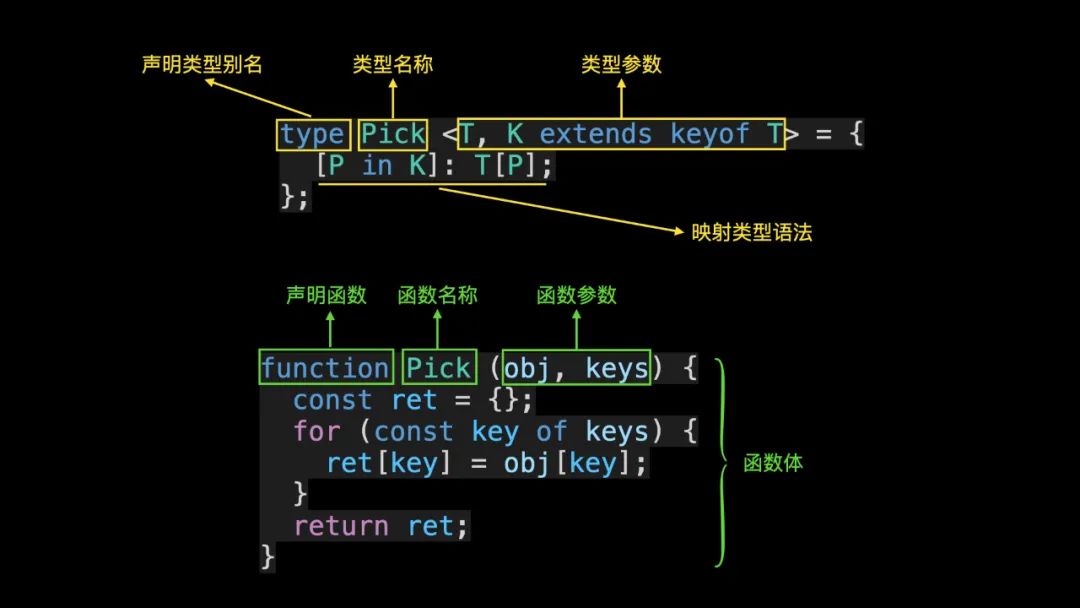
- 【TS】1368- 秒懂 TypeScript 泛型工具类型!
- [Fantasy 4] the transformation from U3D to UE4
- JSP webshell免殺——JSP的基礎
- Rapid prototyping
猜你喜欢



![2.hacking-lab脚本关[详细writeup]](/img/f3/29745761cd5ad4df84c78ac904ea51.png)

随机推荐
js promise.all
2.hacking-lab脚本关[详细writeup]
C#中索引器
13.信号量临界区保护
Stm32 et développement de moteurs (système supérieur)
2022爱分析· 国央企数字化厂商全景报告
Internet News: Tencent conference application market was officially launched; Soul went to Hong Kong to submit the listing application
"Talking about podcasts" vol.352 the age of children: breaking the inner scroll, what can we do before high school?
Flutter环境配置保姆级教程,让doctor一绿到底
Windows环境MySQL8忘记密码文件解决方案
Session cookies and tokens
[visual studio] visual studio 2019 community version cmake development environment installation (download | install relevant components | create compilation execution project | error handling)
01-spooldir
Thanos Receiver
14.信号量的代码实现
《MySQL 8 DBA基础教程》简介
Beautiful and intelligent, Haval H6 supreme+ makes Yuanxiao travel safer
Lunix reallocates root and home space memory
flume 190 INSTALL
HDU1228 A + B(map映射)