当前位置:网站首页>EZDML reverse engineering import database analysis practical operation tutorial
EZDML reverse engineering import database analysis practical operation tutorial
2022-07-25 19:41:00 【huz】
Import the data table model from the existing database for analysis , Also known as reverse engineering , It can be said that it is one of the most commonly used functions . Importing database is a standard function of all modeling tools , There is nothing to say , There is no need to write a special article ; however EZDML Make various supplements after importing 、 Analysis of this aspect is worth mentioning . Recently, I studied elder martial brother Octopus MES( Manufacturing management system ), This article takes this project as an example , Start from scratch EZDML Import database , And carry out corresponding analysis and treatment .
initialization
Since it starts from scratch , Let's also talk about initialization . Veterans can ignore this section .
Start with the pull code . Elder martial brother Octopus MES It's an open source project , The source address is :
https://gitee.com/wangziyangyang/MES-Springboot
 Copy code
direct git Clone locally :

mes for java engineering , We use it idea Open import settings , And compile through . But I can't run at this time , Because the database is not ready :

scripts for MYSQL Initialization script of database :

I'm here MYSQL The database creates a mes user , And execute the initialization script , Create tables and import initial data ( Um. , Didn't understand idea this SQL How to execute the tool , I actually use EZDML Of SQL Tool execution ):

And then put JAVA Modify the database connection configuration of the project , Let it connect to my local database :

Then compile and run , notice “Tomcat started on port(s): 9090” It should have been started successfully :

Open your browser and see :

be familiar with LayUI Interface , It looks very kind :
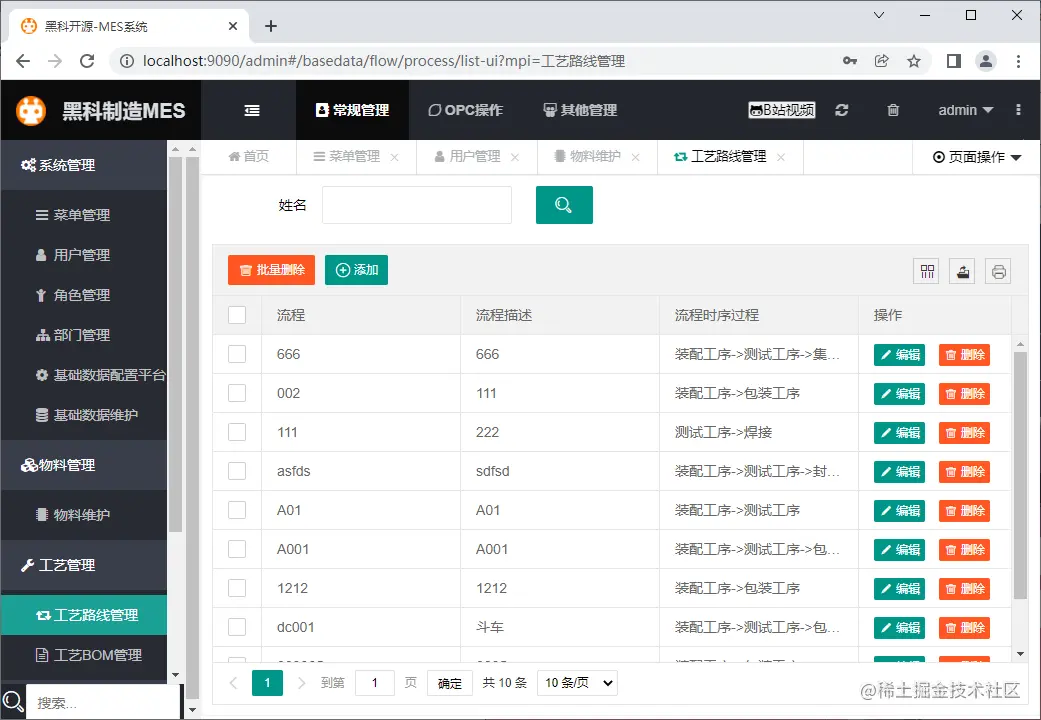
Initialization complete , Next, we start importing .
Import database
open EZDML( I use it win64 edition ), Connect to database :
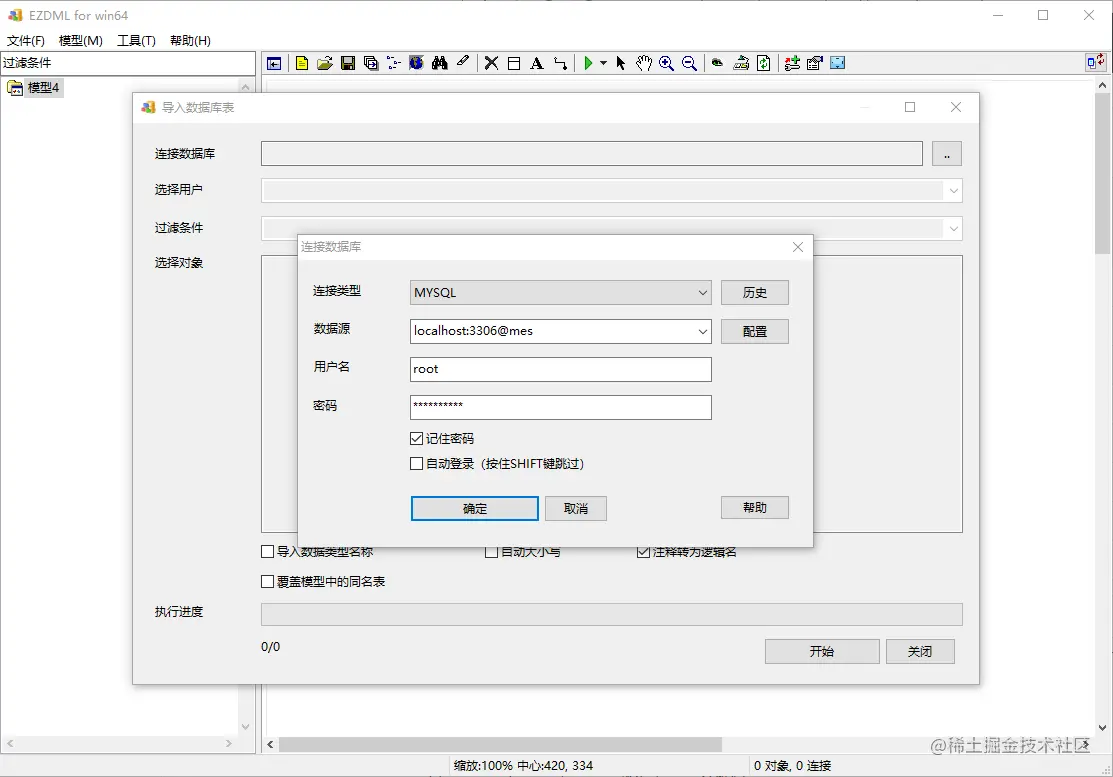
Connect successfully and list all tables :

We all import :
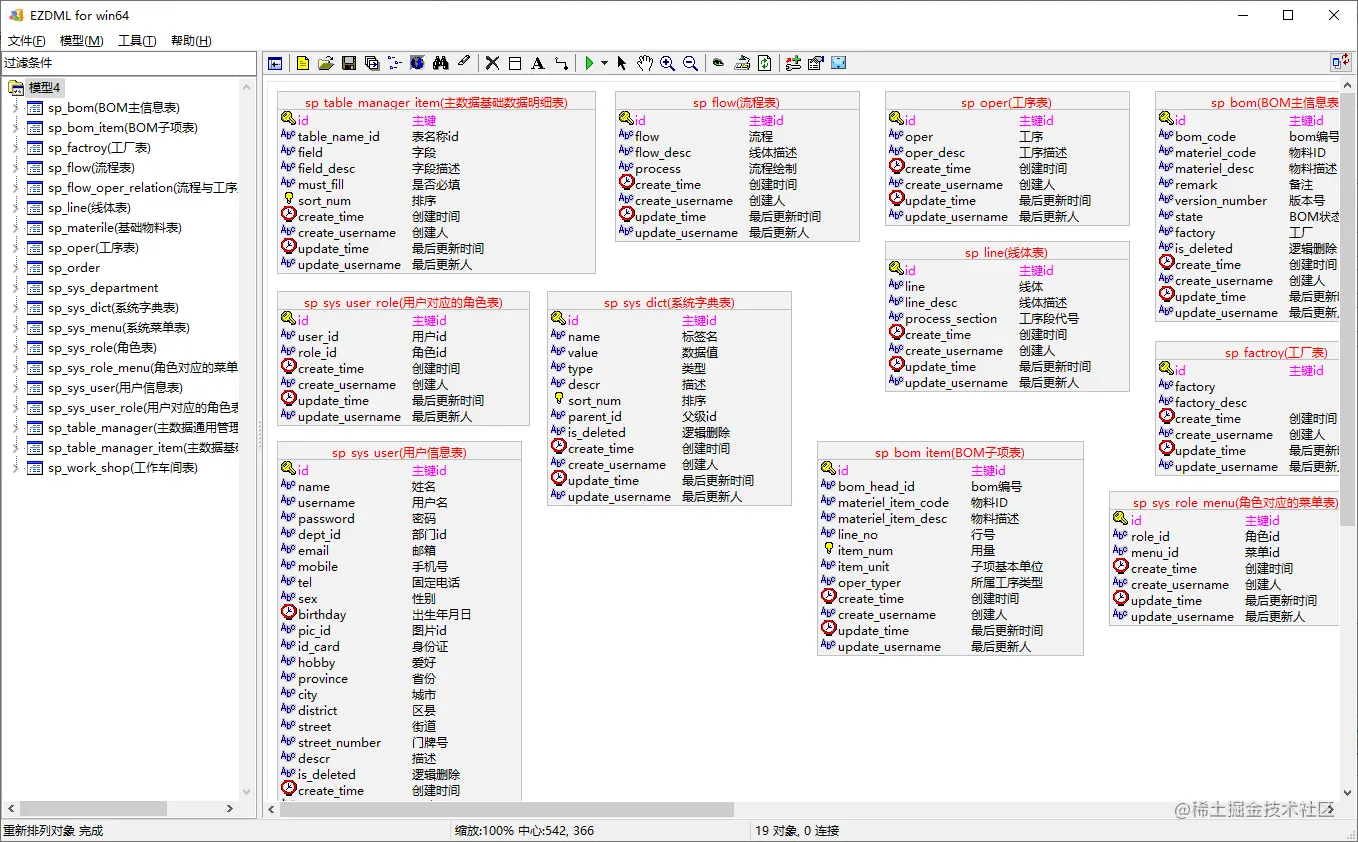
Complete the logical name of the table field
We observed that , Most of the imported tables and fields already have Chinese logical names , Only sp_order and sp_sys_department These two tables and some fields have no logical names . Let's add something to them .

sp_order Below is the work order number 、 Job description 、 Fields like planned time , Guess it should be the work order . Flipped in the system , There is a work order plan release module :

Um. , It should be it , We call it “ Work order plan ” Well :

sp_sys_department What is a watch ? English is not easy to guess ( English is good, please cooperate, don't spoiled ), Double click to open table properties , Click the pull-down menu on the top right to switch to “ data ” One column :

Um. , We can see from the data , It's an organizational department , named “ Organization Department ” Well , And by the way, change the logical names of several fields :

Some students may say that I can't see the Department data in my database ? ok , These data are actually for the convenience of demonstration EZDML Temporarily generated , Not in the original project .

however , Demonstration , Don't dwell on unimportant details , The final result is shown in the figure below :

Rebuild foreign key relationships
I don't know when to start , Big guys are popular in programming and don't build foreign keys . however , For our students who do design analysis , Relationship is very important , So before further analysis , We need to rebuild the foreign key connection .
I've tried to write scripts to automatically recognize foreign key associations , But the effect is not very good . So let's do it manually , Fortunately, the system table fields have comments , Reconstruction should not be difficult .
Let's look at these tables :
sp_sys_user( User information sheet )
sp_sys_menu( System menu )
sp_sys_role( Role table )
sp_sys_role_menu( The menu table corresponding to the role )
sp_sys_user_role( User's corresponding role table )
 Copy code
It seems to be related to user permissions , Let's make a copy of them , Right click the list tree on the left to create a new “ User permissions ” Model diagram , And paste :

obviously , The corresponding role table of the user user_id and role_id Related to users and roles respectively , We select the user main table , Press and hold SHIFT Key to select the corresponding table of user roles user_id Field , Right click “ Connect ”:

Confirm the association in the pop-up window :

Correlation results :
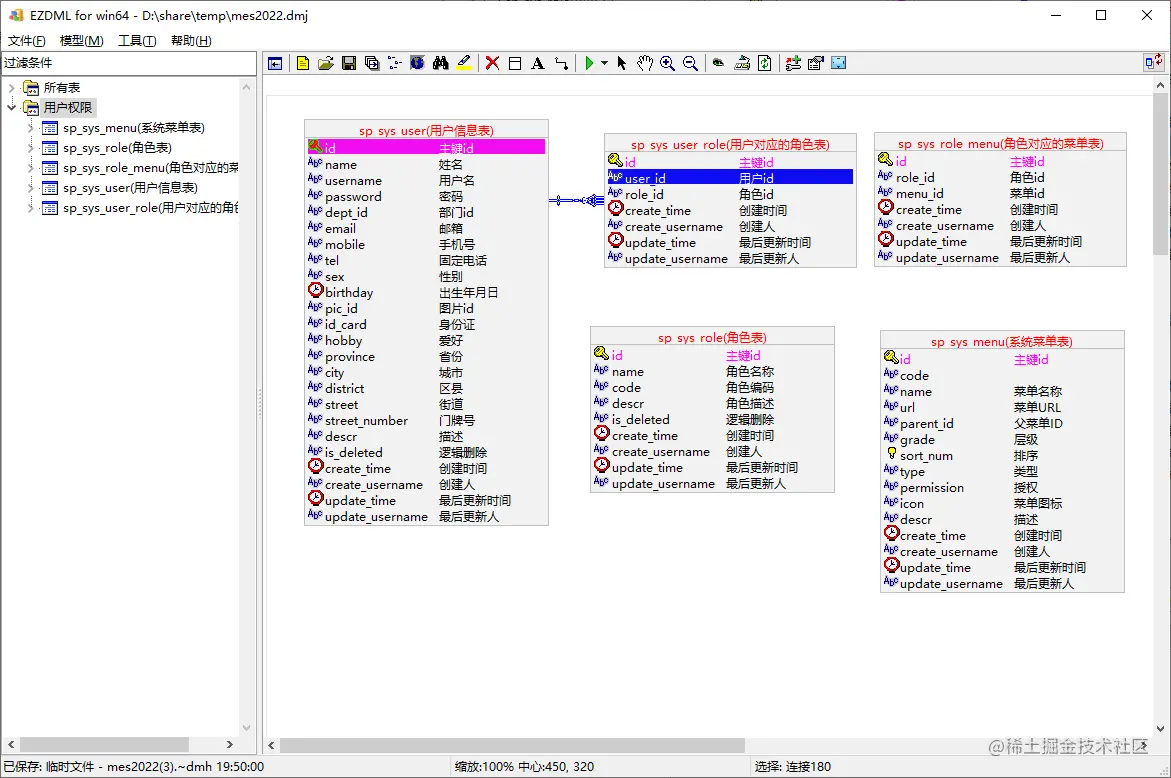
User authority model
Next, continue to improve this model . Connect the roles , You can select the main table ( Role table )、 From table fields ( Hold down SHIFT Click User's corresponding role table .role_id) after , Directly by Ctrl+W relation :

Then do the same for the menu and role association table :

Press F11 Hide the list tree , Then I adjusted my position , I think it's better to understand :

Among them, users 、 role 、 The three menus are real tables , The other two are relational tables , We give three real watches different colors ( Selection table , Right click to set the entity color ):

Go back to all tables , You can see the colors of these tables 、 There are relationships :

however , I suddenly realized that , There is another one in the user information table dept_id( department ID), Obviously, it corresponds to the organization department table just now , I missed it . We copy the Department table to “ User permissions ” Model diagram , Set colors and associate to user table , The final results are as follows :

Manufacturing model
Go back to all tables , Press F8 show thumbnail , Observe the remaining table objects :

Except for the table at the beginning of master data , The rest should have something to do with production , We select these tables , Right click replication :

Then build “ manufacturing ” Model , And paste :

Similar to before , By observing the table structure and table data , We can roughly analyze the various relationships between the guess tables :

The specific process will not be described in detail , Anyway, after a meal , give the result as follows :

Execute “ Rearrange ”, The table with the most relationships will be placed in the middle , Tables that are not associated will be listed below :

obviously , The basic material list is quite important , We color them all :
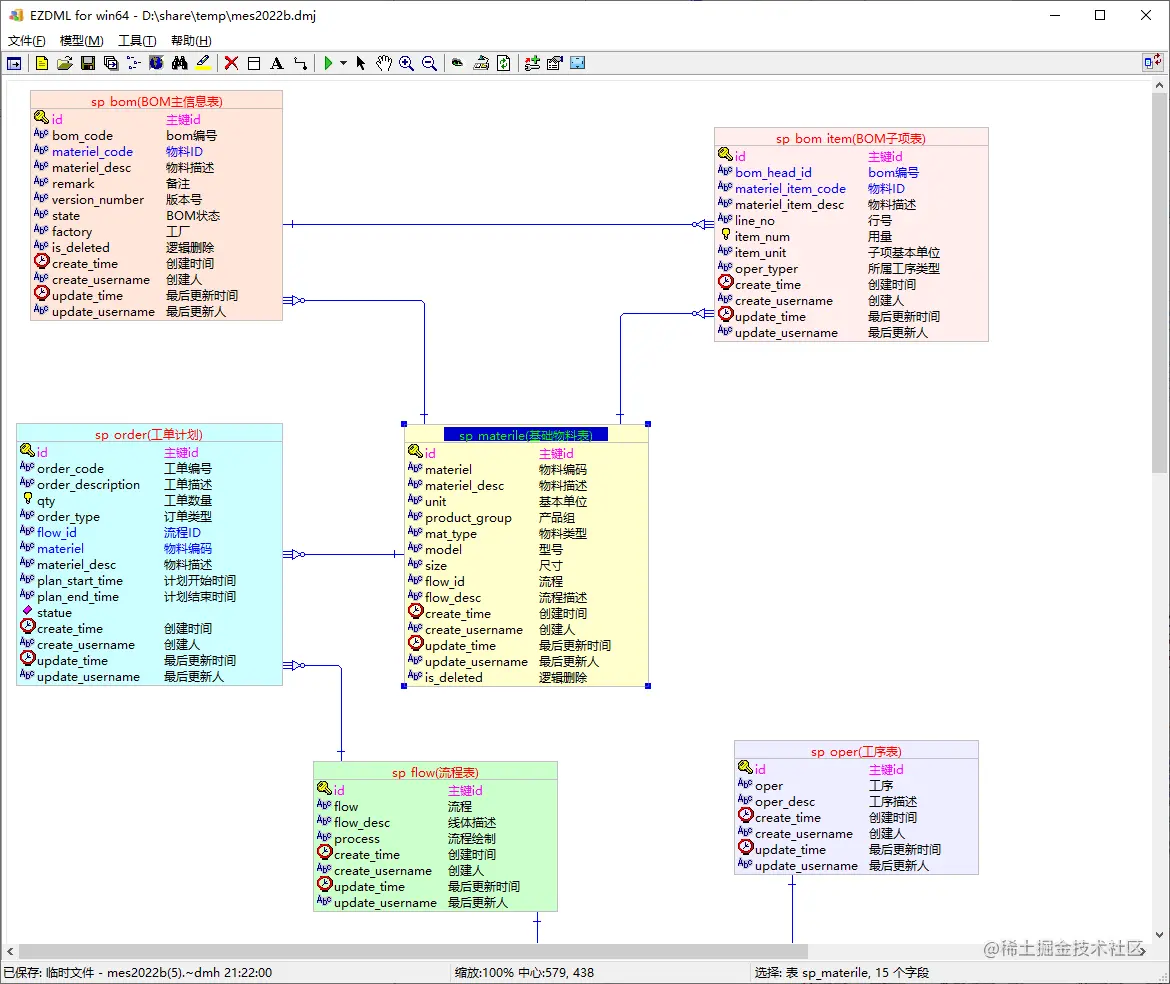
Overall data structure analysis
We can see from the previous two sections , When analyzing, we need to organize the related table objects according to the function modules , Form multiple model diagrams . But in most cases, a general model diagram is still useful .
Let's go back to all the tables , And perform rearrangement :
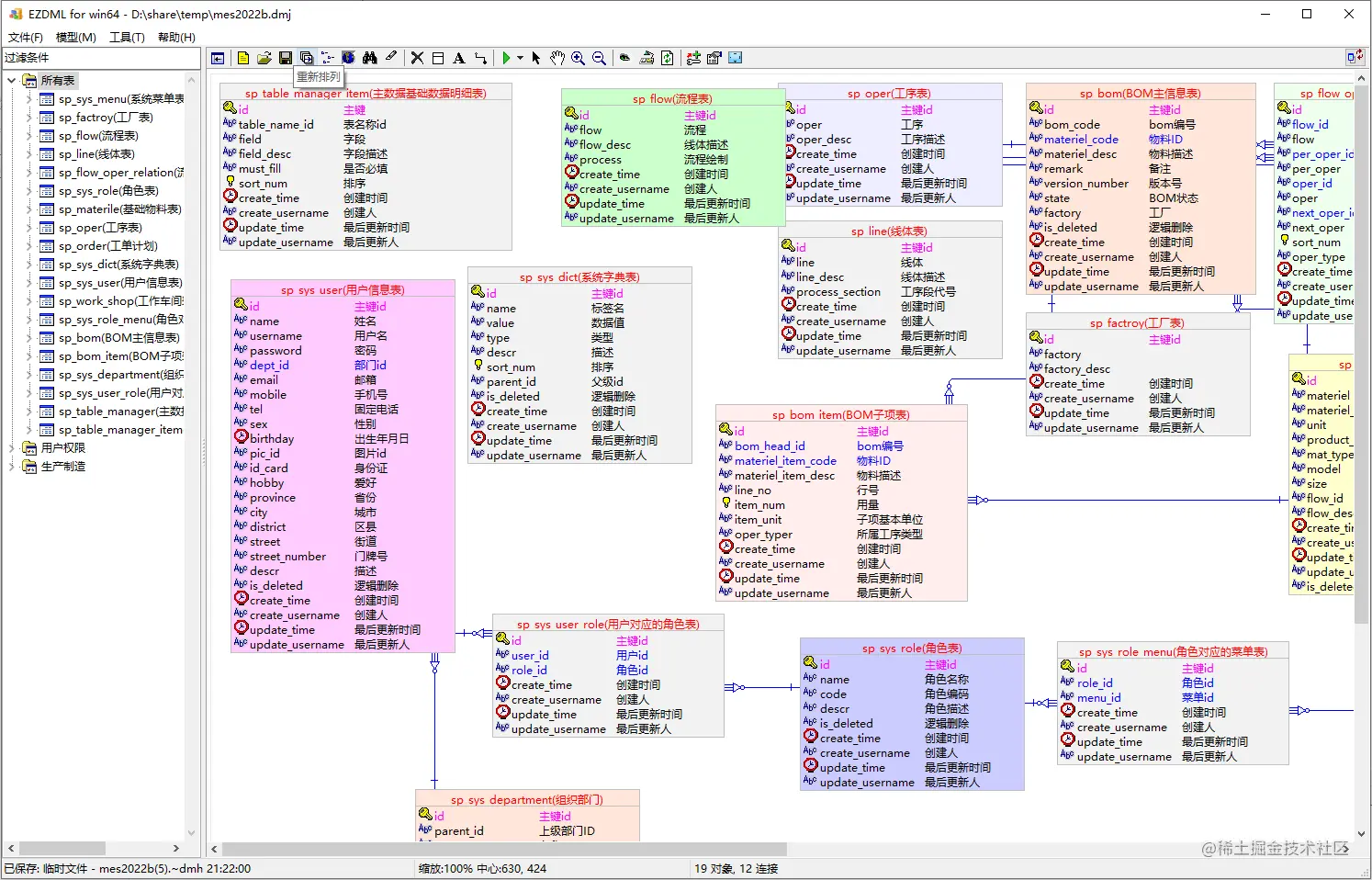
The rearrangement results are as follows :

hold “ All tables ” Drag to the end ( I'm used to having all my watches at the back ), Press F8 View thumbnails :

The basic relationship is clear .
Generate WORD Outline design
This function can be used to generate various acceptance documents , It's also a daily operation , After all, the project schedule is not urgent , We may often get the documents after the project is completed and the acceptance is required . Yes, of course , If your projects are well documented , Or more people write documents than programs , And the level is still very high , There would be no such need . However, there is always a gap between reality and ideal , Some documents may be useless , But it is necessary for acceptance . Even if you write documents for yourself , It's probably a lot easier for the tool to generate one .
Execute menu “ Model | export ”, In the pop-up window, select the export type as WORD( Be careful EZDML If you select an object, only the selected object will be imported , Export all without selection ):

The results derived :
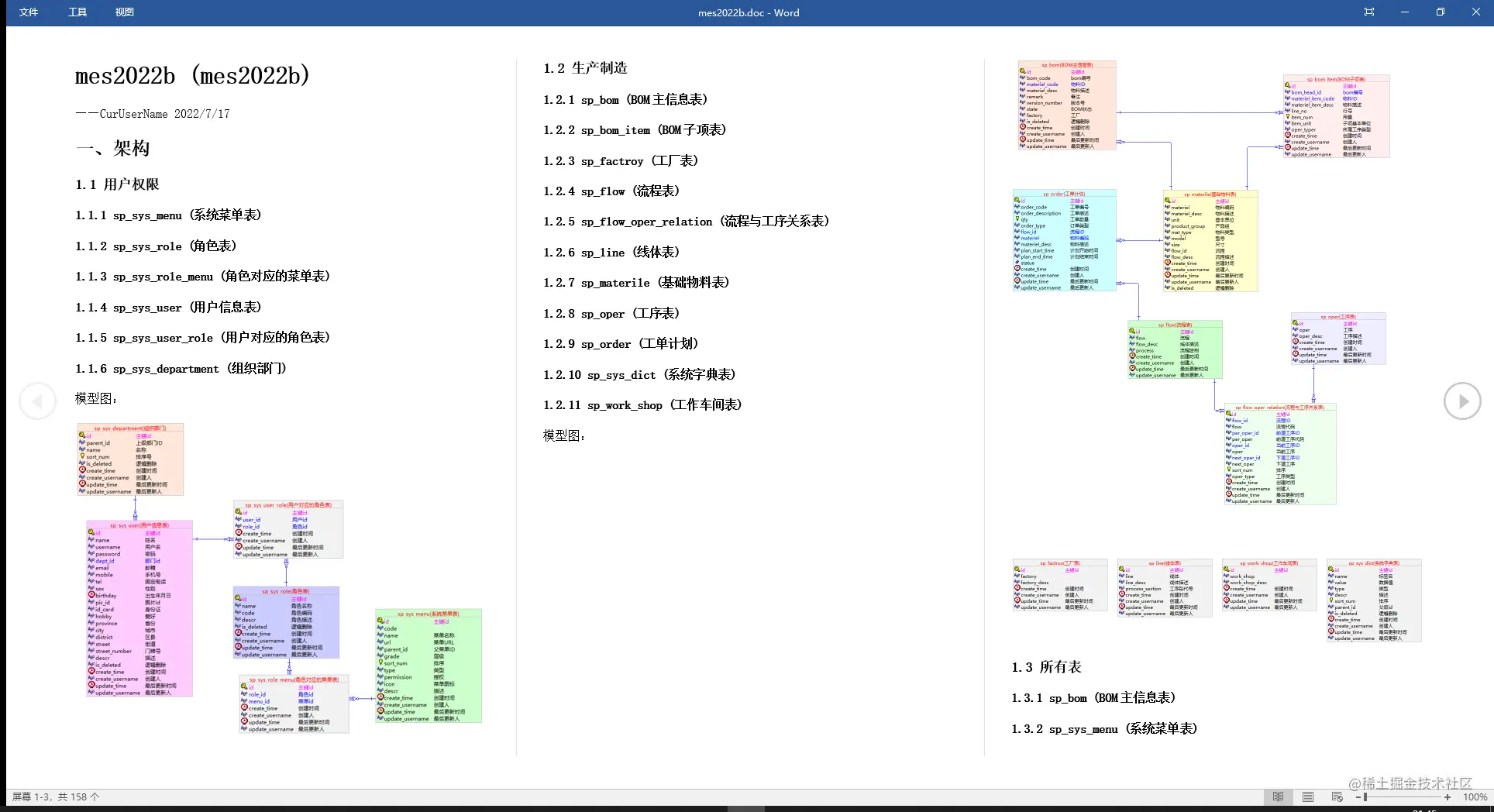

It's basically an outline design :

EZDML The export function of is basically generated by script , If necessary, you can modify it by yourself . export WORD The script template of is Templates In the catalog export_doc_html_xxx.ps_( Um. , Yes , It's actually generating HTML Again into WORD).
Generate EXCEL The data dictionary
Basically follow the export WORD The operation is almost , Only the export type is selected EXCEL. The results are as follows :

export EXCEL The script template of is Templates In the catalog export_xls_xxx.ps_( Um. , Also generate HTML Again into EXCEL, So there may be a warning when opening ).
export Markdown Interface document
When exporting, you can choose Markdown file, export Markdown Format interface document , The results include model diagrams :

The data dictionary :

Add delete check interface :
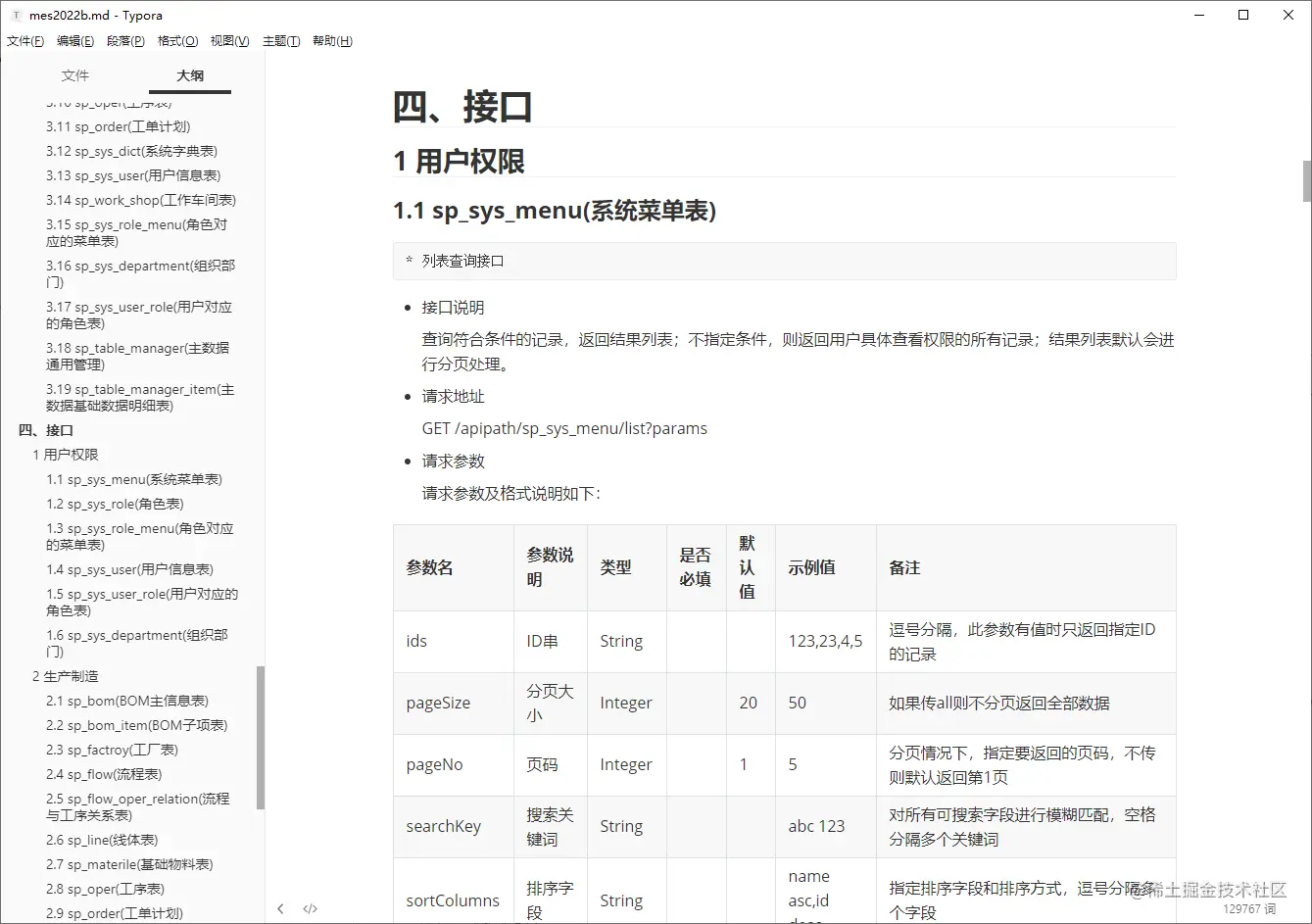


export Markdown The script template of is Templates In the catalog export_markdown.js_.
Generate standard data format
The top interface JSON Data is generated by default , It's ugly , For example, the system menu table :
{
  "id": "7fed7caaa551658e",
  "code": "code1",
  "name": " Menu name 1",
  "url": " menu URL1",
  "parent_id": " Parent menu ID1",
  "grade": " Hierarchy 1",
  "sort_num": 846,
  "type": " type 1",
  "permission": " to grant authorization 1",
  "icon": " Menu icons 1",
  "descr": " describe 1",
  "create_time": "2022-07-08 00:08:06",
  "create_username": " founder 1",
  "update_time": "2022-07-10 00:08:06",
  "update_username": " Last updated by 1"
}
 Copy code
It's very fake ?EZDML Can generate “ formal ” A little data , Let's double-click “ System menu ”, First look at its data in the database :

You can see , It has regular data in the database . Point to the top right “ more ” The menu opens “ Interface ” Configuration page :

For menu name , We set the generation type , Get from the database :

EZDML Will execute the database SQL obtain ( Default access 500 strip , You can modify it yourself SQL):

next step :

direct “ determine ” complete , The menu name becomes very “ formal ” 了 :

next , We're on the menu URL、 Menu icons are treated similarly :

then , We put code、 Parent menu ID、 Hierarchy 、 The generation type is set to integer :

give the result as follows :

By observing the database , We found that the maximum level is no more than 3, The type basically does not exceed 1, So let's change the level 、 Data generation rules of type , Set the maximum and minimum values :

For authorization fields , When we write documents, we usually set whether we can access them and read, write, add, delete, modify, and so on , This EZDML Templates are also provided :
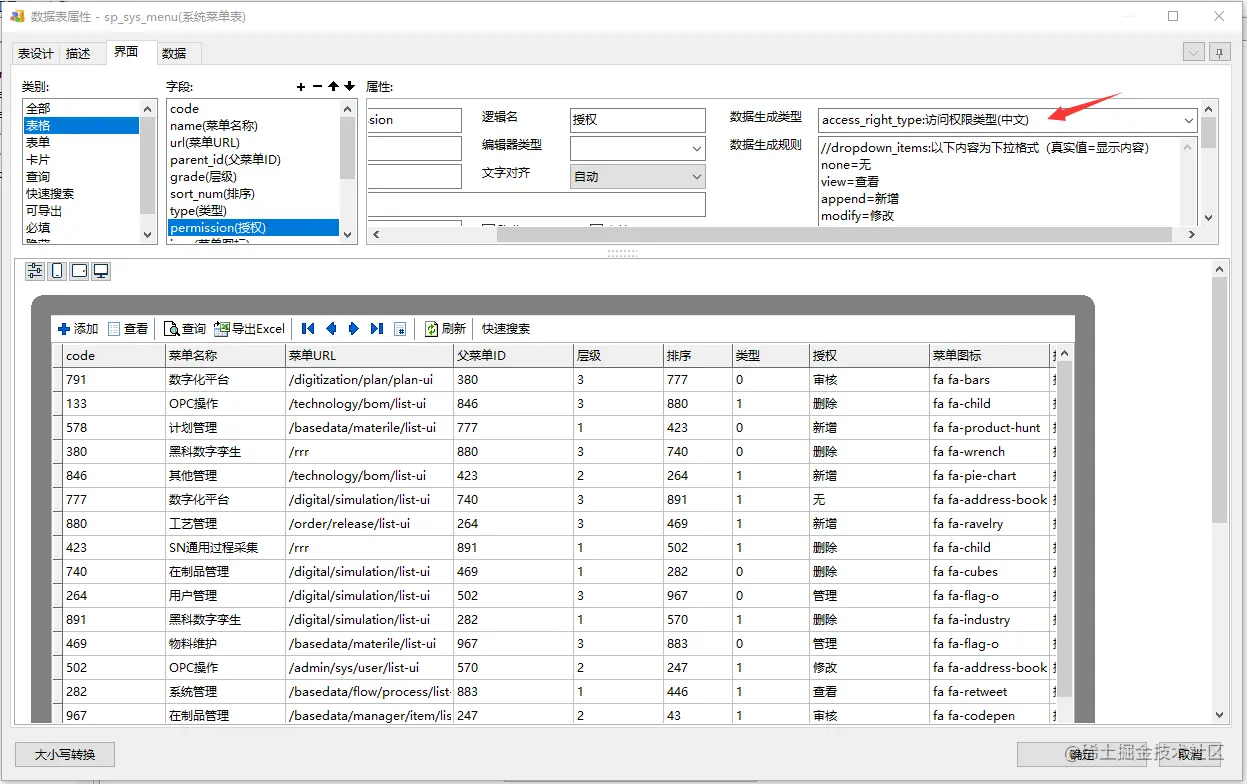
Last , Creator and updater , We set it to Chinese name :
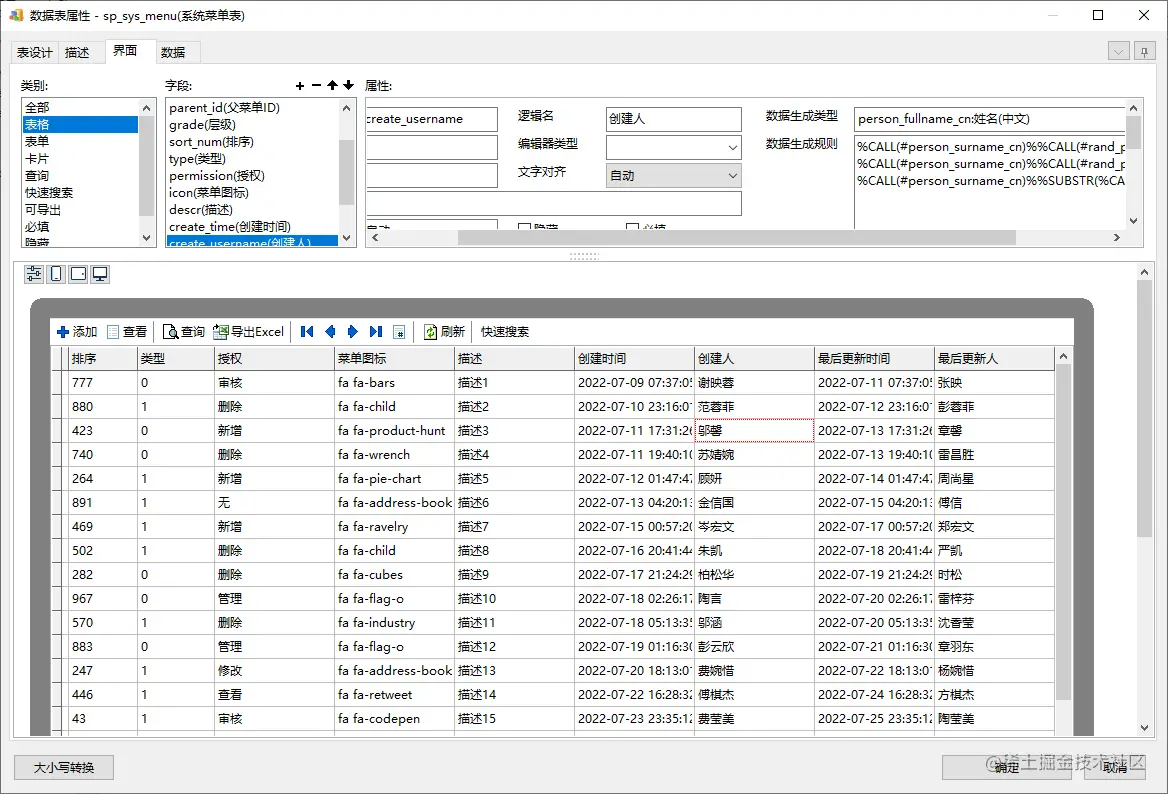
After such a setting , When we generate documents again , It looks much better :
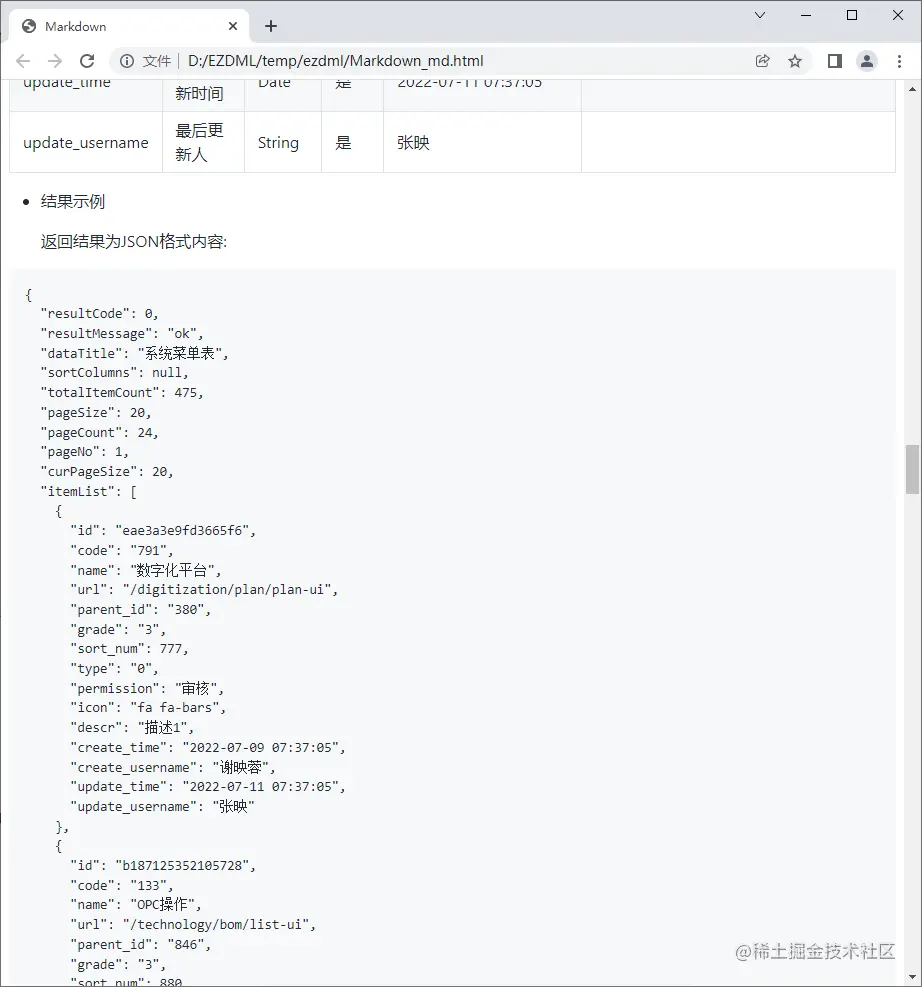
It looks much more professional , Will not give people batch “ Counterfeiting ” I feel it. :

Generate interface prototype
this MES yes LayUI Of , Just right EZDML It can also generate LayUI Prototype interface , So let's make a simple comparison , Take the system menu as an example , This is MES System operation interface :

This is EZDML Generated :

You can compare by yourself .
Generate a workable system
EZDML It can also directly generate runnable Erupt System code :

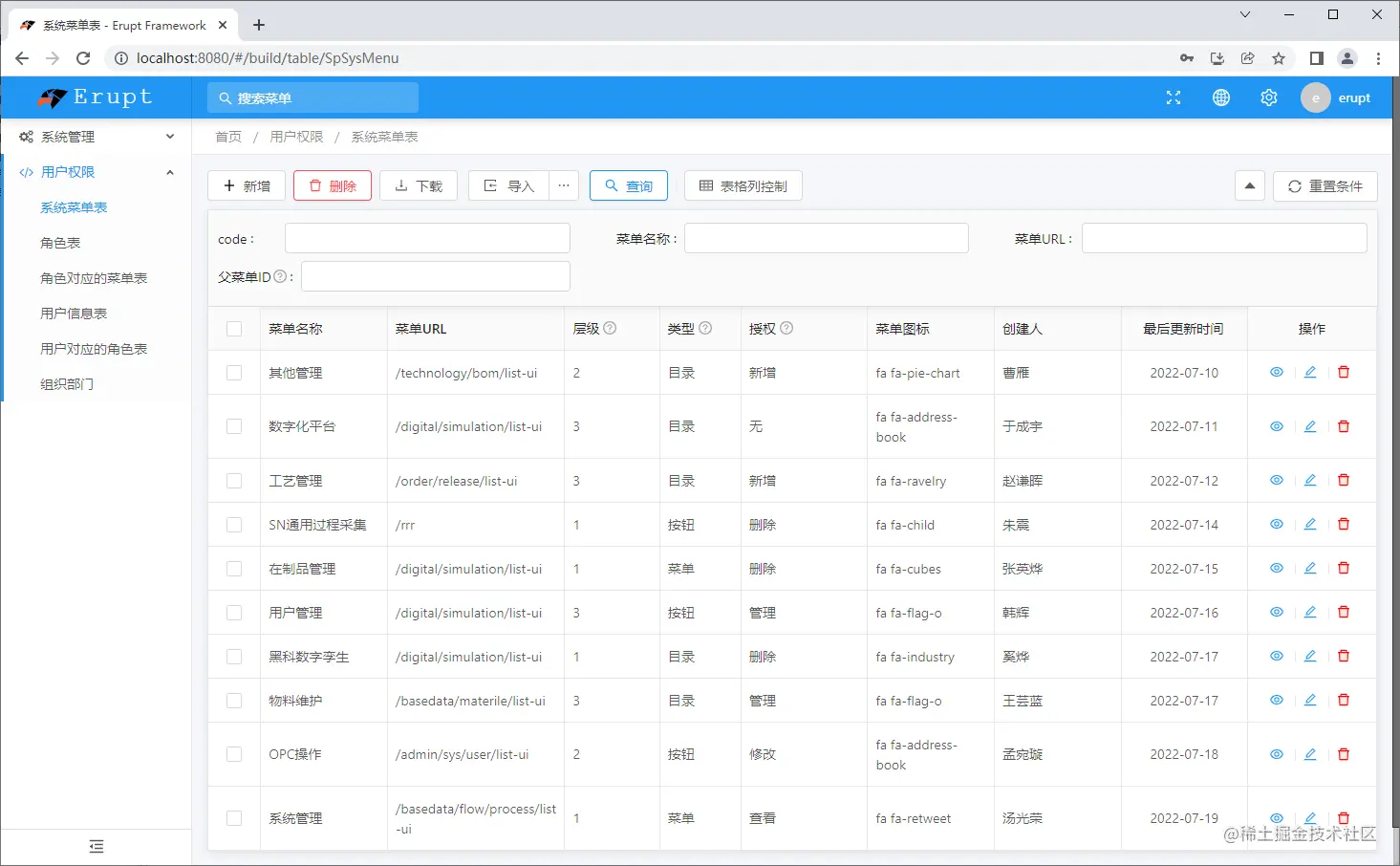
Detailed form :

Um. , by the way , The above test data is also used EZDML Generated :
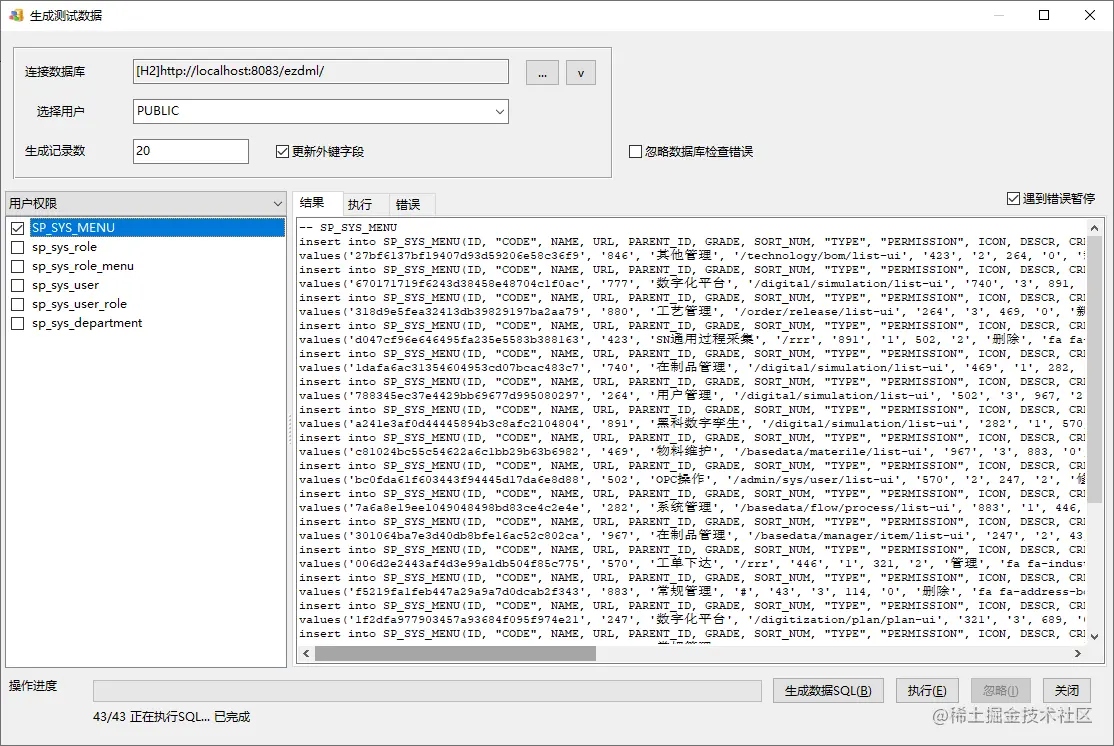
I won't elaborate here .
end
Last , Post the whole picture of the model as a summary :

thumbnail :

From the analysis of table structure, we can also see , This MES There should be many areas that need to be improved .
边栏推荐
- 蓝桥杯基础练习——矩阵的回形取数(C语言)
- GBASE 8s UDR内存管理_02_mi_dalloc
- 【好书推荐】-- 《以太网权威指南》(第2版)
- 英诚医院内部网络规划与设计
- Detailed explanation of three methods of selenium setting element waiting
- Six axis sensor use learning record
- what is qml in qt
- Grid layout frequently asked interview questions
- Kcon 2022 highlights and agenda revealed!
- 手机端触摸图片slider轮播插件photoswipe.js
猜你喜欢

连接数据库警告 Establishing SSL connection without server‘s identity verification is not recommended.

Wechat campus maintenance and repair applet graduation design finished product of applet completion work (4) opening report
Wechat applet 10 - wechat template

基于PHP的中非南南合作信息交流平台网站建设

Use of swift basic codable (jsonencoder jsondecoder)

Research and application of servo driver in robot

TFIDF examples and explanations

软件设计师下午真题:2009-2022
重磅!《几何深度学习》新书发布,帝国理工/DeepMind等图ML大牛共同撰写,160页pdf阐述几何DL基础原理和统一框架

A good way to generate interface documents efficiently
随机推荐
Legal mix of collations for operation 'Union' (bug record)
Internal network planning and design of Yingcheng hospital
Authorized wireless communication standard
微信小程序开发之全局配置与页面配置
高效生成接口文档好方法
[good book recommendation] - authoritative guide to Ethernet (2nd Edition)
Day7:有序二叉树(二叉搜索树)
University of California | feasible confrontation robust reinforcement learning for unspecified environments
Solve the problem that the win10 account has no administrator rights
Grid layout frequently asked interview questions
919. Complete binary tree inserter
GBASE 8s UDR内存管理_03_mi_realloc
NPM semantic version control, solution console prop being mutated: "placement" error
SDL text display
Typeerror: 'STR' object is not callable error reason
Eve - 0day Threat Intelligence
Skiing mobile H5 game source code download
Use of swift basic codable (jsonencoder jsondecoder)
Software designer afternoon real topic: 2009-2022
GBASE 8s UDR内存管理_01_mi_alloc