当前位置:网站首页>Forced login, seven cattle cloud upload pictures
Forced login, seven cattle cloud upload pictures
2022-07-27 08:30:00 【qishaoawei】
Force login jwt verification
Verification has been written in last blog jwt Function of
Then the project views In the catalog users.py In file
from flask import Blueprint, jsonify, g, request  #  Import blueprint
from flask_restful import Api, Resource, fields, marshal, reqparse
from models.model import UserModel2, db
from utils.QiniuTools import QiniuTool
from utils.jwtTools import JwtTools  #  Import build jwt Class
from utils.SmsTools import SmsTool  #  Import the class that generates the verification code
import random

# # url_prefix #  Specify the prefix of all routes under the current blueprint
user_dp = Blueprint('user_dp', __name__, url_prefix='/users')  #  Instantiate blueprint objects

api = Api(user_dp)  #  Instantiate the blueprint collector # Instantiate a Api object  Api Object is used to collect routes


#  Define class view   Inherited from Resource class , adopt Api To collect instantiated objects
class SmsView(Resource):
    def post(self):  # Get the verification code blueprint
        ...
@user_dp.before_request
def gz():   			# Hook function   Each request is executed once before it arrives
    rep = reqparse.RequestParser()
    rep.add_argument('token', location='headers')
    args = rep.parse_args()
    token = args['token']
    payload = JwtTools().valid(token)
    print(payload)
    if not payload:
        uid = 0
    else:
        uid = payload['uid']
    g.uid = uid

def login(func):   # Decorator
    def warpper(*args, **kwargs):
        print(' Detect login ')
        if not g.uid:   	# If it is blank, it means that you have not logged in
            return jsonify({

                'code': 403,
                'msg': ' The user is not logged in '
            })
        return func(*args, **kwargs)
    return warpper
class UserView(Resource):
    @login     # Decorator
    def get(self):  #  Test success
        uid = g.uid
        user_info = UserModel2.query.get(uid)
        print('user_info:',user_info)

        return jsonify({

            'code': 200,
            'msg': ' User information obtained successfully ',
            'data': {

                'username': user_info.username,
                'img': user_info.img
            }
        })
    def post(self):
    	...
api.add_resource(UserView, '/user')  #  The full address is  /users/user

Seven cattle cloud upload pictures
First, create a qiniu cloud account , Then enter the personal center and write down your secret key 
Then enter the space management in the object storage to create a space 
CDN Test domain name 
After uploading the picture, you can domain name + You can view the picture by its name
The backend configuration
stay settings In the catalog secret.py Continue to add
class SecretConfig():
    RL_ACC_ID='8aaf07088185853e01*************'  #ACCOUNT SID( Master account ID)
    RL_ACC_TOKEN='8ac934ad5ddf44a4**************'   #AUTH TOKEN( Account authorization token )
    RL_APP_ID='8aaf07088185853e*****************'       #AppID( Default )
    RL_TID='1'          # SMS template ID
    RDS_HOST='127.0.0.1'  #redis database host
    RDS_PORT=6379        #redis Port number
    RDS_PASSWORD='*********'  #redis password

    QINIU_AK='Gs9_LCLxZ9RnNYijO-Gnx******************'    #AK
    QINIU_SK='KQwHB4cBqEOcxd3jlZM99****************'     #sk
    QINIU_BUCKET_NAME='p7h2111a'    # Seven cattle cloud space
stay utils Create... In the directory QiniuTools.py file
from qiniu import Auth, put_file
from flask import current_app


class QiniuTool():
    def __init__(self):
        ak = current_app.config.get('QINIU_AK')
        sk = current_app.config.get('QINIU_SK')
        self.q = Auth(ak, sk)
        self.bucket_name = current_app.config.get('QINIU_BUCKET_NAME')

    def upload(self, localfilepath, newfilename):
        '''  Seven cattle cloud upload pictures  :param localfilepath:  Local image address  :param newfilename:  Name after uploading  :return: '''                         # Space name  # Name after uploading  # The period of validity
        token = self.q.upload_token(self.bucket_name, newfilename, 3600)
                    # Generated token # Name after uploading  # Local image address
        res = put_file(token, newfilename, localfilepath, version='v2')
        print(res)
        if res[0]['key']==newfilename:
            return newfilename
        else:
            return False

if __name__ == '__main__':   # You can test it now
    from app import app
    with app.app_context():
        QiniuTool().upload('./../static/ Pillow .jpg',' Pillow .jpg')
Implement in view
from flask import Blueprint, jsonify, g, request  #  Import blueprint
from flask_restful import Api, Resource, fields, marshal, reqparse
from models.model import UserModel2, db
from utils.QiniuTools import QiniuTool
from utils.jwtTools import JwtTools  #  Import build jwt Class
from utils.SmsTools import SmsTool  #  Import the class that generates the verification code
import random

# # url_prefix #  Specify the prefix of all routes under the current blueprint
user_dp = Blueprint('user_dp', __name__, url_prefix='/users')  #  Instantiate blueprint objects

api = Api(user_dp)  #  Instantiate the blueprint collector # Instantiate a Api object  Api Object is used to collect routes
class UploadView(Resource):
    @login
    def post(self):
        img = request.files.get("img")   # To upload pictures

        ext = img.filename.split(".")[-1]  # according to . Split and take out the rear part
        now_time = datetime.strftime(datetime.now(), "%Y%m%d%H%M%S")  # Date:
        new_name = "%s%s.%s" % (now_time, random.randint(100000, 999999), ext)  # Add random numbers in the middle of splicing

        save_path = "static/%s" % new_name   # Insert the generated name
        img.save(save_path)

        #  thus , Upload pictures to local
        #  Then it reached seven cattle cloud
        res = QiniuTool().upload(save_path, save_path)

        if not res:
            return jsonify({

                "code": 400,
                "msg": " File upload failed "
            })

        #  Save the uploaded file name into the database
        user_info = UserModel2.query.get(g.uid)
        user_info.img = res
        db.session.commit()
        return jsonify({

            "code": 200,
            "msg": ' File upload succeeded ',
            "data": {

                "key": res
            }
        })
		### Another way
        # key=' Pillow .jpg'
        # ak = 'Gs9_LCLxZ9RnNYijO-G********************'
        # sk = 'KQwHB4cBqEOcxd3j**********************'
        # bucket = 'p7h2111a'
        # q=Auth(ak,sk)
        # token=q.upload_token(bucket,key,3600)
        # res=put_file(token,key,'./static/ Pillow .jpg',version='v2')
        # if res[0]['key']==key:
        # return jsonify({

        # 'code':200,
        # 'msh':' Upload successful '
        # })
        # return jsonify({

        # 'code': 400,
        # 'msh': ' Upload failed '
        # })
api.add_resource(UploadView, '/upl')  #  The full address is  /users/upl

边栏推荐
- File name wildcard rules for kettle
- Dirsearch[directory scanning tool]
- Vcenter7.0 installation of ibm3650m4 physical machine
- 如何卸载--奇安信安全终端管理系统
- Block, there is a gap between the block elements in the row
- MCDF top level verification scheme
- I drew a Gu ailing with characters!
- [ciscn2019 southeast China division]web11 1
- Login to homepage function implementation
- The third letter to the little sister of the test | Oracle stored procedure knowledge sharing and test instructions
猜你喜欢

Attack and defense World Lottery
![[ciscn2019 southeast China division]web11 1](/img/94/61ad4f6cbbd46ff66f361462983d7a.png)
[ciscn2019 southeast China division]web11 1

Flask request data acquisition and response
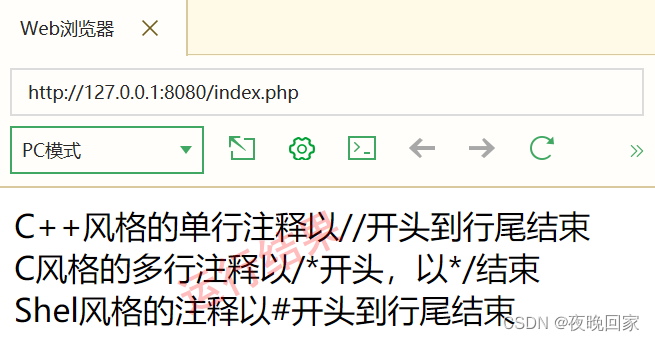
Notes in "PHP Basics" PHP

"Intermediate and advanced test questions": what is the implementation principle of mvcc?

百人参与,openGauss开源社区这群人都在讨论什么?

pytorch_ demo1

带宽 与 货币

Functions and arrow functions

Prevent cookies from modifying ID to cheat login
随机推荐
Luogu super Mary game
Local Oracle reported ora-12514: tns: the listener cannot recognize the requested service at present
Background image related applications - full, adaptive
Plato farm is expected to further expand its ecosystem through elephant swap
sql_ Mode strict mode (ansi/traditional/strict_trans_tables)
开怀一笑
Using ecological power, opengauss breaks through the performance bottleneck
You may need an additional loader to handle the result of these loaders.
第2章 前台数据展现
Creation and simple application of QPushButton button button
Notes in "PHP Basics" PHP
Management of product pictures
Dirsearch[directory scanning tool]
Dormitory access control system made by imitating the boss (III)
众昂矿业:新能源行业快速发展,氟化工产品势头强劲
[MRCTF2020]Ezpop 1
All in one 1319 - queue for water
It's better to be full than delicious; It's better to be drunk than drunk
My senior
All in one 1329 cells (breadth first search)