当前位置:网站首页>Virtual honeypot Honeyd installation and deployment
Virtual honeypot Honeyd installation and deployment
2022-06-25 04:47:00 【hercu1iz】
honeyd Installation and deployment
centos Deployment success ( Test to fail segmentation fault)
Official website :http://www.honeyd.org/( Software + rely on )
Reference resources :https://www.jianshu.com/p/9fc03166beac
Environmental Science Centos7_x86
Each dependent package and honeyd edition 
Download all package resources (https://download.csdn.net/download/weixin_44309300/80840858)
Compile and install the dependent packages separately ( The method is similar to )
tar -zxf libevent-1.1b-stable.tar.gz
cd  libevent-1.1b-stable/
./configure --prefix=/usr				# --prefix=/usr	 Specify the installation directory , Can add or not add parameters
make
make install
install ARPD The network is experiencing problems
~/arpd$ sudo ./configure
When executed directly $ sudo make When an error , The error is shown below :
~/arpd$ sudo make
arpd.c: In function ‘arpd_send’:
arpd.c:268:34: error: expected ‘)’ before string constant
   syslog(LOG_DEBUG, __FUNCTION__ ": who-has %s tell %s",
                                  ^~~~~~~~~~~~~~~~~~~~~~
arpd.c: In function ‘arpd_lookup’:
arpd.c:285:34: error: expected ‘)’ before string constant
   syslog(LOG_DEBUG, __FUNCTION__ ": %s at %s",
                                  ^~~~~~~~~~~~
arpd.c:294:34: error: expected ‘)’ before string constant
   syslog(LOG_DEBUG, __FUNCTION__ ": no entry for %s",
                                  ^~~~~~~~~~~~~~~~~~~
arpd.c:297:34: error: expected ‘)’ before string constant
   syslog(LOG_DEBUG, __FUNCTION__ ": %s at %s",
                                  ^~~~~~~~~~~~
arpd.c: In function ‘arpd_recv_cb’:
arpd.c:426:35: error: expected ‘)’ before string constant
    syslog(LOG_DEBUG, __FUNCTION__ ": %s at %s",
                                   ^~~~~~~~~~~~
Makefile:195: recipe for target 'arpd.o' failed
make: *** [arpd.o] Error 1
terms of settlement :
stay arpd.c Add... To the file :
#define __FUNCTION__ ""
make honeyd The problems I met when I was young
honeydstats-analyze.o: In function `analyze_init':
/root/Desktop/honey1.5/honeyd-1.5c/analyze.c:285: undefined reference to `evdns_init'
honeydstats-analyze.o: In function `analyze_country_enter':
/root/Desktop/honey1.5/honeyd-1.5c/analyze.c:436: undefined reference to `evdns_resolve_reverse'
Comment out analyze.c The following two lines of the file ( But it may lead to later Segmentation fault)
436 That's ok //evdns_resolve_reverse
285 That's ok //evdns_init();
2.honeyd: interface_new: intf_get: No such device
solve : -i Parameters Appoint ens33 Network card device
3./configure
configure: error: need either libedit or libreadline; install one of them
solve : yum install libedit.i686 libedit-devel.i686
yum install -y readline readline-devel
4.sudo ./configure
configure: error: dnet-config not found
solve :yum install libdnet-devel
5. New problems arise :configure: error: zlib ismissing - you need to install it
solve : yum install zlib-devel
make Have a problem
dhcpclient.c:475:28: error: lvalue required as left operand of assignment
  eth = (struct eth_hdr *)p = buf;
                            ^
dhcpclient.c: In function ‘_unicast’:
dhcpclient.c:527:28: error: lvalue required as left operand of assignment
  eth = (struct eth_hdr *)p = buf;
solve : Modify the code ( succeed , But above error Tips , After reading the source code context, I don't know why the error occurred !!)
eth = (struct eth_hdr *)p;
7.fatal error: Python.h: No such file or directory
solve :
sudo yum install python-devel    # for python2.x installs
sudo yum install python3-devel   # for python3.x installs
Use arpd problem
ioctl(SIOCGIFINDEX) failed: No such device"
solve ( Replace the software perhaps Reinstall another version ):
https://github.com/quinot/choparp
xprobe2.conf
stay honeyd There are contents in the directory , direct cp Copy
centos test
[[email protected] honeyd-1.5c]# arpd 192.168.163.222
[[email protected] honeyd-1.5c]#  ./honeyd -d -i ens33 -f /usr/local/share/honeyd/first_task.conf 192.168.163.222
segmentation fault:
( Reference reason :https://github.com/sefcom/honeyplc/issues/2)
honeyd: interface_new: intf_get: No such device
solve : -i Parameters Appoint ens33
Reference resources :( Reading from top to bottom can improve efficiency )
https://www.jianshu.com/p/9fc03166beac
https://blog.csdn.net/weixin_43901998/article/details/100604281
https://manpages.org/honeyd/8 ( Manual cases )
https://blog.51cto.com/297020555/538183(centos5.5)
https://cloud.tencent.com/developer/article/1019325
ubuntu Deploy ( Successful deployment + test )
One 、
Environmental Science :
ubuntu20.04LTS
honeyd-1.5c.tar.gz
Dependency package :
libevent-1.4.14b-stable.tar.gz
libdnet-1.11.tar.gz
libpcap-1.1.1.tar.gz
arpd-0.2.tar.gz
Download address of all packages :https://download.csdn.net/download/weixin_44309300/80840581
Two 、 Installation steps ( The process is the same )
- libevent-1.4.14b-stable.tar.gz
tar -zxf libevent-1.4.14b-stable.tar.gz
cd  libevent-1.4.14b-stable/
./configure --prefix=/usr
make
sudo make install		#  You have to bring it here sudo
- libdnet-1.11.tar.gz
tar -zxvf libdnet-1.11.tar.gz
cd libdnet-1.11/
./configure
make
sudo make install
- libpcap-1.1.1.tar.gz
tar -zxvf libpcap-1.1.1.tar.gz
cd libpcap-1.1.1/
./configure
make
sudo make install
Error solve :
sudo apt-get install flex
sudo apt-get install byacc
pcap-linux.c file 1555 All right SIOCGSTAMP Switch to SIOCGIWAP
- arpd-0.2.tar.gz
tar -zxvf arpd-0.2.tar.gz
cd arpd-0.2/
./configure
make
sudo make install
arpd Run error resolution :
1.arpd Startup issues
[email protected]:~/Desktop/hontydtool$ arpd 192.168.163.200
arpd: error while loading shared libraries: libevent-1.4.so.2: cannot open shared object file: No such file or directory
[email protected]:~/Desktop/hontydtool$ locate libevent-1.4.so.2

 solve ( Add a read configuration ):
# cd /etc/ld.so.conf.d
# echo "/home/chao/Desktop/hontydtool/libevent-1.4.14b-stable/.libs/libevent-1.4.so.2" >> libpcap.conf

# sudo /sbin/ldconfig	( Update configuration takes effect )

 Run again after a successful run arpd There may be :arpd: pcap_lookupdev: no suitable device found. This is because of insufficient permissions , You just need to run
# sudo arpd.
- honeyd-1.5c.tar.gz
tar -zxvf honeyd-1.5c.tar.gz
cd honeyd-1.5c/
./configure
make
sudo make install
solve the problem :
1.
Error: Couldn't figure out how to access libc
 solve :
# locate libc.so ( Find the way , then )
# sudo ln -s /lib/x86_64-linux-gnu/libc.so.6   /usr/lib/libc.so

2.
Error: need either libedit or libreadline; install one of them
 solve :apt-get install libedit-dev

3.
honeyd: error while loading shared libraries: libdnet.1: cannot open shared object file: No such file or directory
 This is because the shared library file is in  /usr/local/lib Next , The default dynamic library will only search /usr/lib
 Let's go straight to  honeyd  Needed  libdnet.1  Copied to the  /usr/lib It's OK ,libdnet.1  Default in  /usr/local/lib  Under the table of contents :
 Carry out orders :
# sudo cp /usr/local/lib/libdnet.1 /usr/lib
# sudo ldconfig
When the installation is completed, the
sudo honeyd The successful echo is as follows :
[email protected]:~/Desktop/hontydtool/honeyd-1.5c$ sudo honeyd
Honeyd V1.5c Copyright (c) 2002-2007 Niels Provos
honeyd[92722]: started with
Warning: Impossible SI range in Class fingerprint "IBM OS/400 V4R2M0"
Warning: Impossible SI range in Class fingerprint "Microsoft Windows NT 4.0 SP3"
honeyd[92722]: listening promiscuously on ens33: (arp or ip proto 47 or (udp and src port 67 and dst port 68) or (ip )) and not ether src 00:0c:29:8b:10:59
Honeyd starting as background process
ubuntu test
[[email protected] honeyd-1.5c]# arpd 192.168.163.222
[[email protected] honeyd-1.5c]#  ./honeyd -d -i ens33 -f /usr/local/share/honeyd/first_task.conf 192.168.163.222
The configuration file sudo vim /usr/local/share/honeyd/first_task.conf
create windows  #  Create a template , be known as windows; Names can be chosen at will
set windows personality "Microsoft Windows NT 4.0 SP6a"  #  Assign a fingerprint to this template
set windows default tcp action reset  #  default setting tcp The lower port of the protocol is reset Pattern
add windows tcp port 80 open  #  to open up tcp Agreed 80 port
bind 192.168.70.222 windows  #  Bind a for the virtual host IP Address

#  Uncommented version
create windows
set windows personality "Microsoft Windows NT 4.0 SP6a"
set windows default tcp action reset
add windows tcp port 80 open
bind 192.168.70.222 windows
Test the effect successfully :
( Use another host in the same LAN to ping 192.168.163.222)
[email protected]:~/Desktop/hontydtool/honeyd-1.5c$ sudo honeyd -d -i ens33 -f /usr/local/share/honeyd/first_task.conf 192.168.163.222
Honeyd V1.5c Copyright (c) 2002-2007 Niels Provos
honeyd[92478]: started with -d -i ens33 -f /usr/local/share/honeyd/first_task.conf 192.168.163.222
Warning: Impossible SI range in Class fingerprint "IBM OS/400 V4R2M0"
Warning: Impossible SI range in Class fingerprint "Microsoft Windows NT 4.0 SP3"
honeyd[92478]: listening promiscuously on ens33: (arp or ip proto 47 or (udp and src port 67 and dst port 68) or (ip and (host 192.168.163.222))) and not ether src 00:0c:29:8b:10:59
honeyd[92478]: Demoting process privileges to uid 65534, gid 65534
honeyd[92478]: Sending ICMP Echo Reply: 192.168.163.222 -> 192.168.163.55
honeyd[92478]: Sending ICMP Echo Reply: 192.168.163.222 -> 192.168.163.55
honeyd[92478]: Sending ICMP Echo Reply: 192.168.163.222 -> 192.168.163.55
honeyd[92478]: Sending ICMP Echo Reply: 192.168.163.222 -> 192.168.163.55
honeyd[92478]: Sending ICMP Echo Reply: 192.168.163.222 -> 192.168.163.55
honeyd[92478]: Sending ICMP Echo Reply: 192.168.163.222 -> 192.168.163.55
honeyd[92478]: Sending ICMP Echo Reply: 192.168.163.222 -> 192.168.163.55
honeyd[92478]: Sending ICMP Echo Reply: 192.168.163.222 -> 192.168.163.55
^Choneyd[92478]: exiting on signal 2
Configure log files, etc
mkdir /var/log/honeyd
touch /var/log/honeyd/honeyd.log
touch /var/log/honeyd/service.log
chown nobody:nogroup /var/log/honeyd/*.log
ll /var/log/honeyd/
./honeyd -d -l /var/log/honeyd/honeyd.log -s /var/log/honeyd/service.log --fix-webserver-permissions 192.168.0.5
边栏推荐
- 大话云原生数据库中的存算分离
- 绝了!自动点赞,我用 PyAutoGUI!
- Basic introduction of gbase 8s blocking technology
- Gbase 8s stored procedure flow control
- Leader: who can use redis expired monitoring to close orders and get out of here!
- Web3 DAPP user experience best practices
- 固態硬盤開盤數據恢複的方法
- OpenSea PHP开发包
- Use of deferred environment variable in gbase 8s
- Record small knowledge points
猜你喜欢

Heavy broadcast | phase shift method + mathematical principle derivation of multi frequency heterodyne + implementation

台式电脑连不上wifi怎么办

Cnpm: unable to load file c:\users\administrator\appdata\roaming\npm\cnpm PS1 because running scripts is prohibited on this system.

win11蓝牙无法连接怎么办?win11蓝牙无法连接的解决方法

CTF_ Web: Learn flask template injection (SSTI) from 0

ASEMI大功率场效应管和三极管的区别

深度学习——几种学习类型

leetcode1221. 分割平衡字符串
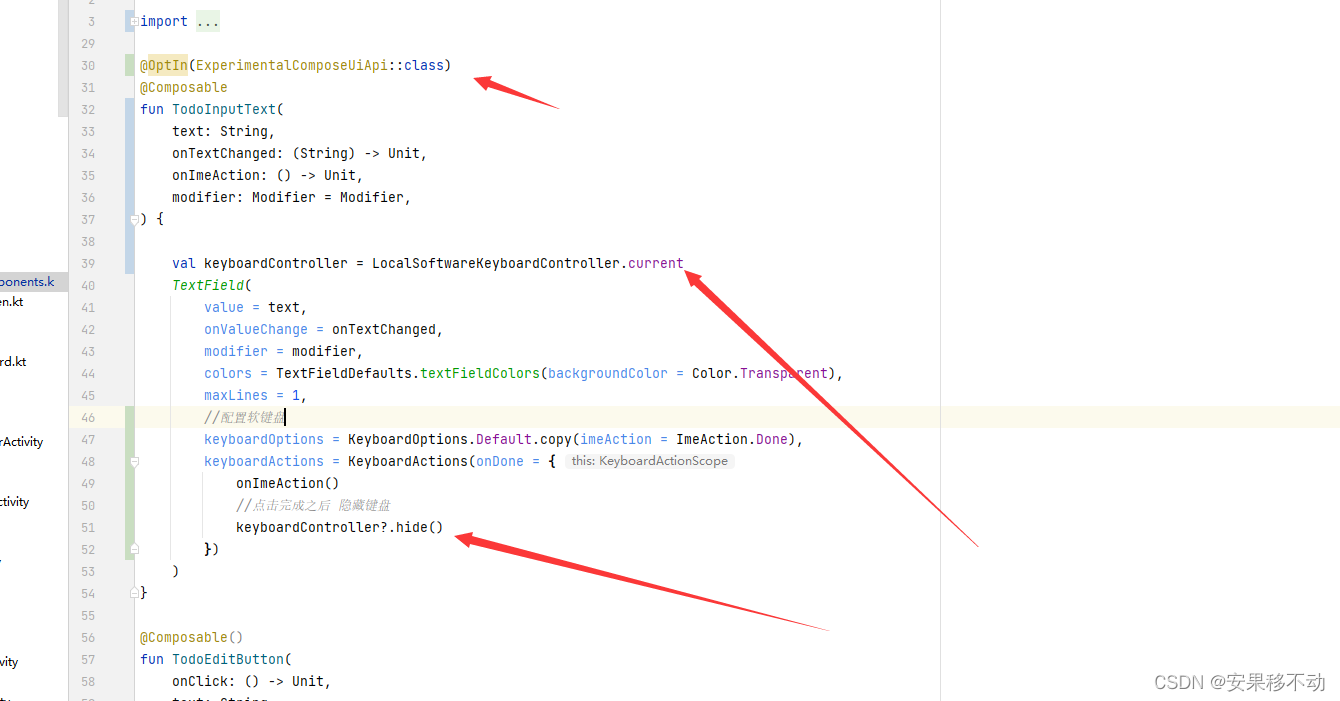
Kotlin Compose 监听软键盘 点击enter提交事件

ASEMI三相整流桥的工作原理
随机推荐
Paper notes: multi label learning ESMC (I don't understand it, but I haven't written it yet, so I'll put it here for a place temporarily)
Trigger for gbase 8s
php开发支付宝支付功能之扫码支付流程图
Codeforces Round #802 (Div. 2) C D
Which programming language is the most cumbersome to implement Hello world?
Immutable learning road -- farewell to traditional copy
js的sort()函数
leetcode1221. Split balance string
JDBC (IV)
成功解决:selenium.common.exceptions.TimeoutException: Message: timeout: Timed out receiving message from
Calculate student grade (virtual function and polymorphism)
XML (VIII)
Machine learning deep learning -- Vectorization
jsz中的join()
WPF 使用 MAUI 的自绘制逻辑
Successfully solved: selenium common. exceptions. TimeoutException: Message: timeout: Timed out receiving message from
Triangle class (construction and deconstruction)
halcon之区域:多种区域(Region)生成(3)
OOP栈类模板(模板+DS)
重磅直播 | 相移法+多频外差之数学原理推导+实现