当前位置:网站首页>零基础都能拿捏的七夕浪漫代码,快去表白或去制造惊喜吧
零基础都能拿捏的七夕浪漫代码,快去表白或去制造惊喜吧
2022-08-04 21:08:00 【微凉秋意】
作者简介:C/C++领域新星创作者,为C++和java奋斗中
个人社区:微凉秋意社区
前言
本篇博客分享的源码效果包括:梦幻心、biu biu 的发射爱心用来跳转的自己布局的网页。操作非常简单,不需要下载任何工具(最好有一个visual stduio code),快来手动为ta制作惊喜吧!
一、最终效果预览
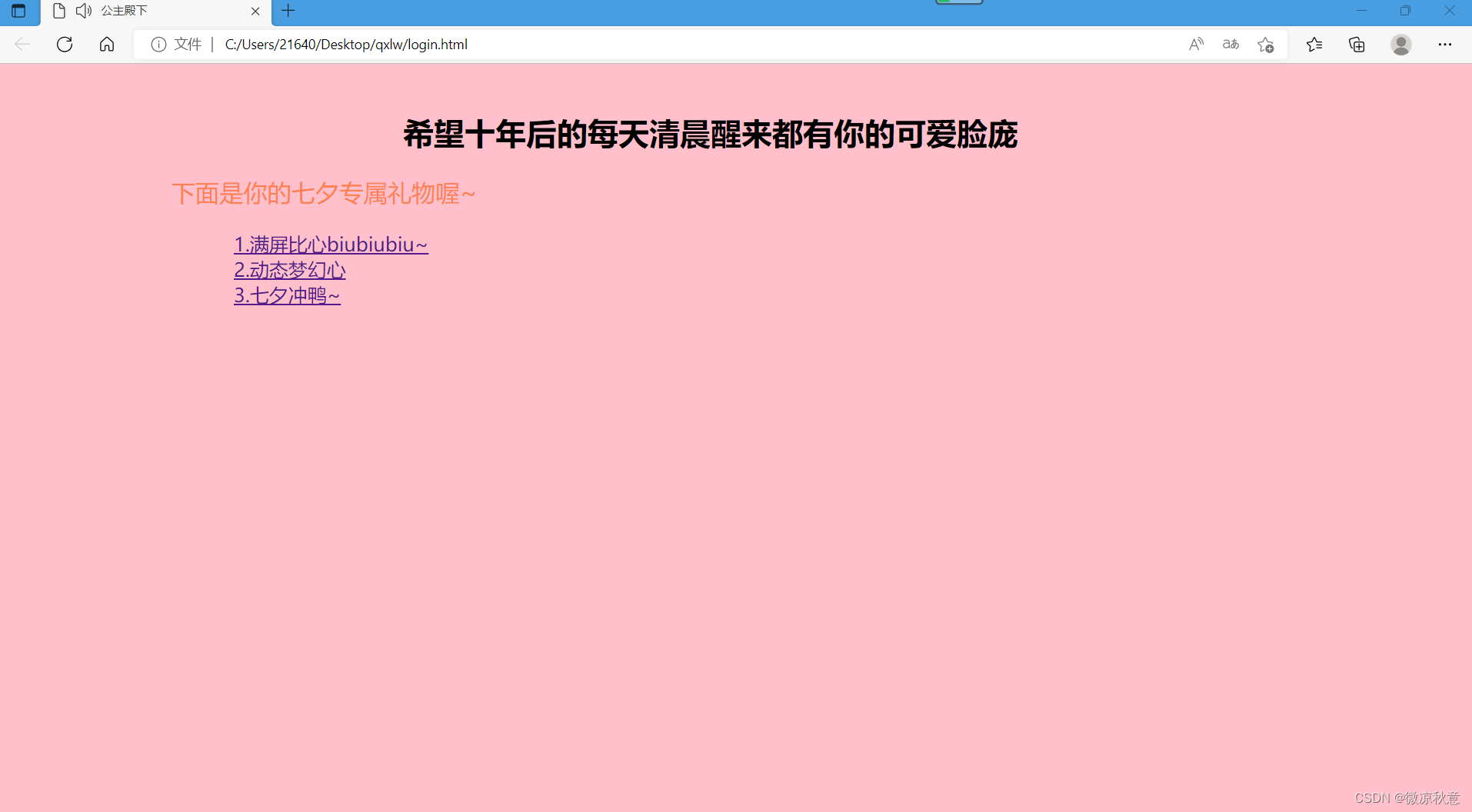

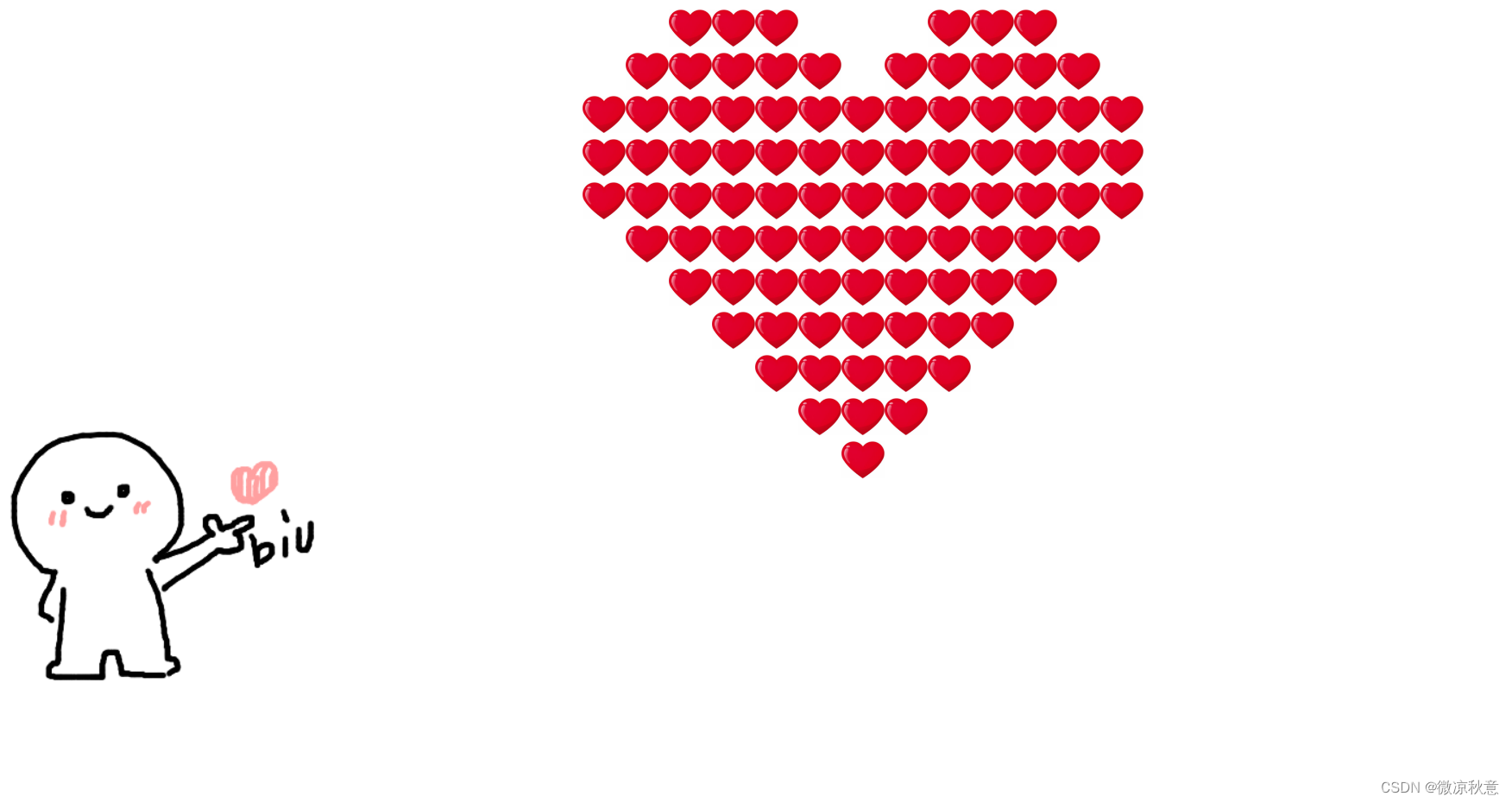
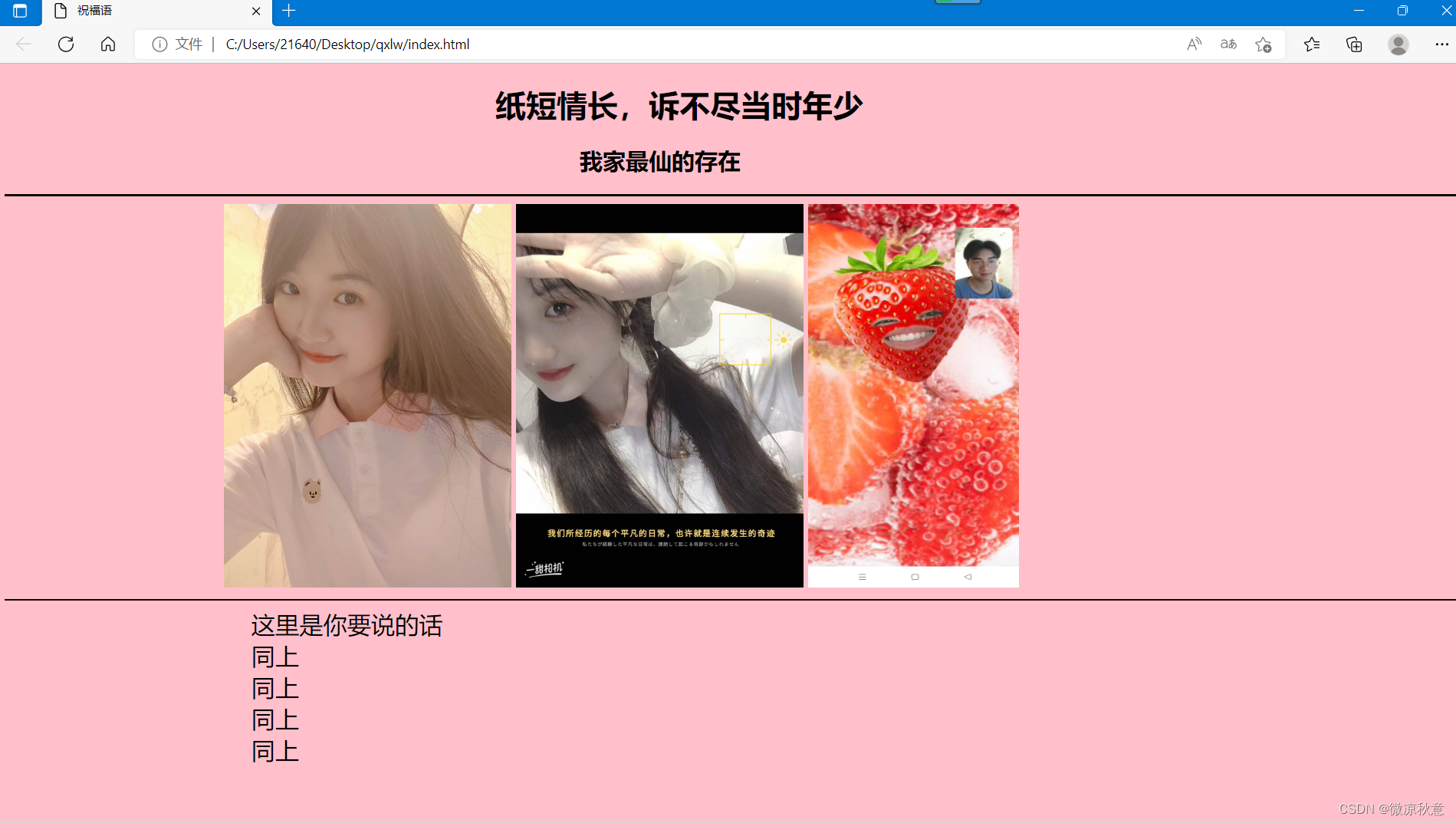
这里注意:第一个网页是自动播放音乐的喔,第二张和第三张都是渐变的,展示的只是最终效果。
二、文件方面的准备工作
1、创建各种文件夹以及文件
- 在桌面创建一个文件夹,任意起名,我这里是qilw,文件夹内部包含
css和image两个文件夹以及三个.html文件和下载的一个音乐(自动播放需要使用)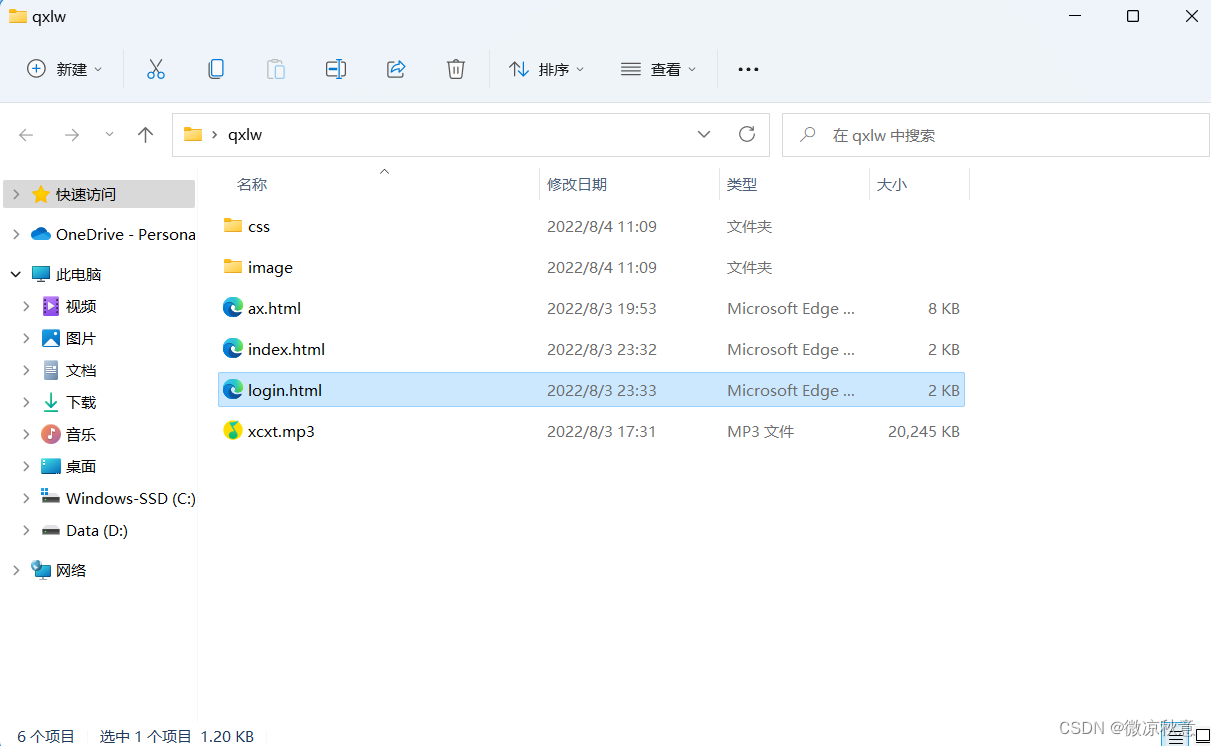
- css文件夹创建文件
tx.css备用,image文件夹选三张图片放进去(图片名字尽可能简洁)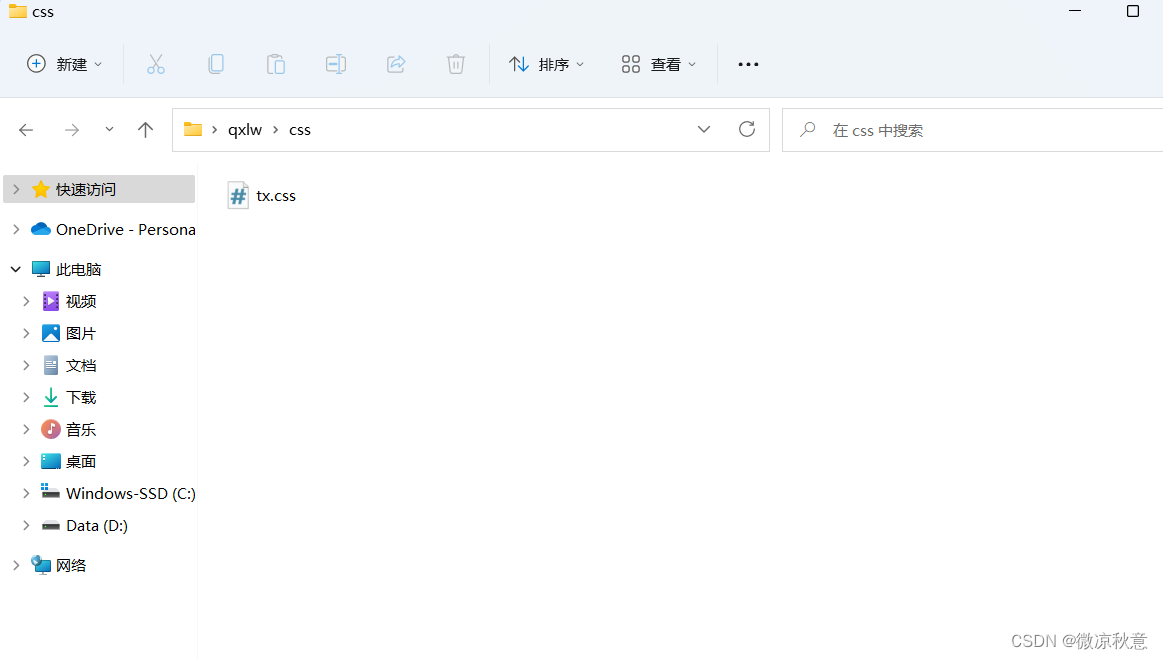
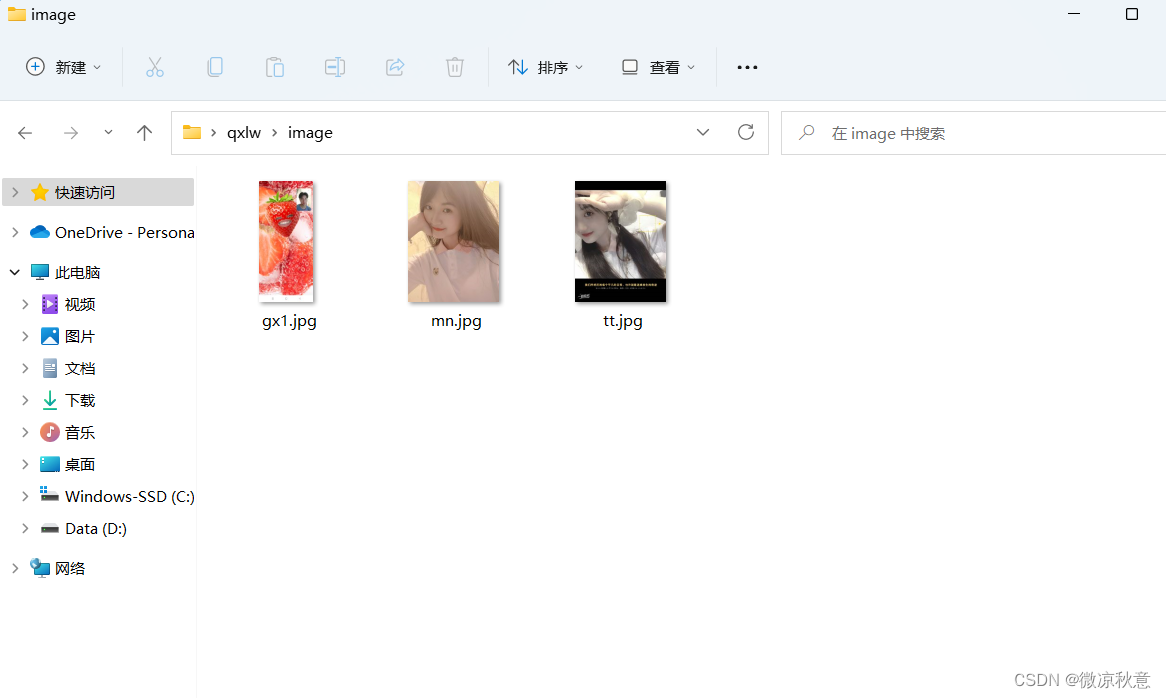
2、全部源码(对应文件复制粘贴即可)
login.html
<!DOCTYPE html>
<html lang="en">
<head >
<meta charset="UTF-8">
<meta http-equiv="X-UA-Compatible" content="IE=edge">
<meta name="viewport" content="width=device-width, initial-scale=1.0">
<title>公主殿下</title>
<embed src="xcxt.mp3" hidden="true" autostart="true" loop="true"/>
<link rel="stylesheet" href="css/tx.css">
</head >
<body bgcolor="pink" />
<h1 id="bt">             希望十年后的每天清晨醒来都有你的可爱脸庞
</h1>
<p class="dl">       下面是你的七夕专属礼物喔~<br></p>
<p1 class="d2" >
            <a id="bx" href="http://luoyujin0511.gitee.io/wr" target="_blank">1.满屏比心biubiubiu~</a></li><br>
            <a id="bx" href="ax.html" target="_blank">2.动态梦幻心</a></li><br>
            <a id="bx" href="index.html" target="_blank">3.七夕冲鸭~</a></li><br>
</p1>
</audio>
</body>
</html>
更改文字直接在源码里的对应位置修改即可
index.html
<!DOCTYPE html>
<html lang="en">
<head>
<meta charset="UTF-8">
<meta http-equiv="X-UA-Compatible" content="IE=edge">
<meta name="viewport" content="width=device-width, initial-scale=1.0">
<title>祝福语</title>
<link rel="stylesheet" href="css/tx.css">
</head>
<body bgcolor="pink">
<h1 >                纸短情长,诉不尽当时年少
</h1>
<h2>                          我家最仙的存在</h2>
<hr color="_blank">
<pw>
              
<img id="img2" src="image/mn.jpg">
<img id="img1" src="image/tt.jpg">
<img id="img3" src="image/gx1.jpg">
<pw/><br>
<hr color="_blank">
<p2 class="d3" >
          
这里是你要说的话<br>
          
同上<br>
          
同上<br>
          
同上<br>
          
同上
</p2>
</body>
</html>
需要改动的部分:17、18、19行
src=" "里面的内容改为自己image文件夹下传入的图片名。
- ax.html
<!DOCTYPE HTML PUBLIC "-//W3C//DTD HTML 4.0 Transitional//EN">
<HTML>
 <HEAD>
  <TITLE>真挚爱心</TITLE>
  <META NAME="Generator" CONTENT="EditPlus">
  <META NAME="Author" CONTENT="">
  <META NAME="Keywords" CONTENT="">
  <META NAME="Description" CONTENT="">
  <style> html, body {
       height: 100%; padding: 0; margin: 0; background: #000; } canvas {
       position: absolute; width: 100%; height: 100%; } </style>
 </HEAD>

 <BODY>
  <canvas id="pinkboard"></canvas>
  <script> var settings = {
       particles: {
       length: 500, // maximum amount of particles duration: 2, // particle duration in sec velocity: 100, // particle velocity in pixels/sec effect: -0.75, // play with this for a nice effect size: 30, // particle size in pixels }, }; (function(){
      var b=0;var c=["ms","moz","webkit","o"];for(var a=0;a<c.length&&!window.requestAnimationFrame;++a){
      window.requestAnimationFrame=window[c[a]+"RequestAnimationFrame"];window.cancelAnimationFrame=window[c[a]+"CancelAnimationFrame"]||window[c[a]+"CancelRequestAnimationFrame"]}if(!window.requestAnimationFrame){
      window.requestAnimationFrame=function(h,e){
      var d=new Date().getTime();var f=Math.max(0,16-(d-b));var g=window.setTimeout(function(){
      h(d+f)},f);b=d+f;return g}}if(!window.cancelAnimationFrame){
      window.cancelAnimationFrame=function(d){
      clearTimeout(d)}}}()); var Point = (function() {
       function Point(x, y) {
       this.x = (typeof x !== 'undefined') ? x : 0; this.y = (typeof y !== 'undefined') ? y : 0; } Point.prototype.clone = function() {
       return new Point(this.x, this.y); }; Point.prototype.length = function(length) {
       if (typeof length == 'undefined') return Math.sqrt(this.x * this.x + this.y * this.y); this.normalize(); this.x *= length; this.y *= length; return this; }; Point.prototype.normalize = function() {
       var length = this.length(); this.x /= length; this.y /= length; return this; }; return Point; })(); var Particle = (function() {
       function Particle() {
       this.position = new Point(); this.velocity = new Point(); this.acceleration = new Point(); this.age = 0; } Particle.prototype.initialize = function(x, y, dx, dy) {
       this.position.x = x; this.position.y = y; this.velocity.x = dx; this.velocity.y = dy; this.acceleration.x = dx * settings.particles.effect; this.acceleration.y = dy * settings.particles.effect; this.age = 0; }; Particle.prototype.update = function(deltaTime) {
       this.position.x += this.velocity.x * deltaTime; this.position.y += this.velocity.y * deltaTime; this.velocity.x += this.acceleration.x * deltaTime; this.velocity.y += this.acceleration.y * deltaTime; this.age += deltaTime; }; Particle.prototype.draw = function(context, image) {
       function ease(t) {
       return (--t) * t * t + 1; } var size = image.width * ease(this.age / settings.particles.duration); context.globalAlpha = 1 - this.age / settings.particles.duration; context.drawImage(image, this.position.x - size / 2, this.position.y - size / 2, size, size); }; return Particle; })(); var ParticlePool = (function() {
       var particles, firstActive = 0, firstFree = 0, duration = settings.particles.duration; function ParticlePool(length) {
       // create and populate particle pool particles = new Array(length); for (var i = 0; i < particles.length; i++) particles[i] = new Particle(); } ParticlePool.prototype.add = function(x, y, dx, dy) {
       particles[firstFree].initialize(x, y, dx, dy); // handle circular queue firstFree++; if (firstFree == particles.length) firstFree = 0; if (firstActive == firstFree ) firstActive++; if (firstActive == particles.length) firstActive = 0; }; ParticlePool.prototype.update = function(deltaTime) {
       var i; // update active particles if (firstActive < firstFree) {
       for (i = firstActive; i < firstFree; i++) particles[i].update(deltaTime); } if (firstFree < firstActive) {
       for (i = firstActive; i < particles.length; i++) particles[i].update(deltaTime); for (i = 0; i < firstFree; i++) particles[i].update(deltaTime); } // remove inactive particles while (particles[firstActive].age >= duration && firstActive != firstFree) {
       firstActive++; if (firstActive == particles.length) firstActive = 0; } }; ParticlePool.prototype.draw = function(context, image) {
       // draw active particles if (firstActive < firstFree) {
       for (i = firstActive; i < firstFree; i++) particles[i].draw(context, image); } if (firstFree < firstActive) {
       for (i = firstActive; i < particles.length; i++) particles[i].draw(context, image); for (i = 0; i < firstFree; i++) particles[i].draw(context, image); } }; return ParticlePool; })(); (function(canvas) {
       var context = canvas.getContext('2d'), particles = new ParticlePool(settings.particles.length), particleRate = settings.particles.length / settings.particles.duration, // particles/sec time; // get point on heart with -PI <= t <= PI function pointOnHeart(t) {
       return new Point( 160 * Math.pow(Math.sin(t), 3), 130 * Math.cos(t) - 50 * Math.cos(2 * t) - 20 * Math.cos(3 * t) - 10 * Math.cos(4 * t) + 25 ); } // creating the particle image using a dummy canvas var image = (function() {
       var canvas = document.createElement('canvas'), context = canvas.getContext('2d'); canvas.width = settings.particles.size; canvas.height = settings.particles.size; // helper function to create the path function to(t) {
       var point = pointOnHeart(t); point.x = settings.particles.size / 2 + point.x * settings.particles.size / 350; point.y = settings.particles.size / 2 - point.y * settings.particles.size / 350; return point; } // create the path context.beginPath(); var t = -Math.PI; var point = to(t); context.moveTo(point.x, point.y); while (t < Math.PI) {
       t += 0.01; // baby steps! point = to(t); context.lineTo(point.x, point.y); } context.closePath(); // create the fill context.fillStyle = '#ea80b0'; context.fill(); // create the image var image = new Image(); image.src = canvas.toDataURL(); return image; })(); // render that thing! function render() {
       // next animation frame requestAnimationFrame(render); // update time var newTime = new Date().getTime() / 1000, deltaTime = newTime - (time || newTime); time = newTime; // clear canvas context.clearRect(0, 0, canvas.width, canvas.height); // create new particles var amount = particleRate * deltaTime; for (var i = 0; i < amount; i++) {
       var pos = pointOnHeart(Math.PI - 2 * Math.PI * Math.random()); var dir = pos.clone().length(settings.particles.velocity); particles.add(canvas.width / 2 + pos.x, canvas.height / 2 - pos.y, dir.x, -dir.y); } // update and draw particles particles.update(deltaTime); particles.draw(context, image); } // handle (re-)sizing of the canvas function onResize() {
       canvas.width = canvas.clientWidth; canvas.height = canvas.clientHeight; } window.onresize = onResize; // delay rendering bootstrap setTimeout(function() {
       onResize(); render(); }, 10); })(document.getElementById('pinkboard')); </script>
 </BODY>
</HTML>
tx.css
#bt:hover{

    color: aqua;
}
.dl{

    font-size: 25px;
    color: coral;
}
.d2{

    font-size: 20px;
    color: brown;
}
#bx:hover{

    color: aqua;
    font-size: 21px;
}
#img1{

    width: 300px;
    height: 400px;
}
#img2{

    width: 300px;
    height: 400px;
}
#img3{

    width: 220px;
    height: 400px;
}
.d3{

    font-size: 25px;
}
img1~img3内部可以调整图片的长和宽,根据你的图片大小自行调整
写在最后
祝大家早日脱单,有情人终成眷属。创作不易,希望大家能三连支持喔~
边栏推荐
猜你喜欢
DSPE-PEG-Aldehyde, DSPE-PEG-CHO, Phospholipid-Polyethylene Glycol-Aldehyde A hydrophobic 18-carbon phospholipid
for 循环中的 ++i 与 i++
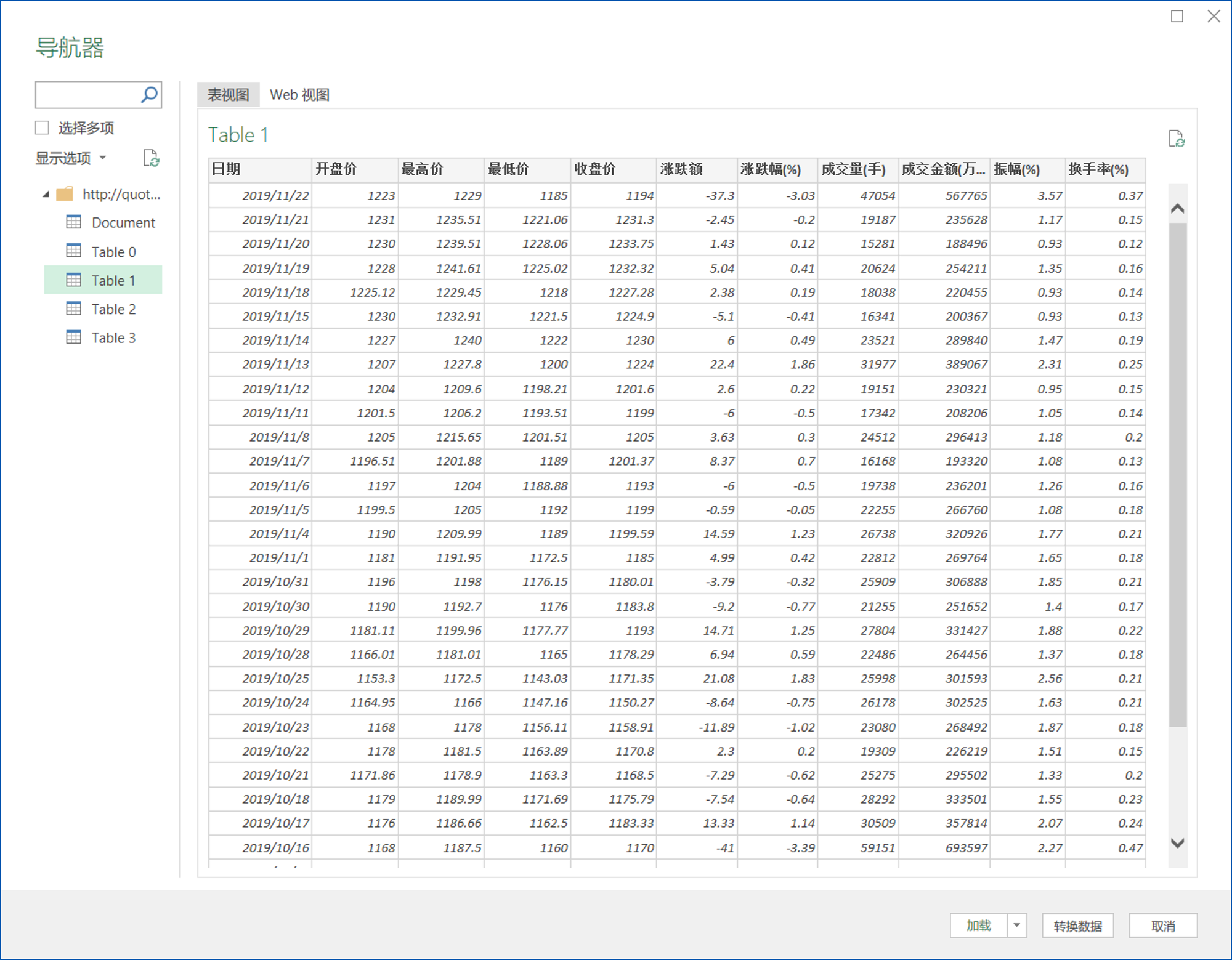
用 Excel 爬取网络数据的四个小案例
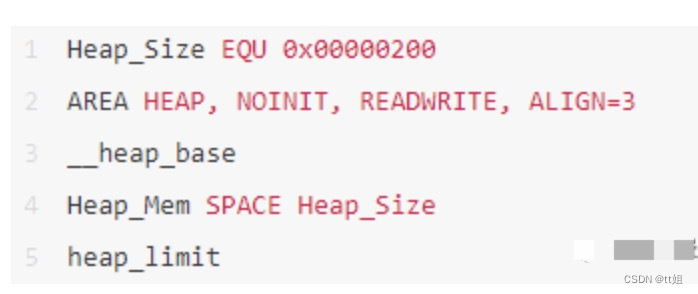
嵌入式分享合集28
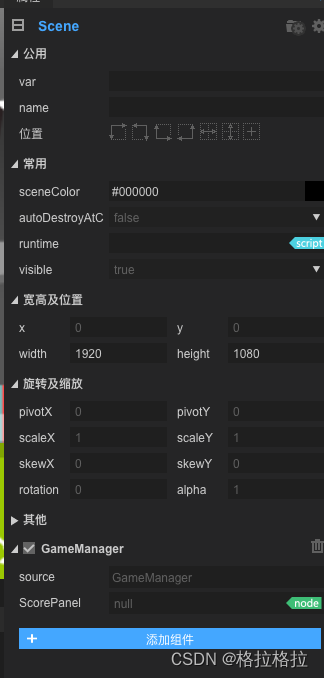
LayaBox---TypeScript---Problems encountered at first contact
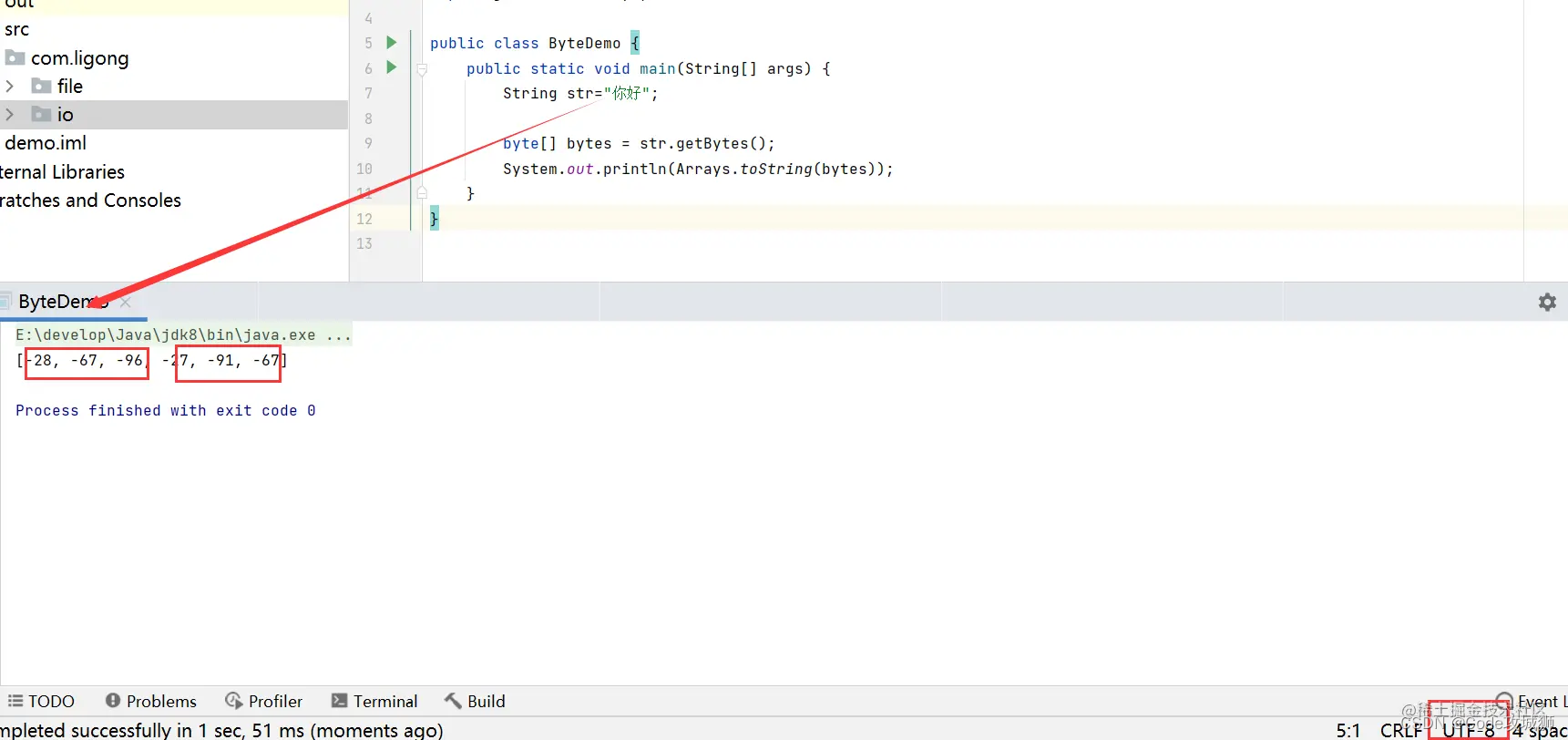
2、字符集-编码-解码
【手把手教你使用STM32HAL库的串口空闲中断】

【学术相关】清华教授发文劝退读博:我见过太多博士生精神崩溃、心态失衡、身体垮掉、一事无成!...
【一起学Rust | 进阶篇 | Service Manager库】Rust专用跨平台服务管理库
Matlab画图2
随机推荐
嵌入式分享合集28
dotnet 通过 WMI 获取系统安装软件
[Academic related] Tsinghua professor persuaded to quit his Ph.D.:I have seen too many doctoral students have mental breakdowns, mental imbalances, physical collapses, and nothing!...
【C语言】指针和数组的深入理解(第三期)
LayaBox---知识点
buu web
如何最简单、通俗地理解爬虫的Scrapy框架?
dotnet enables JIT multi-core compilation to improve startup performance
[2022 Hangzhou Electric Power Multi-School 5 1012 Questions Buy Figurines] Application of STL
stm32mp157系统移植 | 移植ST官方5.10内核到小熊派开发板
JWT actively checks whether the Token has expired
dotnet compress Stream or file using lz4net
dotnet 启动 JIT 多核心编译提升启动性能
3、IO流之字节流和字符流
ue unreal 虚幻 高分辨率无缩放 编辑器字太小 调整编辑器整体缩放
【编程思想】
After encountering MapStruct, the conversion between PO, DTO and VO objects is no longer handwritten
【2022牛客多校5 A题 Don‘t Starve】DP
工龄10年的测试员从大厂“裸辞”后...
【一起学Rust | 进阶篇 | Service Manager库】Rust专用跨平台服务管理库