当前位置:网站首页>如何从RHEL 8升级到RHEL 9
如何从RHEL 8升级到RHEL 9
2022-06-28 17:31:00 【尘世不扰】
Red Hat于2022年5月17日宣布全面推出RHEL 9。这是 RHEL(Red Hat Enterprise Linux)的最新版本,它具有许多功能和增强功能。

值得注意的亮点包括:
新软件版本包括 PHP 8.0、Ruby 3.0、Perl 5.32、Node.JS 16 等等。
SELinux 和 OpenSSH 服务中的安全性增强。
使用 Web 控制台增强性能监控。
从 Web 控制台进行实时内核修补。
引入用于创建多种格式的自定义 RHEL 系统映像的映像生成器工具。
有关所有有趣的新功能和增强功能的完整列表,请访问RHEL 9 发行说明: https://access.redhat.com/documentation/en-us/red_hat_enterprise_linux/9/html-single/9.0_release_notes/index
在本指南中,我们将通过截图逐步向您展示如何从 RHEL 8 升级到 RHEL 9。
先决条件
在开始之前,这是您需要的。
RHEL 8.6 的一个实例
用于执行升级的快速稳定的互联网连接
最小引导分区 100 MB
满足最低要求后,让我们开始吧。
1. 删除 'tmp_leapp_py3' 目录
如果您之前曾从 RHEL 7 迁移到 RHEL 8,那么您需要删除 /root/tmp_leapp_py3 目录。使用下面的 rm 命令
$ sudo rm -Rf /root/tmp_leapp_py3
但是,如果您是从全新安装的 RHEL 8 开始,请跳过此步骤并继续进行。
2. 确保您的系统具有有效的 Red Hat 订阅
要按计划进行升级,请确保您拥有有效的 Red Hat 订阅。要验证您是否有活动订阅,请运行以下命令:
$ sudo subscription-manager list --installed
如果您的系统有订阅,会得到以下输出。

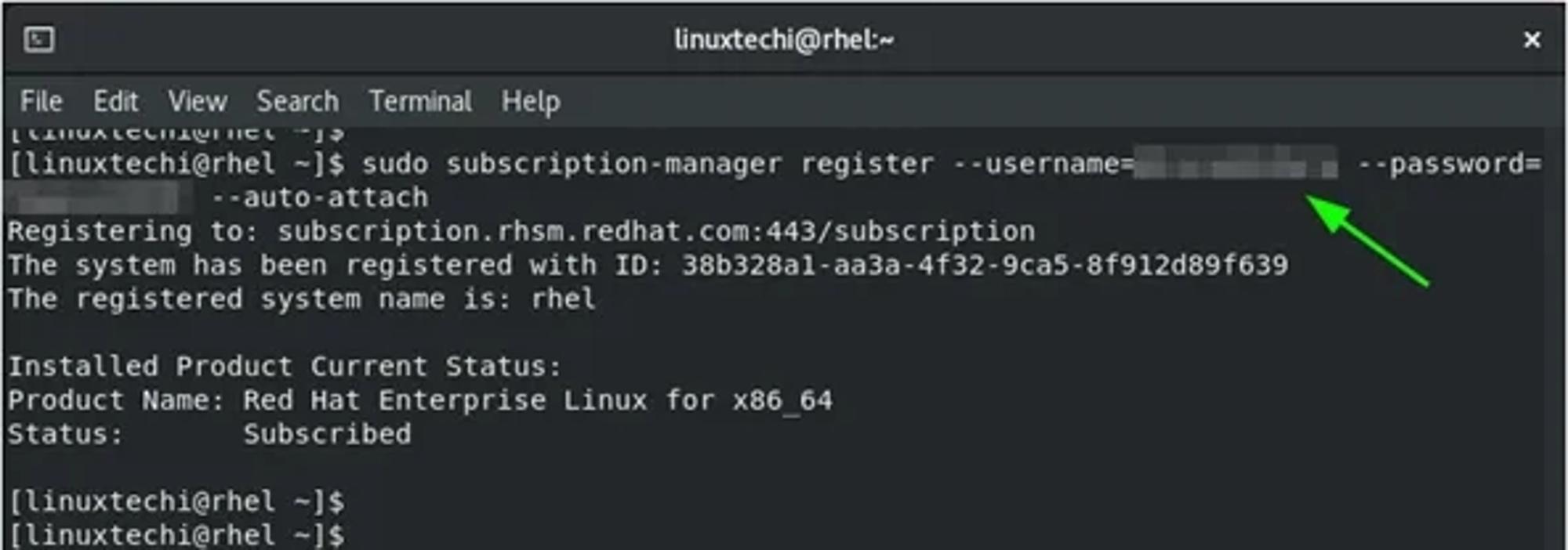
如果您的系统尚未注册到 Red Hat 订阅管理,请在命令行中注册它,如图所示。
用户名和密码凭据是您 Red Hat 帐户的登录详细信息。
3. 确保已启用适当的仓库
接下来,您需要确保启用了所需的仓库。此命令启用 64 位 Intel 架构的 Base 和 App 流仓库。
$ sudo subscription-manager repos --enable rhel-8-for-x86_64-baseos-rpms --enable rhel-8-for-x86_64-appstream-rpms

4. 将系统锁定到 RHEL 8.6
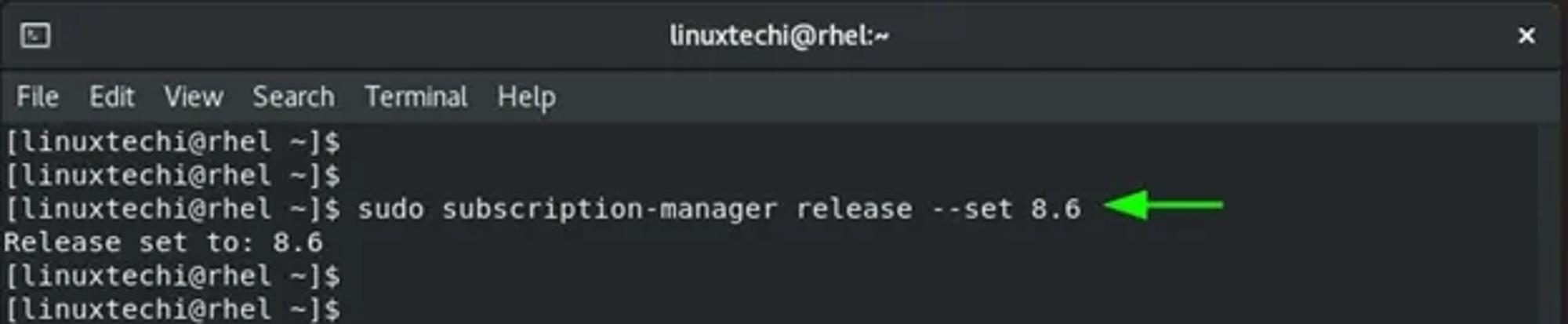
接下来,将您的 RHEL 系统锁定到 RHEL 8.6。这标志着升级将从其开始的 RHEL 版本。
$ sudo subscription-manager release --set 8.6
5. 启用 RHUI 仓库(仅适用于 AWS 实例)
如果您正在运行托管在 AWS 上的 RHEL 8 实例,则需要启用并安装所需的 Red Hat Update Infrastructure 仓库,以便为升级做好系统准备。
$ sudo dnf config-manager –set-enabled rhui-client-config-server-8
$ sudo dnf -y install rh-amazon-rhui-client-ha leapp-rhui-aws
6. 将软件包更新到最新版本
接下来,请务必将所有软件包升级到最新版本。
$ sudo dnf update

完成后,重新启动系统。
$ sudo reboot
7. 安装leapp-upgrade软件包
接下来,安装 leapp-upgrade工具,该工具将自动从 RHEL 8 升级到 RHEL 9
$ sudo dnf install leapp-upgrade

8. 移除 Versionlock 插件
Versionlock 是一个插件,可以保护包不被升级到新版本。如果您已经设置了此项,则需要清除如下所示。
$ sudo dnf versionlock clear
9. 修改 Firewalld 配置
为了升级顺利进行,您需要在 Firewalld 配置中禁用AllowZoneDrifting值。因此,访问 firewalld 配置文件。
$ sudo vi /etc/firewalld/firewalld.conf
向下滚动并注释AllowZoneDrifting属性。

保存更改并退出配置文件。
10. 执行预升级
在执行实际升级之前,建议先执行升级前检查。这模拟了实际升级,并在发现任何阻碍升级的错误时提供报告。
因此,运行以下命令来运行升级前检查。
$ sudo leapp preupgrade --target 9.0

该命令检查所有系统配置,包括内核、驱动程序,并提供将要安装、升级和删除的软件包总数的摘要。它还提供了将被降级的包的数量以及新包的总下载大小。

预升级检查报告生成并保存在/var/log/leapp/leapp-report.json和/var/log/leapp/leapp-report.txt文本文件中。

11. 从 RHEL 8 升级到 RHEL 9
此时,我们已准备好执行从 RHEL 8 到 RHEL 9 的就地升级。为此,请运行以下命令
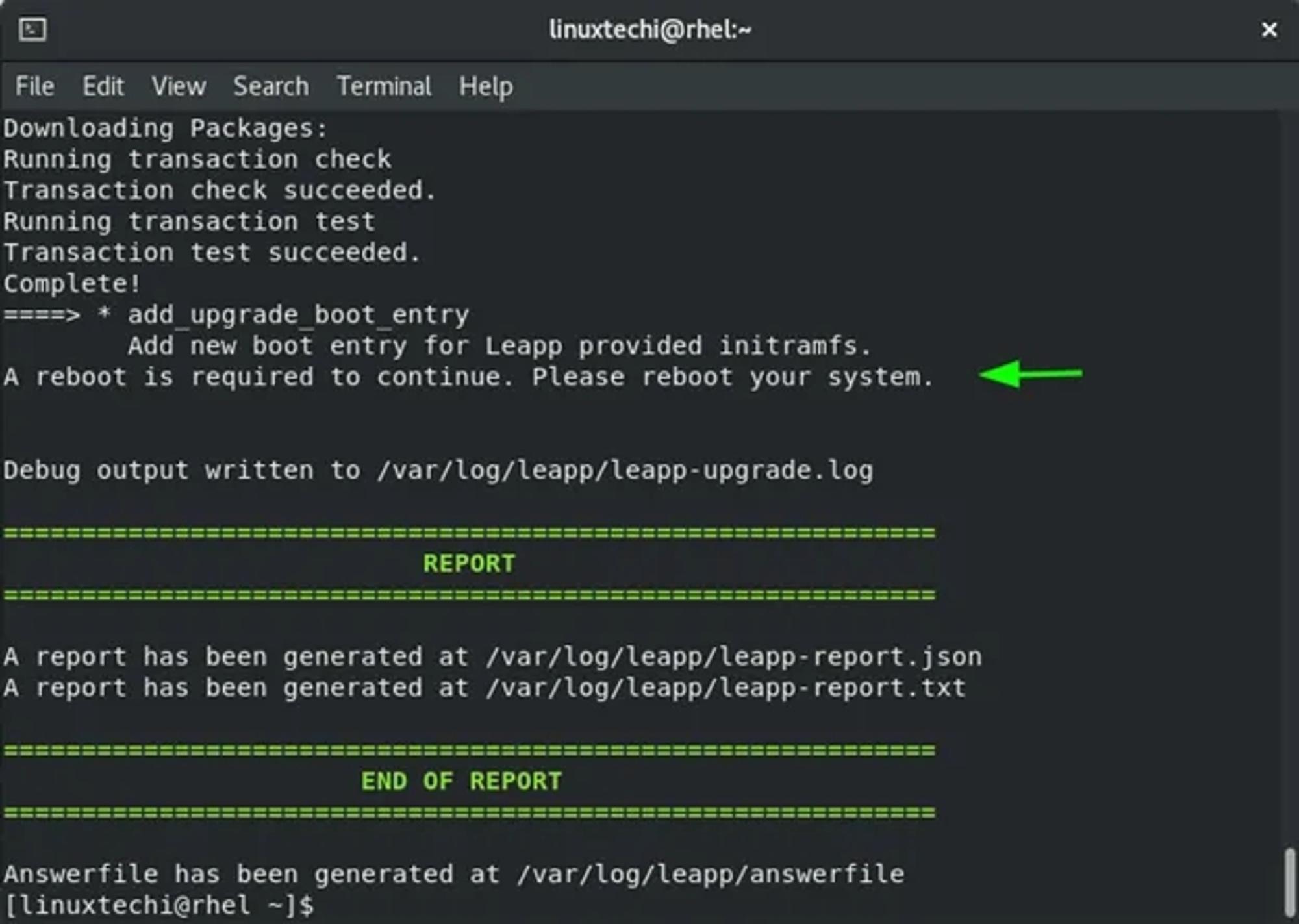
$ sudo leapp upgrade --target 9.0

升级会下载新软件包并将现有软件包升级到新版本。一些过时的包也被删除,一些被降级。在快速稳定的网络连接下,这大约需要 20 分钟。
最后,您将需要重新启动系统。有关升级的详细信息记录或保存在/var/log/leapp/leapp-report.json和/var/log/leapp/leapp-report.txt文本文件中。
12. 选择 RHEL-Upgrade-Initramfs GRUB 条目
重新启动后,从 GRUB 菜单中选择 RHEL-Upgrade-Initramfs 条目。

接下来,按 CTRL + D 继续升级。

这需要相当长的时间,因此请耐心等待升级的进行。完成后,系统将重新启动。这一次,您将看到RHEL 9.0的菜单选项。按“ ENTER ”选择此选项

13. 登录到 RHEL 9系统
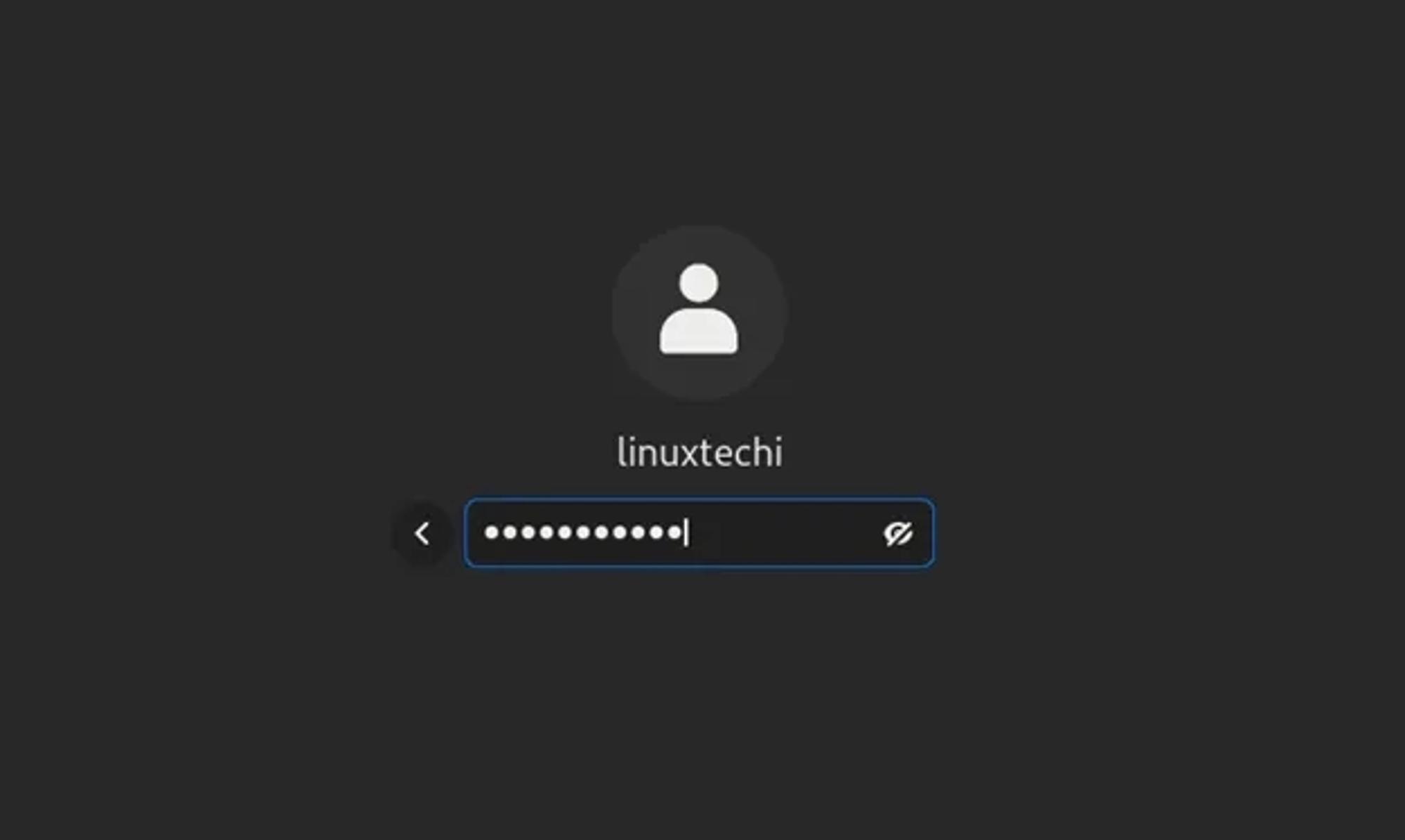
在登录屏幕上,提供您的登录密码并点击“ ENTER ”
登录后,RHEL 9桌面将显示新外观的GNOME 42。
此外,您可以通过运行以下命令来验证升级是否成功:
$ cat /etc/redhat-release

此外,请确认它是 RHEL 订阅的一部分。
$ sudo subscription-manager list --installed

这就对了,我们已经成功地完成了从RHEL 8到RHEL 9的就地升级。 当您开始使用RHEL 9系统一切顺利,快去试试升级吧!
边栏推荐
- Batch modify specified character file name bat script
- Visio use
- The processor of this virtual machine supports different functions than the processor of the virtual machine that holds the state of the virtual machine
- DNSLog注入
- How to put your WordPress website in maintenance mode
- Ten MySQL locks, one article will give you full analysis
- 2022危险化学品生产单位安全生产管理人员复习题及答案
- 居家高效远程办公 | 社区征文
- The fourth largest operator cannot be a "catfish"
- June 27, 2022 to July 3, 2022 (UE4 video tutorial)
猜你喜欢

Panorama of enterprise power in China SSD industry

Squid proxy server application (I came from afar to make an appointment with you)

kubernetes可视化界面dashboard

Node foundation ~ node level

单片机修改网络硬件驱动(phy芯片更换)

麻醉不止“打一针”那么简单,无痛、安全、舒适为患者首选
win10用cmake3.22与vs2019编译curl库源码并调用

Redis persistence (young people always set sail with a fast horse, with obstacles and long turns)

2022起重机械指挥考试题库模拟考试平台操作

架构自治服务:构建数据驱动的架构洞察
随机推荐
How to do a good job of gateway high availability protection in the big promotion scenario
Rsync remote synchronization (sunset is especially gentle, and the world is romantic)
Redis persistence (young people always set sail with a fast horse, with obstacles and long turns)
Ask flynk SQL cdc Can you synchronize multiple tables and then sink them into one table? Synchronized tables can be accessed through a joi
Panorama of enterprise power in China SSD industry
CSDN Blogger
2022年6月27日-2022年7月3日(ue4视频教程)
Dpdk 20.11 compiling, installing and running program
HTNL introduction
期货开户怎么开?在哪里开户更安全?
Spark Tuning (submit job resource parameter tuning)
IDC:阿里云获2021中国数据治理平台市场份额第一
Introduction, type selection comparison and architecture design of common distributed file storage
Squid代理服务器应用(我从远方赶来,赴你一面之约)
A few lines of code can realize complex excel import and export. This tool class is really powerful!
Ding! Techo day Tencent technology open day arrived as scheduled!
全网最全360无死角编写软件测试用例模板【建议收藏】
From getting started to mastering the application of | yalmip+cplex in power system (excellent, I will lose if I can't understand it, and I will lose if I don't gain)
节点基础~节点层级
How to configure the Oracle CDC service name without Sid?