当前位置:网站首页>Wechat applet new version prompt update
Wechat applet new version prompt update
2022-06-25 04:48:00 【Oglie's magic slippers~】
Wechat applet new version prompt update
The company's small program project goes online , There will be small version iterations later . In order to enable users to use the functions of the latest version in time after our version iteration . Do the following optimization …
Knowledge point 1: When the user clicks the upper left corner to close , Or press the device Home Key to leave wechat , The applet was not destroyed directly , It's backstage ;
When you enter wechat again or open the applet again , It will enter the front desk from the backstage , Only when the applet enters the background for a certain time , Or the system resources are too high , Will be really destroyed .
Knowledge point 2: The startup of small programs is divided into " Cold start " and “ Hot start ”.
Hot start means : After the applet opens , Over a period of time ( at present :5 minute ) Opened again , The applet in the background will be switched to the foreground .
Cold start means : After the applet is first opened or destroyed, it is opened again
Knowledge point 3: An updated version
Cold start , If a new version is found , The new version of the code package will be downloaded asynchronously , At the same time, it starts with the local package of the client , That is, the new version of the applet will not be applied until the next cold start .
If you want to apply the latest version right away , Use wx.getUpdateManager API To deal with .
The code is as follows :
//  stay app.js Write the following code in
  onLaunch () {
    if (wx.canIUse('getUpdateManager')) {
      const updateManager = wx.getUpdateManager()
      updateManager.onCheckForUpdate(function (res) {
        console.log('onCheckForUpdate====', res)
        //  Call back after requesting new version information
        if (res.hasUpdate) {
          console.log('res.hasUpdate====')
          updateManager.onUpdateReady(function () {
            wx.showModal({
              title: ' Update hints ',
              content: ' The new version is ready , Restart application or not ?',
              success: function (res) {
                console.log('success====', res)
                // res: {errMsg: "showModal: ok", cancel: false, confirm: true}
                if (res.confirm) {
                  //  The new version has been downloaded , call  applyUpdate  Apply new version and restart
                  updateManager.applyUpdate()
                }
              }
            })
          })
          updateManager.onUpdateFailed(function () {
            //  New version download failed
            wx.showModal({
              title: ' There is a new version ~',
              content: ' The new version is online ~, Please delete the current applet , Search again open ~'
            })
          })
        }
      })
    }
  }
Knowledge point 4: When the applet is reinitialized, it will trigger onLaunch event . onLaunch The event will be triggered on the page onShow Before the incident . The updated version of the applet can be written in onLaunch in .
Knowledge point 5:
The version update cannot be tested in the development and experience version
It needs to be in the developer tool , Select... At compile time " Simulation update compilation "

Click ok :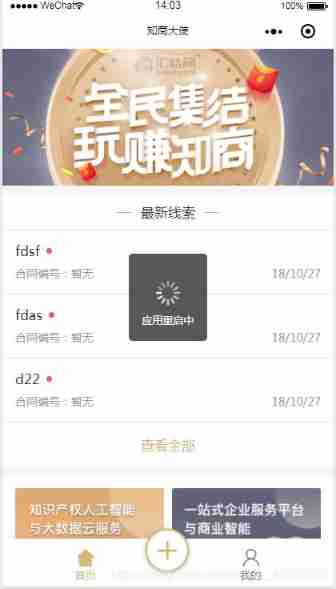
Console display :
Knowledge point 6: With the continuous updating of small programs , Some functions may require the latest version of wechat client to use . At this time, you can pop up a window to prompt the user to update to the latest version of wechat
if (wx.canIUse('getUpdateManager')) {
  ...
} else {
  // can't use getUpdateManager
  wx.showModal({
        title: ' Tips ',
        content: ' Current wechat version is too low , This feature is not available , Please upgrade to the latest wechat version and try again .'
   })
Full version :
onLaunch () {
    if (wx.canIUse('getUpdateManager')) {
      const updateManager = wx.getUpdateManager()
      updateManager.onCheckForUpdate(function (res) {
        if (res.hasUpdate) {
          updateManager.onUpdateReady(function () {
            wx.showModal({
              title: ' Update hints ',
              content: ' The new version is ready , Restart application or not ?',
              success: function (res) {
                if (res.confirm) {
                  updateManager.applyUpdate()
                }
              }
            })
          })
          updateManager.onUpdateFailed(function () {
            wx.showModal({
              title: ' There is a new version ~',
              content: ' The new version is online ~, Please delete the current applet , Search again open ~'
            })
          })
        }
      })
    } else {
      wx.showModal({
        title: ' Tips ',
        content: ' Current wechat version is too low , This feature is not available , Please upgrade to the latest wechat version and try again .'
      })
    }
  }
Knowledge point 7: If in onLaunch In order to make a request , This is an asynchronous request . If there are requirements for interaction sequence , Such as : Version update – Retrieve data -- User presentation , Then it needs to be considered in callback To retrieve the data in .
Knowledge point 8:
When the applet starts , Normally, it will be hot updated , Download the new version of the package , The next boot will use the new package . However, it is found that the update is unsuccessful .
The official answer is : The effectiveness of the policy is related to the network environment, release time and other factors , Will let the applet update as quickly as possible , But there is no guarantee that every hot update will succeed .
Knowledge point 9:
Asynchronous updates of applets occur during cold start . Hot updates are not officially recommended . reason :

Official documents – to update
Reprinted from : Simple books
The original author : Little devil Fairy
link :https://www.jianshu.com/p/4f5e3faaf483
边栏推荐
- Classification of gbase 8s locks
- 融合CDN,为客户打造极致服务体验!
- php开发支付宝支付功能之扫码支付流程图
- Basic introduction of gbase 8s blocking technology
- 《牛客刷verilog》Part I Verilog快速入门
- Gbase 8s parallel operation problem scenario description
- jsz中的join()
- "Daily practice, happy water" 1108 IP address invalidation
- js的arguments
- Separation of storage and computing in Dahua cloud native database
猜你喜欢









随机推荐
Construction scheme of distributed websocket
OOP vector addition and subtraction (friend + copy construction)
OpenSea PHP开发包
Code scanning payment flow chart of Alipay payment function developed by PHP
以太网是什么要怎么连接电脑
Kotlin compose listens to the soft keyboard and clicks enter to submit the event
Mongodb cluster
Vscode 设置clang-format
Gbase 8s stored procedure syntax structure
Kotlin Compose 监听软键盘 点击enter提交事件
第九章 APP项目测试(2) 测试工具
Méthode de récupération des données d'ouverture du disque dur à l'état solide
多睡觉,能减肥,芝加哥大学最新研究:每天多睡1小时,等于少吃一根炸鸡腿...
MySQL concept and operation (III)
本轮压力测试下,DeFi协议们表现如何?
What if the desktop computer is not connected to WiFi
【FLink】access closed classloader classloader. check-leaked-classloader
高效的NoSQL数据库服务Amozon DynamoDB体验分享
Use of deferred environment variable in gbase 8s
Upgrade PHP to php7 X (III) failure of wechat payment callback