当前位置:网站首页>Project practice 6: distributed transaction Seata
Project practice 6: distributed transaction Seata
2022-06-26 18:33:00 【cc_ nanke dream】
One 、Seata Introduce
1: brief introduction :
Seata Is an open source distributed transaction solution , Committed to providing high-performance and easy-to-use distributed services
Business services .Seata Will provide users with AT、TCC、SAGA and XA Transaction mode ,
Create a one-stop distributed solution for users .
2: The term
TC (Transaction Coordinator) - A business coordinator
Maintain the state of global and branch transactions , Drive global transaction commit or rollback .
TM (Transaction Manager) - Transaction manager
Define the scope of the global transaction : Start global transaction 、 Commit or roll back global transactions .
RM (Resource Manager) - Explorer
Manage resources for branch transactions , And TC Talk to register branch transactions and report the status of branch transactions ,
And drive branch transaction commit or rollback .
3: Treatment process
1.TM towards TC Request to open a global transaction , The global transaction is created successfully and generates a globally unique XID
2.XID Propagate in the context of the microservice call link
3.RM towards TC Register branch transactions , Be included in the XID Jurisdiction corresponding to global transaction
4.TM towards TC Launch against XID The global commit or rollback resolution for
5.TC Dispatch XID Commit or rollback of all branch transactions under jurisdiction

Two 、Seata Server deployment
1: download
Address :http://seata.io/zh-cn/blog/download.html
Select version download . I'm using 1.3
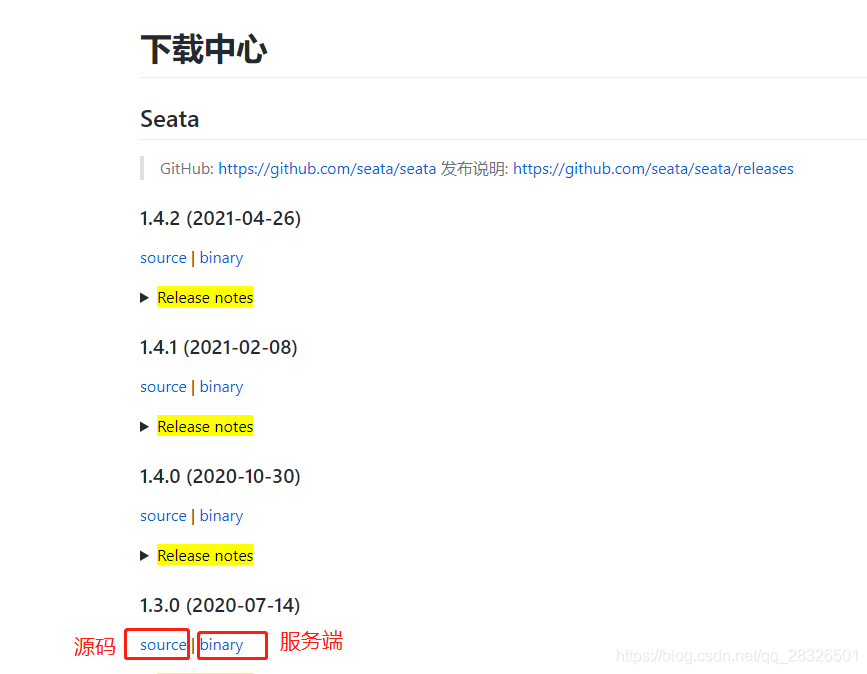
2: Upload and unzip

3: modify conf Under the registry.conf
Configure registry and configuration center

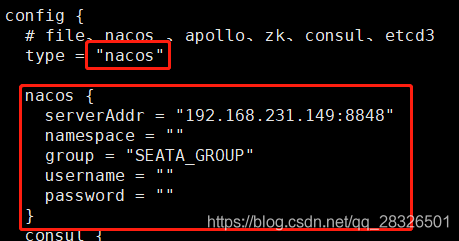
4:nacos add to seata Need configuration
【1】: Source code path seata-1.3.0\script\config-center In the catalog config.txt Make changes

Items that need to be modified
my_tesst_cc_group You need to remember that it will be used in the future

【2】: Upload to nacos
Enter source code seata-1.3.0\script\config-center\nacos perform nacos-config.sh
But the use of Git Bash Just execute the window
command :$ sh nacos-config.sh -h 192.168.231.149 -p 8848 -g SEATA_GROUP


5: Create database
sql Files can be found in the source code \seata-1.3.0\script\server\db Copy under Directory

After executing to create a table

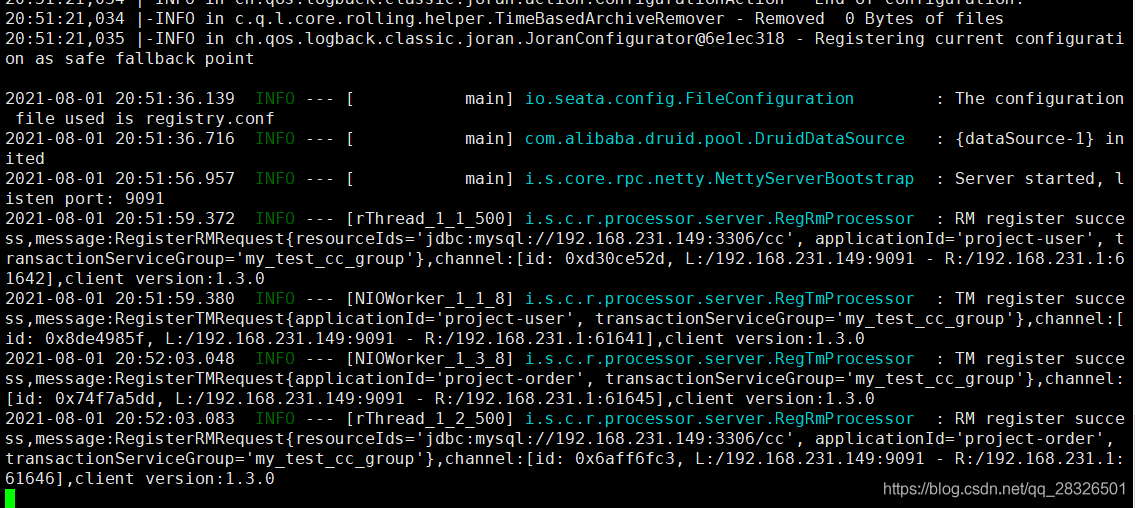
6: Startup and operation
command : ./seata-server.sh -p 9091

success
3、 ... and 、Spring Boot Integrate
1: modify pom

<dependency>
    <groupId>com.alibaba.cloud</groupId>
    <artifactId>spring-cloud-alibaba-seata</artifactId>
    <exclusions>
        <exclusion>
            <artifactId>seata-all</artifactId>
            <groupId>io.seata</groupId>
        </exclusion>
    </exclusions>
</dependency>
<dependency>
    <groupId>io.seata</groupId>
    <artifactId>seata-all</artifactId>
    <version>1.3.0</version>
</dependency>
2: Add configuration file file.conf and registry.conf.
registry.conf Consistent with that on the server . Just copy it directly
file.conf As shown below
vgroupMapping Configuration and nacos The configuration in is consistent

transport {
  # tcp udt unix-domain-socket
  type = "TCP"
  #NIO NATIVE
  server = "NIO"
  #enable heartbeat
  heartbeat = true
  # the client batch send request enable
  enableClientBatchSendRequest = true
  #thread factory for netty
  threadFactory {
    bossThreadPrefix = "NettyBoss"
    workerThreadPrefix = "NettyServerNIOWorker"
    serverExecutorThread-prefix = "NettyServerBizHandler"
    shareBossWorker = false
    clientSelectorThreadPrefix = "NettyClientSelector"
    clientSelectorThreadSize = 1
    clientWorkerThreadPrefix = "NettyClientWorkerThread"
    # netty boss thread size,will not be used for UDT
    bossThreadSize = 1
    #auto default pin or 8
    workerThreadSize = "default"
  }
  shutdown {
    # when destroy server, wait seconds
    wait = 3
  }
  serialization = "seata"
  compressor = "none"
}
service {
  #transaction service group mapping
  #  Change to the corresponding
  vgroupMapping.my_test_cc_group = "default"
  #only support when registry.type=file, please don't set multiple addresses
  default.grouplist = "127.0.0.1:8091"
  #degrade, current not support
  enableDegrade = false
  #disable seata
  disableGlobalTransaction = false
}

client {
  rm {
    asyncCommitBufferLimit = 10000
    lock {
      retryInterval = 10
      retryTimes = 30
      retryPolicyBranchRollbackOnConflict = true
    }
    reportRetryCount = 5
    tableMetaCheckEnable = false
    reportSuccessEnable = false
    sagaBranchRegisterEnable = false
  }
  tm {
    commitRetryCount = 5
    rollbackRetryCount = 5
    degradeCheck = false
    degradeCheckPeriod = 2000
    degradeCheckAllowTimes = 10
  }
  undo {
    dataValidation = true
    onlyCareUpdateColumns = true
    logSerialization = "jackson"
    logTable = "undo_log"
  }
  log {
    exceptionRate = 100
  }
}
3: modify application.yml Add the configuration

4: add to dataSource To configure
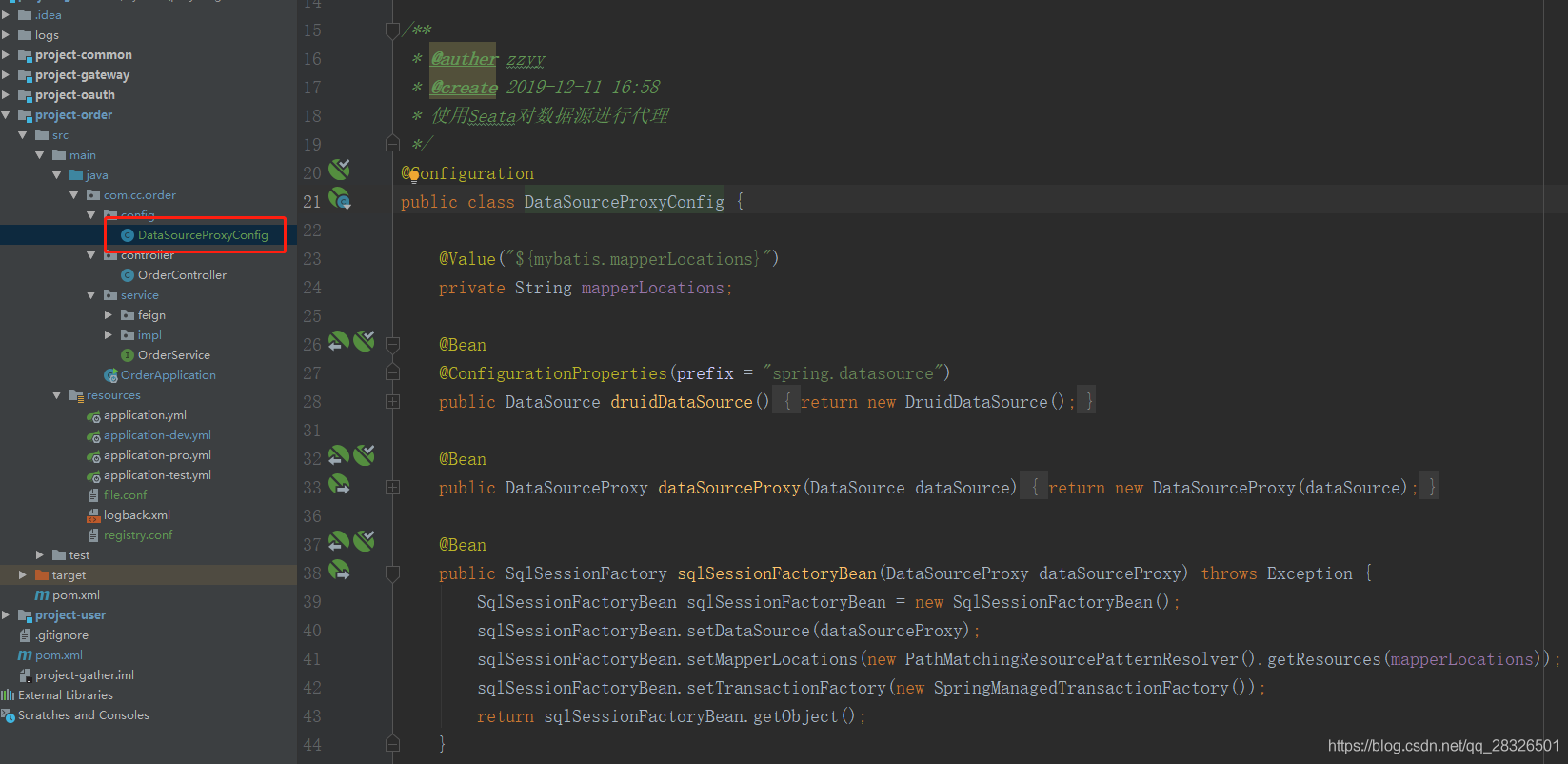
package com.cc.order.config;

import com.alibaba.druid.pool.DruidDataSource;
import io.seata.rm.datasource.DataSourceProxy;
import org.apache.ibatis.session.SqlSessionFactory;
import org.mybatis.spring.SqlSessionFactoryBean;
import org.mybatis.spring.transaction.SpringManagedTransactionFactory;
import org.springframework.beans.factory.annotation.Value;
import org.springframework.boot.context.properties.ConfigurationProperties;
import org.springframework.context.annotation.Bean;
import org.springframework.context.annotation.Configuration;
import org.springframework.core.io.support.PathMatchingResourcePatternResolver;
import javax.sql.DataSource;

/**
 * @auther zzyy
 * @create 2019-12-11 16:58
 *  Use Seata Proxy data sources
 */
@Configuration
public class DataSourceProxyConfig {

    @Value("${mybatis.mapperLocations}")
    private String mapperLocations;

    @Bean
    @ConfigurationProperties(prefix = "spring.datasource")
    public DataSource druidDataSource(){
        return new DruidDataSource();
    }

    @Bean
    public DataSourceProxy dataSourceProxy(DataSource dataSource) {
        return new DataSourceProxy(dataSource);
    }

    @Bean
    public SqlSessionFactory sqlSessionFactoryBean(DataSourceProxy dataSourceProxy) throws Exception {
        SqlSessionFactoryBean sqlSessionFactoryBean = new SqlSessionFactoryBean();
        sqlSessionFactoryBean.setDataSource(dataSourceProxy);
        sqlSessionFactoryBean.setMapperLocations(new PathMatchingResourcePatternResolver().getResources(mapperLocations));
        sqlSessionFactoryBean.setTransactionFactory(new SpringManagedTransactionFactory());
        return sqlSessionFactoryBean.getObject();
    }

}
5: Business database creation undo_log surface
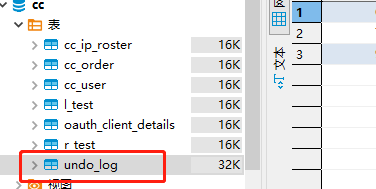
Create table statement :
CREATE TABLE `undo_log` (
  `id` bigint(20) NOT NULL AUTO_INCREMENT,
  `branch_id` bigint(20) NOT NULL,
  `xid` varchar(100) NOT NULL,
  `context` varchar(128) NOT NULL,
  `rollback_info` longblob NOT NULL,
  `log_status` int(11) NOT NULL,
  `log_created` datetime NOT NULL,
  `log_modified` datetime NOT NULL,
  `ext` varchar(100) DEFAULT NULL,
  PRIMARY KEY (`id`),
  UNIQUE KEY `ux_undo_log` (`xid`,`branch_id`)
) ENGINE=InnoDB AUTO_INCREMENT=4 DEFAULT CHARSET=utf8
6: Modify the startup class

7: Start each service , Use... On business methods @GlobalTransactional Distributed transaction control

边栏推荐
猜你喜欢




随机推荐
[unity] use C in unity to execute external files, such as Exe or bat
LeetCode 128最长连续序列
ISO documents
Commodity seckill system
VCD video disc
Crawl Douban to read top250 and import it into SqList database (or excel table)
CD-CompactDisk
Deep understanding of MySQL lock and transaction isolation level
临时关闭MySQL缓存
基于tensorflow的手写数字识别
Current limiting design and Implementation
Map和List<Map>转相应的对象
redis 基础知识
Map and filter methods for processing scarce arrays
软考备战多媒体系统
Detailed explanation of MySQL mvcc mechanism
ROS query topic specific content common instructions
To: seek truth from facts
Do you know how to compare two objects
LeetCode 面试题29 顺时针打印矩阵