当前位置:网站首页>短视频软件开发,Android开发,使用Kotlin实现WebView
短视频软件开发,Android开发,使用Kotlin实现WebView
2022-08-01 19:01:00 【云豹网络科技】
短视频软件开发,Android开发,使用Kotlin实现WebView
1、布局文件
<LinearLayout xmlns:android="http://schemas.android.com/apk/res/android"
    android:orientation="vertical"
    android:layout_width="match_parent"
    android:layout_height="match_parent">

    <WebView
        android:id="@+id/webview"
        android:layout_width="match_parent"
        android:layout_height="match_parent"/>

</LinearLayout>
2、Activity文件
class TestWebActivity : Activity(){

    private var webView: WebView? = null

    var WEB_URL = "https://www.baidu.com"

    override fun onCreate(savedInstanceState: Bundle?) {

        super.onCreate(savedInstanceState)
        setContentView(R.layout.test_webview)

        initWebView()
    }

    fun initWebView(){

        webView = findViewById(R.id.webview)
        webView?.loadUrl(WEB_URL)

        val webClient = object : WebViewClient(){

            override fun shouldOverrideUrlLoading(view: WebView?, request: WebResourceRequest?): Boolean {

                return false
            }
        }

        //下面这些直接复制就好
        webView?.webViewClient=webClient

        var webSettings = webView!!.settings
        webSettings.javaScriptEnabled = true  // 开启 JavaScript 交互
        webSettings.setAppCacheEnabled(true) // 启用或禁用缓存
        webSettings.cacheMode = WebSettings.LOAD_DEFAULT // 只要缓存可用就加载缓存, 哪怕已经过期失效 如果缓存不可用就从网络上加载数据
        webSettings.setAppCachePath(cacheDir.path) // 设置应用缓存路径

        // 缩放操作
        webSettings.setSupportZoom(false) // 支持缩放 默认为true 是下面那个的前提
        webSettings.builtInZoomControls = false // 设置内置的缩放控件 若为false 则该WebView不可缩放
        webSettings.displayZoomControls = false // 隐藏原生的缩放控件

        webSettings.blockNetworkImage = false // 禁止或允许WebView从网络上加载图片
        webSettings.loadsImagesAutomatically = true // 支持自动加载图片

        if (Build.VERSION.SDK_INT >= Build.VERSION_CODES.O) {

            webSettings.safeBrowsingEnabled = true // 是否开启安全模式
        }

        webSettings.javaScriptCanOpenWindowsAutomatically = true // 支持通过JS打开新窗口
        webSettings.domStorageEnabled = true // 启用或禁用DOM缓存
        webSettings.setSupportMultipleWindows(true) // 设置WebView是否支持多窗口

        // 设置自适应屏幕, 两者合用
        webSettings.useWideViewPort = true  // 将图片调整到适合webview的大小
        webSettings.loadWithOverviewMode = true  // 缩放至屏幕的大小
        webSettings.allowFileAccess = true // 设置可以访问文件

        webSettings.setGeolocationEnabled(true) // 是否使用地理位置

        webView?.fitsSystemWindows = true
        webView?.setLayerType(View.LAYER_TYPE_HARDWARE,null)
        webView?.loadUrl(WEB_URL)
    }

    //设置返回键的监听
    override fun onKeyDown(keyCode: Int, event: KeyEvent?): Boolean {

        if (keyCode==KeyEvent.KEYCODE_BACK){

            if (webView!!.canGoBack()){

                webView!!.goBack()  //返回上一个页面
                return true
            }else{

                finish()
                return true
            }
        }
        return false
    }
}
3、在AndroidMinifest中添加权限
<manifest xmlns:android="http://schemas.android.com/apk/res/android"
    package="com.android.testwebview">

    <application
        android:allowBackup="true"
        android:icon="@mipmap/ic_launcher"
        android:label="@string/app_name"
        android:roundIcon="@mipmap/ic_launcher_round"
        android:supportsRtl="true"
        android:theme="@style/AppTheme">
        <activity android:name=".TestWebActivity">
            <intent-filter>
                <action android:name="android.intent.action.MAIN" />

                <category android:name="android.intent.category.LAUNCHER" />
            </intent-filter>
        </activity>
    </application>

    <!--添加网络权限-->
    <uses-permission android:name="android.permission.INTERNET"/>

</manifest>
以上就是 短视频软件开发,Android开发,使用Kotlin实现WebView,更多内容欢迎关注之后的文章
边栏推荐
猜你喜欢
odoo 编码规范(编程规范、编码指南)
日志工厂(详细)
odoo coding conventions (programming conventions, coding guidelines)

explain 各字段介绍

亚马逊云科技Build On2022技能提升计划第二季——揭秘出海爆款新物种背后的黑科技

kubernetes-部署nfs存储类

Win11怎么安装语音包?Win11语音包安装教程
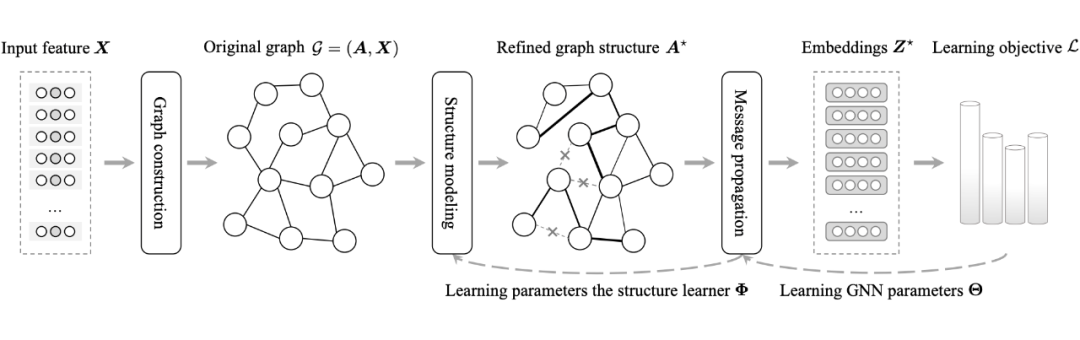
【综述专栏】IJCAI 2022 | 图结构学习最新综述:研究进展与未来展望

C#/VB.NET:从 PDF 文档中提取所有表格
No need to crack, install Visual Studio 2013 Community Edition on the official website
随机推荐
123123123123
LeetCode 0151.颠倒字符串中的单词
C#/VB.NET: extracted from the PDF document all form
The function realization of the national standard GB28181 protocol EasyGBS platform compatible with the old version of the inflow port
Tencent Cloud Hosting Security x Lightweight Application Server | Powerful Joint Hosting Security Pratt & Whitney Version Released
COS User Practice Call for Papers
首篇 NLP 领域图神经网络综述:127 页,从图构建到实际应用面面观
Multi-Party Threshold Private Set Intersection with Sublinear Communication-2021:解读
odoo 编码规范(编程规范、编码指南)
有点奇怪!访问目的网址,主机能容器却不行
How many steps does it take to convert an ENS domain name into music?
Selenium在远程中的截图
【服务器数据恢复】服务器Raid5阵列mdisk组中多块磁盘离线的数据恢复案例
AntDB database appeared in the 24th high-speed exhibition, helping smart high-speed innovative applications
明尼苏达大学团队结合高通量实验与机器学习,实现有效可预测的特定位点重组过程,可调节基因编辑速度
重保特辑|拦截99%恶意流量,揭秘WAF攻防演练最佳实践
深入浅出Flask PIN
app直播源码,点击搜索栏自动弹出下拉框
LeetCode 1374. Generate an odd number of each character string
123123123123